1. 서론
This manual provides detailed instructions for the assembly, operation, and maintenance of your Goplus Workbench. Designed for workshops, garages, and other work environments, this workbench offers a robust and organized solution for your tools and projects. Please read this manual thoroughly before assembly and use to ensure safe and efficient operation.
2. 안전 정보
Always follow basic safety precautions when using this workbench to reduce the risk of injury or damage.
- Ensure all components are securely fastened before placing items on the workbench.
- Do not exceed the specified weight capacities for the tabletop, drawer, and shelves.
- 작업 공간을 깨끗하고 밝게 유지하세요.
- Use appropriate personal protective equipment (PPE) when working.
- Avoid placing hot items directly on the MDF surfaces without protection.
- Do not allow children to climb or play on the workbench.
3. 패키지 내용
조립을 시작하기 전에 모든 부품이 있는지 확인하세요. 부품이 누락되었거나 손상된 경우 고객 지원 센터에 문의하세요.
- 1 x Workbench with Pegboard
- 1 x Drill Bit Storage Rack
- 1 x Wrench Set Rack
- 3 x Tool Holders
- 1 x Long Rack
- 8 x Pegboard Hooks
- 1 x 사용 설명서
- Necessary assembly accessories (bolts, nuts, etc.)
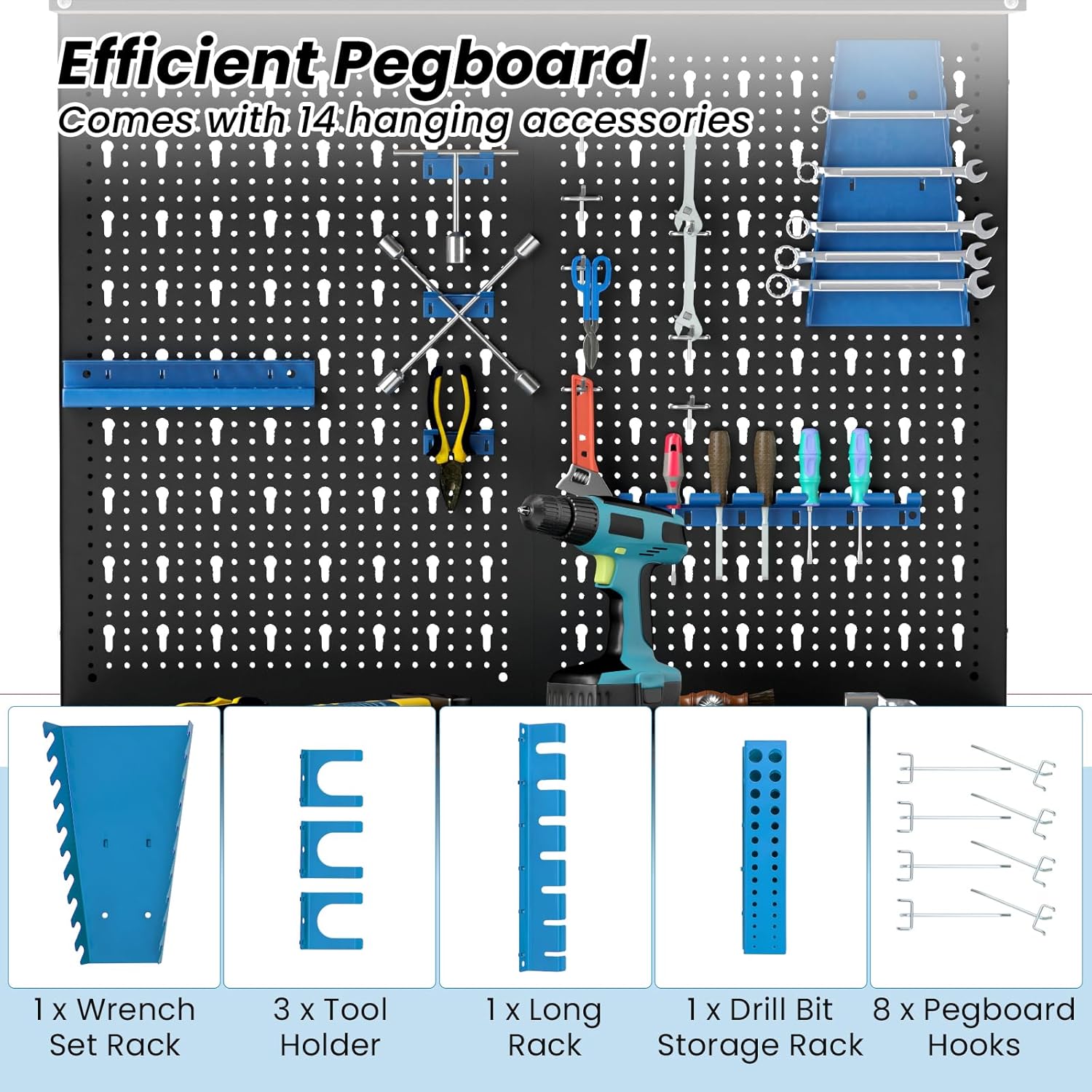
Image 3.1: The pegboard comes with various hanging accessories for tool organization, including wrench racks, tool holders, drill bit storage, and hooks.
4. 사양
Key dimensions and weight capacities for the Goplus Workbench.
| 특징 | 세부 사항 |
|---|---|
| 전체 치수(L x W x H) | 32인치 x 16인치 x 61인치 |
| Height of Tabletop | 36인치 |
| Dimension of Drawer (L x W x H) | 29.5인치 x 16인치 x 2.5인치 |
| 테이블 상판의 하중 지지력 | 220파운드 |
| Weight Capacity of Drawer | 44파운드 |
| Weight Capacity of Top Shelf | 44파운드 |
| Weight Capacity of Each Lower Shelf | 110파운드 |
| 순중량 | 54파운드 |
| 재료 | 금속, MDF |
| 프레임 소재 | 금속 |
| 마무리 유형 | 그린 |

Image 4.1: Detailed dimensions of the Goplus Workbench, including overall height, tabletop height, and shelf depths.

Image 4.2: Illustration of the workbench's robust metal construction and individual weight capacities for the top shelf (44 lbs), tabletop (220 lbs), drawer (44 lbs), and lower shelves (110 lbs each).
5. 설치 및 조립
The Goplus Workbench is designed for straightforward assembly. All parts are numbered, and necessary accessories are included. Follow the steps below carefully.
- 구성 요소 풀기: Carefully remove all parts from the packaging. Lay them out on a clean, flat surface. Verify all items against the "Package Contents" list.
- 부품 식별: Refer to the included instruction manual's diagrams to identify each numbered component (e.g., frame pieces, shelves, drawer parts, pegboard).
- 프레임 조립: Begin by connecting the main vertical and horizontal frame pieces using the provided bolts and nuts. Do not fully tighten bolts until the entire frame is assembled.
- 선반 설치: Slide the MDF shelves into their designated slots on the frame. Ensure they are seated correctly and level.
- 서랍 조립: Follow the specific instructions for assembling the drawer unit. Install the drawer slides onto the frame and then attach the drawer box. Ensure smooth operation.
- Attach Pegboard and Top Shelf: Secure the pegboard to the upper frame section. Then, attach the top shelf above the pegboard.
- 최종 조임: Once all components are in place and aligned, systematically tighten all bolts and nuts using appropriate tools. Ensure the workbench is stable and does not wobble.
- 액세서리 부착: Install the pegboard hooks, tool holders, and racks as desired for your tool organization.
팁: It is recommended to have a second person assist during assembly for easier handling of larger components.
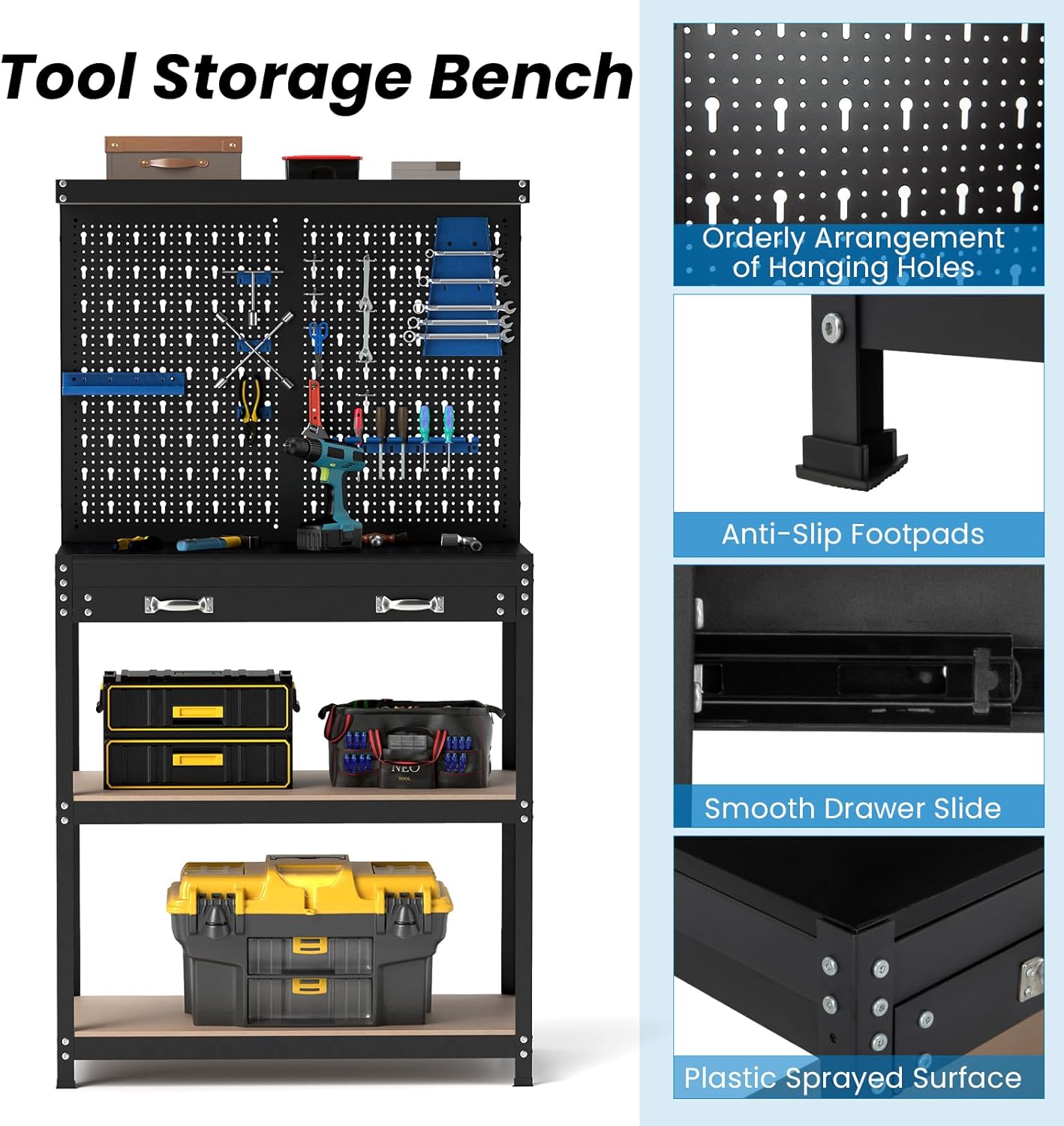
이미지 5.1: 클로즈업 view of key features such as orderly arrangement of pegboard holes, anti-slip footpads for stability, and the smooth drawer slide mechanism.
6. 사용 설명서
The Goplus Workbench is designed to provide a versatile and organized workspace.
- 작업 표면: Utilize the spacious MDF tabletop for various tasks, from repairs to DIY projects. Ensure heavy items are distributed evenly.
- Pegboard Organization: Use the included hooks and holders on the pegboard to keep frequently used tools visible and easily accessible. Arrange them according to your workflow.
- 서랍 보관: The smooth-gliding drawer provides enclosed storage for smaller tools, accessories, or sensitive items, keeping them protected from dust and debris.
- 선반 수납: The top shelf and two lower shelves offer ample space for larger tools, equipment, storage bins, or project materials. Adhere to the stated weight capacities for each shelf.
- 다양한 용도: The workbench is suitable for various environments, including garages, workshops, and basements, and can be used comfortably whether sitting or standing.

이미지 6.1: 이상view of the workbench highlighting its versatile storage components: top shelf, pegboard, tabletop, large drawer, and 2-tier open shelves.
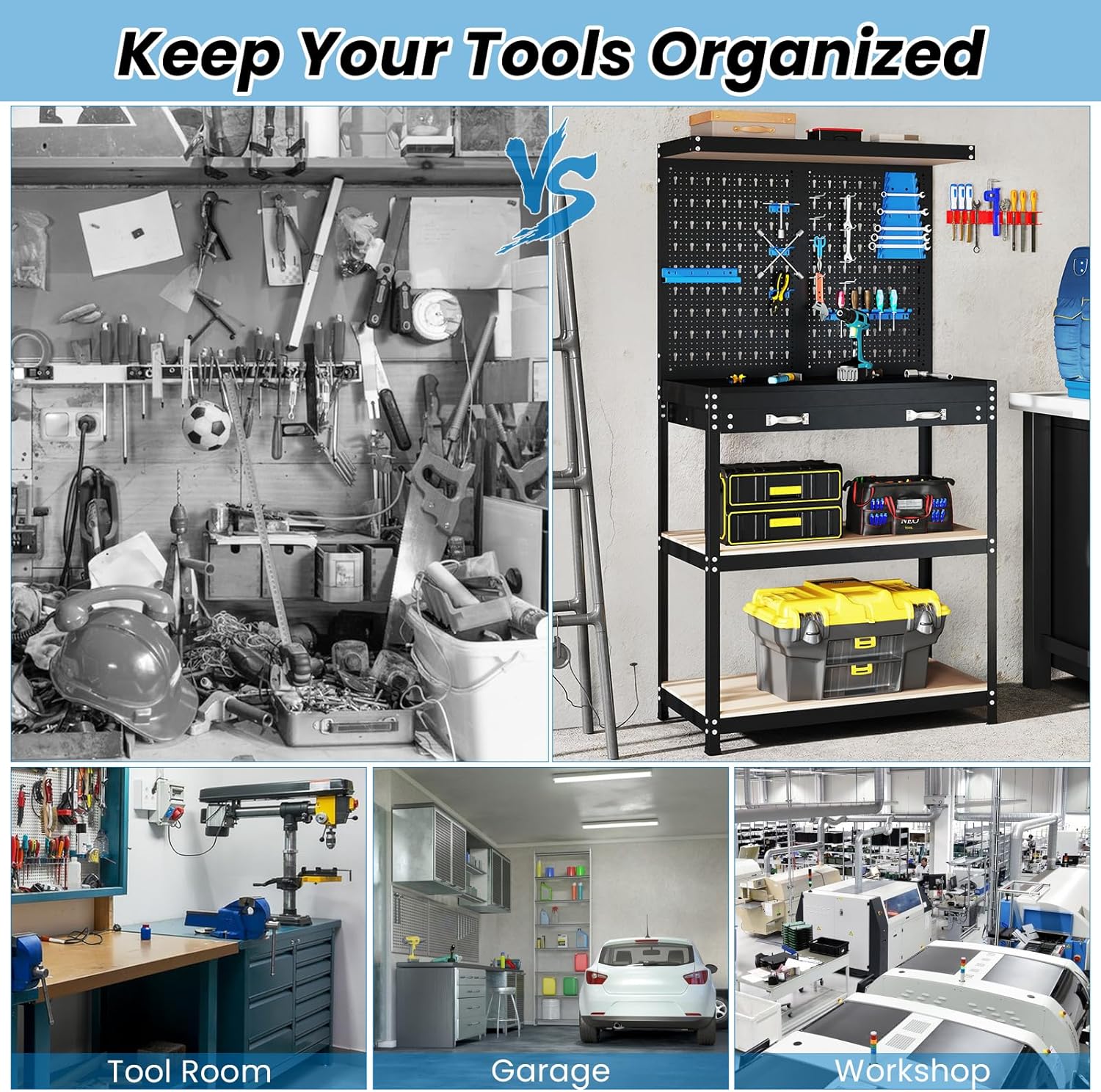
Image 6.2: Comparison showing a cluttered workspace versus an organized Goplus Workbench, demonstrating its effectiveness in tool organization for various applications like tool rooms, garages, and workshops.
7. 유지관리
Regular maintenance will prolong the life and appearance of your workbench.
- 청소: The workbench surfaces can be easily cleaned with a damp cloth. For stubborn dirt, use a mild detergent and wipe dry immediately. Avoid abrasive cleaners.
- 하드웨어 검사: Periodically check all bolts and nuts to ensure they remain tight. Re-tighten if necessary to maintain stability.
- 서랍 슬라이드: If the drawer operation becomes stiff, apply a small amount of silicone lubricant to the drawer slides.
- 표면 보호: To protect the MDF tabletop from scratches or spills, consider using a protective mat or cover for heavy-duty tasks.
8. 문제 해결
이 섹션에서는 일반적으로 발생할 수 있는 문제에 대해 설명합니다.
- Workbench Wobbles:
- 모든 볼트와 너트가 완전히 조여졌는지 확인하십시오.
- Check that the workbench is on a level surface. Adjust the anti-slip footpads if necessary to compensate for uneven floors.
- Drawer Sticks or Does Not Slide Smoothly:
- 서랍 슬라이드가 올바르게 설치되고 정렬되었는지 확인하세요.
- 서랍 슬라이드에 방해물이 있는지 확인하세요.
- Apply a silicone-based lubricant to the slides.
- 잃어버린 부분들:
- 모든 포장재를 주의 깊게 다시 점검하세요.
- Contact Goplus customer support with your purchase details and a list of missing parts.
9. 보증 및 지원
For warranty information or technical support, please refer to your purchase documentation or contact Goplus customer service directly. Keep your proof of purchase for any warranty claims.
Goplus Customer Service: Refer to the contact information provided at the point of purchase or on the official Goplus web대지.


