소개
Welcome to the Joyway 20-Inch Carry-On Luggage user manual. This guide provides essential information for the proper setup, operation, and maintenance of your new luggage. Please read these instructions carefully to ensure optimal performance and longevity of your product.

Image: Joyway 20-Inch Carry-On Luggage with key features highlighted.
제품 끝view
The Joyway 20-inch Carry-On Luggage is designed for convenience and durability, featuring a hardside construction and smart travel functionalities.
주요 특징:
- 내구성 있는 구조: Made from PP+ABS material for lightweight strength and impact resistance.
- 확장 가능한 디자인: Offers 20% more packing space for increased capacity.
- 360° Spinner Wheels: Dual, lockable wheels provide smooth, multi-directional movement.
- Adjustable Telescoping Handle: Ergonomic 3-step handle for comfortable maneuvering.
- Integrated Smart Features: Includes a smart cup holder, USB and USB-C charging ports (power bank not included), and front/side hooks.
- TSA 콤비네이션 자물쇠: Ensures security and compliance with travel regulations.
- 정리된 내부: Features mesh pockets and elastic cross straps for secure packing.

Image: Visual representation of key features: expansion, wheels, handle.
설정
초기 검사:
Upon receiving your Joyway luggage, inspect it for any signs of damage during transit. If any damage is found, please contact customer support immediately.
Setting the TSA Combination Lock:
Your luggage is equipped with a 3-digit TSA combination lock. The default combination is 0-0-0.
- Ensure the dials are set to the original numbers, 0-0-0.
- Locate the reset button (b), usually a small hole on the side of the lock. Use a pen or a pointed tool to press down the reset button until you hear a "click" sound.
- While the reset button is pressed, set your desired 3-digit combination by turning the dials (a). For examp르, 8-8-8.
- Push the button (c) in the direction of the arrow. You will hear another "click" sound, indicating your new combination is set.
Remember your new combination. If you forget it, you will need to contact customer support for assistance.

Image: Step-by-step instructions for setting the TSA lock.
작동 지침
Using the Expandable Design:
To increase your packing capacity by 20%, locate the expansion zipper around the perimeter of the luggage. Unzip this zipper to expand the luggage compartment. Zip it back up to return to the standard size.

Image: Luggage demonstrating the 20% expansion feature.
USB 충전 포트:
Your luggage includes external USB and USB-C charging ports. To use these, connect your own power bank (not included) to the internal cable located within the luggage. Then, connect your device to the external port to charge.
Smart Cup Holder and Hooks:
- 컵 홀더: A retractable cup holder is located on the back of the luggage. Gently pull it out to hold your beverage and push it back in when not in use.
- Front Portable Hook: Use the front hook to hang small bags or accessories, freeing your hands.
- 측면 후크: A dedicated side hook is provided for easy access to items like boarding passes.

Image: Close-up of the cup holder, USB ports, and hooks.
스피너 휠:
The four dual spinner wheels rotate 360 degrees, allowing for effortless movement in any direction. The wheels are also lockable for stability when stationary. To lock, press down on the small lever located on each wheel. To unlock, lift the lever.

Image: Illustration of the 360-degree spinner wheels and their lockable function.
텔레스코핑 핸들:
The ergonomic 3-step telescoping handle can be adjusted to different heights for comfortable pulling. Press the button on the handle to extend or retract it.
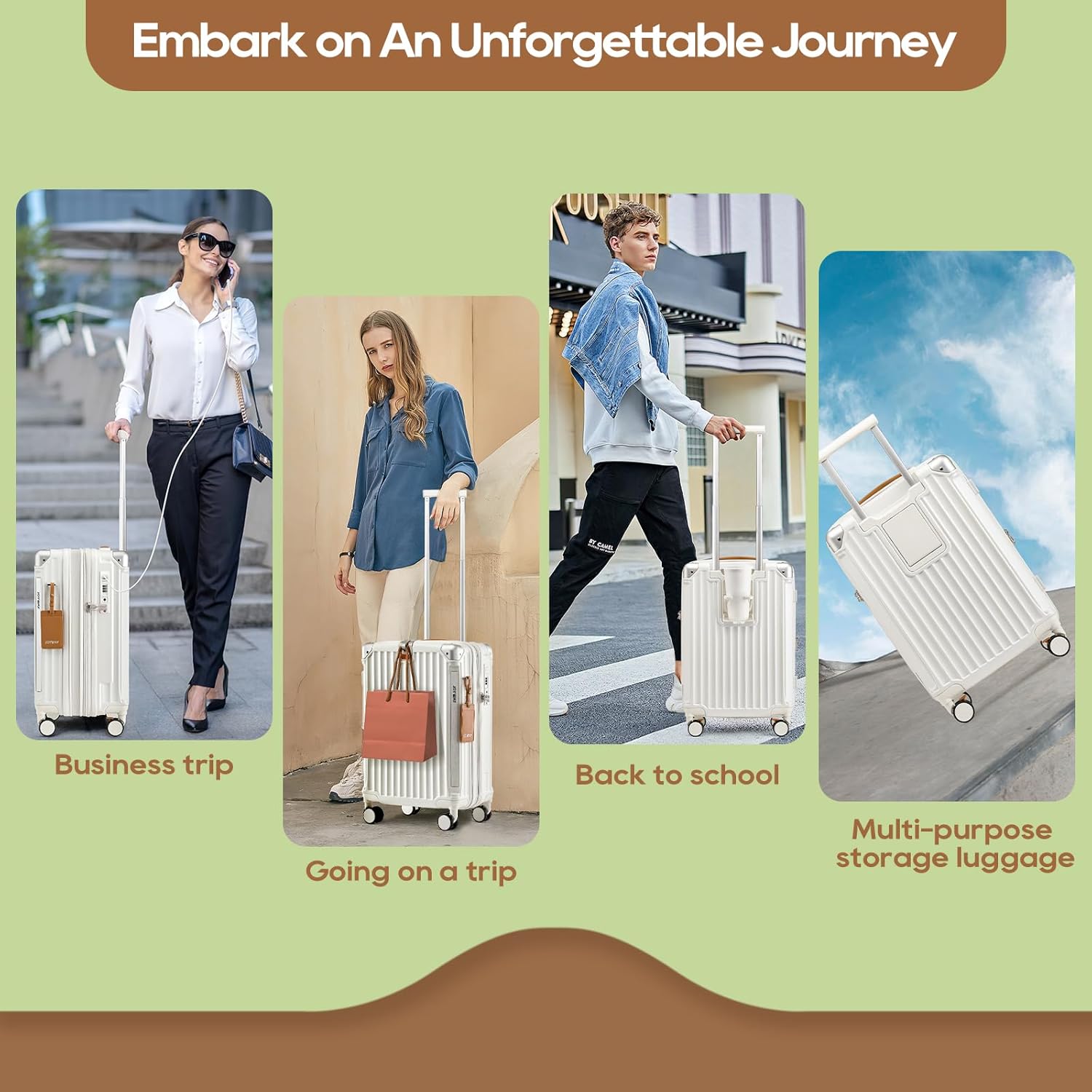
Image: The adjustable telescoping handle and integrated hooks.
인테리어 구성:
The luggage interior features a fully-lined compartment with mesh pockets and X-type elastic straps to keep your belongings organized and secure during travel.

이미지: 내부 view 쇼씨asing mesh pockets and elastic straps.
유지
청소:
To clean the exterior of your hardside luggage, wipe it with a soft cloth dampened with warm water and mild soap. For stubborn marks, a gentle cleaner suitable for ABS/PP plastics can be used. Avoid abrasive cleaners or solvents that may damage the surface. For the interior, vacuum or wipe with a damp 필요에 따라 천을 사용하세요.
저장:
Store your luggage in a cool, dry place away from direct sunlight and extreme temperatures. Ensure it is clean and dry before storage to prevent mold or mildew.
문제 해결
바퀴가 원활하게 굴러가지 않음:
Check for debris (hair, lint, dirt) caught in the wheel mechanisms. Clean the wheels thoroughly. If the issue persists, ensure the wheels are not locked.
Telescoping Handle Sticks:
Ensure no items are obstructing the handle mechanism inside the luggage. Gently extend and retract the handle a few times. Avoid forcing the handle.
TSA 잠금장치 문제:
If you cannot open the lock, double-check your combination. If you have forgotten your combination, there is no universal reset code; you may need to contact Joyway customer service for guidance.
USB 포트가 충전되지 않음:
Verify that your power bank is fully charged and correctly connected to the internal cable. Ensure your device's charging cable is securely plugged into the external USB port.
명세서
| 특징 | 세부 사항 |
|---|---|
| 모델 번호 | TR014 |
| 제품 치수 | 13.8 x 7.9 x 21.6인치(35 x 20 x 55cm) |
| 품목 무게 | 7.78파운드(3.53kg) |
| 용량 | 39리터 |
| 재료 | PP+ABS Hardshell |
| 바퀴 | Double Spinner Wheels (360° rotation, lockable) |
| 잠금 유형 | 3자리 TSA 비밀번호 잠금장치 |
| 충전 포트 | USB, USB-C (Power bank not included) |

Image: Size reference for various Joyway luggage models.
보증 및 지원
For warranty information, product support, or to inquire about replacement parts, please contact Joyway customer service. Details can typically be found on the official Joyway web사이트나 구매 플랫폼을 통해서도 구매하실 수 있습니다.
You can visit the official Joyway store for more information: Joyway Store


