1. 서론
Thank you for choosing the BINNUNE 2.4GHz Wireless Gaming Headset. This manual provides detailed instructions to help you set up, operate, and maintain your headset for an optimal gaming and audio experience across various platforms including PS5, PS4, PC, Mac, and mobile devices via Bluetooth.
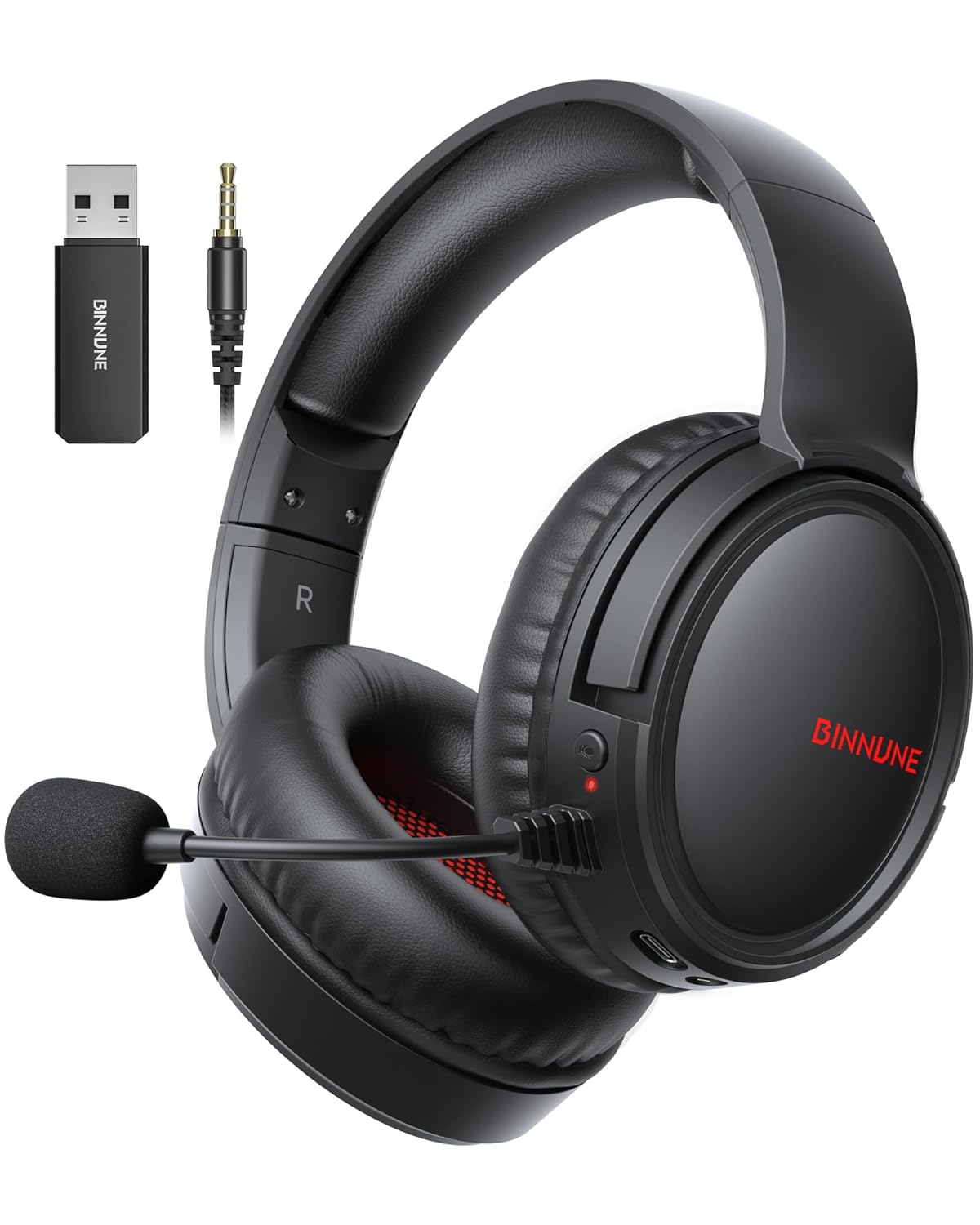
Figure 1: BINNUNE Wireless Gaming Headset (Model BW02-BT) with included accessories.
2. 상자 안에 무엇이 들어있나요?
- BINNUNE Wireless Gaming Headset (BW02-BT)
- 2.4GHz USB 동글
- 3.5mm 오디오 케이블
- USB-C 충전 케이블
- 사용자 설명서

Figure 2: All components included with your BINNUNE Gaming Headset.
3. 제품 오버view 및 제어
Familiarize yourself with the headset's controls and ports for seamless operation.
- 마이크로폰: Dual beamforming microphones with rotatable design for clear communication. Features ENC noise-canceling technology.
- USB-C 포트: 헤드셋을 충전합니다.
- 3.5mm 오디오 잭: 호환 장치에 유선으로 연결하는 경우.
- LED 표시등: 전원 상태, 충전 상태 및 연결 모드를 표시합니다.
- 전원 버튼: 전원을 켜거나 끄려면 길게 누릅니다.
- 볼륨 휠: 오디오 볼륨을 조절합니다.
- 음소거 버튼: 마이크를 음소거/음소거 해제합니다.
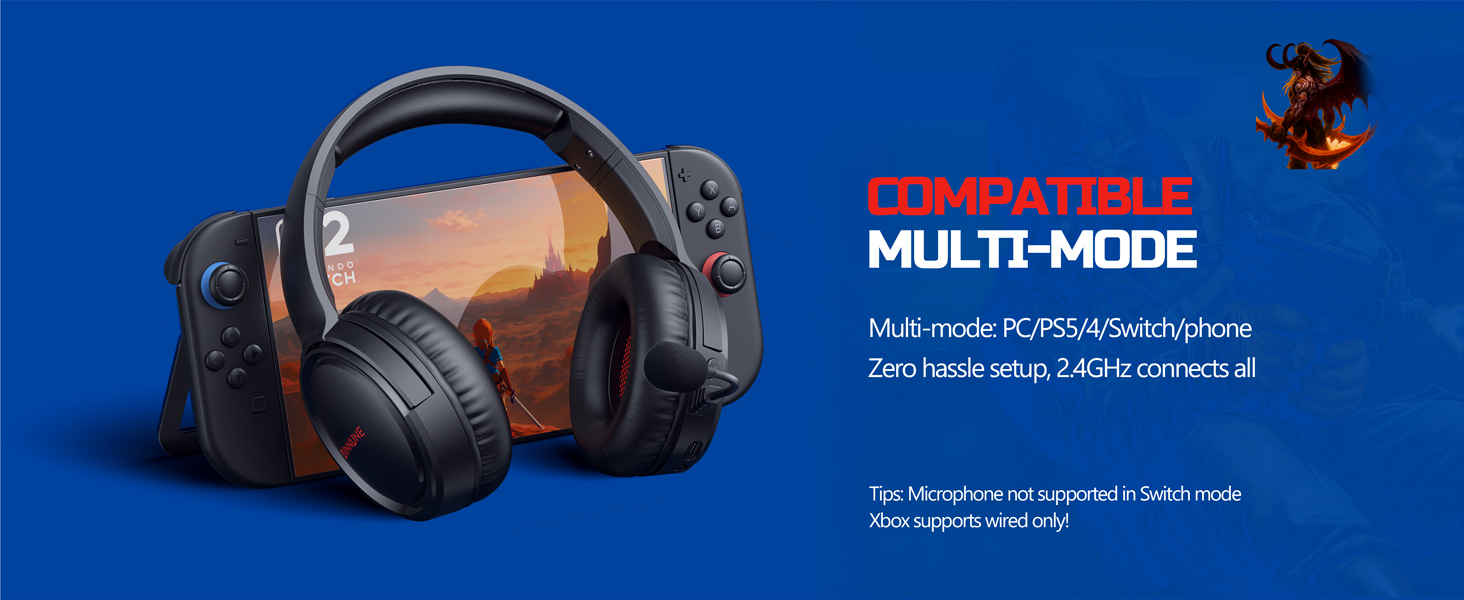
Figure 3: Key controls and ports on the BINNUNE Wireless Gaming Headset.
영상 1: 간단한 개요view of the BINNUNE Gaming Headset's features and controls.
4. 설정 및 연결
4.1 초기 충전
Before first use, fully charge your headset. Connect the USB-C charging cable to the headset's USB-C port and the other end to a USB power source. The LED indicator will show charging status and turn off when fully charged. A full charge takes approximately 6 hours.

Figure 4: The headset offers up to 40 hours of battery life on a single charge.
4.2 2.4GHz 무선 연결(USB 동글)
This mode provides ultra-low latency audio (≤38ms) for gaming on PS5, PS4, PC, and Mac.
- Plug the 2.4GHz USB dongle into an available USB port on your PS5/4, PC, or Mac.
- Power on your BINNUNE headset by pressing and holding the power button.
- The headset will automatically connect to the dongle. The LED indicator will show a stable light when connected.
메모: The microphone is not available when connected to Nintendo Switch in 2.4GHz mode. Not compatible with XBOX.

Figure 5: The 2.4GHz USB dongle ensures a fast and stable connection.
4.3 블루투스 연결
Use Bluetooth mode for mobile phones, tablets, iPads, and other smart devices.
- 헤드셋의 전원이 켜져 있는지 확인하십시오.
- 기기에서 Bluetooth 설정으로 가서 Bluetooth를 활성화하세요.
- Select "BINNUNE BW02-BT" from the list of available devices to pair.
- The LED indicator will flash during pairing and show a stable light once connected.
메모: Bluetooth mode is not compatible with PS5/4. The microphone is not available when connected to Nintendo Switch in Bluetooth mode.
4.4 유선 연결 (3.5mm 오디오 케이블)
For devices that do not support wireless connectivity or when battery is low.
- 3.5mm 오디오 케이블의 한쪽 끝을 헤드셋의 3.5mm 오디오 잭에 연결하십시오.
- Connect the other end to the 3.5mm audio port on your gaming device (e.g., PS5/4 controller, PC, phone).
메모: The microphone may not be available on some devices when using the wired connection.

Figure 6: Multiplatform compatibility of the BINNUNE headset across 2.4G, Bluetooth, and Wired modes.
Video 2: Demonstrating the multi-mode connectivity of BINNUNE Gaming Headsets for PS4/PS5/PC.
5. 사용 설명서
5.1 전원 켜기/끄기
Press and hold the Power Button for 3 seconds to turn the headset on or off. The LED indicator will light up or turn off accordingly.
5.2 볼륨 조절
Rotate the Volume Wheel up (+) to increase volume or down (-) to decrease volume.
5.3 마이크 사용
The headset features a rotatable microphone. Flip the microphone down to use it. Press the Mute Button to toggle microphone mute on or off. The ENC noise-canceling technology helps ensure clear voice transmission.
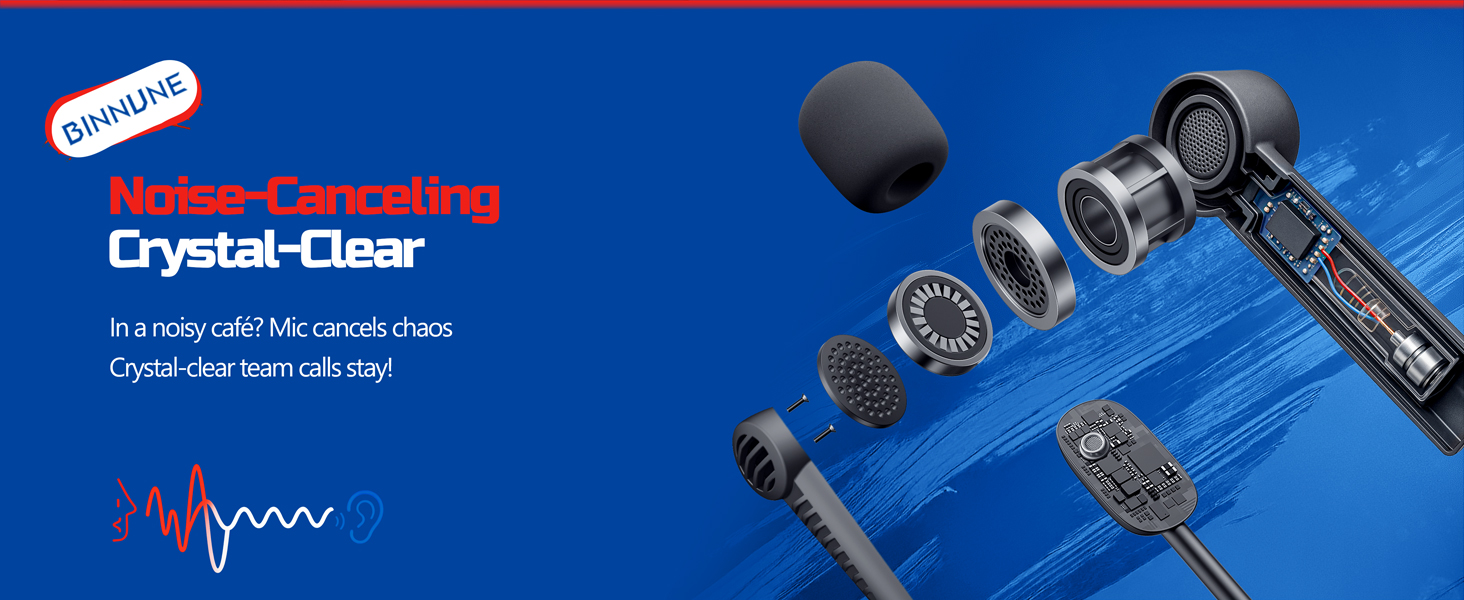
Figure 7: The noise-canceling microphone ensures crystal-clear voice calls by reducing background noise.
5.4 모드 간 전환
The headset supports seamless switching between 2.4GHz and Bluetooth modes. Refer to section 4 for specific connection steps for each mode. The headset prioritizes the 2.4GHz connection when the dongle is active.
6. 유지관리
- 청소: 헤드셋을 닦을 때는 부드럽고 마른 천을 사용하십시오. 연마성 세척제나 용제를 사용하지 마십시오.
- 저장: 헤드셋은 직사광선과 극한의 온도를 피해 서늘하고 건조한 곳에 보관하세요.
- 배터리 관리 : 배터리 수명을 연장하려면 헤드셋을 자주 완전히 방전시키지 마세요. 장시간 사용하지 않더라도 정기적으로 충전하세요.
7. 문제 해결
| 문제 | 가능한 원인 | 해결책 |
|---|---|---|
| 헤드셋에서 소리가 나지 않습니다. | Headset not powered on, low battery, incorrect connection mode, volume too low. | Ensure headset is on and charged. Check connection mode (2.4GHz/Bluetooth/Wired). Increase volume. |
| 마이크가 작동하지 않습니다. | Microphone muted, incorrect input device selected on computer/console, compatibility issue in certain modes. | Unmute microphone. Check audio settings on your device to ensure BINNUNE headset is selected as input. Note mode limitations (e.g., Switch, some wired connections). |
| 2.4GHz 동글을 통해 연결할 수 없습니다. | 동글이 제대로 삽입되지 않았거나, 간섭이 발생했거나, 헤드셋이 동글에서 너무 멀리 떨어져 있는 경우입니다. | Ensure dongle is fully inserted. Move closer to the dongle. Try a different USB port. |
| Bluetooth를 통해 연결할 수 없습니다. | 헤드셋이 페어링 모드가 아니고, 기기 블루투스가 꺼져 있으며, 이미 다른 기기에 연결되어 있습니다. | Ensure headset is discoverable. Turn Bluetooth on your device. Disconnect from other devices. |
8. 사양
| 특징 | 세부 사항 |
|---|---|
| 모델명 | BW02-BT |
| 연결 기술 | Wireless (2.4GHz, Bluetooth 5.3), Wired (3.5mm Jack) |
| 오디오 드라이버 크기 | 50mm (XNUMXmm) |
| 주파수 응답 | 20Hz - 20,000Hz |
| 감광도 | 96데시벨 |
| 오디오 지연 시간(2.4GHz) | 32 Milliseconds (≤38ms advertised) |
| 배터리 수명 | 최대 40시간 |
| 충전 시간 | 6시간 |
| 마이크로폰 | Dual Beamforming with ENC Noise-Canceling |
| 재료 | Plastic (Headset), Leather (Ear Cushions) |
| 무게 | 13.4 온스 |
| 호환 장치 | Gaming Consoles (PS4, PS5), PC, Mac, Telephones, Laptops, Desktops |
9. 보증 및 지원
BINNUNE products are manufactured with high-quality standards. For any product-related inquiries, technical support, or warranty claims, please refer to the official BINNUNE store or contact their customer service directly.
방문하세요 BINNUNE Store on Amazon 자세한 정보와 지원은 여기를 클릭하세요.