소개
The ASHUTB Bluetooth Remote Shutter (Model AB Shutter 3) provides a convenient way to remotely control your smartphone or tablet camera for taking photos and videos. Featuring Bluetooth 5.0 technology, it offers a longer control range, lower power consumption, and wider device compatibility. Its compact and portable design, along with a long-lasting CR2032 coin battery, makes it an ideal accessory for capturing moments without needing to touch your device.
패키지 내용
- 1 × Bluetooth Remote Control Camera Shutter
- 2 × CR2032 (3V) Battery (One pre-installed, one spare)
- 1 × Portable Anti-lost Lanyard

Image: Two ASHUTB Bluetooth remote shutters, each with an attached lanyard, showcasing the product's compact design and included accessories.
설정
- 배터리 설치: The remote shutter comes with one CR2032 battery pre-installed and one spare. Ensure the battery is properly seated.

이미지: 자세한 view of the CR2032 coin-cell battery, highlighting its type and voltage, positioned next to the remote shutter.
- 전원 켜기: Locate the small ON/OFF switch on the side of the remote shutter and slide it to the 'ON' position. The LED indicator will flash, indicating it's ready for pairing.
- 편성:
- On your smartphone or tablet, go to your Bluetooth settings.
- 블루투스가 켜져 있지 않으면 켜주세요.
- 검색 available devices. The remote shutter should appear as "AB Shutter 3".
- Select "AB Shutter 3" to pair. The LED will stop flashing once successfully paired.
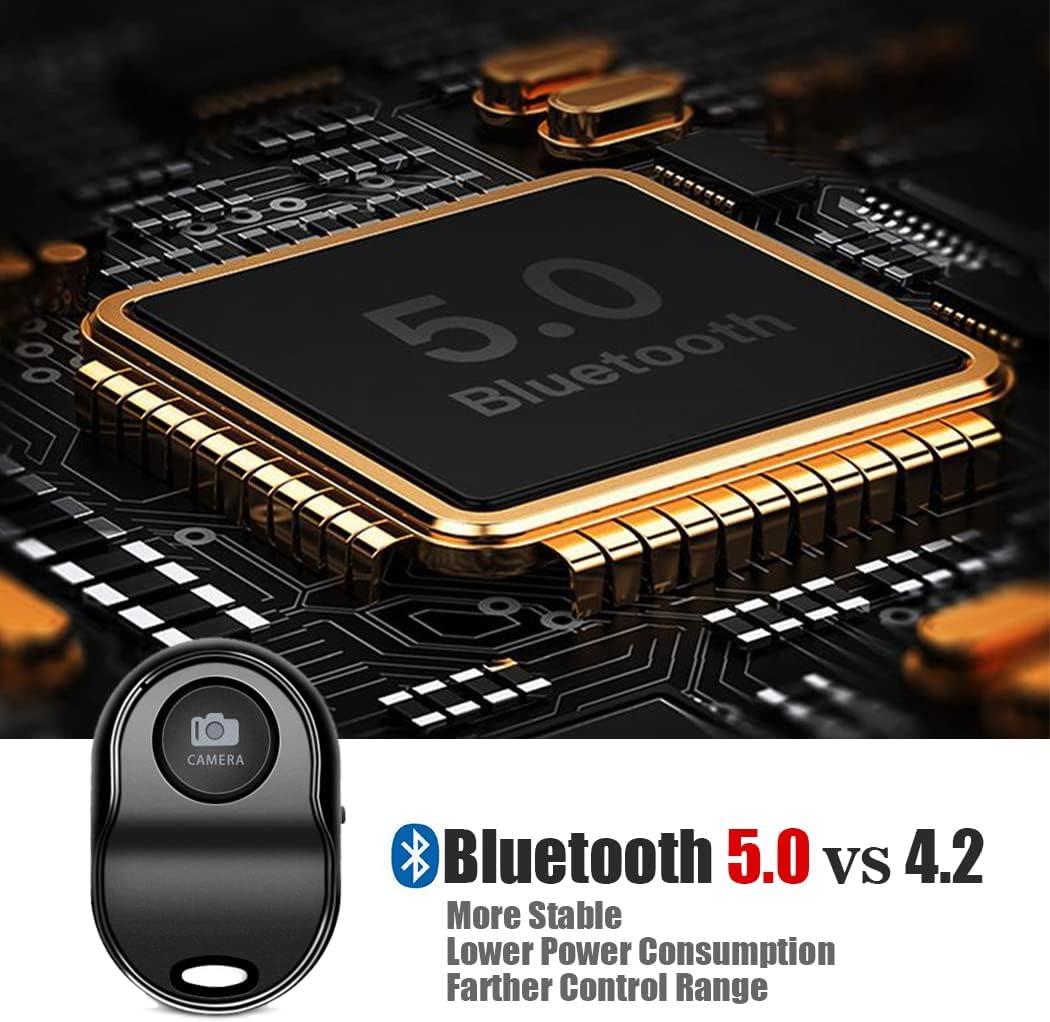
이미지: 이점을 설명하는 그래픽tages of Bluetooth 5.0 over 4.2, emphasizing stability, lower power consumption, and farther control range.
- 끈을 부착하세요: The included portable anti-lost lanyard can be attached to the remote shutter for easy carrying or to prevent loss. It can be worn around the neck or wrist.
작동 지침
- 사진 찍기:
- 스마트폰의 기본 카메라 앱을 여세요.
- Position your phone as desired.
- Press the button on the remote shutter to take a photo.

Image: A smartphone mounted on a tripod, with the Bluetooth remote shutter in the foreground, illustrating the ultra-long 50ft/15m controllable range for remote photography.
- 비디오 녹화:
- Switch your native camera app to video recording mode.
- Press the button on the remote shutter once to start recording.
- 버튼을 다시 누르면 녹음이 중지됩니다.
- 앱 호환성: The remote shutter is designed to work with your phone's native camera app without requiring any additional applications. It also works with most third-party camera applications that utilize the volume button for shutter control.

Image: A collage of different selfie equipment such as a gimbal, a small tripod, a selfie stick, and a ring light setup, demonstrating the remote shutter's perfect compatibility with various photography accessories.
호환성
The ASHUTB Bluetooth Remote Shutter is broadly compatible with a wide range of mobile devices:
- iOS 기기: Requires iOS 6.0+ and is compatible with all versions of iPhone, iPad Mini, iPad Air, iPad Pro, and iPod Touch (6th, 5th, 4th, 3rd Generation).
- 안드로이드 기기: Requires Android 4.3+ for most Samsung phone models. For Android 5.0+ (Lollipop) and above, it is compatible with Huawei, OnePlus, Xiaomi, Redmi, Vivo, OPPO, BLU, Sony Xperia, Motorola, and LG Nexus devices.
Note: Due to differing implementations of Android by Samsung, the video function may not work with all Samsung phones. Windows phones and Blackberry phones are not recommended.
Image: A visual representation of multiple smartphones and tablets, signifying the remote shutter's broad compatibility with Apple and most Android devices.
명세서
| 모델명 | AB 셔터 3 |
| 블루투스 버전 | 5.0 |
| 주파수를 전달하십시오 | 2.4GHz ~ 2.4835GHz |
| 최대 범위 | 50피트(15m) |
| 배터리 모델 | Coin Cell CR2032 (3V) |
| 배터리 수명 | Approximately half a year with normal use |
| 치수 | 2 x 1 x 0.35인치(50 x 30 x 10mm) |
| 순중량 | 0.4 온스 (11.6g) |
유지
- 배터리 교체: When the remote shutter's performance degrades or the LED no longer flashes during power-on, it's time to replace the CR2032 battery. Use the spare battery provided or purchase a new one.
- 청소: 부드럽고 마른 천으로 기기를 닦으십시오. 강한 화학 약품이나 연마성 재질은 사용하지 마십시오.
- 저장: Store the remote shutter in a cool, dry place away from direct sunlight and extreme temperatures.
- 사용하지 않을 때 전원 끄기: To conserve battery life, always turn off the remote shutter using the ON/OFF switch when not in use.
문제 해결
- Remote Shutter Not Connecting/Pairing:
- Ensure the remote shutter is turned ON and the LED is flashing.
- Check if the battery is installed correctly and has sufficient charge.
- 스마트폰/태블릿에서 블루투스가 켜져 있는지 확인하세요.
- Forget "AB Shutter 3" from your device's Bluetooth settings and try pairing again.
- Ensure no other Bluetooth input devices (like a Bluetooth keyboard) are connected, as this can cause conflicts.
- Shutter Button Not Taking Pictures (Android Specific):
- For some Android phones where the native camera's shutter button cannot be controlled by the remote, download a third-party camera app like "Camera360".
- In "Camera360" (or similar apps), go to Settings (often a gear icon) >> Advanced Settings >> Camera Settings, and set the volume function option to "take photos".
- Video Recording Issues:
- Ensure you have switched your native camera app to video mode before pressing the remote shutter button to start/stop recording.
- Note that for some Samsung Android devices, video functionality may be limited due to specific Android implementations.
- Remote Disconnects Frequently:
- The remote may enter a sleep mode after a period of inactivity to save battery. Press the button once to wake it up, then press again to activate the shutter.
- Ensure your device is within the 50ft (15m) maximum range.
- 다른 무선 장치의 간섭을 최소화하세요.
고객 지원
For any questions, concerns, or technical assistance regarding your ASHUTB Bluetooth Remote Shutter, please contact the manufacturer directly through their official support channels. Refer to your purchase documentation for specific contact information.


