1. 제품 오버view
The Porodo Universal Wireless Remote & Mouse is a compact and versatile input device designed to combine the functionalities of a keyboard and a mouse. It offers convenient control for various devices, including Smart TVs, PCs, laptops, Android projectors, and more. This device features a full QWERTY keyboard, a multi-touch touchpad, and dedicated media control keys, all operating via 2.4GHz wireless technology or Bluetooth.
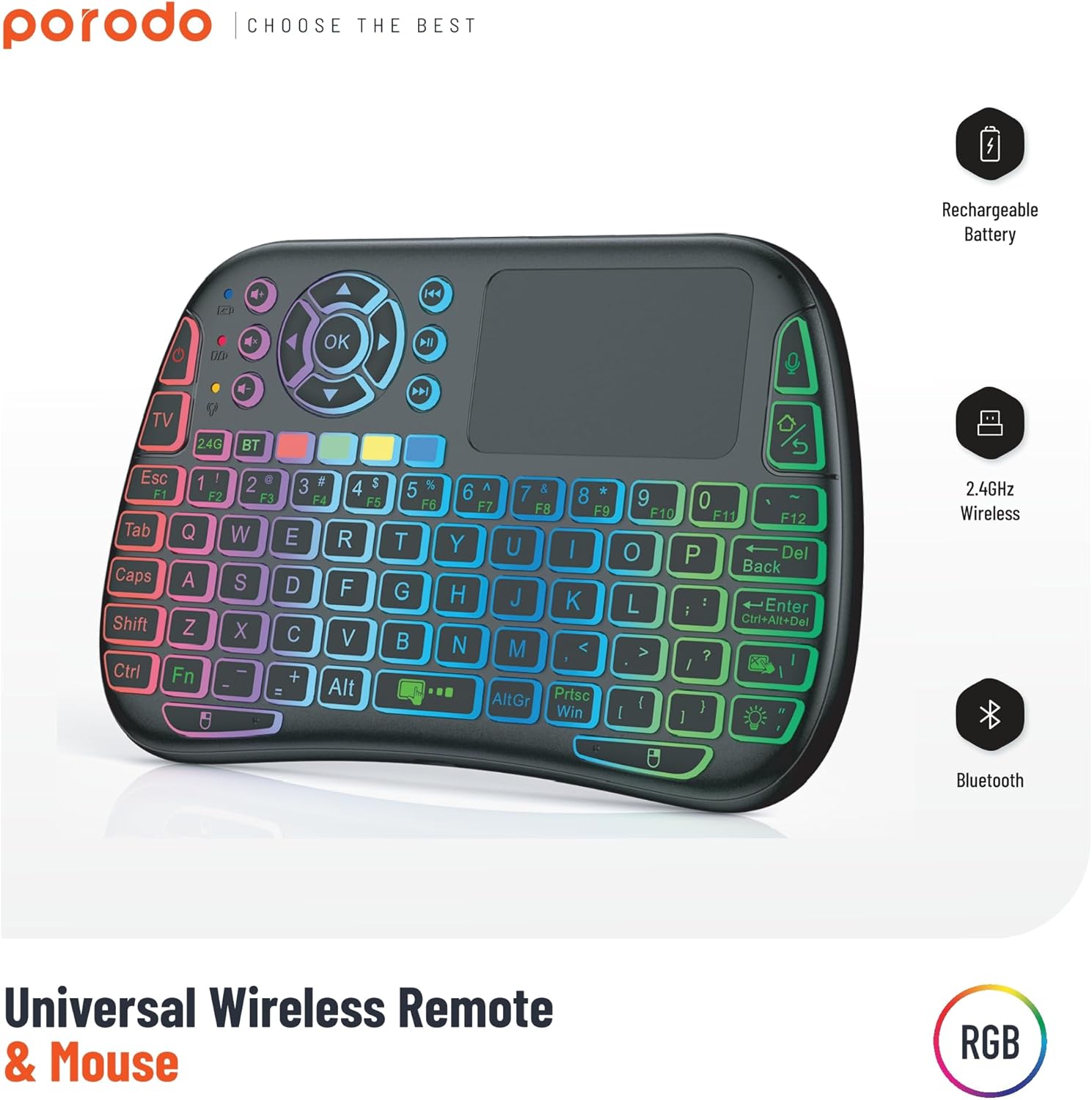
Image 1: The Porodo Universal Wireless Remote & Mouse, highlighting its RGB backlighting, rechargeable battery, 2.4GHz wireless, and Bluetooth connectivity.

이미지 2: 앞면과 뒷면 views of the remote and mouse, illustrating its compatibility with various devices such as All-in-one PCs, Computers, Android Projectors, Smart TVs, HTPCs, PADs (OTG), Phones (OTG), and TV Boxes.
2. 설정 가이드
2.1 패키지 내용
- Porodo Universal Wireless Remote & Mouse
- USB Receiver (typically stored in the battery compartment)
- 충전 케이블
- 사용자 설명서
2.2 장치 충전
Before first use, ensure the device is fully charged. Connect the provided charging cable to the charging port on the remote and to a standard USB power source (e.g., computer USB port, USB wall adapter). The charging indicator light will illuminate during charging and turn off when fully charged.
2.3 Connecting the USB Receiver (2.4GHz Wireless Mode)
- Locate the USB receiver, usually found in the battery compartment of the remote.
- Insert the USB receiver into an available USB port on your target device (e.g., Smart TV, PC, Android box).
- Turn on the Porodo Remote & Mouse using the power switch. The device should automatically connect to the receiver.
- The device is plug-and-play; no additional drivers are typically required.
2.4 Connecting via Bluetooth (if applicable)
If your device supports Bluetooth connectivity, you can pair it directly without the USB receiver. Refer to your device's Bluetooth pairing instructions. On the Porodo Remote & Mouse, activate Bluetooth pairing mode (refer to specific key combinations in the operating section if available).

Image 3: The remote and mouse highlighting its dual connectivity options: 2.4 GHz wireless and Bluetooth.
3. 사용 설명서
3.1 키보드 기능
- 타자: Use the QWERTY layout for text input.
- 기능 키(F1-F12): These keys often have secondary functions (e.g., media control, volume) accessible by pressing the 'Fn' key simultaneously.
- 백라이트: Some models feature RGB backlighting. Press the dedicated backlight key (often indicated by a light bulb icon) to cycle through colors or turn it on/off.
3.2 터치패드 기능
- 단일 손가락 탭: 왼쪽 클릭과 같은 기능을 합니다.
- 두 손가락 탭: 마우스 오른쪽 버튼 클릭과 같은 기능을 합니다.
- 두 손가락으로 드래그하기: For scrolling up/down or left/right.
- 싱글 핑거 드래그: 화면에서 커서를 이동합니다.
- Dedicated Left/Right Click Buttons: Located below the touchpad for traditional mouse clicks.
3.3 Media Control Keys
Dedicated buttons for volume up/down, mute, play/pause, next/previous track are typically located above the touchpad or integrated into the function keys.
3.4 Voice Control (if applicable)
Some models may include a microphone for voice input. Press the dedicated microphone button to activate voice commands or search functions on compatible devices.
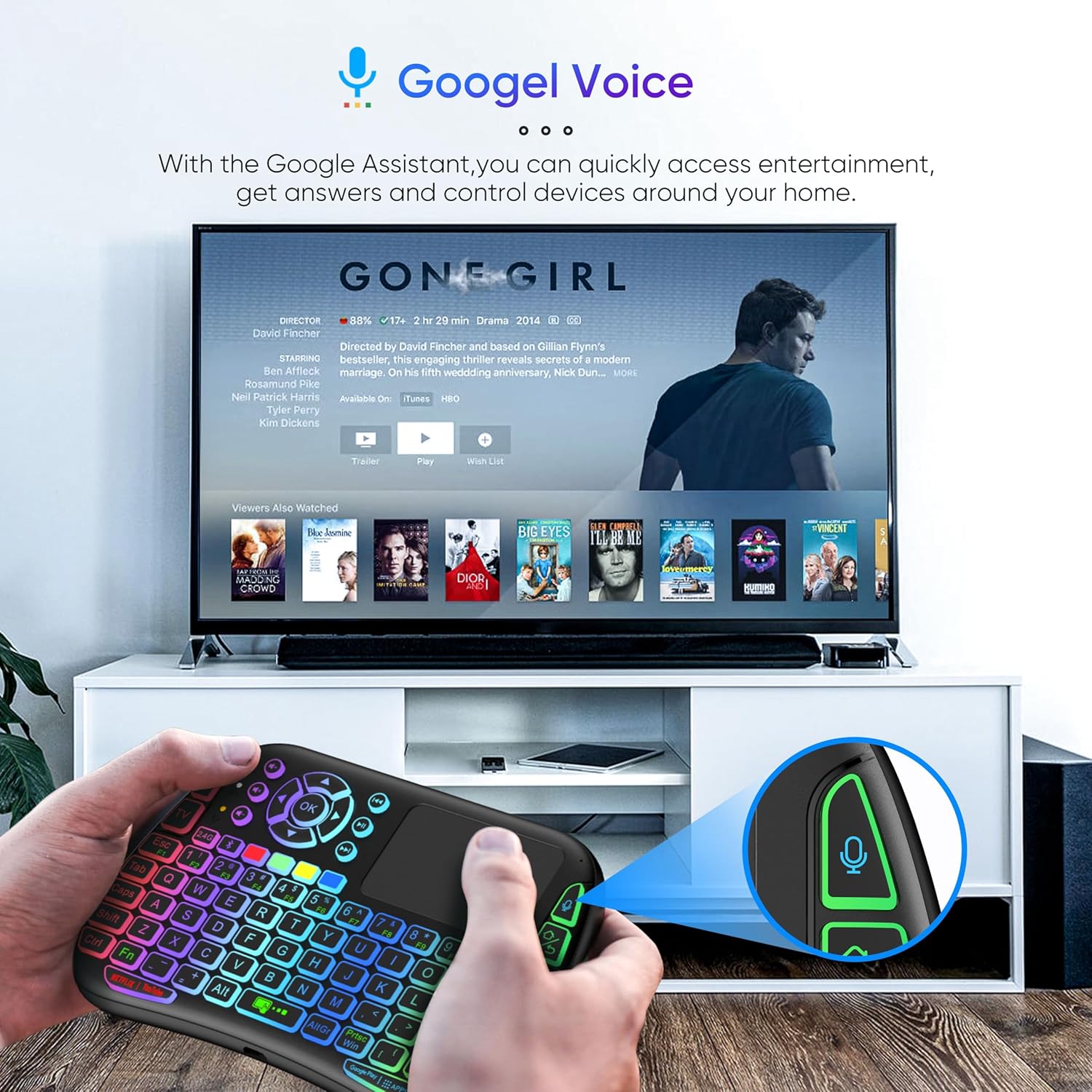
Image 4: The remote and mouse in use, demonstrating its Google Voice integration for controlling entertainment and accessing information on a connected TV.
3.5 Operational Range
The device offers an extended operational range of up to 10 meters (approximately 33 feet), allowing flexible control from a comfortable distance.
비디오 1: 제품 데모 비디오 쇼asing the features and ease of use of a similar wireless keyboard with touchpad. This video illustrates comfortable wireless control, long battery life, and plug-and-play connectivity.
4. 유지관리
4.1 청소
To clean the device, use a soft, dry cloth. For stubborn dirt, slightly dampen the cloth with water or a mild cleaning solution. Avoid using harsh chemicals, abrasives, or solvents, as these can damage the surface.
4.2 배터리 관리
- Recharge the device when the battery indicator is low to ensure continuous operation.
- 배터리 수명을 연장하려면 배터리를 자주 완전히 방전시키지 마세요.
- 장기간 보관할 경우, 배터리를 약 50%까지 충전한 후 서늘하고 건조한 곳에 보관하십시오.
4.3 보관
Store the device in a dry environment, away from extreme temperatures, direct sunlight, and high humidity. Keep it away from liquids and dust.
5. 문제 해결
5.1 장치가 응답하지 않음
- 배터리 확인: 기기가 충전되어 있는지 확인하십시오. 전원에 연결한 후 다시 시도하십시오.
- 전원 스위치: Verify that the power switch on the device is in the 'ON' position.
- USB 수신기: For 2.4GHz mode, ensure the USB receiver is securely plugged into the target device's USB port. Try a different USB port.
- 다시 페어링: If using Bluetooth, try re-pairing the device with your host system.
- 간섭: Move the device closer to the receiver/host device and away from other wireless devices that might cause interference.
5.2 Touchpad or Keys Unresponsive
- 깨끗한 표면: Ensure the touchpad surface and keys are clean and free from debris.
- 다시 시작: 기기를 껐다가 다시 켜세요.
- 호스트 장치: Restart the host device (PC, Smart TV, etc.).
5.3 짧은 배터리 수명
- 완전 충전: 사용하기 전에 장치가 완전히 충전되었는지 확인하십시오.
- 백라이트 사용: If your model has a backlight, frequent or continuous use will consume more battery. Turn it off when not needed.
- 자동 절전: The device is designed to enter sleep mode after a period of inactivity to save power. Waking it up should be quick.
6. 사양
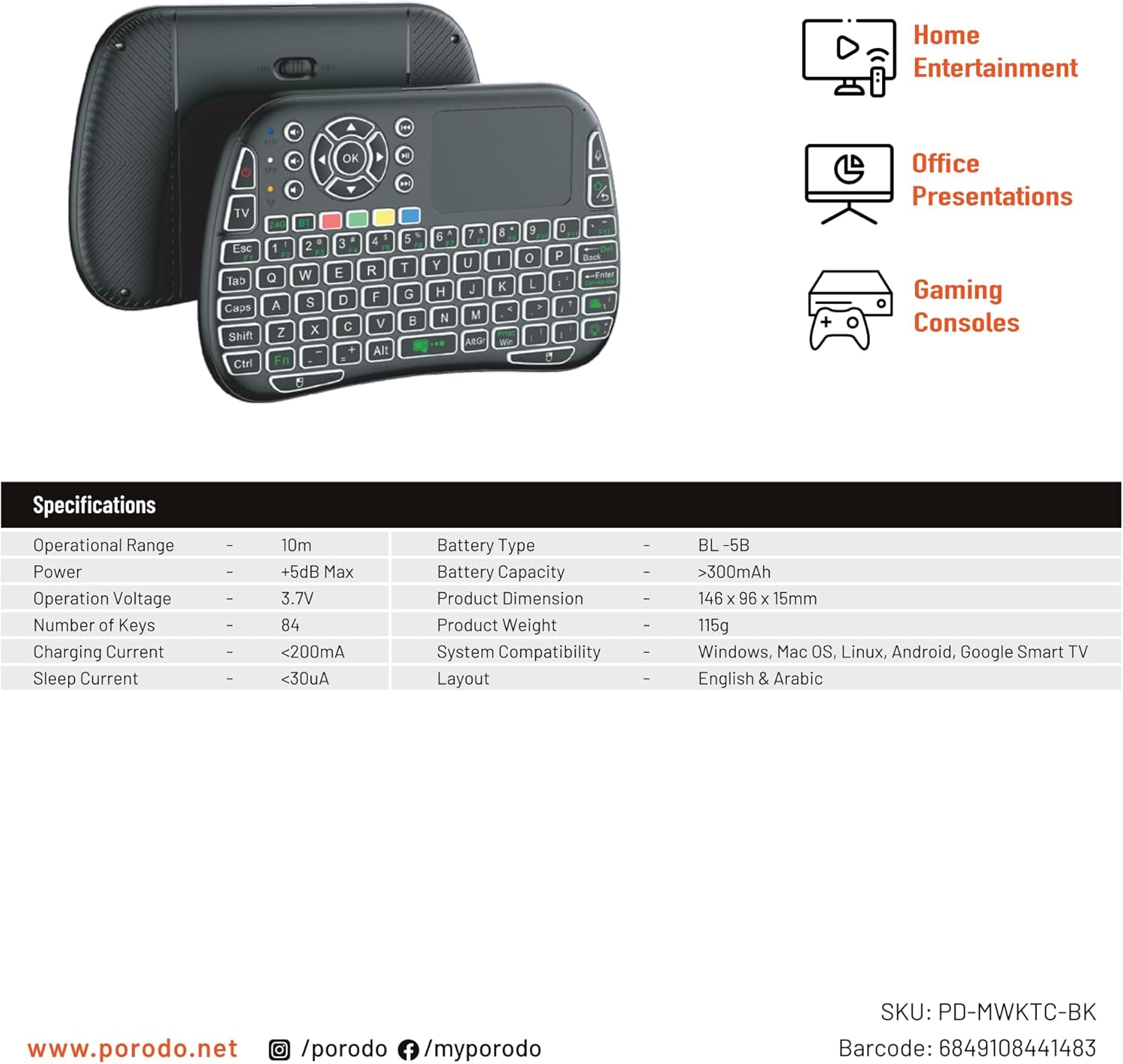
Image 5: The remote and mouse, illustrating its use for home entertainment, office presentations, and gaming consoles, alongside a table of detailed product specifications.
| 특징 | 세부 사항 |
|---|---|
| 제조업체 | 포로도 |
| 모델 번호 | PD-MWKTC-BK (68491084488) |
| 제품 치수 | 14.6 x 9.6 x 1.5cm |
| 품목 무게 | 115그램 |
| 색상 | 검은색 |
| 연결 기술 | Radio Frequency (2.4GHz) / Bluetooth |
| 특징 | Programmable Buttons, Touchpad, Backlight |
| 호환 장치 | Laptop, PC, Smart TV, Android Box, Projector |
| 키보드 설명 | Internal (Integrated) |
| 움직임 감지 기술 | 광학 |
| 전원 | 배터리 구동(충전식) |
| 배터리 용량 | > 300mAh |
| 작동 범위 | 10m |
| 시스템 호환성 | Windows, Mac OS, Linux, Android, Google Smart TV |
| 공들여 나열한 것 | English & Arabic |
7. 보증 및 지원
For warranty information, technical support, or further assistance, please refer to the official Porodo web사이트를 방문하거나 고객 서비스에 직접 문의하세요. 보증 청구에 대비해 구매 증빙 자료로 구매 영수증을 보관하세요.


