1. 서론
This manual provides detailed instructions for the installation, configuration, and operation of your SODOLA 24 Port 2.5G Smart Web Managed Switch. This device is designed to enhance network performance with its multi-gigabit capabilities, offering 24x 2.5G Base-T ports and 2x 10G SFP+ ports for high-speed data transfer and flexible network expansion. Please read this manual thoroughly before using the product to ensure proper setup and functionality.
2. 안전 정보
- 기기가 과열되는 것을 방지하기 위해 통풍이 잘 되는 곳에 설치하십시오.
- 제공된 전원 어댑터만 사용하세요.
- 스위치를 물이나 과도한 습기에 노출시키지 마십시오.
- 스위치 위에 무거운 물건을 올려 놓지 마십시오.
- 실내에서만 사용하세요.
3. 패키지 내용
패키지에 모든 품목이 들어 있는지 확인하세요.
- 1 x SODOLA 24 Port 2.5G Smart Web 관리형 스위치
- 1 x 사용자 설명서
- 1 X 전원 코드
4. 제품 오버view
The SODOLA 24 Port 2.5G Smart Web Managed Switch is designed for robust network environments, offering a combination of high-speed Ethernet and SFP+ ports.

그림 4.1: 전체 view of the SODOLA 24 Port 2.5G Smart Web 관리형 스위치.
4.1 전면 패널
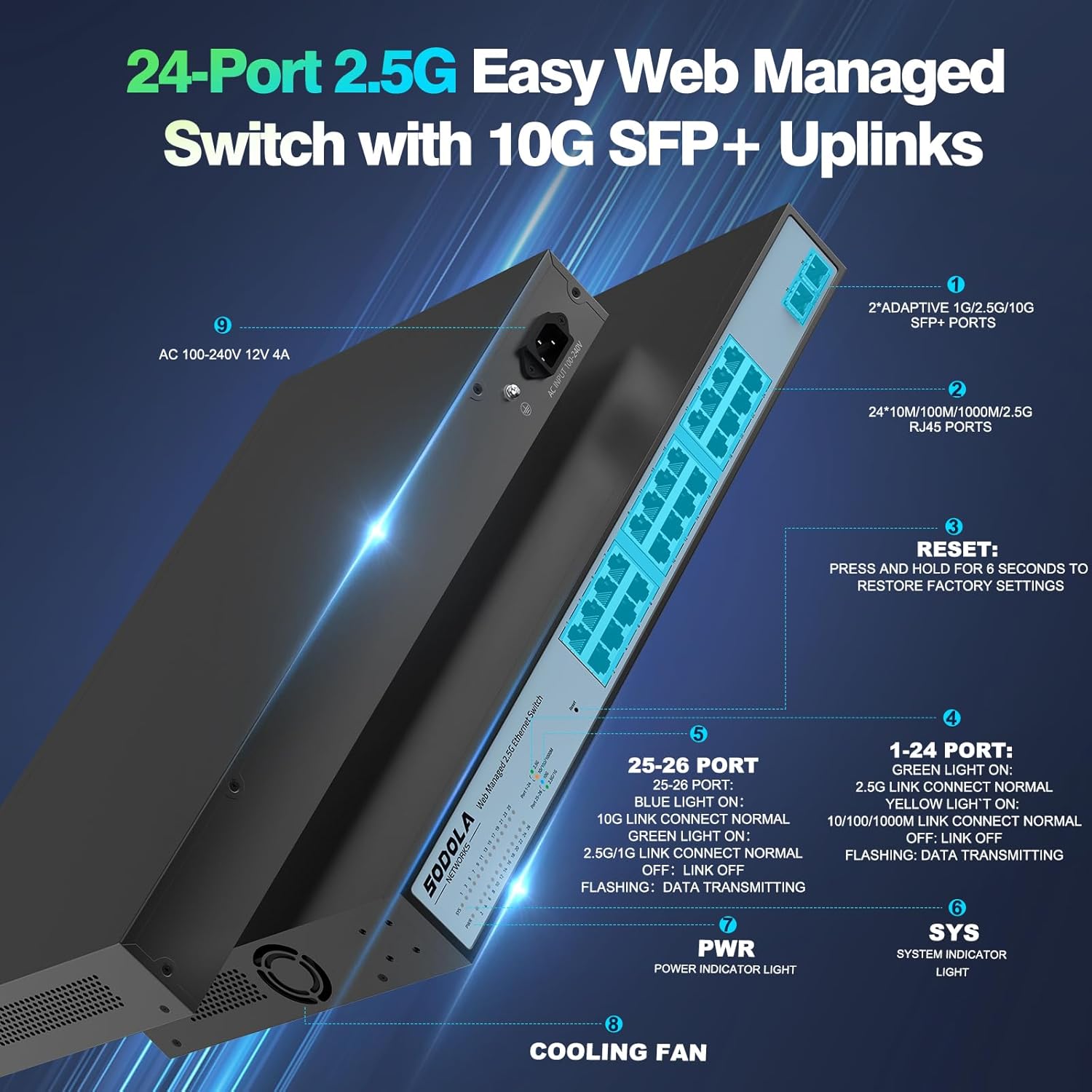
그림 4.2: 상세 view of the switch's front and rear panels, highlighting ports and indicators.
- 24 x 100/1000/2500M RJ45 Ports: These ports support 2.5 Gigabit Ethernet connectivity. Each port has Link/Act LEDs: Green for 2.5G Link/Act, Yellow for 10/100/1000M Link/Act, and flashing for data transmission.
- 2개의 10G SFP+ 포트: These ports provide high-speed 10 Gigabit fiber connectivity for uplinks or connecting to high-bandwidth devices.
- 재설정 버튼: 공장 설정으로 복원하려면 6초간 길게 누르세요.
- 전원 LED: 전원 표시등
- 시스템 LED: System indicator light.
4.2 후면 패널
- AC 100-240V Power Input: 제공된 전원 코드를 여기에 연결하십시오.
- 냉각 팬: The switch features a bilateral cooling design without a built-in fan for silent operation.
5. 설정 지침
5.1 물리적 설치
- 설치: The switch supports 1U rack mounting. Ensure adequate space for ventilation. It can also be placed on a desktop.
- 장치 연결: Connect your network devices (computers, servers, NAS, WiFi 6 APs) to the RJ45 ports using Cat5e, Cat6, or Cat6a Ethernet cables.
- 업링크 연결: Use the 10G SFP+ ports for high-speed connections to your router or other core network devices.
- 전원 켜기: Connect the power cord to the switch and then to a power outlet. The PWR LED should illuminate.
5.2 초기 Web 관리 액세스
접근하려면 web 관리 인터페이스:
- IP 주소 구성: Before logging in, ensure your computer's IP address is set within the same IPv4 subnet as the switch's default IP address (e.g., if the switch is 192.168.2.1, set your computer to 192.168.2.X, where X is not 1).
- 열려 있는 Web 브라우저: 호환되는 것을 사용하세요 web browser (e.g., IE 9.0+, Chrome 23.0+, Firefox 20.0+).
- IP 주소를 입력하세요: Type the default IP address of the switch (192.168.2.1) into the browser's address bar and press Enter.
- 로그인: 기본 자격 증명을 입력하세요.
사용자 이름: 관리자
비밀번호: 관리자
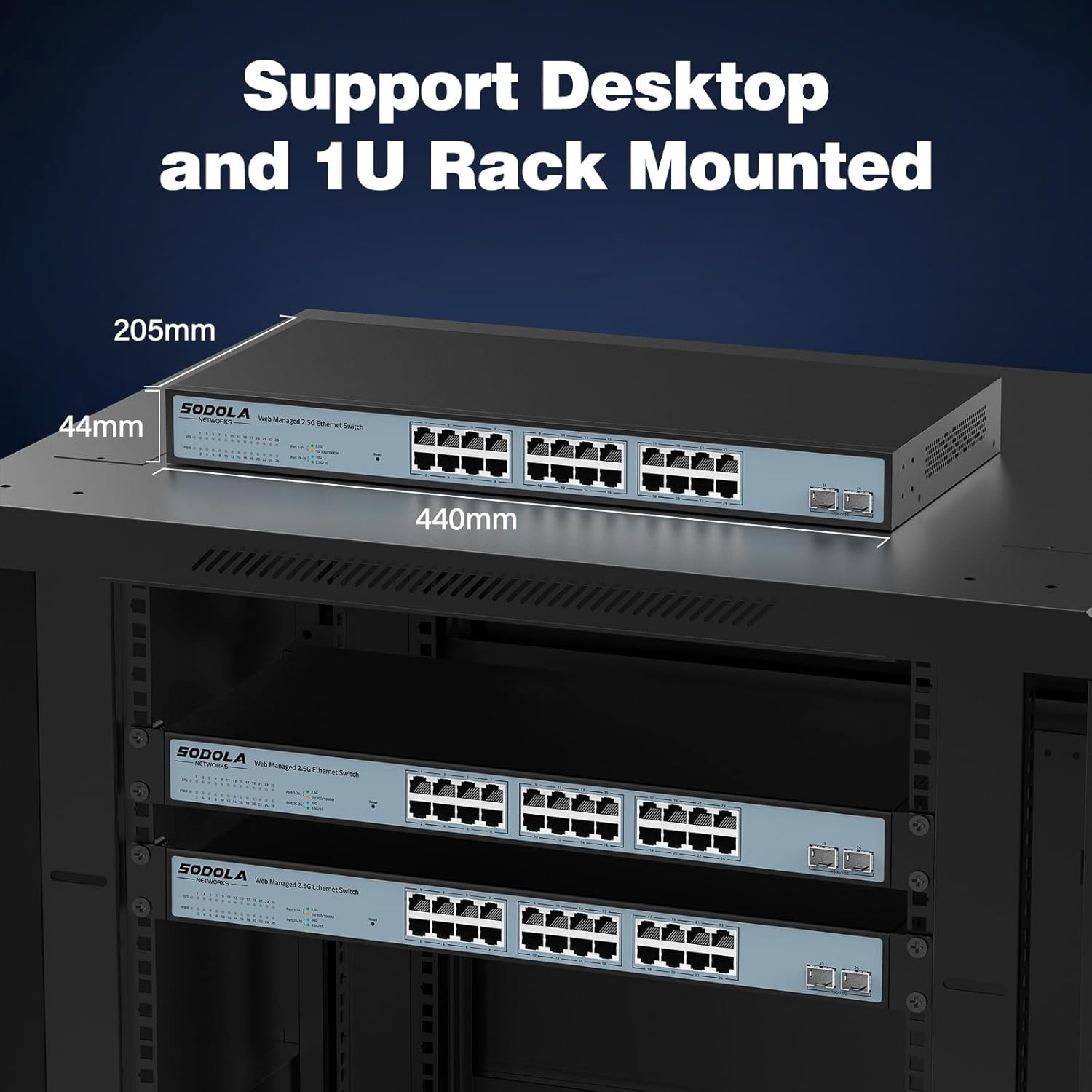
그림 5.1: 스크린샷 web management interface login page.
6. 사용 설명서 (Web 관리)
그만큼 web management interface allows for configuration, monitoring, and troubleshooting without requiring command-line interface (CLI) expertise. Key features include:

Figure 6.1: Visual representation of the switch's basic management features.
- 링크 집계(LACP): 여러 개의 물리적 링크를 하나의 논리적 링크로 결합하여 대역폭과 중복성을 높입니다.
- VLAN(가상 로컬 영역 네트워크): Segment your network into smaller, isolated broadcast domains for improved security and performance.
- QoS(서비스 품질): 중요한 애플리케이션이 충분한 대역폭을 받을 수 있도록 네트워크 트래픽의 우선순위를 지정합니다.
- 멀티캐스트: Efficiently deliver data to multiple recipients simultaneously.
- MAC 주소 관리: Control access to the network based on MAC addresses.
- RSTP(고속 스패닝 트리 프로토콜): 네트워크 루프를 방지하고 네트워크 안정성을 확보하세요.
- 점보 프레임: Support larger Ethernet frames for increased data throughput.
- 루프 감지: Identify and mitigate network loops.
- ERPS (Ethernet Ring Protection Switching): Provide fast protection and recovery switching in Ethernet ring topologies.
6.1 구성 저장
변경 사항을 적용한 후 web 인터페이스, 탐색 Tools > Save to ensure your settings are permanently stored and not lost upon power cycling the device.
7. 유지관리
- 청소: Use a dry, soft cloth to clean the exterior of the switch. Do not use liquid or aerosol cleaners.
- 통풍: Ensure the ventilation openings on the sides of the switch are not obstructed. The fanless design relies on natural convection for cooling.
- 펌웨어 업데이트: 정기적으로 제조업체를 확인하십시오 web최적의 성능과 보안을 보장하기 위해 사용 가능한 펌웨어 업데이트가 있는지 해당 사이트를 확인하십시오.
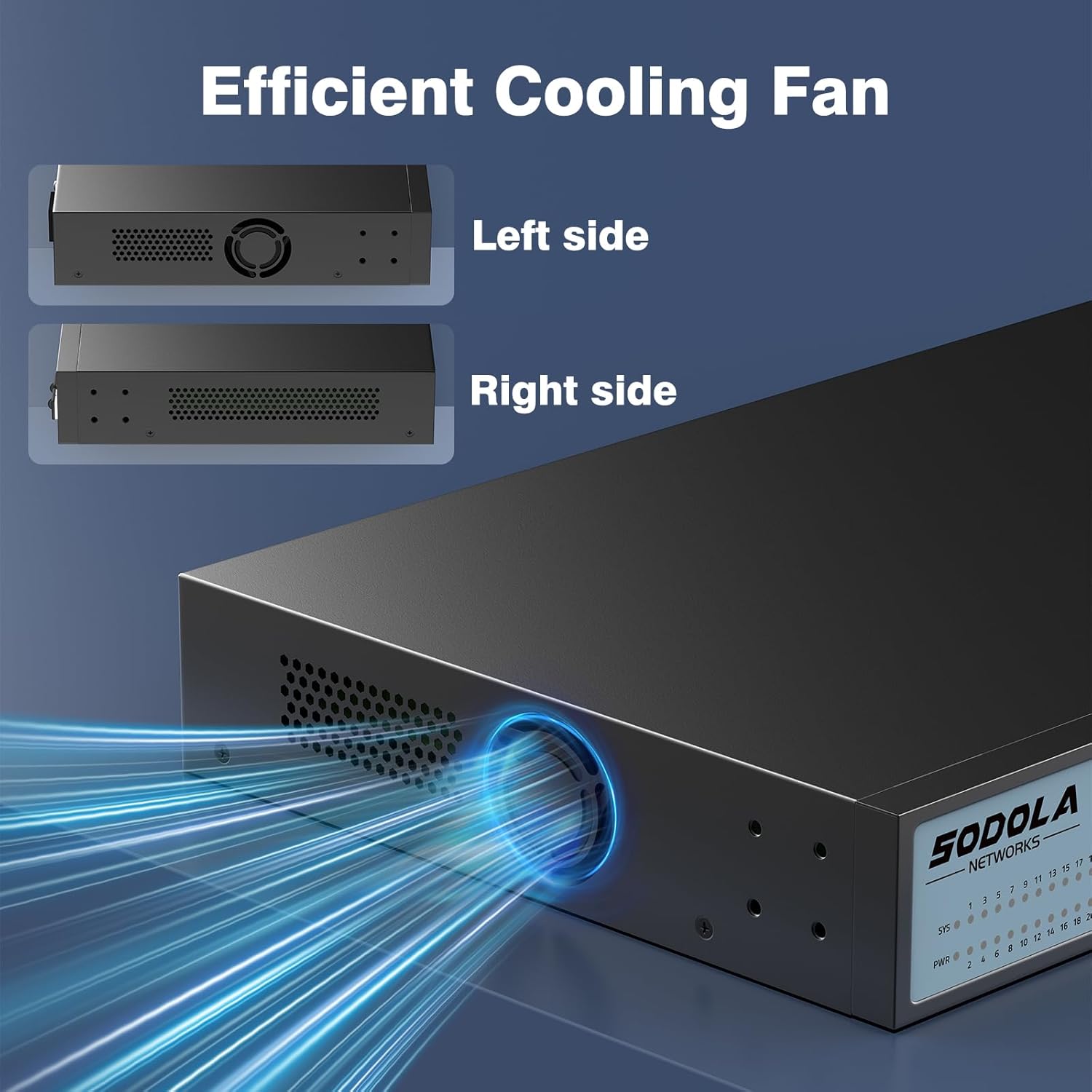
Figure 7.1: Illustration of the switch's efficient fanless cooling design.
8. 문제 해결
8.1 일반적인 문제 및 해결 방법
- 전원 없음: Check if the power cord is securely connected to both the switch and the power outlet. Verify the power outlet is functional.
- 포트에 링크/활동 없음: Ensure the Ethernet cable is properly connected to both the switch port and the connected device. Verify the connected device is powered on and functioning correctly. Try a different cable or port.
- 네트워크 속도가 느립니다: Ensure all connected devices and cables support 2.5G or 10G speeds for optimal performance. Check for network congestion or duplex mismatches in the web 인터페이스.
- 접근할 수 없습니다 Web 인터페이스:
- Verify your computer's IP address is in the same subnet as the switch's IP.
- Confirm the switch's IP address (default is 192.168.2.1).
- 확인하십시오 web browser is compatible.
- If the management interface becomes unresponsive, a power cycle may resolve the issue.
- 네트워크 불안정성: Ensure Spanning Tree Protocol (STP) or Rapid Spanning Tree Protocol (RSTP) is enabled to prevent network loops, especially in complex network topologies.
- Configuration Loss: Always remember to save your configuration changes via Tools > Save 에서 web 인터페이스.
8.2 공장 초기화
If you encounter persistent issues or forget your login credentials, you can restore the switch to its factory default settings by pressing and holding the 다시 놓기 버튼을 6초간 누르세요.
9. 사양
| 상표 | 소돌라 |
| 모델 번호 | 24X2.5G+2X10G SFP+(Managed) |
| 포트 수 | 26개(24x 2.5G RJ45, 2x 10G SFP+) |
| 인터페이스 유형 | RJ45, SFP+ |
| 데이터 전송 속도 | 2500 Megabytes Per Second (2.5Gbps per RJ45 port) |
| 스위칭 용량 | 160Gbps |
| 패킷 전달 속도 | 119.04Mpps |
| MAC 주소 테이블 크기 | 16K |
| Package Cache | 12Mbit |
| 케이스 소재 | 금속 |
| 색상 | 검은색 |
| 제품 치수 | 17.32 x 8.07 x 1.73 인치 |
| 품목 무게 | 5.89파운드 |
| 호환 장치 | Laptop, Server |
10. 보증 및 지원
SODOLA provides a replacement for any quality issue within one year of purchase. For technical support or warranty claims, please refer to your purchase documentation or the retailer where the product was acquired. Please note that official SODOLA website, phone number, or email for direct support may not be readily available.