1. 제품 오버view
The Vertiv Liebert EXS is a compact, monolithic uninterruptible power system (UPS) designed to provide continuous, conditioned, and regulated output voltage. It utilizes true on-line, double-conversion technology, making it suitable for protecting sensitive equipment such as computers, servers, networking devices, and other IT infrastructure. This UPS delivers economical, efficient, and reliable three-phase power for critical loads up to 20kVA.
주요 특징은 다음과 같습니다.
- Reliable 3-Phase Power: Offers a high level of power protection for critical systems.
- 온라인 이중 전환: Ensures high availability of IT systems by continuously conditioning power.
- High Operating Efficiency: Achieves over 93% efficiency in double conversion mode and up to 99% in eco mode, contributing to energy savings.
- Advanced Battery Monitoring: Capable of monitoring battery capacity, temperature, humidity, access, and leaks.
- 1.0 Output Power Factor: Delivers maximum usable power to connected loads.
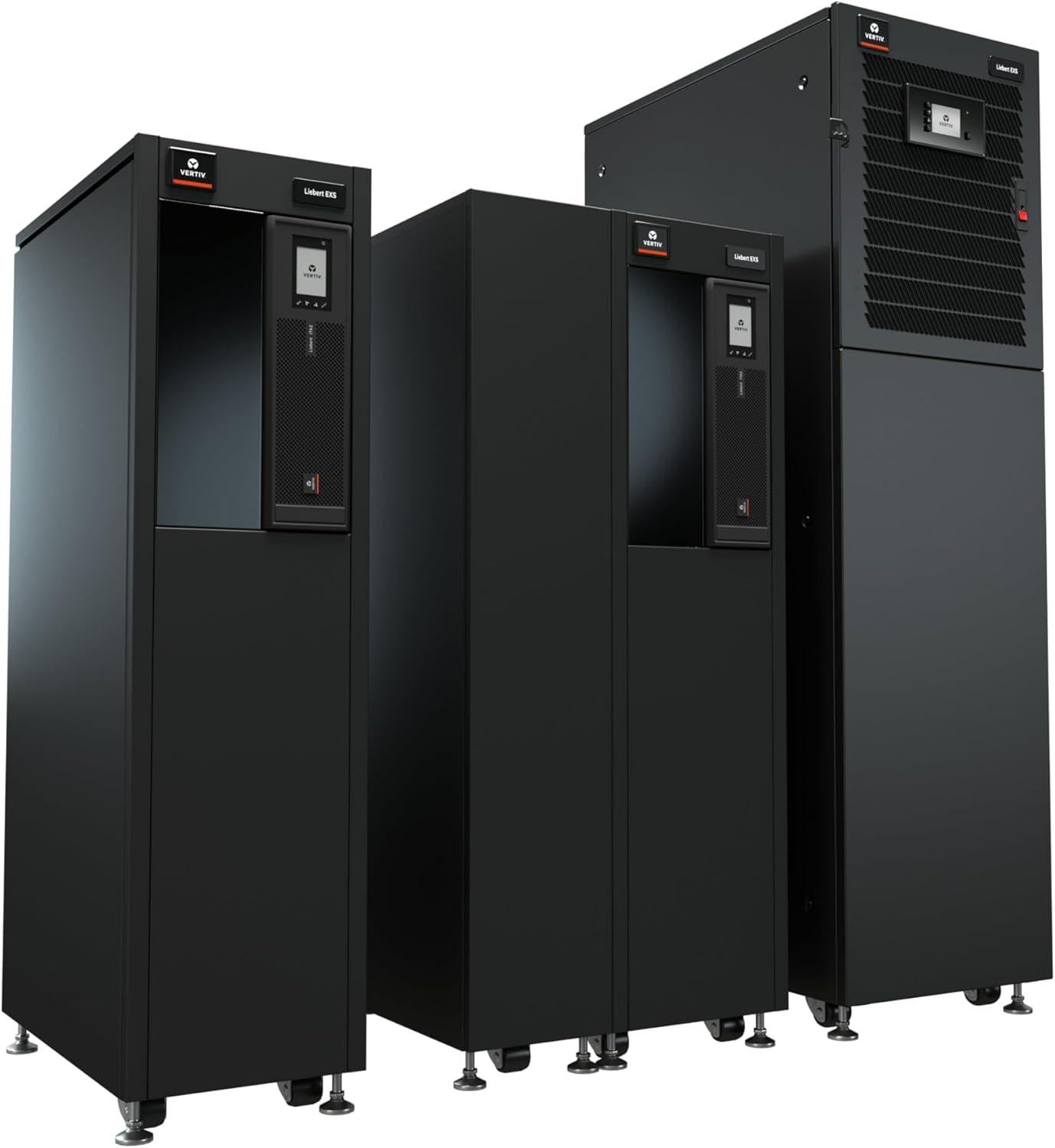
Figure 1: Vertiv Liebert EXS UPS units, showcasing different capacities.
2. 설정 및 설치
The Liebert EXS UPS is designed for straightforward installation. It features an optimized design with flexible power distribution and battery arrangements to meet specific capacity and runtime requirements.
2.1 구성 요소 식별

그림 2: 내부 view and port layout of the Liebert EXS UPS, highlighting USB port, programmable dry contacts, Liebert IntelliSlot ports, ventilation holes, and flexible PDU power distribution.
Refer to Figure 2 for the location of key components and ports:
- USB 포트: For local communication and configuration.
- Programmable Dry Contacts: Provides 2 input and 2 output contacts for external system integration.
- Liebert IntelliSlot Ports: Two ports are standard for simultaneous use of Unity and Relay cards, enabling advanced monitoring and communication.
- 환기 구멍: Ensure proper airflow for cooling the UPS and batteries.
- Flexible PDU Power Distribution: Supports one PDU for 10kVA models and up to two for 15kVA and 20kVA models.
2.2 초기 설정 단계
- 포장 풀기 및 배치: Carefully unpack the UPS. Ensure the installation location meets environmental requirements (temperature, humidity) and has adequate space for ventilation and maintenance access.
- 전기 연결: Connect the UPS to the facility's power supply and connect critical loads to the UPS output. All electrical work should be performed by qualified personnel.
- 배터리 연결: Connect the internal or external battery cabinets as per the specific model's instructions. The UPS features internal battery cabinets with auto-detection for accurate runtime reporting.
- 통신 설정: Install the Liebert IS-UNITY DP communication card (factory installed) for remote management. Connect necessary network cables to the IntelliSlot ports for monitoring.
- 전원 켜기: Follow the specific power-on sequence detailed in the full product manual to energize the UPS and bring it online.
3. 사용 설명서
Once installed and powered on, the Liebert EXS UPS operates automatically to protect connected equipment. The front panel display provides status information and allows for basic configuration.
3.1 모니터링 및 제어
The UPS is integrated with the Liebert monitoring platform, supporting SNMP, Modbus, and relay communication protocols. This allows for comprehensive remote monitoring and management of the UPS status and performance.
비디오 1: 끝view of the Liebert Uninterruptible Power Supply - EXS Series, demonstrating its features and benefits.
Vertiv Power Insight Management Software (available for download from Vertiv.com) can be used for advanced monitoring and management capabilities.
4. 유지관리
Regular maintenance ensures the longevity and optimal performance of your Liebert EXS UPS.
4.1 Integrated Maintenance Bypass
The UPS includes an integrated maintenance bypass cabinet. This feature allows for UPS maintenance or replacement without requiring a shutdown of the connected critical loads, ensuring continuous operation.
4.2 배터리 관리
The advanced battery monitoring system helps in maintaining battery health. Periodically inspect batteries for any signs of damage or leakage. Follow manufacturer guidelines for battery replacement intervals.
4.3 일반 유지 관리
- 과열을 방지하려면 통풍구에 장애물이 없도록 깨끗하게 유지하세요.
- Regularly check all cable connections for tightness and integrity.
- Consult the full user manual for detailed maintenance schedules and procedures.

Figure 3: Key features of the Liebert EXS UPS, including the Internal Maintenance Bypass Cabinet and Factory Installed Network Card.
5. 문제 해결
This section provides general guidance for common issues. For specific error codes and advanced troubleshooting, refer to the comprehensive product manual.
5.1 일반적인 문제 및 해결 방법
- UPS 전원이 켜지지 않음: Verify that the input power cable is securely connected and that the facility's power supply is active. Check the main circuit breaker.
- 알람 소리: An alarm indicates a system event or fault. Check the UPS front panel display for specific error messages or status indicators. Consult the manual for the meaning of the alarm code.
- 배터리 사용 시간이 짧습니다. This may indicate aging batteries or an excessive load. Check battery health via the monitoring system and ensure the load does not exceed the UPS capacity.
- 연결된 장비에 전원이 공급되지 않습니다: Verify that the UPS is online and that output circuit breakers are not tripped. Check connections to the critical loads.
If an issue persists after attempting these basic troubleshooting steps, contact Vertiv technical support.
6. 사양
| 사양 | 값 |
|---|---|
| 모델 번호 | EXS20KXRN |
| 전력 정격 | 20kVA / 20kW |
| 입출력 볼륨tage | 208/120VAC (220/127VAC) |
| 단계 | 3상, 4선 |
| 제품 크기(D x W x H) | 29.5 x 17.3 x 62.9인치(74.9 x 43.9 x 159.8cm) |
| 품목 무게 | 1042파운드(472.6kg) |
| 배터리 셀 구성 | 납산 |
| 통합 카드 | Liebert Intellislot Card (is-Unity-DP) |
| 실행 시간 | 15-Min Extended Runtime |
| 색상 | 검은색 |
7. 보증 및 지원
7.1 제품 보증
The Vertiv Liebert EXS UPS comes with comprehensive warranty coverage. A standard 1-year warranty is included, with an option to extend to a 3-year warranty. Please refer to your purchase documentation for specific terms and conditions.
7.2 기술 지원
For technical assistance, troubleshooting beyond basic steps, or warranty claims, please contact Vertiv customer support. Contact information can typically be found on the Vertiv official web사이트 또는 제품 포장에 포함되어 있습니다.


