1. 서론
Thank you for choosing the deli M124 Basic Desktop Calculator. This manual provides essential information for the proper setup, operation, and maintenance of your calculator. Designed for ease of use, the deli M124 features a 12-digit large LCD display and comfortable, rounded buttons, making it suitable for various environments including offices, schools, and homes.
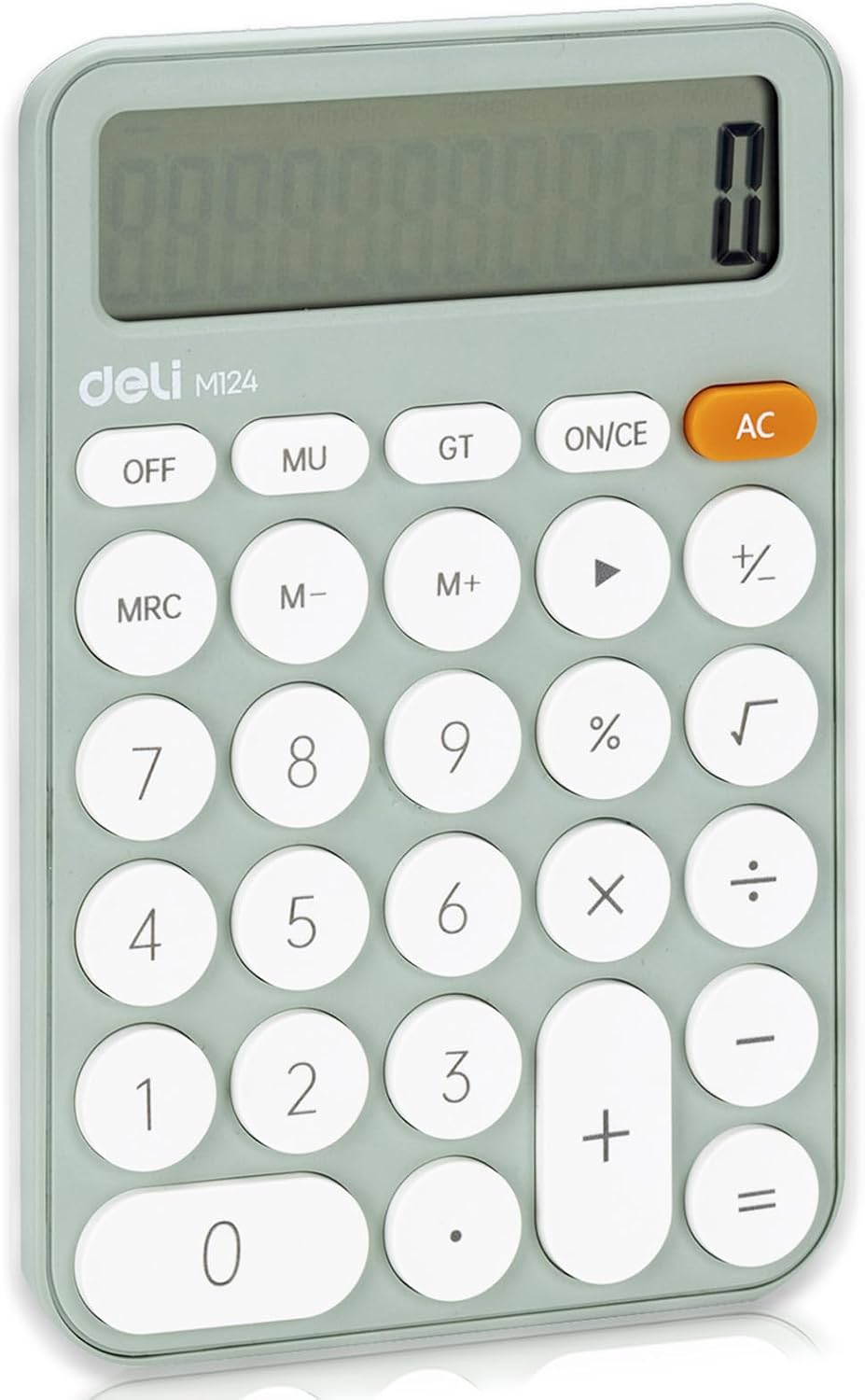
이미지 1: 앞면 view of the deli M124 Basic Desktop Calculator.
2. 설정
2.1 배터리 설치
The deli M124 calculator requires one AAA battery for operation. A battery is typically included with your purchase.
- 계산기 뒷면에서 배터리 덮개를 찾으세요.
- 덮개를 살살 밀거나 들어 올려서 수납공간을 여세요.
- AAA 배터리 1개를 삽입할 때, 양극(+)과 음극(-) 단자가 배터리함 안쪽의 표시와 정확히 일치하는지 확인하십시오.
- 배터리함 덮개를 단단히 다시 닫으십시오.

Image 2: Illustration of AAA battery insertion into the calculator.
계산기를 켜려면 다음을 누르세요. AC 단추. 끄려면 끄다 button. The calculator will not automatically turn off to conserve power.
3. 사용 설명서
3.1 버튼 기능 설명view
Familiarize yourself with the calculator's key functions:

Image 3: Labeled diagram of deli M124 Calculator buttons.
- 한번: Turns the calculator on or clears the last entry.
- AC: All Clear. Clears all entries and calculations, resetting the calculator.
- 끄다: 계산기를 끕니다.
- MU: Mark-up and Mark-down function.
- GT: Grand Total. Displays the sum of all results from previous calculations.
- 영어:: Memory Recall/Clear. Press once to recall memory, twice to clear memory.
- M+: Memory Plus. Adds the displayed value to the memory.
- M-: Memory Minus. Subtracts the displayed value from the memory.
- →: Backspace key. Deletes the last digit entered.
- %: 퍼센트tag전자 기능.
- √: Square Root function.
- 0-9, .: Number keys and decimal point.
- +, -, ×, ÷, =: Basic arithmetic operators and equals key.
3.2 기본 계산
기본 산술 연산을 수행하려면:
- 첫 번째 숫자를 입력하세요.
- Press the desired operation key (+, -, ×, ÷).
- 두 번째 숫자를 입력하세요.
- 를 누르세요 = 결과를 표시하는 키입니다.
3.3 메모리 함수
The memory functions allow you to store and recall numbers for complex calculations:
- To add a number to memory: Enter the number, then press M+.
- To subtract a number from memory: Enter the number, then press M-.
- To recall the number stored in memory: Press 영어: 한 번.
- To clear the memory: Press 영어: 두 배.
4. 특징
4.1 Display and Ergonomics
- 12-Digit Large LCD Display: Provides clear and easy-to-read numbers.
- 15° Angled Screen: The display is designed with a 15-degree tilt for optimal viewing comfort, reducing eye strain during prolonged use.

Image 4: The 15-degree ergonomic design for improved visibility.
4.2 디자인 및 휴대성
- 미끄럼 방지 바닥: Equipped with anti-slip pads on the bottom to ensure stability on various surfaces, preventing accidental movement during use.
- Comfortable Buttons: Features smooth, circular ABS plastic buttons that provide a good tactile response and operate silently.
- 컴팩트하고 가벼움: Measuring 6.1 x 4.1 inches and weighing 5 ounces (excluding battery), this calculator is highly portable and easy to carry.
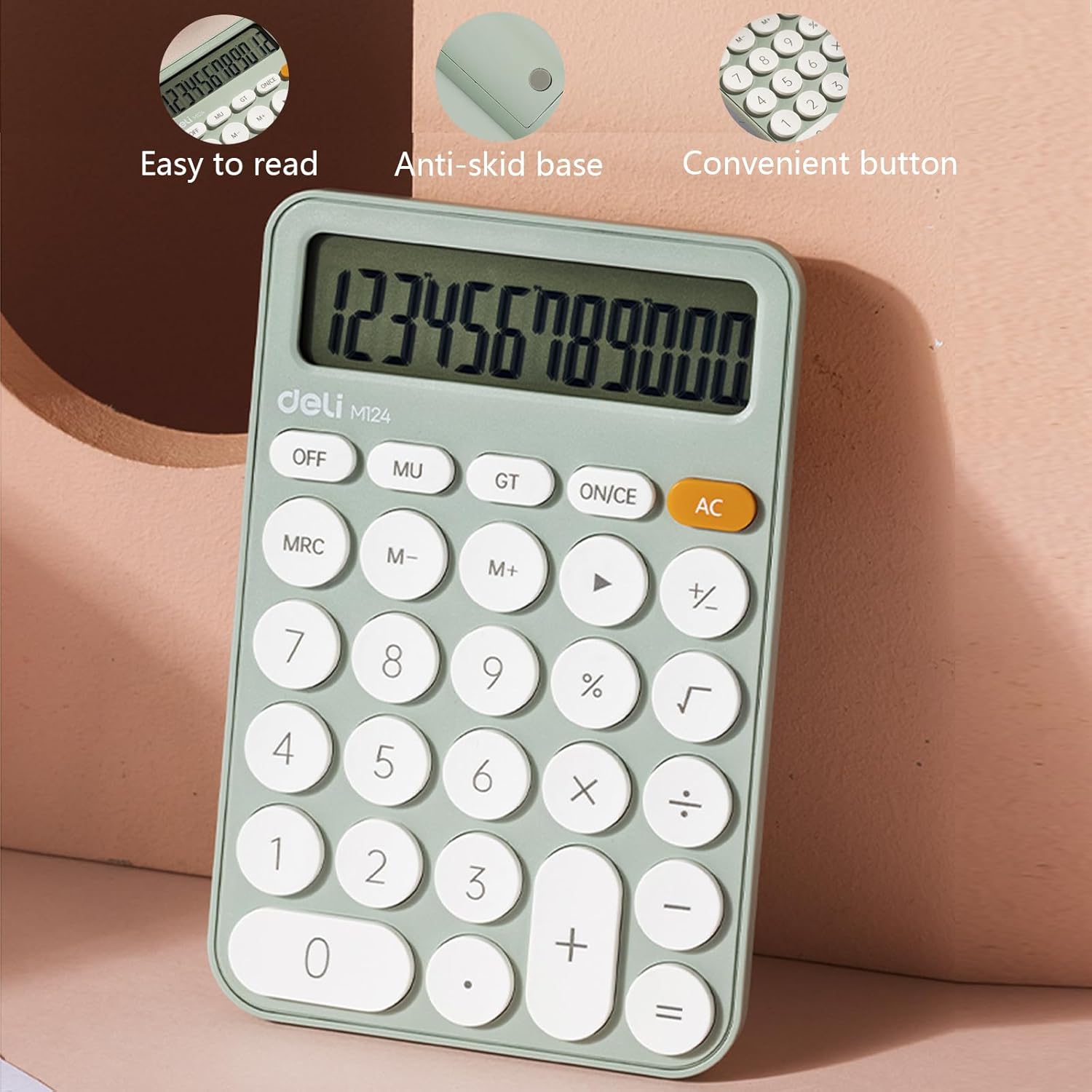
Image 5: Features such as easy-to-read display, anti-skid base, and convenient buttons.

Image 6: Detail of the lower anti-skid pads.

Image 7: The calculator's compact size for easy portability.
5. 응용 프로그램 시나리오
The deli M124 Basic Desktop Calculator is versatile and suitable for a wide range of users and environments:
- 사무실 사용: Ideal for daily calculations, budgeting, and data entry.
- 사업: Useful for financial workers, sales professionals, and inventory management.
- 학교: Perfect for students and teachers for math classes, homework, and administrative tasks.
- 홈 사용: Convenient for personal finance, bill paying, and general household calculations.

Image 8: The calculator in various usage scenarios.
6. 유지관리
6.1 청소
계산기의 모양과 기능을 유지하려면:
- 계산기를 부드럽고 마른 천으로 닦으세요.
- 완고한 먼지에는 약간 damp천에 물이나 순한 세척액을 묻힌 후 바로 닦아 말리세요.
- Avoid using abrasive cleaners, solvents, or harsh chemicals, as these can damage the display or casing.
6.2 배터리 교체
When the display becomes dim or the calculator functions erratically, it is time to replace the AAA battery. Follow the battery installation steps outlined in Section 2.1.
7. 문제 해결
- 빈 디스플레이: If the display is blank, ensure the calculator is turned on by pressing AC. Check if the battery is correctly installed and has sufficient power. Replace the battery if necessary.
- Incorrect Calculations: 누르다 AC to clear any previous entries or memory contents that might be affecting current calculations. Ensure correct input of numbers and operations.
- 응답하지 않는 버튼: If buttons are unresponsive, try pressing them firmly. If the issue persists, replace the battery. Avoid operating the calculator in extremely dusty or humid environments.
8. 사양
| 특징 | 사양 |
|---|---|
| 상표 | 총알 |
| 모델 번호 | 6921734944542(M124) |
| 제품 치수 | 3.9 x 1.9 x 0.1 inches (Calculator body) |
| 품목 무게 | 5 온스 |
| 표시하다 | 12-Digit Large LCD |
| 화면 크기 | 3인치 (가시 대각선) |
| 전원 | 1 x AAA Battery (required) |
| 계산기 유형 | Standard Basic Calculator |
| 색상 | 녹색 |
9. 보증 및 지원
9.1 보증 정보
The deli M124 Basic Desktop Calculator comes with a 5년 보증 구매일로부터. 본 보증은 제조상의 결함에 대한 보증이며, 정상적인 사용 조건에서 제품이 지정된 성능 기준을 충족함을 보장합니다. 보증 청구를 위해 구매 증빙 자료를 보관해 주십시오.
9.2 고객 지원
For any questions, technical assistance, or warranty claims, please contact deli customer support through the retailer where the product was purchased or visit the official deli web연락처 정보 사이트.


