소개
Thank you for choosing the LEXIP Madara Design Headset. This manual provides detailed instructions for setting up, operating, and maintaining your headset. Please read this manual thoroughly before use to ensure optimal performance and longevity of your device.
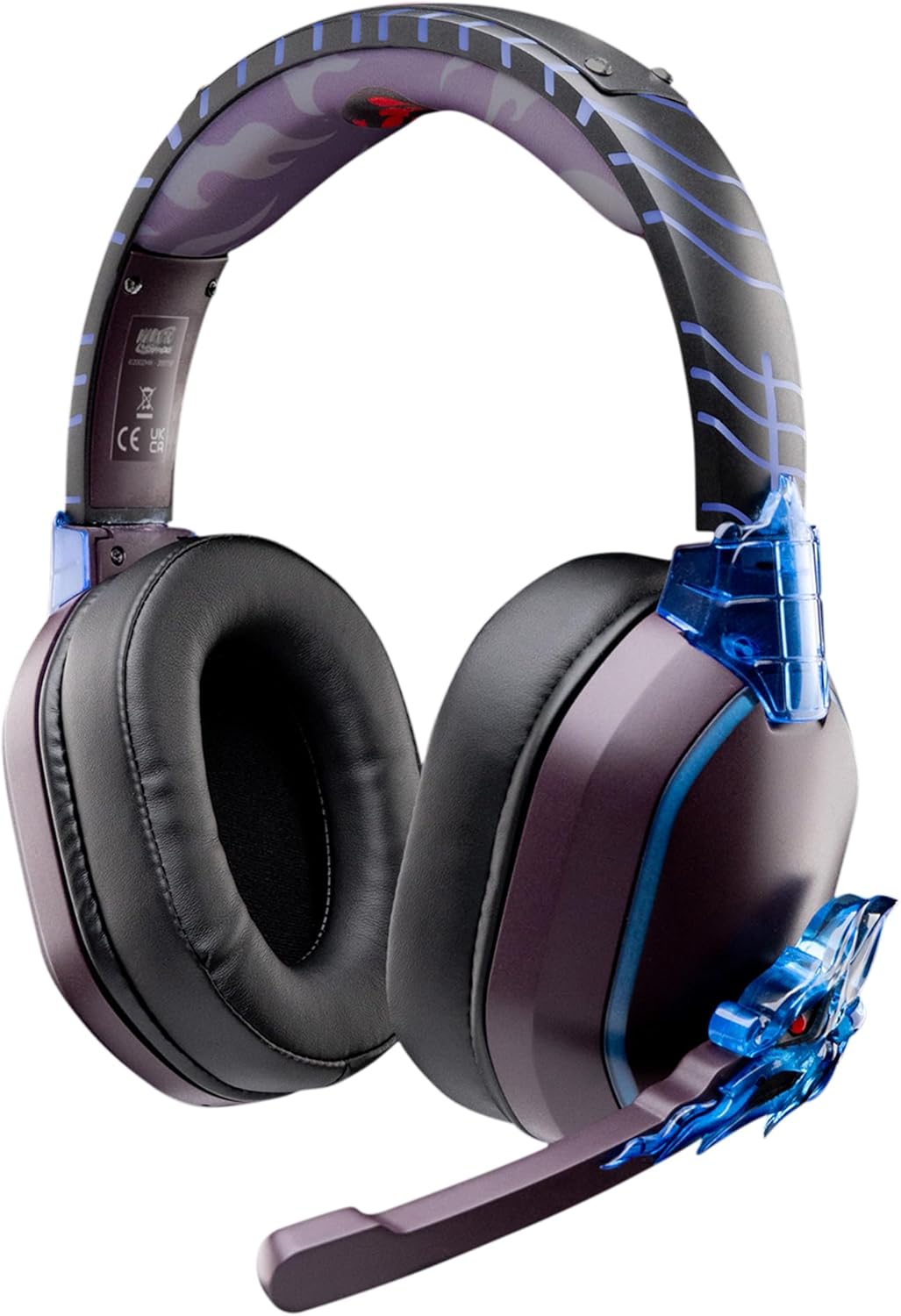
Image: The LEXIP Madara Design Headset, featuring a distinctive purple and blue color scheme with intricate design elements inspired by Madara.
패키지 내용
패키지에 모든 품목이 들어 있는지 확인하세요.
- LEXIP Madara Design Headset
- 분리형 마이크
- 3.5mm 오디오 케이블
- USB 충전 케이블
- 사용자 설명서
제품 끝view
헤드셋의 구성 요소와 디자인 특징을 숙지하십시오.

Image: Close-up of the headset's ear cup, highlighting the intricate blue dragon design element.

영상: View of the soft earcups and adjustable headband, designed for comfort during extended use.
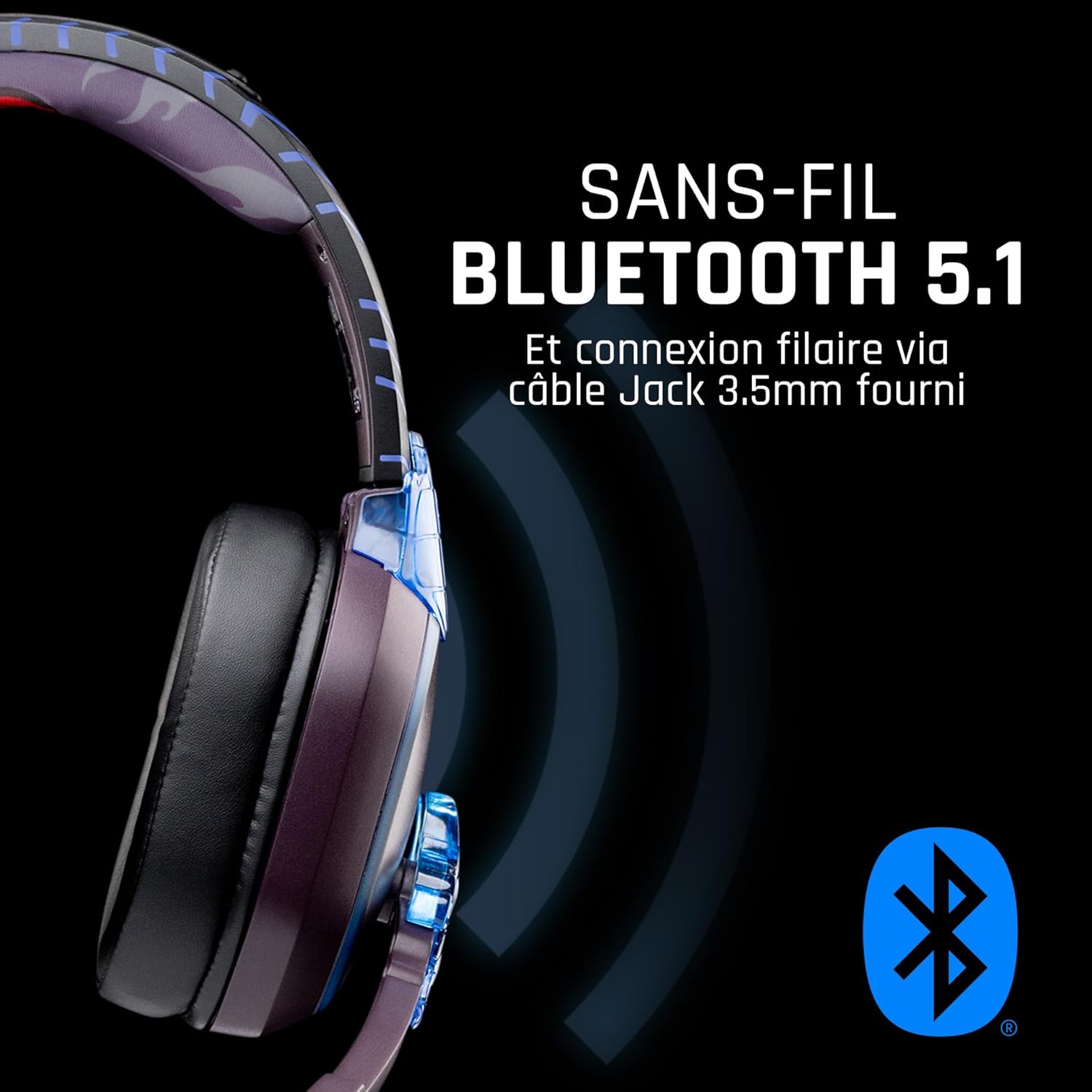
이미지: 측면 view of the headset, illustrating its wireless Bluetooth 5.1 capability and connection points.

Image: The headset displayed on a stand, alongside a matching game controller, showcasing its gaming application.
주요 특징:
- 무선 블루투스 5.1: For seamless wireless audio.
- 유선 연결: Via the included 3.5mm Jack cable.
- 분리형 마이크: For clear communication and versatility.
- 볼륨 조절: 간편한 오디오 조절을 위한 통합 컨트롤.
- 소음 차단 : Passive noise reduction for an immersive experience.
- 편안한 디자인: Adjustable headband and over-ear form factor.
설정
1. 헤드셋 충전
- 헤드셋의 충전 포트에 USB 충전 케이블을 연결하세요.
- USB 케이블의 다른 쪽 끝을 호환되는 USB 전원(예: 컴퓨터 USB 포트, USB 벽면 어댑터)에 연결합니다.
- The LED indicator on the headset will show the charging status. A full charge typically takes approximately 2-3 hours.
2. 마이크 부착
- Locate the microphone input port on the headset, usually on the left earcup.
- Align the detachable microphone connector with the port and gently push it in until it clicks into place.
- 최적의 음성 수음을 위해 마이크 위치를 조정하십시오.
작동 지침
1. 전원 켜기 / 끄기
- 전원을 켜려면: LED 표시등이 켜질 때까지 약 3초 동안 전원 버튼을 길게 누릅니다.
- 전원을 끄려면: LED 표시등이 꺼질 때까지 약 5초 동안 전원 버튼을 길게 누릅니다.
2. 블루투스 페어링 (무선 모드)
- 헤드셋의 전원이 꺼져 있는지 확인하십시오.
- 전원 버튼을 약 5~7초 동안 길게 누르면 LED 표시등이 빠르게 깜빡이며 페어링 모드에 진입합니다.
- On your device (Windows 10/11, Mac, PS5, PS4, Xbox Series X/S, Xbox One, Nintendo Switch, Android, iOS, tablets), navigate to Bluetooth settings.
- 검색 available devices and select "LEXIP Madara Headset" (or similar name).
- 페어링되면 LED 표시등이 깜박임을 멈추고 파란색으로 계속 켜져 있습니다.
3. 유선 연결 (3.5mm 잭)
- Insert one end of the 3.5mm audio cable into the headset's audio jack.
- Insert the other end into the 3.5mm audio port of your desired device.
- The headset will operate in passive wired mode, even if the power is off.
4. 볼륨 조절
- Use the volume control dial or buttons located on the headset to adjust the audio level.
유지
- 청소: 부드럽고 마른 천을 사용하여 헤드셋을 닦으세요. 연마성 세제나 용제는 사용하지 마세요.
- 저장: 헤드셋은 직사광선과 극한의 온도를 피해 서늘하고 건조한 곳에 보관하세요.
- 배터리 관리 : 최적의 배터리 수명을 위해 헤드셋을 자주 완전히 방전시키지 마십시오. 정기적으로 충전하십시오.
- 방수 기능: 헤드셋은 방수가 되지 않습니다. 액체에 노출되지 않도록 주의하세요.
문제 해결
| 문제 | 가능한 원인 | 해결책 |
|---|---|---|
| 헤드셋에서 소리가 나지 않습니다 | Headset not powered on; Volume too low; Not paired/connected; Incorrect audio output selected on device. | Ensure headset is powered on and charged. Increase volume. Re-pair Bluetooth or check 3.5mm cable connection. Select headset as audio output on your device. |
| 블루투스로 페어링이 불가능합니다 | 헤드셋이 페어링 모드가 아닙니다. 기기 블루투스가 꺼져 있습니다. 기기와의 거리가 너무 멀습니다. 간섭이 발생하고 있습니다. | Ensure headset is in pairing mode (flashing LED). Turn device Bluetooth off and on again. Move headset closer to device. Avoid strong Wi-Fi signals or other Bluetooth devices. |
| 마이크가 작동하지 않습니다 | Microphone not properly attached; Muted on headset/device; Incorrect input selected on device. | Ensure microphone is securely attached. Check if microphone is muted. Select headset microphone as input device in your device's sound settings. |
| 배터리 수명이 짧음 | Headset not fully charged; Old battery. | Ensure headset is fully charged before use. Battery performance may degrade over time. |
명세서
| 모델 번호 | TSXLXHS0003 |
| 상표 | 렉십 |
| 연결 기술 | 무선(블루투스 5.1), 유선(3.5mm 잭) |
| 주파수 범위 | 20Hz - 20,000Hz |
| 임피던스 | 3옴 |
| 감광도 | 116데시벨 |
| 소음 차단 | 수동 소음 감소 |
| 마이크로폰 | 분리 가능 |
| 통제 수단 | 볼륨 조절, 리모컨 |
| 호환 장치 | Windows 10/11, Mac, PS5, PS4, Xbox Series X/S, Xbox One, Nintendo Switch, Android, iOS, tablets |
| 폼 팩터 | Over-ear, Extra-aural |
| 재료 | 혼합 재료 |
| 연령대 | 성인 |
| 방수 레벨 | 방수가 되지 않음 |
| 배터리 | 1 non-standard battery (included) |
보증 및 지원
The LEXIP Madara Design Headset comes with a 2년 제조사 보증 구매일로부터. 이 보증은 정상적인 사용 하에서 재료 및 제조상의 결함을 포함합니다.
For warranty claims, technical support, or further assistance, please contact LEXIP customer service through their official website or the retailer where the product was purchased. Please have your proof of purchase and model number (TSXLXHS0003) ready when contacting support.
참고: 예비 부품 가용성 및 소프트웨어 업데이트에 대한 정보는 현재 제공되지 않습니다.


