소개
This manual provides comprehensive instructions for the Mesqool Vibrating Alarm Clock, Model CR1027. Designed for heavy sleepers, the hearing-impaired, and those who prefer a silent wake-up, this cordless alarm clock offers multiple alarm modes, adjustable vibration levels, and a long-lasting rechargeable battery. Please read this manual thoroughly before using the device to ensure proper operation and maintenance.
패키지 내용
아래 나열된 모든 품목이 패키지에 포함되어 있는지 확인하세요.
- Mesqool Vibrating Alarm Clock (Model CR1027)
- USB-C 충전 케이블
- 사용자 설명서

Image: Contents of the Mesqool Vibrating Alarm Clock package.
제품 끝view
The Mesqool Vibrating Alarm Clock features a clear digital display and intuitive controls for easy operation. Its compact design makes it ideal for travel and discreet use.

이미지: 앞면 view of the Mesqool Vibrating Alarm Clock.
제어 및 표시기:

이미지: 상단 view of the alarm clock showing control buttons and display indicators.
- 표시하다: Shows time, day of the week, AM/PM, alarm status (1 and 2), vibration mode, and battery indicator.
- 알람 1 버튼: Used to set and activate/deactivate Alarm 1.
- 알람 2 버튼: Used to set and activate/deactivate Alarm 2.
- Time/Snooze Button: Used to enter time setting mode and activate snooze during an alarm.
- 빼기(-) 버튼: Used to decrease values during setting or adjust volume.
- 더하기(+) 버튼: Used to increase values during setting or adjust volume.
- 잠금 스위치: 실수로 버튼을 누르는 것을 방지합니다.
- Vibration Mode Switch: Selects vibration intensity (Low, Medium, High).
- 경보 모드 전환: Selects alarm output (Vibration Only, Alarm Only, Both).
- USB-C 포트: 장치를 충전합니다.
설정
초기 충전
Before first use, fully charge the alarm clock using the provided USB-C cable. The battery indicator on the display will show charging status. A full charge can provide up to six months of use.

Image: Alarm clock connected to its USB-C charging cable.
시간 설정
Follow these steps to set the current time on your alarm clock:
- 를 누르고 계세요 시간/알림 시간 설정 모드로 들어가려면 버튼을 누르세요.
- The day of the week column will start flashing. Use the + or - buttons to select the current day of the week. Press the 시간/알림 확인 버튼을 클릭하세요.
- The hour will start flashing. Use the + or - buttons to select the current hour. Press the 시간/알림 확인 버튼을 클릭하세요.
- The minute will start flashing. Use the + or - buttons to select the current minute. Press the 시간/알림 확인 버튼을 클릭하세요.
- Time setting is now complete.
Video: Demonstrates how to set the time on the Mesqool Vibrating Alarm Clock.
Setting AM/PM (12H/24H) and DST
To switch between 12-hour (AM/PM) and 24-hour formats, or to enable/disable Daylight Saving Time (DST):
- When the screen is off, press any button to turn on the screen.
- 를 누르세요 - button once to toggle between AM/PM (12H) and 24H time formats.
- 를 누르세요 + button once to toggle DST (Daylight Saving Time) on or off.
Video: Instructions on how to set AM/PM and DST on the alarm clock.
작동 지침
알람 설정 (알람 1 및 알람 2)
The Mesqool alarm clock supports two independent alarms, each configurable for weekdays, weekends, or all 7 days. You can also choose between vibration only, alarm sound only, or both.
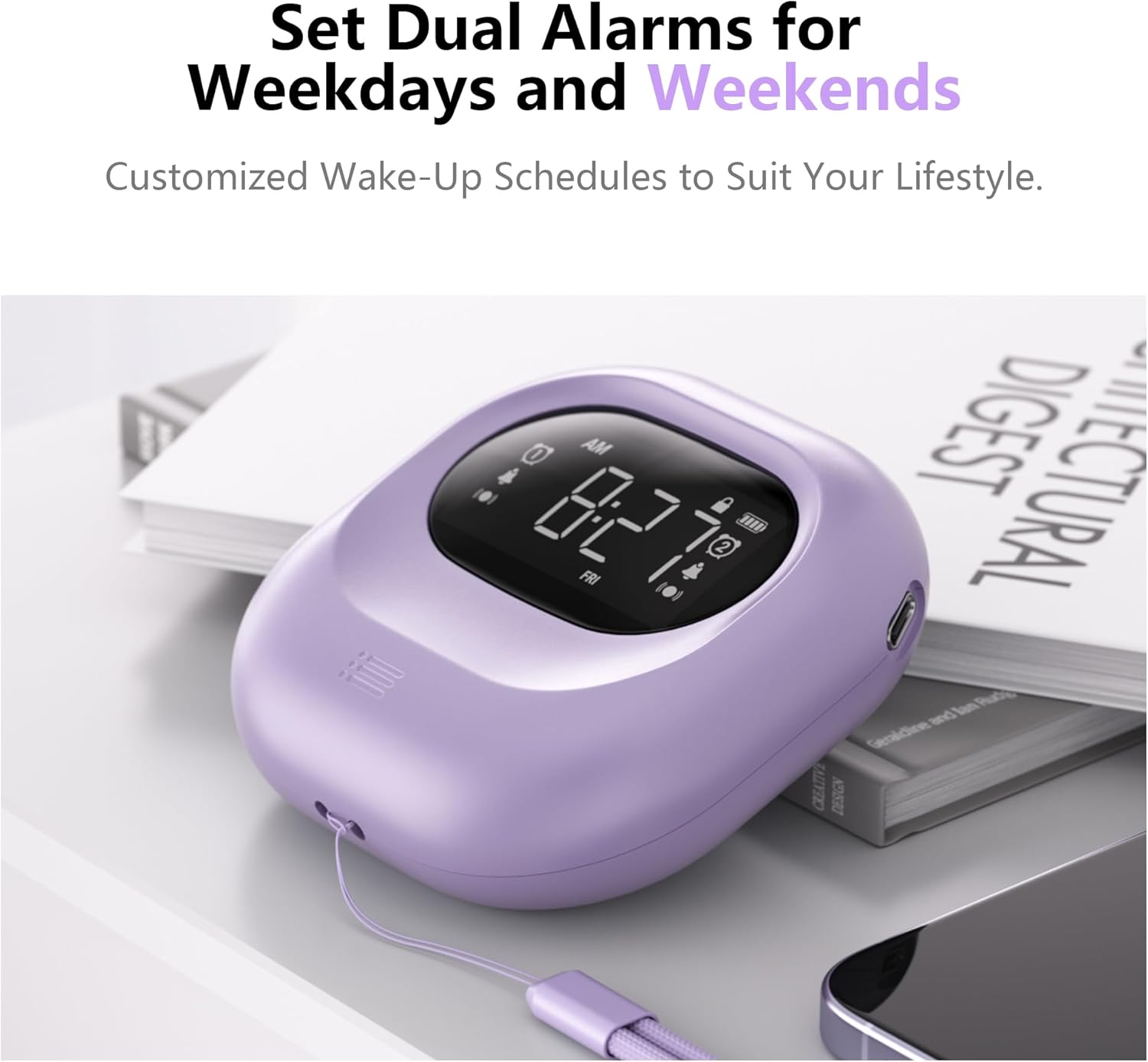
Image: Dual alarm functionality for weekdays and weekends.
- 를 누르세요 알람 1 or 알람 2 button once to turn on the respective alarm. The alarm icon will appear on the display. Long press the button to cancel the alarm.
- 를 누르세요 알람 1 or 알람 2 button again to start setting the alarm.
- 사용하세요 + or - buttons to select the hour for the alarm to go off. Press the alarm button (1 or 2) to confirm.
- 사용하세요 + or - buttons to select the minute for the alarm to go off. Press the alarm button (1 or 2) to confirm.
- 사용하세요 + or - buttons to select the alarm mode: 진동만, 알람만, 또는 알람 및 진동. Press the alarm button (1 or 2) to confirm.
- 선택한 경우 알람만 or 알람 및 진동, you will then adjust the alarm volume. Use the + or - buttons to set the desired volume (56db to 105db). Press the alarm button (1 or 2) to confirm.
- 이제 알람이 설정되었습니다.
Video: Detailed guide on setting the alarm on the Mesqool Vibrating Alarm Clock.
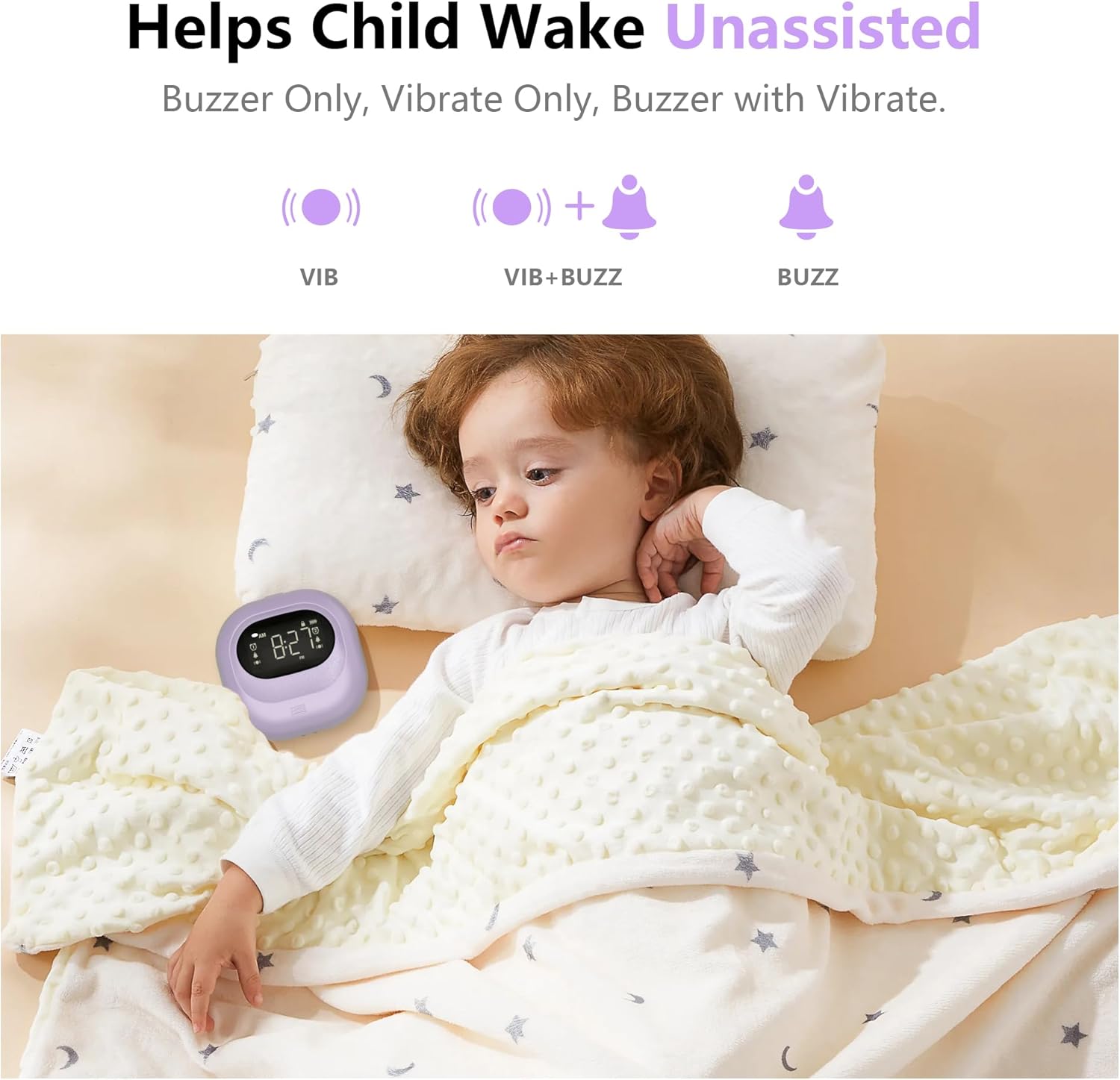
Image: Illustration of the three available alarm modes.
Adjusting Vibration Levels
The alarm clock offers three adjustable vibration levels to suit your preference:
- 낮은: Gentle vibration for light sleepers.
- 중간: Moderate vibration for most users.
- 높은: Strong vibration for heavy sleepers or those with hearing impairment.
Use the dedicated vibration mode switch on the back of the device to select your desired intensity.

Image: Three adjustable vibration levels for personalized wake-up.
스누즈 기능
When the alarm sounds or vibrates, press the 시간/알림 button to activate the snooze function. The alarm will pause for 9 minutes and then resume.
잠금 기능
To prevent accidental changes to your alarm settings, use the lock switch located on the back of the device. Slide the switch to the "Lock" position to disable button functionality. Slide it back to "Unlock" to enable controls.
유지
청소
알람시계를 부드럽고 마른 천으로 닦으십시오. 연마성 세제를 사용하거나 물에 담그지 마십시오.
배터리 관리
The Mesqool Vibrating Alarm Clock is equipped with a high-capacity rechargeable battery. For optimal battery life, avoid fully discharging the battery frequently. Recharge the device when the battery indicator shows low power.
문제 해결
| 문제 | 해결책 |
|---|---|
| 경보음이 울리지 않거나 진동이 없습니다. | Ensure the alarm is activated (icon visible). Check the alarm mode switch (Vibration Only, Alarm Only, Both). Verify alarm volume is not set to minimum if using sound. Ensure the lock function is off. |
| 디스플레이가 비어 있습니다. | Press any button to activate the display. Check battery level and recharge if necessary. |
| 버튼이 반응하지 않습니다. | Check if the lock function is enabled. Slide the lock switch to the "Unlock" position. |
| 시간이 정확하지 않습니다. | Re-set the time following the "Setting the Time" instructions. Check AM/PM or 24H setting. |
명세서
- 상표: 메스쿨
- 모델: CR1027
- 색상: 보라
- 디스플레이 유형: 디지털
- 제품 크기: 폭 3.35인치 x 높이 3.35인치 x 깊이 1.06인치
- 전원: 배터리 구동(충전식)
- 배터리 용량: 3000mAh
- 특별 기능: Battery Operated, Loud Alarm, Adjustable Vibration (Low, Medium, High), Cordless, Battery Indicator, Dual Alarms, Weekday/Weekend Settings, Snooze Function, Lock Function.
- 재료: 아크릴로니트릴 부타디엔 스티렌(플라스틱)
- 품목 무게: 7 온스
보증 및 지원
The Mesqool Vibrating Alarm Clock comes with an 연장 보증. For detailed warranty information, technical support, or customer service inquiries, please contact Mesqool customer support through the retailer's platform or visit the official Mesqool web대지.
Note: Specific contact details may vary. Please refer to your purchase documentation for the most accurate support information.


