1. 서론
This manual provides instructions for the Macally Wired Keyboard for Mac with an integrated USB Hub (Model: UCAMINIZHUB). This compact keyboard is designed for Apple computers, offering a familiar MacOS layout, convenient shortcut keys, and a built-in 3-port USB hub for connecting additional peripherals. Its 2-in-1 USB-C and USB-A plug ensures broad compatibility.

이미지: 이상view of the Macally Wired Keyboard for Mac, showcasing its compact design and integrated cable.
2. 설정
2.1 패키지 내용
- Macally Wired Keyboard (UCAMINIZHUB)
- 사용자 가이드 (이 문서)
2.2 키보드 연결
- Locate the integrated USB cable on the Macally keyboard. This cable features a unique 2-in-1 plug, allowing connection to either a USB-A or USB-C port.
- Connect the appropriate end of the keyboard's USB cable to an available USB-A or USB-C port on your Mac computer (MacBook Pro/Air, Mac mini, iMac).
- Your Mac should automatically detect the keyboard. Follow any on-screen prompts to identify the keyboard type if necessary. No additional drivers are required for basic functionality.

이미지: 클로즈업 view of the keyboard's 2-in-1 USB-A and USB-C plug, demonstrating its versatility for different port types.
3. 운영
3.1 MacOS Layout and Shortcut Keys
The Macally UCAMINIZHUB keyboard features a 78-key MacOS layout, providing a familiar typing experience for Mac users. It includes 12 convenient shortcut keys for quick access to common functions such as screen brightness, volume control, media playback, and Mission Control.
- F1-F2: 화면 밝기 조정
- F3: 미션 컨트롤
- F4: 런치패드
- F7-F9: Media Playback Controls (Previous, Play/Pause, Next)
- F10-F12: 음량 조절 (음소거, 음량 줄이기, 음량 높이기)

Image: The Macally keyboard positioned next to an iMac, highlighting its MacOS-specific layout and shortcut keys.
3.2 Integrated USB Hub
The keyboard includes a built-in 3-port USB hub, consisting of two USB-C ports and one USB-A port. This allows you to connect additional peripherals directly to your keyboard, such as a mouse, flash drive, or external hard drive, providing convenient access and reducing cable clutter.
- 2x USB-C Ports: USB-C 호환 장치 연결용.
- USB-A 포트 1개: For connecting standard USB-A compatible devices.
To use the USB hub, simply plug your peripheral devices into the available ports on the side of the keyboard.

이미지: 클로즈업 view of the side of the Macally keyboard, clearly showing the integrated USB-C and USB-A ports of the built-in hub.
3.3 Scissor Switch Keys
The keyboard utilizes scissor-switch key technology, providing a tactile and responsive typing experience similar to Apple's native keyboards. This design ensures comfortable and efficient typing.
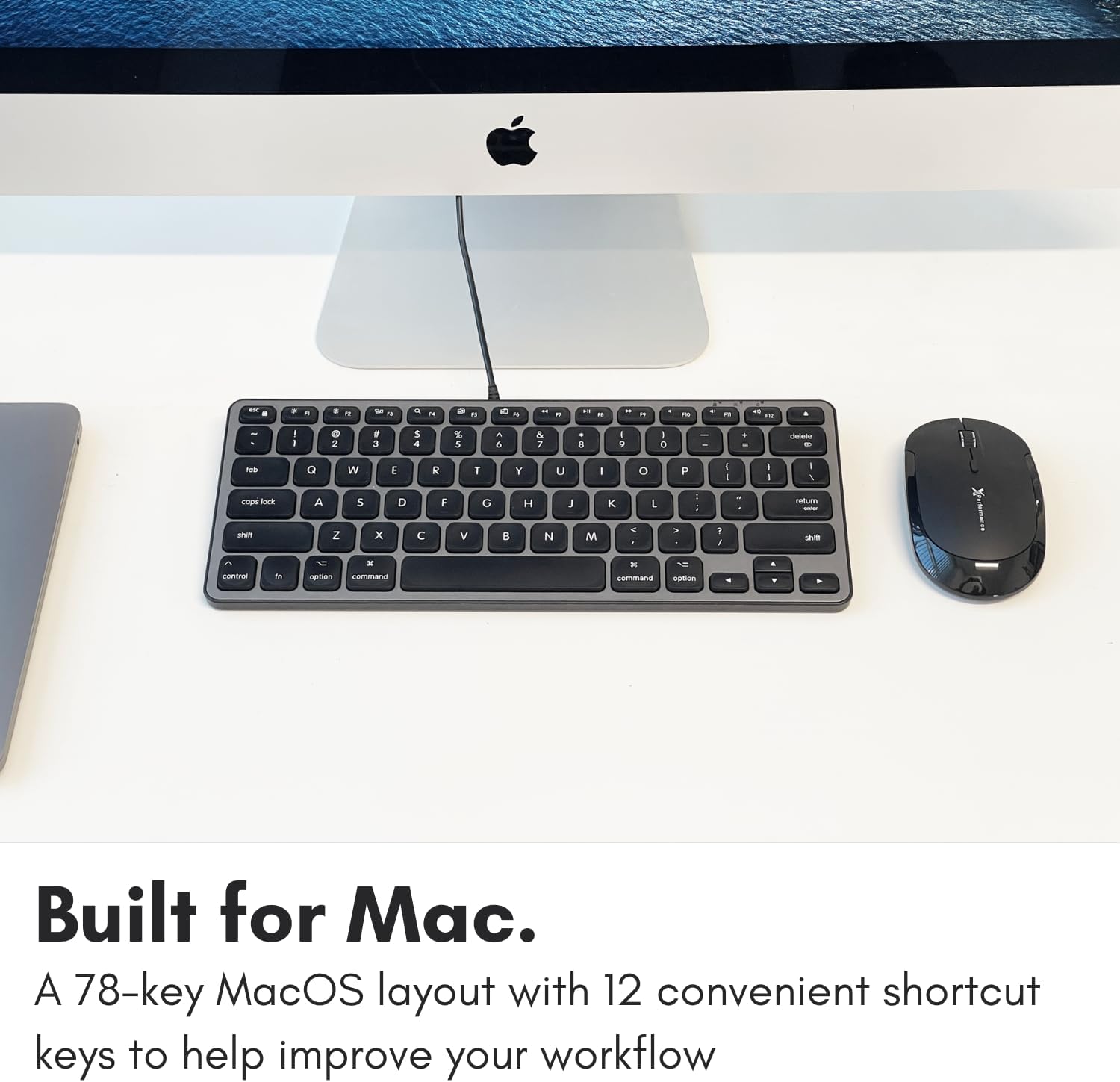
Image: A close-up of the keyboard keys, illustrating the low-profile design and keycap structure indicative of scissor-switch technology.
3.4 인체공학 및 휴대성
The keyboard features an integrated kickstand that angles the keyboard slightly, enhancing typing comfort. Its compact size makes it suitable for various desk setups and easy to transport.
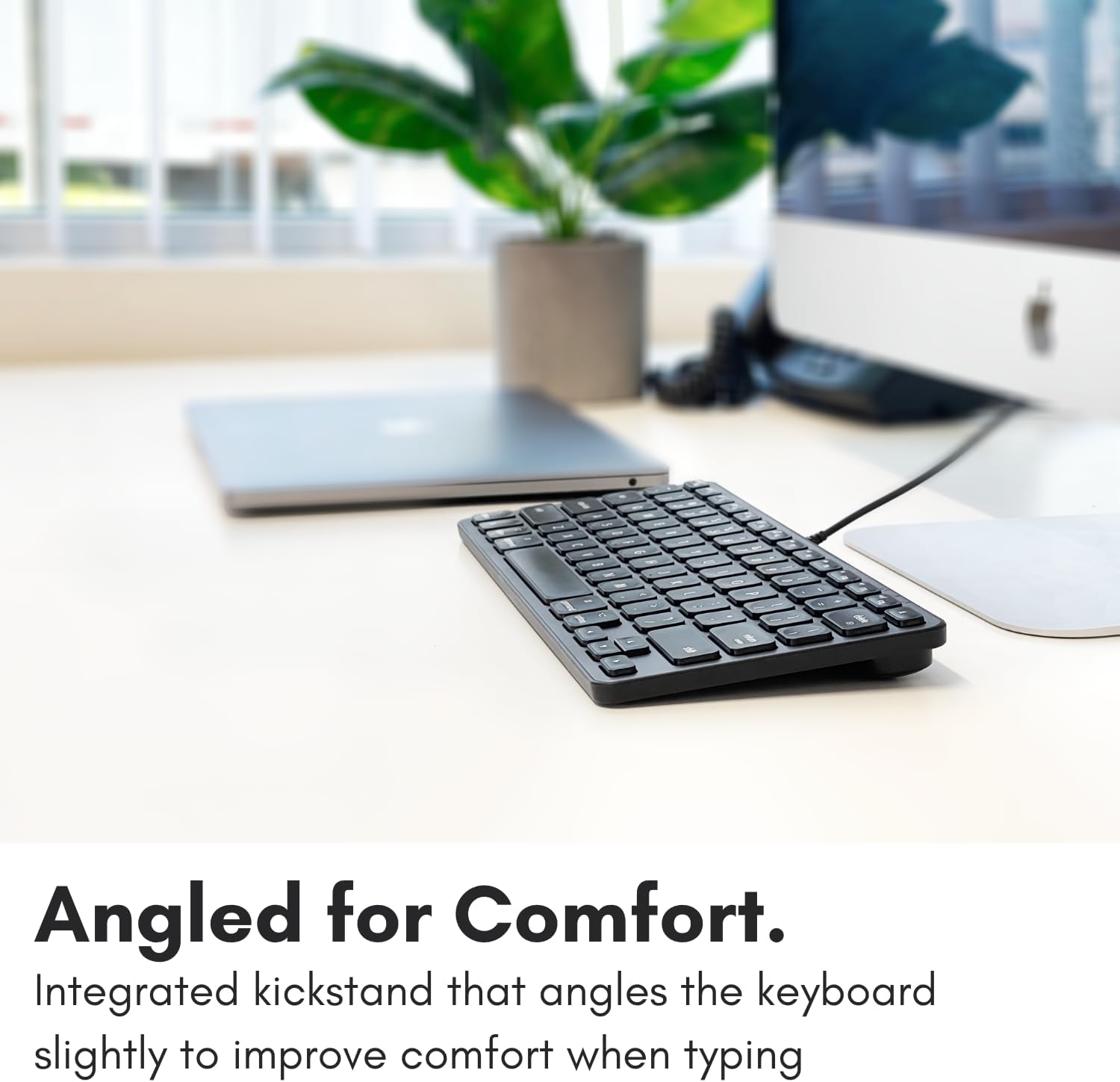
Image: The Macally keyboard shown from a side angle, highlighting the slight incline provided by its integrated kickstand for ergonomic typing.

Image: The compact Macally keyboard on a desk, demonstrating how its small footprint helps save desk space.
4. 유지관리
To ensure the longevity and optimal performance of your Macally keyboard, follow these maintenance guidelines:
- 청소: 부드럽고 털이 없는 천을 살짝 사용하세요.ampened with water or a mild cleaning solution to wipe the surface of the keyboard. Avoid harsh chemicals, abrasive cleaners, or excessive moisture.
- 먼지 제거: 압축 공기를 사용하여 키 사이의 먼지와 이물질을 제거합니다.
- 저장: 사용하지 않을 때는 키보드를 극한의 온도와 직사광선을 피해 깨끗하고 건조한 곳에 보관하세요.
- 케이블 관리: 손상을 방지하려면 USB 케이블을 과도하게 구부리거나 압착하지 마십시오.
5. 문제 해결
If you encounter issues with your Macally keyboard, refer to the following common troubleshooting steps:
- 키보드가 응답하지 않음:
- Ensure the USB cable is securely connected to your Mac's USB-A or USB-C port.
- Try connecting the keyboard to a different USB port on your Mac.
- 맥 컴퓨터를 재시작하세요.
- Check System Settings/Preferences > Keyboard to ensure the keyboard is recognized and configured correctly.
- USB 허브가 작동하지 않음:
- Ensure the keyboard itself is properly connected and functioning.
- Verify that the peripheral device connected to the hub is working correctly when plugged directly into your Mac.
- Some high-power devices may require direct connection to your Mac or a powered USB hub. The keyboard's hub is designed for low-power peripherals.
- 단축키가 작동하지 않습니다:
- Ensure your Mac's operating system is up to date.
- Check System Settings/Preferences > Keyboard > Keyboard Shortcuts to ensure no conflicts exist.
6. 사양
| 모델 번호 | UCAMINIZHUB |
| 연결 기술 | 유선(USB-A, USB-C) |
| 호환 장치 | MacBook Pro/Air, Mac mini, iMac, Laptop, PC, Smartphone, Tablet (with appropriate USB port) |
| 키보드 레이아웃 | 78-key MacOS layout with 12 shortcut keys |
| 키 스위치 유형 | 가위 스위치 |
| 통합 USB 허브 | 2x USB-C ports, 1x USB-A port |
| 제품 치수 | 11.81 x 5.91 x 0.79인치(30 x 15 x 2cm) |
| 품목 무게 | 1.08파운드(0.49kg) |
| 재료 | 금속, 플라스틱 |
| 색상 | 검은색 |
7. 보증 및 지원
Macally products are designed for reliability and performance. This product comes with a 2년 한정 보증 구매일로부터.
For technical support, warranty claims, or further assistance, please contact Macally customer support. US-based support is available to assist you with any questions or issues you may have.
Please visit the official Macally website for the most current contact information and support resources: www.macally.com


