제품 끝view
The Masterbuilt AutoIgnite 545 Digital Charcoal Grill and Smoker offers the rich, smoky flavor of charcoal grilling with the convenience of automatic ignition. Designed for ease of use, this unit features a QuickStart™ auto-ignition system, a DigitalFan™ for precise temperature control, and a MiniHopper™ for extended cooking times. It also includes a QuickSear™ cast iron hopper sear plate for versatile cooking options, from low-and-slow smoking to high-heat searing.

설정 및 조립
Before first use, ensure all components are present and assembled according to the included assembly guide. Proper assembly is crucial for safe and efficient operation.
초기 설정 단계:
- 포장 풀고 검사하기: Carefully remove all parts from the packaging. Verify that all components listed in the assembly manual are present and undamaged.
- 그릴을 조립하세요: Follow the step-by-step instructions provided in the separate assembly manual. Ensure all screws and fasteners are securely tightened.
- 놓기: Position the grill on a stable, level, non-combustible surface outdoors, away from any flammable materials, structures, or overhead obstructions. Ensure adequate ventilation.
- 전원 연결: Connect the grill to a grounded electrical outlet.

작동 지침
QuickStart™ Auto-Ignition:
The QuickStart™ system simplifies charcoal ignition, making it as easy as lighting a gas grill.
- 플러그를 꽂고 전원을 켜세요: Plug the grill into a grounded outlet and press the power button on the digital control panel to turn on the controller.
- Preheat Ignitor: Press the QuickStart™ auto-ignition button to begin preheating the ignitor.
- 설정 온도: Use the digital control panel to set your desired cooking temperature. The DigitalFan™ will work to maintain this temperature.
- 숯을 넣으세요: Fill the MiniHopper™ with up to 5 lbs of lump charcoal or 7 lbs of briquettes. This provides up to 8 hours of cooking time.
- Insert Firestarter: Once the QuickStart™ button stops flashing, place a Masterbuilt firestarter into the side firestarter holder and slide it into position. The ignitor will light the firestarter.
- 요리 모니터링: Allow the grill and DigitalFan™ to reach and maintain your desired cooking temperature.


Masterbuilt App Control:
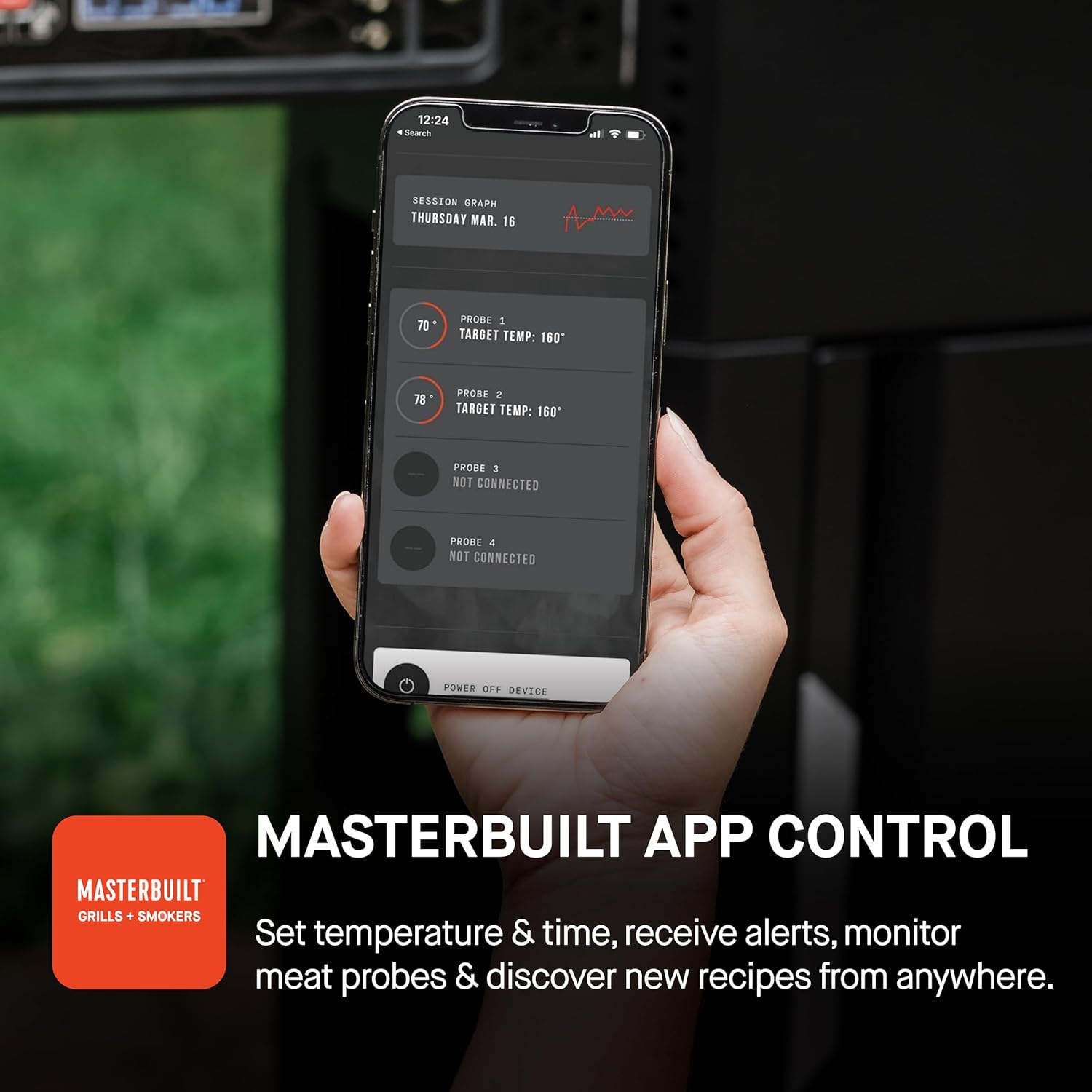
Enhance your grilling experience by connecting your grill to the Masterbuilt app.
- 앱 다운로드 : Download the Masterbuilt app from your device's app store.
- 장치 추가: Open the app and select "Add Device" from the home screen.
- 편성: Hold the "Connect" button on your grill's control board to initiate pairing.
- 이름 장치: Name your grill within the app for easy identification.
- Wi-Fi에 연결: Follow the in-app prompts to connect your grill to your home Wi-Fi network.
Once connected, you can set temperature and time, receive alerts, monitor meat probes, and discover new recipes directly from your smartphone.
다양한 요리:
The AutoIgnite 545 is designed for both low-and-slow smoking and high-heat searing, with a temperature range of 250°F to 650°F.
- QuickSear™ Cast Iron Plate: Use the integrated cast iron plate for searing or sautéing foods, adding a delicious crust.
- Cast Iron Cooking Grates: The durable cast iron grates are ideal for searing in food flavors.
- Foldaway Warming Racks: Utilize the warming racks to keep food warm during cooking or fold them away when not in use.


유지 보수 및 관리
Regular maintenance ensures the longevity and optimal performance of your Masterbuilt AutoIgnite 545.
- 그릴 청소: After each use, allow the grates to cool slightly, then clean them with a grill brush. For stubborn residue, use warm soapy water.
- 재 제거: Regularly empty the ash tray and MiniHopper™ to prevent buildup, which can affect airflow and performance. Ensure the grill is completely cool before handling ash.
- 외부 청소: 광고로 외부 표면을 닦아냅니다.amp 천과 중성세제. 연마성 세제를 피하십시오.
- 저장: When not in use, store the grill in a dry, protected area. Consider using a Masterbuilt grill cover to protect it from the elements.


문제 해결
| 문제 | 가능한 원인 | 해결책 |
|---|---|---|
| Grill not powering on. | 전원 플러그가 꽂혀 있지 않거나, 전원 콘센트에 문제가 있거나, 전원 버튼이 눌러지지 않았을 수 있습니다. | Ensure the grill is securely plugged into a working, grounded outlet. Press the power button firmly. |
| QuickStart™ ignitor not lighting. | Firestarter not positioned correctly, ignitor malfunction, or no power to ignitor. | Verify the firestarter is correctly placed in the holder. Check power connection. Contact customer support if issue persists. |
| 온도가 원하는 수준에 도달하지 않습니다. | Insufficient charcoal, ash buildup, or lid not properly closed. | Add more charcoal to the MiniHopper™. Clean out any ash buildup. Ensure the grill lid is fully closed. |
| App not connecting to grill. | Wi-Fi connectivity issues, incorrect pairing, or app outdated. | Ensure your grill and smartphone are within Wi-Fi range. Re-attempt pairing process. Update the Masterbuilt app to the latest version. |
명세서
- 상표: 마스터 빌드
- 모델 이름: AutoIgnite 545
- 모델 번호: MB20041124
- 전원: 숯
- 색상: 검은색
- 겉감 소재 : 스테인리스 스틸
- 제품 크기: 24인치 깊이 x 56.5인치 너비 x 43.8인치 높이
- 내부 소재: 스테인리스 스틸
- 연료 유형: 숯
- 품목 무게: 90.2파운드
- 원산지: 중국
- 온도 범위: 화씨 250도 - 화씨 650도
- 조리 공간: 545 제곱인치
- 숯 용량: Up to 5 lbs lump charcoal or 7 lbs briquettes
보증 및 지원
For warranty information, product registration, or technical support, please refer to the official Masterbuilt web사이트를 방문하거나 고객 서비스 부서에 문의하세요. 보증 청구를 위해 구매 증빙 자료로 구매 영수증을 보관하세요.
고객 지원: 도움이 필요하시면 다음을 방문하세요. 아마존에서 Masterbuilt 스토어를 만나보세요. 또는 제품 포장에 제공된 연락처 정보를 참조하세요.


