1. 서론
The ANCEL BT521 is a versatile 4-in-1 automotive tool designed for comprehensive 12V lead-acid battery management. It functions as a battery tester, charger, repairer, and maintainer, providing essential diagnostics and charging capabilities for various vehicle types. This manual provides detailed instructions for safe and effective use of your BT521 device.
2. 주요 특징
- 4-in-1 기능: Integrates battery testing, charging, repair, and maintenance modes.
- Advanced Battery Testing: Performs health tests, cranking tests, and alternator tests for 12V lead-acid batteries (100-2000 CCA), providing State of Health (SOH), State of Charge (SOC), voltage, current, and rating.
- 8-Step Smart Charging: Features a comprehensive charging program including Desulfation, Soft Start, Bulk Charge, Absorption, Analysis, Repair, Float, and Pulse Maintenance to optimize battery power and extend lifespan.
- 배터리 복구 기능: Helps revive older batteries and enhance lifespan by reversing sulfation.
- Automatic Unattended Mode: Monitors and maintains battery charge with up to 50% power consumption, ideal for long-term storage.
- 안전 보호 : Includes reverse polarity, overcurrent, overvoltage, short circuit, and overheat protection. Features smart control and temperature compensation for safe operation in various climates.
- 사용자 친화적인 인터페이스: Equipped with an easy-to-read LCD display and intuitive button controls.
- 내구성 있는 디자인: Features 2024 new copper clamps for ultra-stable contact and improved accuracy, and comes with a portable protective case.
3. 상자 안에 무엇이 들어있나요?
- 1 x ANCEL BT521 Battery Tester
- 1 x 사용자 설명서
- 1 x Portable Protective Case

Image: The ANCEL BT521 device with its cables and clamps, user manual, and protective case, displayed alongside its retail packaging.
4. 설정
- Cl 연결amps: 빨간색 CL을 붙입니다.amp to the positive (+) terminal of the 12V lead-acid battery and the black clamp to the negative (-) terminal. Ensure a secure connection for accurate readings and safe operation.
- 전원 켜기: The BT521 device will automatically power on once connected to a battery with sufficient charge. If the battery is completely dead, connect the power plug to an AC outlet.
- 초기 화면: The main menu will appear on the LCD display, allowing you to select the desired function.

Image: The ANCEL BT521 connected to a car battery, showing the clamps attached to the terminals.
5. 사용 설명서
Navigate the menu using the Up/Down arrow buttons and confirm selections with the OK button. The Fn button can be used for a one-button quick charge.
5.1. 배터리 테스트
- 메인 메뉴에서 "배터리 테스트".
- Choose the battery type (e.g., Regular Flooded, AGM Flat Plate, AGM Spiral, GEL, EFB).
- Select the standard (e.g., CCA, IEC, EN, DIN, CA, BCI).
- Enter the battery's rated CCA (Cold Cranking Amp에스).
- The tester will display results including SOH (State of Health), SOC (State of Charge), voltage, current, and a recommendation (e.g., Good Battery, Good-Recharge, Replace).

Image: The ANCEL BT521 display showing detailed results of a battery test, including health, charge, internal resistance, and CCA.
5.2. 크랭킹 테스트
- 메인 메뉴에서 "크랭킹 테스트".
- Follow the on-screen prompts to turn off the engine and then start it when instructed.
- The device will analyze the cranking performance and display results such as cranking time, maximum/minimum voltage, and a status (e.g., Cranking Normal, Cranking Low).
5.3. Alternator Test (Charging Test)
- 메인 메뉴에서 "충전 테스트".
- Follow the on-screen prompts to increase engine RPM to 2500 r/min and hold for 10 seconds, then press ENTER.
- The tester will perform a ripple test and loaded/unloaded voltage test, displaying the charging status (e.g., Charging Normal, Charging High, Voltage Low).
5.4. Quick Charging / Standard Charging
- 메인 메뉴에서 "Quick Charging" or "Standard Charging".
- The device will automatically initiate the 8-step smart charging process. The display will show the current step, SOC, voltage, 그리고 현재.
- The charging process includes Desulfation, Soft Start, Bulk Charge, Absorption, Analysis, Repair, Float, and Pulse Maintenance.

Image: The ANCEL BT521 connected to a power outlet and a battery, showing the 8-step smart charging process on its display.
5.5. Maintainer Mode
- 메인 메뉴에서 "Maintainer Mode".
- This mode automatically monitors the battery and provides trickle charging to keep the charge in the optimal range, extending battery life during long periods of inactivity.

Image: The ANCEL BT521 in maintainer mode, connected to a battery, illustrating automatic maintenance and repair.
5.6. 다시view 데이터
메인 메뉴에서 "답장view Data" 에게 view past test results and charging records.
5.7. 설정
메인 메뉴에서 "Setup" to configure device settings such as language or unit preferences.
비디오: 오버view of the ANCEL BT521's 4-in-1 Smart Battery Charger & Tester functions, demonstrating its capabilities.
Video: A detailed guide on how to use the ANCEL BT521 with a 12V lead-acid battery, covering various testing and charging modes.
6. 유지관리
- 청소: 부드럽고 마른 천으로 기기를 닦으세요. 연마성 세제나 용제를 사용하지 마세요.
- 저장: Store the BT521 in its protective case in a cool, dry place when not in use.
- 케이블 관리: Ensure cables and clamps are free from damage before each use. Replace if any wear or tear is observed.
- 펌웨어 업데이트: ANCEL 공식 웹사이트를 주기적으로 확인하세요. web최적의 성능과 호환성을 보장하기 위해 사용 가능한 펌웨어 업데이트가 있는지 사이트를 방문하세요.
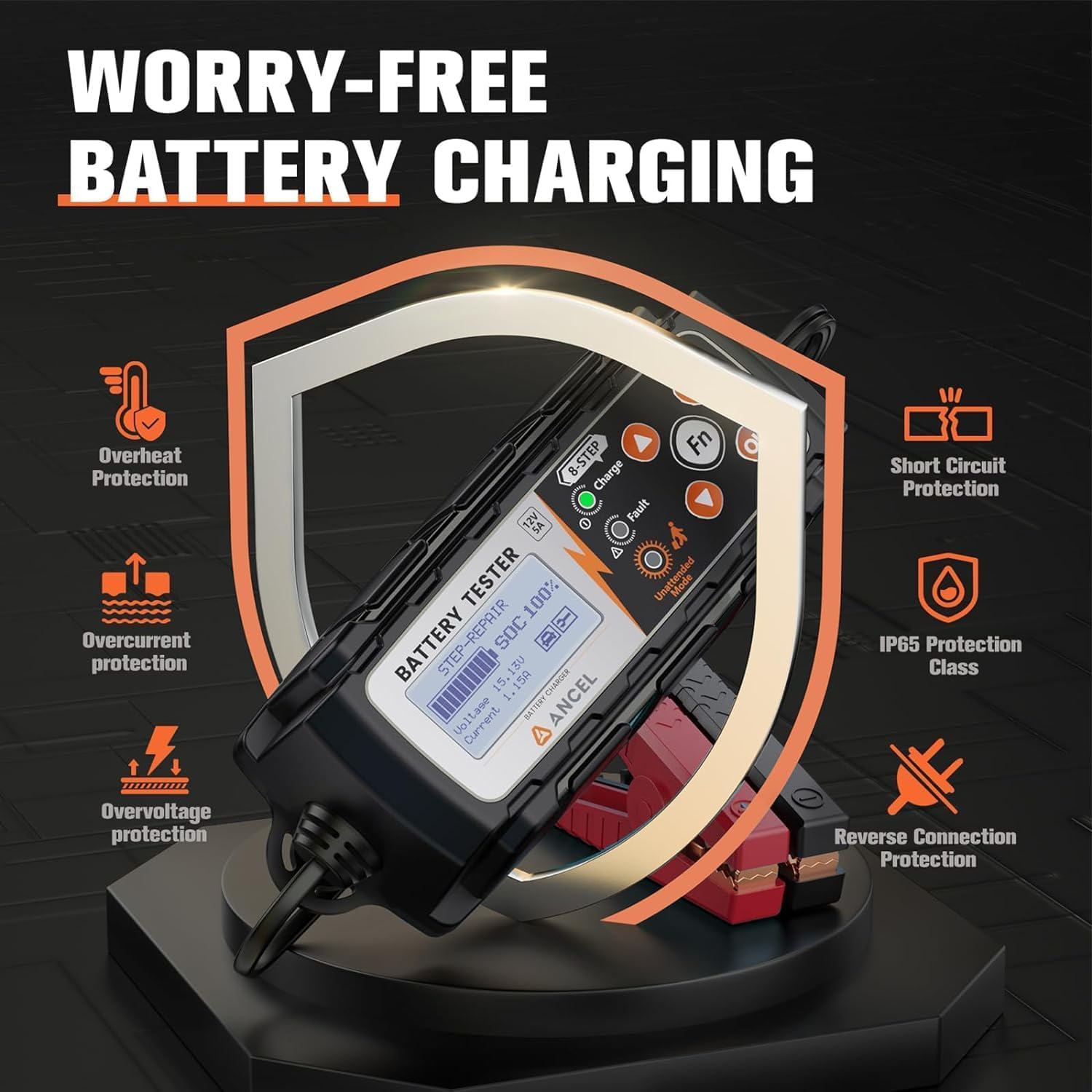
Image: The ANCEL BT521 highlighting its comprehensive safety features, including protection against various electrical faults and environmental conditions.
7. 문제 해결
- 장치 전원이 켜지지 않음: CL을 확인amps are securely connected to the battery terminals. If the battery is completely discharged, connect the device to an AC power source.
- "Fault" Indicator On: Check for reverse polarity connection (red clamp to negative, black to positive). The device has reverse polarity protection. Also, check for short circuits or other battery issues.
- 부정확한 검사 결과: Ensure battery terminals are clean and connections are solid. Verify that the correct battery type and CCA rating are entered.
- 충전이 진행되지 않습니다: Check the battery's health. If the battery is severely damaged or sulfated, the repair mode may need to be initiated first. Ensure the power plug is securely connected to an AC outlet.
- 온도 문제: The device features automatic temperature compensation. If operating in extreme temperatures, allow the device to adjust.

Image: The ANCEL BT521 illustrating its temperature compensation feature, which adjusts charging based on ambient temperature to prevent over or under-charging.
8. 사양
- 상표: 에서만 포토 커플러
- 모델: BT521
- 전원: Battery Powered / AC Powered
- 스타일: 4 IN 1 12V Battery Tester
- 색상: 검은색
- 치수(길이 x 너비 x 높이): 11.22 x 7.09 x 3.74 인치
- 무게: 2.4파운드
- 측정 유형 : 전압계
- 배터리 호환성: 12V Lead-Acid Batteries (Regular Flooded, AGM Flat Plate/Spiral, EFB, GEL)
- CCA 범위: 100-2000CCA
- 충전 중 Amp나이: 5A, 3A, 1A (selectable)
9. 보증 및 지원
For warranty information, technical support, or service inquiries, please refer to the documentation included with your product or visit the official ANCEL web대지. 보증 청구를 위해 구매 영수증을 보관하십시오.


