This manual provides comprehensive instructions for the setup, operation, and maintenance of your Topwise G1-B 1D 2D Wireless Barcode Scanner. Designed for versatility and efficiency, this scanner offers multiple connectivity options and robust barcode compatibility for various applications, including retail, logistics, and inventory management.
패키지 내용
Upon opening the package, verify that all components are present and in good condition. The standard package includes:
Topwise G1-B Barcode Scanner
Adjustable Holder/Stand
USB 충전 케이블
USB Wireless Dongle (2.4G receiver)
사용 설명서
동영상: Topwise G1-B Barcode Scanner Unboxing. This video demonstrates the contents of the product package, including the scanner, holder, cables, and manual.
영상: The Topwise G1-B barcode scanner, its adjustable holder, USB charging cable, and USB wireless dongle, laid out on a white surface.
설정 및 연결
1. Assembling the Holder
The included holder is flexible and can be adjusted for optimal scanning angles. Ensure the screws are tightened for stability after adjusting the position.
동영상: Installation of G1-B Barcode Scanner Stand. This video demonstrates how to assemble and adjust the flexible holder for the barcode scanner.
2. 스캐너 연결
The Topwise G1-B scanner offers three versatile connection methods:
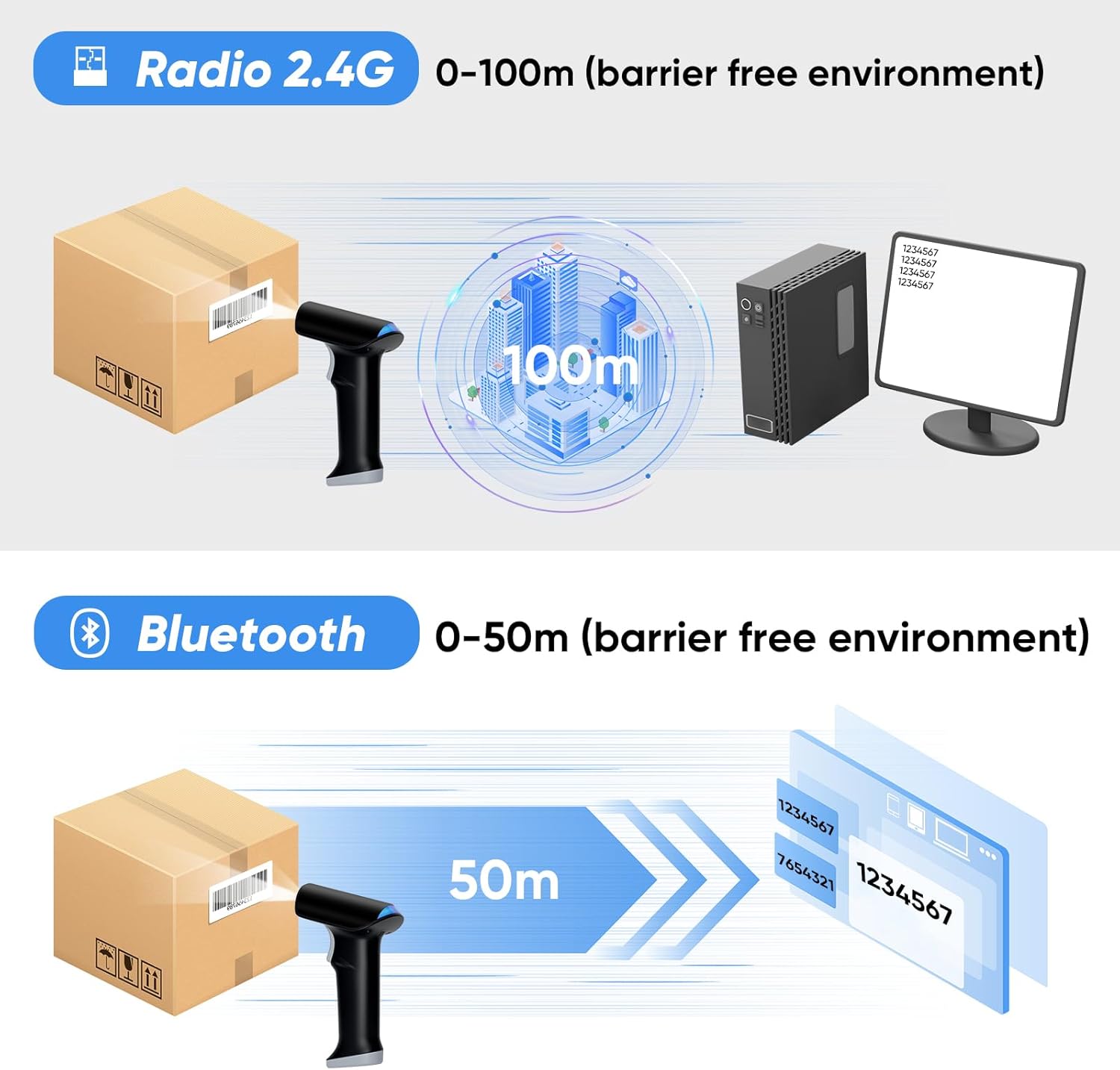
2.4G 무선 연결: Insert the USB wireless dongle into your computer's USB port. The scanner will automatically connect, offering up to 100 meters (330 feet) of open-air transmission range.
블루투스 무선 연결: Enable Bluetooth on your device (laptop, PC, smartphone, tablet). Pair with "BARCODE SCANNER" or "topwise0001". This mode provides up to 50 meters (164 feet) indoors.
USB 유선 연결: Connect the scanner directly to your computer using the provided USB cable. This is a plug-and-play connection, requiring no additional software or driver installations. The scanner can also be charged via this connection.
동영상: Topwise G1-B Bar Code Scanner 3 IN 1 Connection Way. This video illustrates the three connection methods: 2.4G wireless, Bluetooth, and USB wired, and how to set them up.
영상: Visual representation of the scanner's 3-in-1 connectivity options and broad operating system compatibility.
영상: Illustration of the wireless transmission ranges for 2.4G and Bluetooth connections.
작동 모드
The Topwise G1-B scanner supports various operating and pairing modes to suit different working environments:
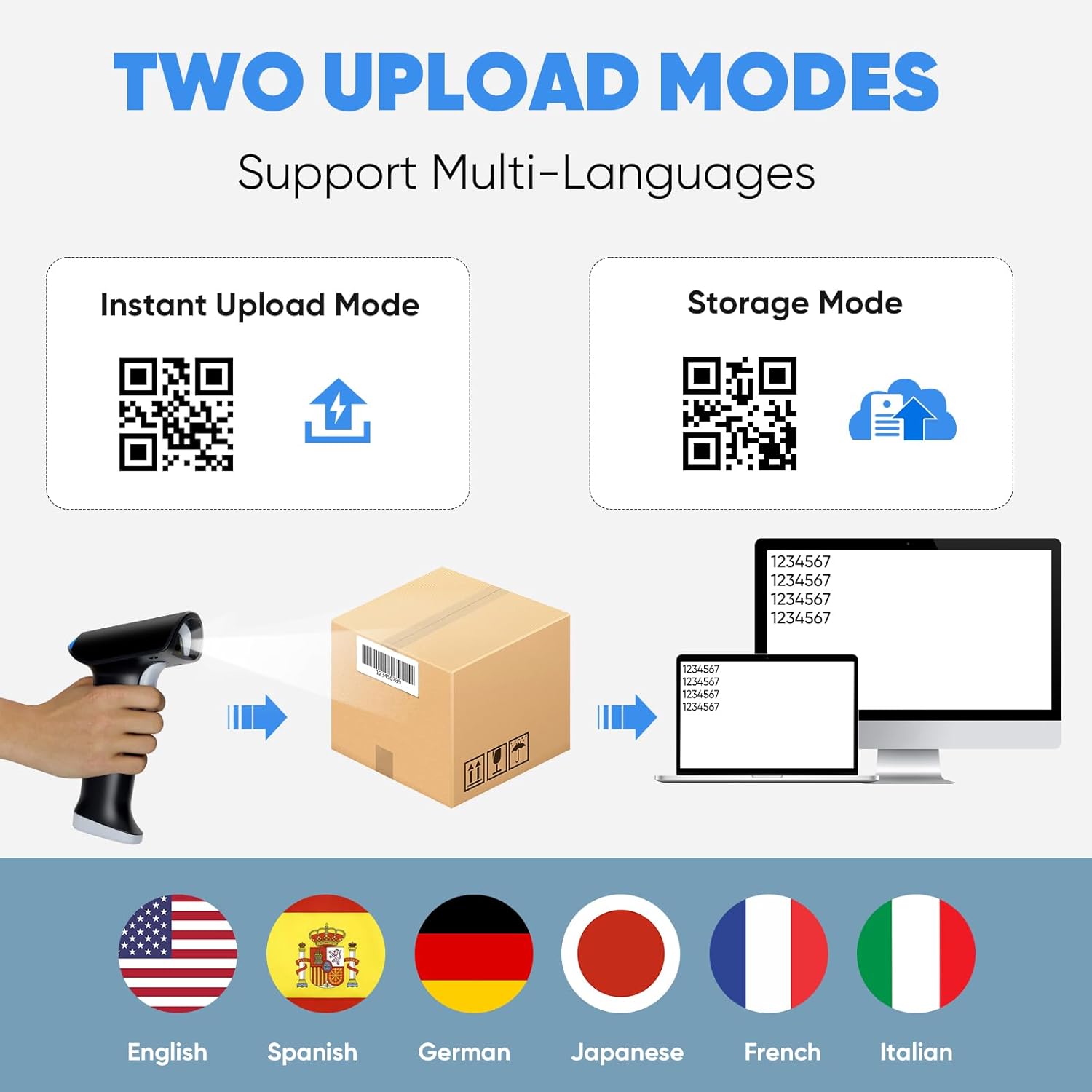
자동 업로드 모드: Scanned data is immediately transmitted to the connected device. Ideal for real-time inventory updates or point-of-sale systems.
저장 모드 : Scanned data is stored internally in the scanner's memory and can be uploaded later. Useful for batch scanning or when out of range of the connected device.
One-to-One Pairing: A single scanner is paired with a single receiver/device.
More-to-One Pairing: Multiple scanners can be paired to a single receiver/device, allowing for collaborative scanning.
스캔 모드
The scanner offers three distinct scanning activation modes:
자동 감지 스캐닝 모드: 스캐너는 자동으로 해당 필드 내에서 바코드를 감지합니다. view 트리거를 누르지 않고도 스캔할 수 있습니다.
연속 스캐닝 모드: The scanner continuously emits its scanning beam, allowing for rapid, successive scans without individual trigger presses.
키 트리거 모드: The scanning beam is activated only when the trigger button on the scanner is pressed.
영상: Visual explanation of the Instant Upload and Storage modes, demonstrating how scanned data is handled.
영상: Visual guide to the three available scanning modes for the device.
바코드 호환성
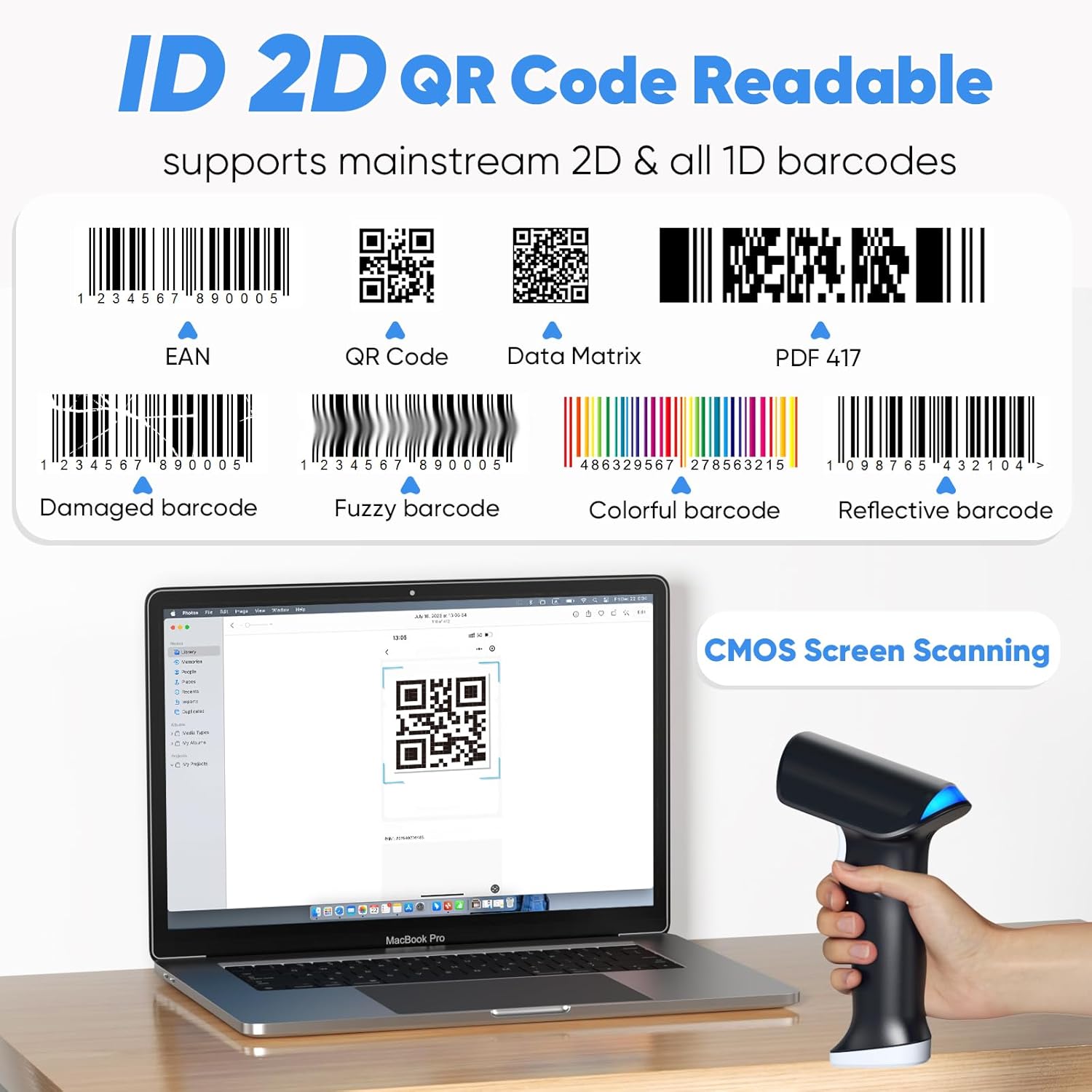
The Topwise G1-B scanner is designed to read a broad range of 1D and 2D barcodes, including those on paper and digital screens. It supports mainstream barcode types such as EAN, QR Code, Data Matrix, and PDF 417. The advanced CMOS scanning technology allows it to read various conditions of barcodes, including:
손상된 바코드
Fuzzy barcodes
다채로운 바코드
반사형 바코드
Barcodes displayed on screens (e.g., mobile phones, monitors)
영상: Examples of different barcode types and conditions that the scanner can read, highlighting its versatility.
배터리 수명 및 충전
The Topwise G1-B is equipped with a powerful 2000mAh Lithium Ion battery, designed for extended use. A full charge typically takes 3-4 hours and allows for several days of continuous operation, significantly enhancing work efficiency.
근무 시간: 약 24시간 동안 연속 스캔이 필요합니다.
충전 시간: 3-4 hours for a full charge.
대기 시간: 최대 150일.
The scanner can be charged via the USB cable connected to a computer or a compatible USB power adapter.
영상: Information on the scanner's battery capacity and estimated usage times.
프로그래밍 가능한 기능
The Topwise G1-B barcode scanner offers several programmable features to customize its operation according to your needs. These settings are typically configured by scanning specific QR codes found in the detailed instruction manual (not included in this summary).
Support Prefix & Suffix: Add custom characters before or after scanned barcode data.
Turn on/off the Buzzer: Control the audible feedback for successful scans.
Turn on/off the Vibration: Control the haptic feedback for successful scans.
Hide Front / End Characters: Configure the scanner to omit a specified number of characters from the beginning or end of the scanned data.
영상: Visual representation of the scanner's customizable features, including adding prefixes/suffixes and controlling feedback.
문제 해결
If you encounter issues with your Topwise G1-B barcode scanner, consider the following general troubleshooting steps:
No Scan/No Data Output:
스캐너가 완전히 충전되었는지 확인하세요.
Verify the connection method (2.4G dongle, Bluetooth, or USB cable) is properly established. For 2.4G, ensure the dongle is securely plugged in. For Bluetooth, confirm it's paired and connected in your device's settings.
Check if the scanner is in the correct operating mode (e.g., Instant Upload Mode).
Ensure the barcode is clear, undamaged, and within the scanner's optimal reading range and angle.
연속 신호음:
A continuous beep might indicate a low battery, a connection issue, or an error state. Try recharging the scanner.
Attempt to re-establish the connection (unplug/replug dongle, re-pair Bluetooth).
Refer to the full instruction manual for specific error codes or beeping patterns.
Settings Not Applying (QR Codes):
Ensure you are scanning the QR codes accurately and completely.
Some settings may require a specific sequence of scans or a restart of the scanner to take effect.
If scanning from a screen, ensure the screen brightness is adequate and there is no glare.
잘못된 데이터 출력:
Check the programmable features (prefix/suffix, character hiding) to ensure they are not altering the data unintentionally.
Verify the barcode type is fully supported and the scanner is configured for it if necessary.
For more detailed troubleshooting or advanced configurations, please consult the complete instruction manual provided with your product or contact Topwise customer support.
명세서
특징
세부 사항
모델
G1-B
상표
Topwise
연결 기술
Wireless (2.4G, Bluetooth), Wired (USB)
바코드 호환성
1D and 2D barcodes (paper and screen)
무선 범위(2.4G)
야외에서 최대 100미터(330피트)
무선 범위(블루투스)
Up to 50 meters (164 feet) indoors
배터리 유형
1개의 리튬 이온 배터리(포함)
배터리 용량
2000mAh
충전 시간
3-4시간
근무시간
Approx. 24 hours (continuous scanning)
대기 시간
최대 150일
호환 장치
Laptop, Desktop (Windows, Linux, Mac OS, Android, iOS)
품목 무게
1.06파운드
패키지 크기
7.68 x 4.29 x 3.7 인치
제조업체
Topwise
원산지
중국
관련 문서 - G1-B
상단 결제 단말기, 스캐너, 프린터 및 현금 서랍 고급 결제 단말기, 안드로이드 스마트 키오스크, 데스크톱 단말기, 고속 감열식 프린터, 다용도 2D 바코드 스캐너, 스마트 모바일 단말기, 내구성이 뛰어난 금전 등록기 서랍 등 Topwise의 포괄적인 비즈니스 솔루션을 살펴보세요. 핀테크 하드웨어 분야에서 Topwise의 혁신과 신뢰성을 경험해 보세요.
Sycreader U2-B 무선 2D 바코드 스캐너 사용 설명서 Sycreader U2-B 무선 2D 바코드 스캐너에 대한 종합적인 사용 설명서입니다. 기능, 기술 사양, 설치, 구성 설정, 문제 해결 및 유지 관리에 대한 자세한 정보를 제공합니다. FCC 규정 준수 정보가 포함되어 있습니다.