1. 서론
The ELECOM EX-G Left Hand Wired USB Ergonomic Mouse (M-XGL31UBSKBK) is designed to provide comfort and efficiency for left-handed users. Its unique ergonomic shape supports a natural hand posture, reducing strain during extended use. This manual provides essential information for setting up, operating, and maintaining your mouse.

Image: A person's left hand resting comfortably on the ELECOM ergonomic mouse, demonstrating its left-handed design.

Image: Diagram illustrating the ergonomic shape of the mouse, highlighting the concave nest for fingers and angled shape to reduce wrist stress.

Image: Comparison image showing the difference in hand posture between a vertical mouse and the EX-G Half-Vertical mouse, emphasizing easier clicking with gravity.
2. 주요 특징
- 인체공학적 모양: Designed with a specific height and angle to allow for a relaxed posture from the palm to the wrist and arm.
- 왼손잡이용 디자인: Exclusively crafted for left-handed users, with the left click button positioned on the right side for primary index finger operation.
- 무소음 클릭 스위치: Equipped with a silent switch to eliminate clicking sounds, ideal for quiet environments like meetings or late-night work.
- 사용자 정의 가능한 버튼: Utilize the ELECOM Mouse Assistant software (available for download) to assign preferred functions to the mouse buttons.
- 고정밀 광학 센서: Features a 2000 DPI optical sensor with BlueLED technology, ensuring comfortable operation and accurate tracking on various surfaces.
- 유선 USB 연결: Provides a reliable plug-and-play connection without concerns about radio interference.

Image: A hand fitment chart with measurements to help users determine the correct mouse size.
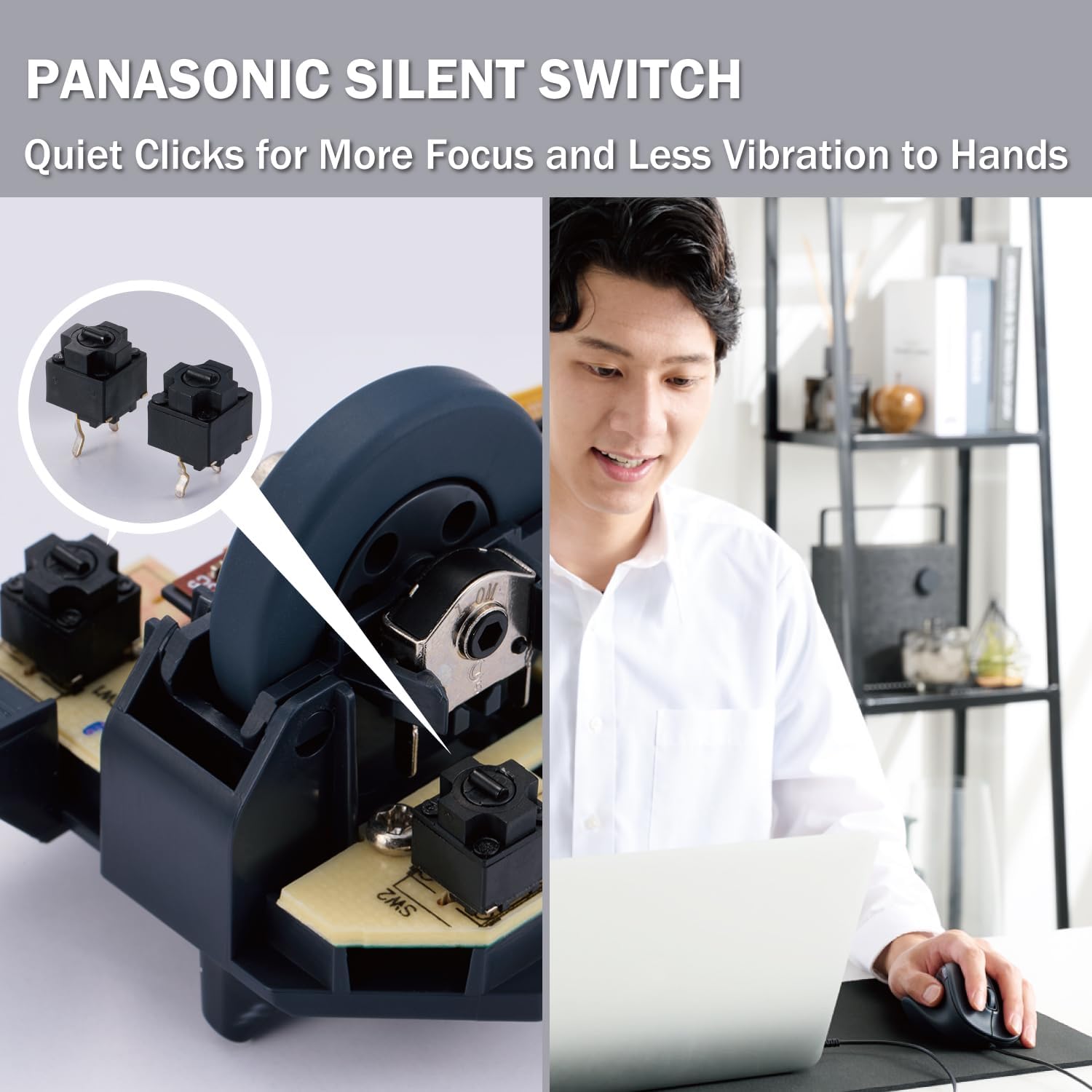
Image: Close-up of the Panasonic silent click switch components and a user operating the mouse quietly.

Image: A hand on the mouse with a DPI gauge, indicating 2000 DPI for comfortable operation.
3. 설정
The ELECOM EX-G mouse is a plug-and-play device, requiring no additional driver installation for basic functionality.
- Locate an available USB port on your computer (PC, Mac, or Laptop).
- Plug the USB connector of the mouse cable into the USB port.
- Your operating system will automatically detect and install the necessary drivers. The mouse will be ready for use within a few moments.

Image: The wired USB connection of the mouse to a laptop, with a coiled 1.5m USB cable shown next to it.
4. 사용 설명서
버튼 기능
- Left Click (Primary Button): Located on the right side of the mouse, operated by the index finger. Performs primary selection and activation functions.
- Right Click (Secondary Button): Located on the left side of the mouse, typically operated by the thumb. Accesses contextual menus and secondary functions.
- 스크롤 휠: Located on the top surface. Scroll up or down to navigate documents and web pages. Can also be pressed for middle-click functionality (e.g., opening links in new tabs).
- 측면 버튼: Two additional buttons are located on the side for customizable functions, often used for 'forward' and 'back' navigation in web 브라우저.
DPI 조정
The mouse operates at 2000 DPI, providing a balance of speed and precision for most tasks. No manual DPI adjustment button is present on this model, as it is optimized for consistent performance.
커스터마이징 소프트웨어
For advanced customization of button functions and other settings, download the ELECOM Mouse Assistant software from the official ELECOM website (elecomusa.com).
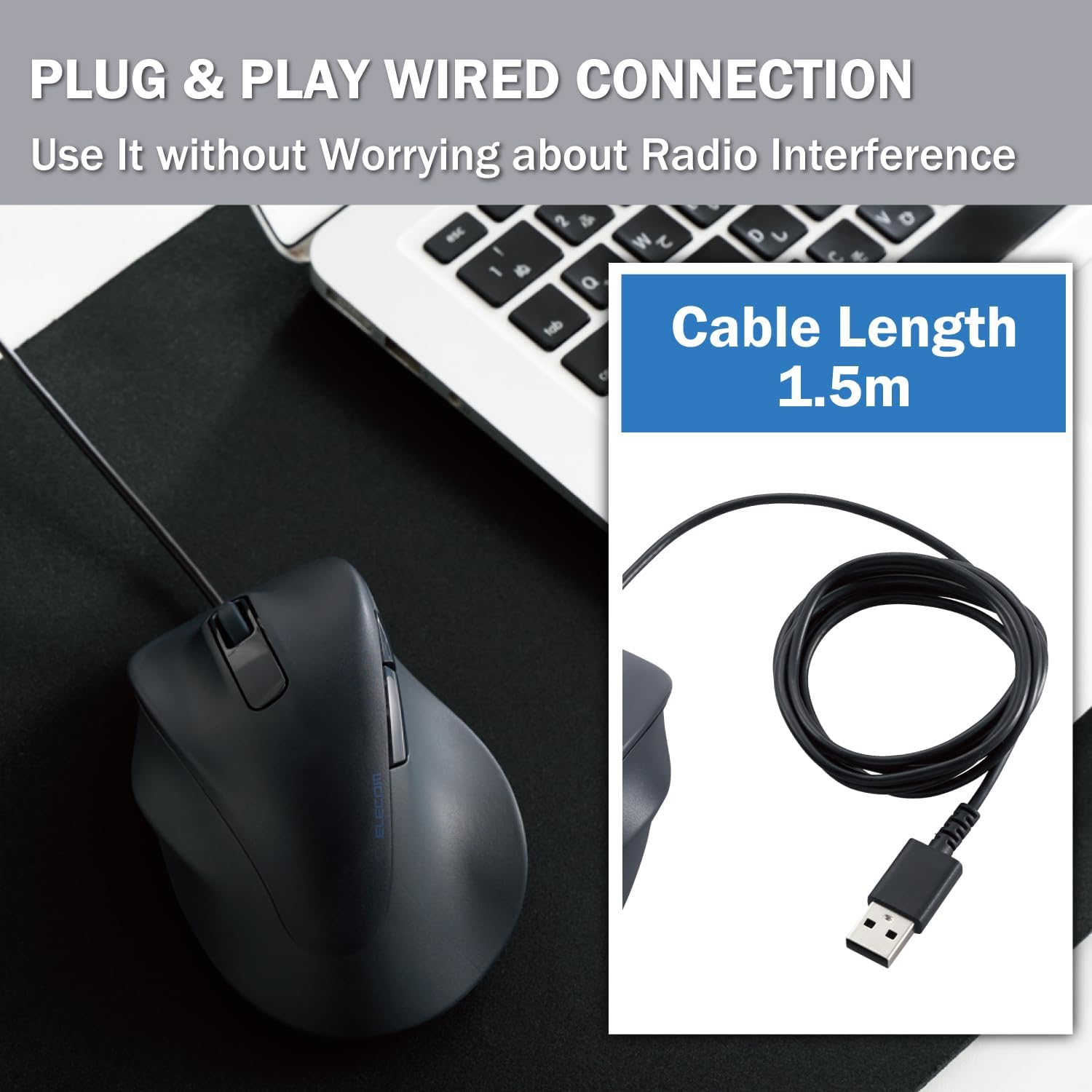
Image: Screenshot of the ELECOM Mouse Assistant software interface on a laptop, showing customization options for buttons and cursor speed.
5. 유지관리
- 청소: 마우스 표면은 부드럽고 마른 천으로 정기적으로 닦아주세요. 잘 지워지지 않는 얼룩은 약간 거친 천을 사용하세요.amp 천과 순한 비누로 닦아낸 후 완전히 말리세요. 강한 화학 물질이나 연마재는 사용하지 마세요.
- 센서 관리: 정확한 추적을 보장하려면 마우스 밑면의 광학 센서를 깨끗하고 먼지나 이물질이 없는 상태로 유지하세요.
- 케이블 관리 : 손상을 방지하려면 USB 케이블을 급격하게 구부리거나 과도하게 당기지 마세요.
- 저장: 사용하지 않을 때는 마우스를 극한의 온도를 피해 깨끗하고 건조한 곳에 보관하세요.
6. 문제 해결
- 마우스가 응답하지 않음:
- USB 케이블이 작동하는 USB 포트에 제대로 꽂혀 있는지 확인하십시오.
- Try plugging the mouse into a different USB port or a different computer to rule out port or system issues.
- 컴퓨터를 다시 시작하세요.
- 불규칙한 커서 움직임:
- 마우스 바닥의 광학 센서를 청소하세요.
- 마우스를 사용할 때는 적절한 표면을 사용하십시오. 반사율이 높거나 투명한 표면은 트래킹에 영향을 줄 수 있습니다. 마우스 패드를 사용하는 것이 좋습니다.
- 버튼이 작동하지 않음:
- Check if the ELECOM Mouse Assistant software is installed and configured correctly. Reset settings to default if necessary.
- Test the mouse on another computer to determine if it's a hardware or software issue.
7. 사양
| 제품 치수 | 4.72 x 3.11 x 2.28 인치 |
| 품목 무게 | 4.1 온스 |
| 품목 모델 번호 | M-XGL31UBSKBK |
| 상표 | 엘레콤 |
| 색상 | Left-Hand Black |
| 연결 기술 | USB(유선) |
| 특징 | 사일런트 스위치 |
| 움직임 감지 기술 | 광학 |
8. 보증 및 지원
This ELECOM product comes with a 2년 보증. In the unlikely event of a product defect, ELECOM offers a product warranty for quality issues. Within 2 years of purchase, you may be eligible for a replacement of the defective product by applying for a return or exchange through the return/exchange request form on the official ELECOM USA website (elecomusa.com).
For more information regarding warranty terms, product support, or to download the ELECOM Mouse Assistant software, please visit the official ELECOM USA web대지.


