소개
Thank you for choosing the SUNOL GM20 True Wireless Earbuds. This manual provides detailed instructions on how to set up, operate, and maintain your earbuds to ensure optimal performance and longevity. Please read this manual thoroughly before using the product.
제품 끝view

Image: The GM20 True Wireless Earbuds in orange, shown with their matching charging case. The charging case features an LED display indicating battery percentage.
The GM20 True Wireless Earbuds are designed for a superior audio experience with advanced features:
- 블루투스 5.3 기술: Ensures faster pairing, more stable connection, and lower power consumption with an effective range of up to 10 meters.
- 통합 마이크: High-quality microphone with environmental noise reduction for clear hands-free calls.
- 확장 재생: Up to 48 hours of total playback time with the 600mAh charging case, which can recharge the earbuds four times.
- LED 디스플레이: The charging case features an LED display to show the power levels of both the earbuds and the charging case.
- 방수 디자인 : IPX8 waterproof nano-coating makes the earbuds suitable for various activities, including sports.
- 편안한 착용감: Ergonomic in-ear design with multiple ear tip sizes for prolonged comfortable wear.
상자 안에 무엇이 들어있나요?
Upon opening your GM20 True Wireless Earbuds package, you should find the following items:
- GM20 True Wireless Earbuds (Left and Right)
- 충전 케이스
- 충전 케이블
- 다양한 크기의 이어팁
- 사용 설명서 (본 문서)
설정
1. 이어버드와 케이스 충전
처음 사용하기 전에 이어버드와 충전 케이스가 모두 완전히 충전되었는지 확인하세요.
- Place the earbuds into the charging case. Ensure they are correctly seated; the LED display on the case will show charging status.
- Connect the charging cable to the charging port on the case and to a USB power source. The LED display will indicate the charging progress of the case.
- A full charge for the case typically takes a few hours. The earbuds will charge automatically when placed inside the powered case.

Image: The GM20 charging case displaying "100" on its LED screen, indicating a full charge. An earbud is shown next to it, ready for use.
2. 기기 페어링(One-Step Pairing)
GM20 이어버드는 편리함을 위해 자동 페어링 기능을 갖추고 있습니다.
- 초기 페어링:
- 충전 케이스를 열고 이어버드 두 개를 모두 꺼내세요. 자동으로 전원이 켜지고 페어링 모드로 진입합니다.
- 기기(스마트폰, 태블릿 등)에서 Bluetooth를 활성화하세요.
- 검색 Bluetooth devices and select "GM20 TWS" from the list.
- 연결되면 확인음이 들리고 이어버드를 사용할 준비가 됩니다.
- 다시 페어링: The earbuds will automatically connect to the last paired device when taken out of the charging case.
- If the earbuds do not connect automatically, ensure Bluetooth is enabled on your device and select "GM20 TWS" from your Bluetooth settings.
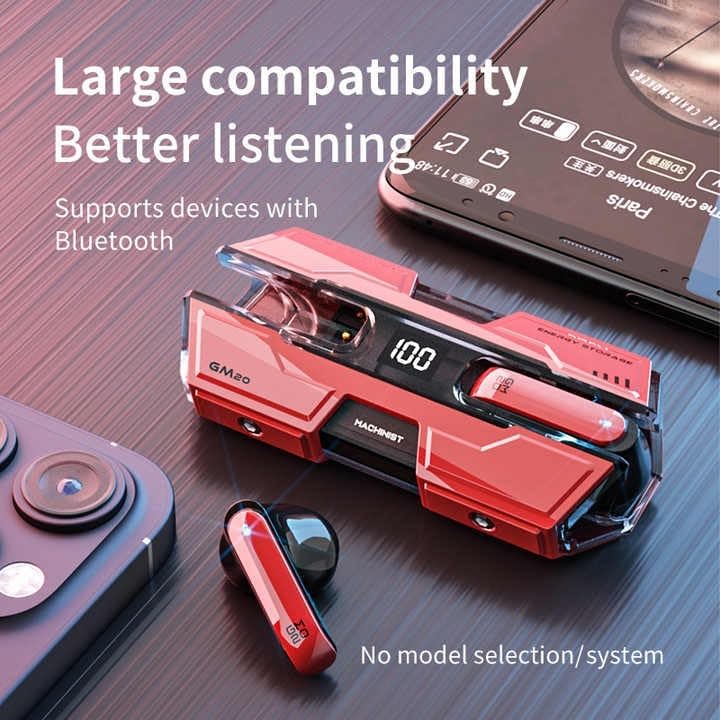
Image: The GM20 earbuds and charging case positioned near a smartphone, emphasizing their broad compatibility with Bluetooth-enabled devices.
작동 지침
이어버드 컨트롤
The GM20 earbuds feature a multifunction button on each earbud for easy control of audio playback and calls.
| 행동 | 기능 |
|---|---|
| 한 번 누르기(왼쪽/오른쪽 이어버드) | 음악 재생/일시 정지, 전화 받기/종료 |
| 두 번 누르기(왼쪽 이어버드) | 이전 노래 |
| 두 번 누르기(오른쪽 이어폰) | 다음 노래 |
| 길게 누르기(2초) | 통화 거부, 음성 지원 활성화 |
| 길게 누르기(5초) | 전원 켜기/끄기 |
이어버드 착용하기
For optimal sound quality and comfort, ensure the earbuds are properly seated in your ears. Experiment with the different sizes of ear tips provided to find the best fit for your ears.

이미지: 폭발된 view diagram of an earbud, illustrating its internal components such as the 13mm moving coil and composite diaphragm, which contribute to high-resolution sound.
유지
Proper maintenance will extend the life of your GM20 earbuds.
- 청소: 부드럽고 마른 천으로 이어버드와 충전 케이스를 정기적으로 닦으세요. 연마성 세제나 용제는 사용하지 마세요.
- 방수 기능: The earbuds are IPX8 waterproof, meaning they are protected against prolonged immersion in water. However, the charging case is not waterproof. Avoid exposing the charging case to liquids. Always ensure earbuds are dry before placing them back in the charging case.
- 저장: 사용하지 않을 때는 이어버드를 충전 케이스에 보관하여 보호하고 충전 상태를 유지하세요. 서늘하고 건조한 곳에 극한의 온도를 피해 보관하세요.
- 배터리 관리 : 배터리 수명을 유지하려면 이어버드와 충전 케이스를 자주 완전히 방전시키지 마세요. 계속 사용하지 않더라도 정기적으로 충전하세요.
문제 해결
If you encounter issues with your GM20 earbuds, try the following solutions:
- 이어버드가 페어링되지 않음:
- 두 개의 이어버드가 모두 완전히 충전되었는지 확인하세요.
- 기기의 Bluetooth를 껐다가 다시 켜세요.
- Forget "GM20 TWS" from your device's Bluetooth settings and attempt to re-pair.
- 이어버드를 케이스에 다시 넣고 뚜껑을 닫은 후 몇 초간 기다렸다가 뚜껑을 열고 다시 시도해 보세요.
- 소리가 나지 않거나 볼륨이 낮음:
- 기기와 이어버드의 볼륨 레벨을 확인하세요.
- 이어버드가 기기에 제대로 연결되었는지 확인하세요.
- 이어버드 스피커 메시에서 이물질을 청소하세요.
- Sound distortion or crackling:
- 이어버드가 기기의 블루투스 범위 내 10미터 이내에 있는지 확인하십시오.
- 다른 무선 장치나 강한 전자기장에서 멀어져 간섭을 줄이세요.
- 이어버드를 다시 페어링해보세요.
- 이어폰이 충전되지 않음:
- 충전 케이블이 케이스와 전원에 모두 단단히 연결되어 있는지 확인하세요.
- 케이스의 충전 포트가 깨끗하고 이물질이 없는지 확인하십시오.
- 다른 충전 케이블이나 전원 어댑터를 사용해 보세요.
명세서
| 특징 | 세부 사항 |
|---|---|
| 모델명 | K8 |
| 블루투스 버전 | 5.3 |
| 블루투스 범위 | 10 미터 |
| 배터리 수명(이어버드) | 약 8~10시간 (1회 충전 기준) |
| 배터리 수명(충전 케이스 포함) | 최대 48시간 |
| 충전 케이스 배터리 용량 | 600mAh |
| 방수 레벨 | IPX8(이어버드만 해당) |
| 주파수 응답 | 20Hz - 20kHz |
| 임피던스 | 32옴 |
| 제어 방법 | 터치/버튼 |
| 재료 | 아크릴로니트릴 부타디엔 스티렌(ABS) |
| 품목 무게 | 14.4온스(전체 패키지) |
보증 및 지원
For warranty information and customer support, please refer to the documentation included with your purchase or visit the official SUNOL website. If you experience any issues not covered in this manual, please contact SUNOL customer service for assistance.
보증 청구를 위해 구매 증명서를 보관하십시오.


