1. 제품 오버view
The SODOLA Gigabit Ethernet Media Converter is designed to convert electrical Ethernet signals to optical fiber signals, extending network reach over long distances. It supports 10/100/1000Base-Tx to 1000Base-LX conversion and includes a SingleMode Dual LC SFP module for distances up to 20 km.
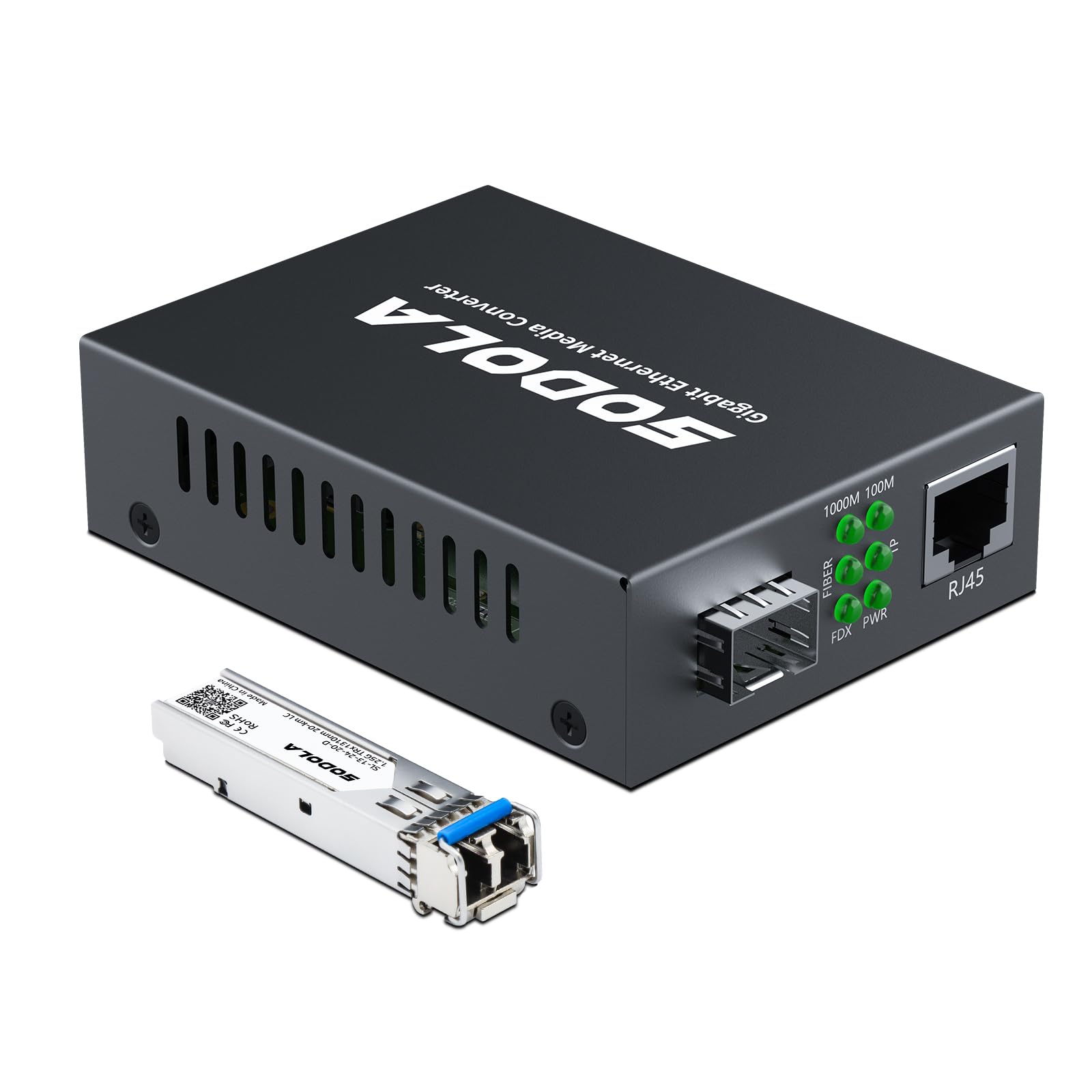
Image 1.1: SODOLA Gigabit Ethernet Media Converter showing its compact design and key ports.

이미지 1.2: 이상view of the SODOLA Gigabit Ethernet Media Converter highlighting its SFP and RJ45 ports.
2. 패키지 내용
패키지에 다음 항목들이 포함되어 있는지 확인하십시오:
- 1 x Gigabit Ethernet Media Converter
- 1 x Power Adapter (5V-1A)
- 1 x 사용자 설명서
- 1 x SFP SingleMode Module (1.25G, 1310-nm, 20-km)

이미지 2.1: 제품 패키지에 포함된 구성품.
3. 설정 지침
Follow these steps to set up your Gigabit Ethernet Media Converter:
- Connect the SFP Module: Insert the provided SFP SingleMode module into the SFP port of the media converter. Ensure it clicks into place securely.
- 광섬유 케이블 연결: Connect a SingleMode Dual LC fiber optic cable to the SFP module. Ensure the connectors are clean and properly aligned.
- 이더넷 케이블 연결: Connect a Cat.5e or Cat.6 UTP/STP Ethernet cable (up to 100m) from your network device (e.g., switch, router, PC) to the RJ-45 port of the media converter. The RJ-45 port supports auto-negotiation for 10/100/1000Mbps and MDI/MDI-X auto-crossover.
- 전원 연결: Plug the 5V-1A power adapter into the DC 5.5*2.5mm power input port on the media converter, then plug the adapter into a power outlet.
- 연결 확인: Check the LED indicators on the converter to ensure proper operation (refer to Section 4 for LED status).

이미지 3.1: 상세 view of the Gigabit RJ45 Port, Gigabit SFP Port, LED Indicators, and Power Supply input.

Image 3.2: Typical application scenario demonstrating fiber to Ethernet conversion.
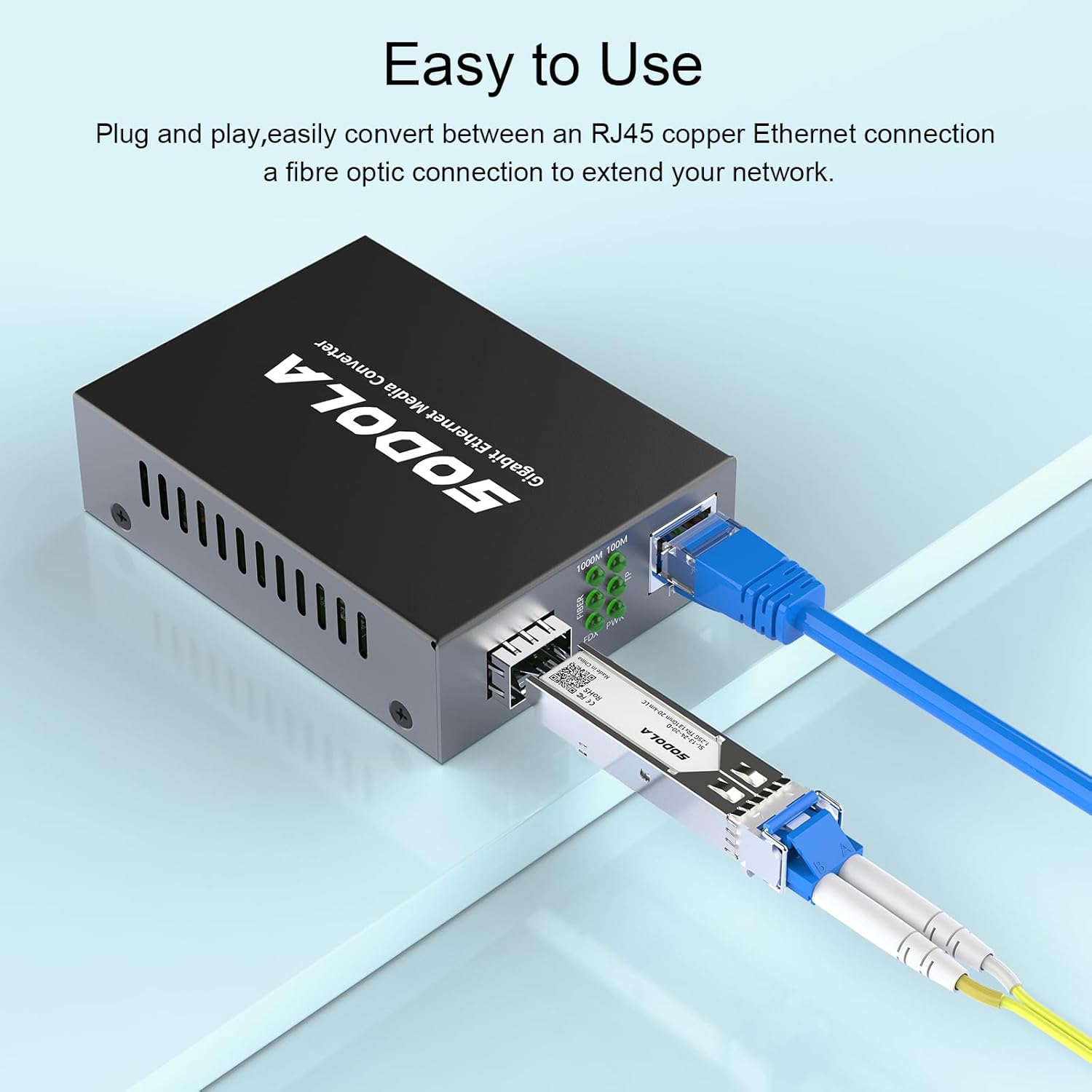
Image 3.3: Illustration of connecting the SFP module and RJ45 Ethernet cable.
4. Operating the Device and LED Indicators
The media converter operates automatically once powered on and connected. The LED indicators provide visual feedback on the device's status:

Image 4.1: Explanation of LED indicators on the media converter.
- PWR(전원):
- 녹색(단색): DC Power is on.
- FDX (Full-Duplex):
- 녹색(단색): Full-Duplex mode is active.
- 1000M (Gigabit Speed):
- 녹색(단색): RJ-45 port speed is 1000Mbps.
- 100M (Fast Ethernet Speed):
- 녹색(단색): RJ-45 port speed is 100Mbps.
- FIBER (Fiber Port Status):
- 녹색(단색): Fiber port is working.
- 녹색(깜박임): Data is being transmitted/received (Transceive).
- TP (Twisted Pair/RJ45 Port Status):
- 녹색(단색): 네트워크 연결이 설정되었습니다.
- 녹색(깜박임): Data is being transmitted/received (Transceive).
5. 유지관리
To ensure optimal performance and longevity of your media converter:
- 기기를 서늘하고 건조한 곳에 보관하고, 직사광선과 열원을 피하세요.
- 장치 주변의 적절한 환기를 확인하십시오.
- Regularly inspect fiber optic connectors for dust or damage. Use appropriate fiber cleaning tools if necessary.
- Avoid bending fiber optic cables beyond their minimum bend radius.
- Use only the provided power adapter or a compatible 5V-1A DC power supply.
6. 문제 해결
If you encounter issues with your media converter, refer to the following common problems and solutions:
- 전원 없음(PWR LED 꺼짐):
- Check if the power adapter is securely connected to the converter and the power outlet.
- 전원 콘센트가 작동하는지 확인하세요.
- No Link on RJ-45 Port (TP LED Off/Not Flashing):
- Ensure the Ethernet cable is properly connected to both the converter and the network device.
- Verify the Ethernet cable is not damaged and is a Cat.5e or Cat.6 cable.
- Check the status of the connected network device (e.g., switch port, PC network adapter).
- No Link on Fiber Port (FIBER LED Off/Not Flashing):
- Ensure the SFP module is fully inserted into the converter.
- Check the fiber optic cable for proper connection, cleanliness, and damage.
- Verify the fiber optic cable type (SingleMode Dual LC) matches the SFP module.
- 원격 광섬유 장치의 전원이 켜져 있고 정상적으로 작동하는지 확인하십시오.
- Slow Speed (1000M LED Off, 100M LED On):
- Ensure the connected Ethernet device supports Gigabit speeds.
- Check the Ethernet cable for quality; a damaged or low-quality cable can limit speed.
7. 사양
Detailed technical specifications for the SODOLA Gigabit Ethernet Media Converter:

Image 7.1: Product dimensions and a summary of key specifications.
| 특징 | 사양 |
|---|---|
| 모델 번호 | SL-SG0101-SFPK2 |
| 섬유 포트 | SFP (1.25G, SingleMode, 1310-nm, Dual LC) |
| 광섬유 거리 | 최대 20km |
| UTP Port | RJ-45 10/100/1000Mbps (Auto-negotiation, MDI/MDI-X) |
| UTP/STP Cable | Cat.5e or Cat.6, up to 100m |
| 데이터 전송 속도 | 1000 Megabits Per Second (2000Mbps Full-Duplex) |
| 데이터 링크 프로토콜 | IEEE 802.3 |
| 전원 공급 장치 | DC 5V-1A (5.5*2.5mm) |
| 품목 무게 | 10.5온스(0.3킬로그램) |
| 패키지 크기 | 6.42 x 4.72 x 1.85 인치 |
| 작동 온도 | 0 ~ 60 ° C |
8. 보증 및 지원
The included SFP SingleMode transceiver comes with a one-year replacement warranty for any quality issues. For further assistance, technical support, or warranty claims, please contact Sodola customer service through the retailer where the product was purchased or visit the official Sodola web연락처 정보 사이트.