소개
The SUNOL T16 Wireless Earbuds are designed for an active lifestyle, offering high-quality audio and convenient features. These Bluetooth headphones provide up to 48 hours of total playtime with their wireless charging case, featuring an LED power display for easy monitoring. With earhooks for a secure fit and water resistance, they are ideal for workouts, running, and various sports activities. The built-in microphone with noise cancellation ensures clear calls.
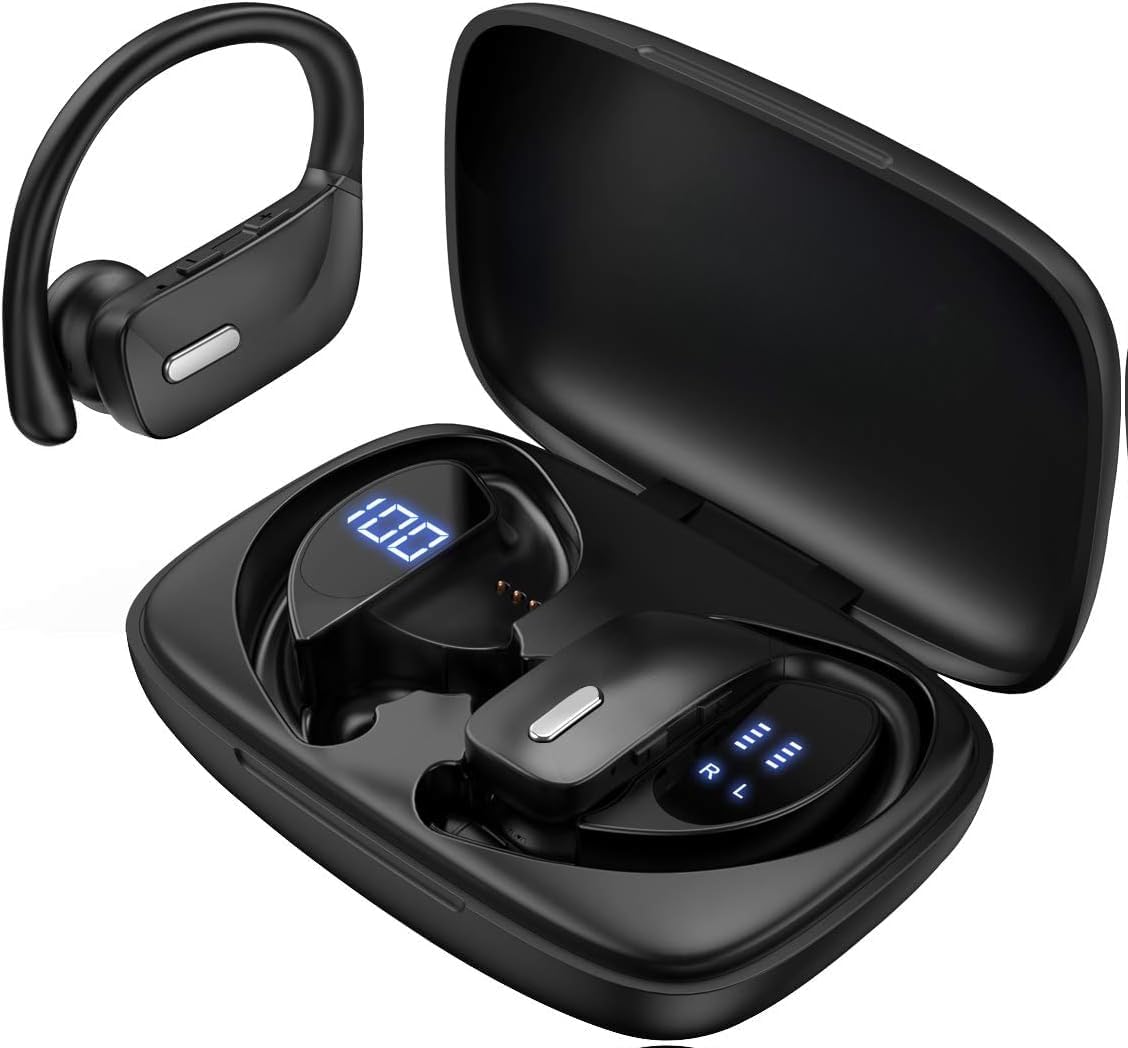
Image: The SUNOL T16 Wireless Earbuds with their charging case, showcasin디지털 디스플레이를 보세요.
상자 안에 무엇이 들어있나요?
- SUNOL T16 Wireless Earbuds (Left and Right)
- 무선 충전 케이스
- USB-C 충전 케이블
- 3 Pairs of Ear Caps (S, M, L)
명세서
| 특징 | 세부 사항 |
|---|---|
| 모델명 | T16 |
| 연결 기술 | 무선(블루투스 5.0) |
| 블루투스 범위 | 최대 10미터 |
| 이어버드 배터리 수명 | 최대 9시간(1회 충전) |
| 총 재생 시간(케이스 포함) | 최대 48시간 |
| 충전 옵션 | Wireless Charging, USB-C Charging |
| 오디오 드라이버 크기 | 10mm 다이나믹 드라이버 |
| 주파수 범위 | 20Hz - 20,000Hz |
| 임피던스 | 40옴 |
| 소음 제어 | 능동 소음 제거 |
| 마이크로폰 | Built-in with Noise Cancellation |
| 방수 레벨 | 방수 |
| 제어 유형 | Touch, Siri Voice Assistant |
| 귀 위치 | 귀에 거는 형태 (귀걸이 포함) |
| 재료 | 아크릴로니트릴 부타디엔 스티렌(ABS) |
| 품목 무게 | 6.4 온스 |

Image: Diagram illustrating the premium stereo sound quality and Bluetooth 5.0 connectivity.
설정
1. 이어버드와 케이스 충전
The charging case supports both wireless charging and USB-C charging. The impressive 9 hours of listening time on a single charge for the sports wireless headphones are extended to a remarkable 48 hours of play time with the included charging case.
- To charge the case, connect a USB-C cable to the charging port on the back of the case, or place it on a compatible wireless charging pad.
- Place the earbuds into their respective slots in the charging case. Ensure they are properly seated to initiate charging.
- The smart LED digital power display on the case will show the remaining battery level of the charging case and the individual earbuds. The percentage in the middle indicates the case battery, while the battery icons on both sides indicate the left and right earbud charge levels.

Image: The charging case with its LED display showing battery levels for the case and individual earbuds.

Image: Diagram illustrating the battery life: 15 min charge for 1 hour playtime, 8 hours on a single charge, and 48 hours with the charging case.
2. 기기와 페어링
충전 케이스에서 이어버드를 꺼내면 자동으로 페어링 모드로 들어갑니다.
- 충전 케이스를 열고 이어버드 두 개를 모두 꺼내세요. 자동으로 전원이 켜지고 페어링 모드로 진입합니다.
- On your mobile device (smartphone, tablet, laptop), go to the Bluetooth settings.
- 검색 available devices. You should see "T16" or "S8" appear in the list.
- Select "T16" or "S8" to connect. Once connected, you will hear an audio prompt, and the earbuds will be ready for use.

Image: Diagram showing the earbuds automatically pairing with mobile phones.
Video: Official product video demonstrating the unboxing, charging, and Bluetooth pairing process of the SUNOL T16 Wireless Earbuds.
작동 지침
이어버드 착용하기
The T16 earbuds are designed with flexible earhooks to ensure a secure and comfortable fit, especially during physical activity. Gently place the earbud into your ear canal and adjust the earhook over the top of your ear until it feels stable and comfortable. Experiment with the included ear cap sizes to find the best fit for optimal sound and comfort.

Image: A woman wearing the SUNOL T16 earbuds, demonstrating their secure fit for an active lifestyle.
터치 컨트롤
The earbuds feature physical buttons for precise control of various functions:
- 재생/일시 중지: 양쪽 이어버드를 한 번 탭하세요.
- 전화 받기/끊기: 통화 중 이어버드 중 하나를 한 번 탭하세요.
- 이전 노래: 왼쪽 이어버드를 두 번 탭하세요.
- 다음 노래: 오른쪽 이어버드를 두 번 탭하세요.
- Active Voice Assistant (Siri): 양쪽 이어버드를 세 번 탭하세요.
- 통화 거부: 전화가 오는 동안 양쪽 이어버드를 길게 누릅니다.
- 볼륨 조절: Use the dedicated volume buttons on the earbuds.

Image: Diagram detailing the physical buttons and their functions, including volume adjustment, play/pause, call management, and voice assistant activation.
유지
To ensure the longevity and optimal performance of your SUNOL T16 Wireless Earbuds, follow these maintenance guidelines:
- 청소: Regularly wipe the earbuds and charging case with a soft, dry, lint-free cloth. For ear caps, remove them and clean with mild soap and water, then dry thoroughly before reattaching.
- 방수 기능: While water-resistant, avoid submerging the earbuds in water. Dry them completely if they get wet from sweat or rain before placing them back in the charging case.
- 저장: 사용하지 않을 때는 이어버드를 충전 케이스에 보관하여 보호하고 충전 상태를 유지하세요. 서늘하고 건조한 곳에 극한의 온도를 피해 보관하세요.
- 충전 포트: USB-C 충전 포트에 먼지나 이물질이 없도록 하세요.
문제 해결
If you encounter any issues with your SUNOL T16 Wireless Earbuds, try the following solutions:
- 이어버드가 페어링되지 않음:
- 두 개의 이어버드가 모두 완전히 충전되었는지 확인하세요.
- 이어버드를 케이스에 다시 넣고 뚜껑을 닫은 후 몇 초간 기다렸다가 뚜껑을 열고 이어버드를 다시 꺼내세요.
- 기기의 Bluetooth를 끄고 다시 켜서 페어링을 다시 시도해 보세요.
- Forget or remove the "T16" or "S8" device from your device's Bluetooth list and attempt to pair from scratch.
- 이어버드가 하나만 작동합니다:
- 양쪽 이어버드가 모두 충전되어 있는지 확인하세요.
- 이어버드 두 개를 모두 충전 케이스에 넣고 뚜껑을 닫은 다음, 동시에 꺼내세요.
- If the issue persists, try resetting the earbuds.
- 음질이 좋지 않음:
- Ensure the earbuds are properly seated in your ears and the ear caps provide a good seal.
- 오디오 소스 장치의 볼륨 및 사운드 설정을 확인하십시오.
- Move closer to your connected device to avoid interference or exceeding the 10-meter Bluetooth range.
- Clean the earbud speakers and ear caps.
- 충전 케이스가 충전되지 않음:
- USB-C 케이블이 케이스와 전원에 모두 단단히 연결되어 있는지 확인하세요.
- 다른 USB-C 케이블이나 전원 어댑터를 사용해 보세요.
- 무선 충전을 사용하는 경우 케이스가 충전 패드에 올바르게 놓여 있는지 확인하세요.
보증 및 지원
For warranty information and technical support, please refer to the documentation included with your product or contact the manufacturer, SUNOL, directly through their official web웹사이트 또는 고객 서비스 채널을 이용하십시오. 보증 청구를 위해서는 구매 영수증을 구매 증빙 자료로 보관하십시오.


