소개
Thank you for choosing the Altec Lansing Kid Safe 2-in-1 Bluetooth and Wired Headphones. These headphones are designed with children in mind, offering a safe and enjoyable listening experience with features like volume control, noise cancellation, and a comfortable, foldable design. This manual provides detailed instructions on how to set up, operate, and maintain your headphones to ensure optimal performance and longevity.
제품 끝view
패키지 내용
- Altec Lansing Kid Safe 2-in-1 Bluetooth and Wired Headphones
- Charging Cable (USB-C, assumed based on modern devices)
- 3.5mm 오디오 케이블
- 사용 설명서 (본 문서)
헤드폰 기능
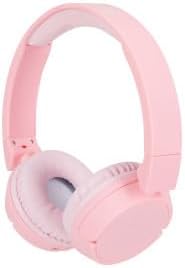
Figure 1: Altec Lansing Kid Safe 2-in-1 Bluetooth and Wired Headphones (Pink)

그림 2: 이상view of key features including age suitability, comfort, portability, water resistance, battery life, connectivity, and noise cancellation.

Figure 3: The headphones are designed with an 85-decibel volume limit for child safety.

Figure 4: Details of the adjustable headband, cushioned headband, and soft lightweight ear cushions for enhanced comfort.

Figure 5: The headphones are compatible with various devices such as laptops, phones, computers, and tablets.
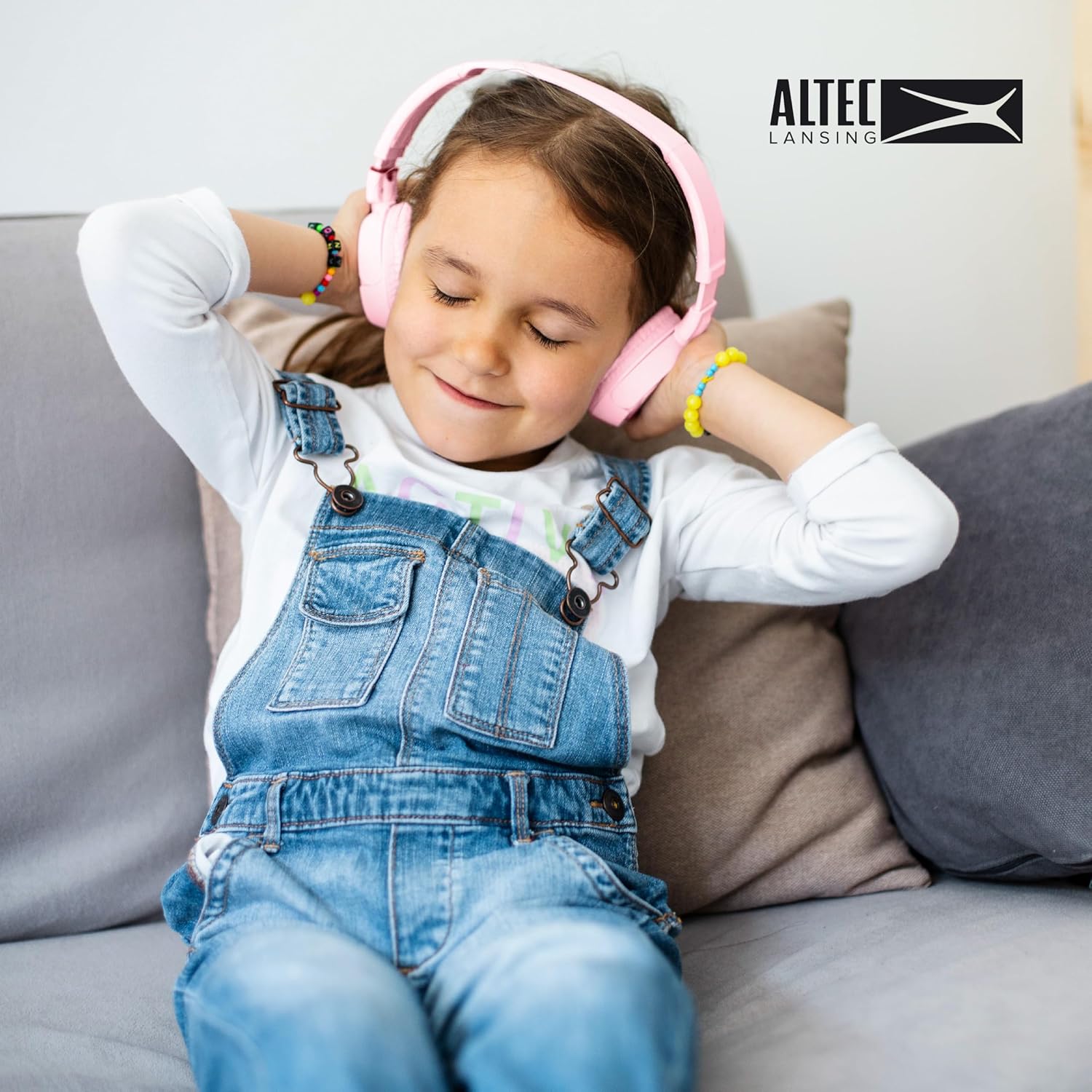
Figure 6: A child enjoying the comfortable fit of the Altec Lansing Kid Safe Headphones.
제어 및 표시기
- 전원 버튼: 헤드폰을 켜거나 끄고 Bluetooth 페어링을 시작하는 데 사용됩니다.
- 볼륨 높이기/다음 트랙 버튼: 짧게 누르면 볼륨이 높아지고, 길게 누르면 다음 트랙으로 넘어갑니다.
- 볼륨 낮추기/이전 트랙 버튼: 짧게 누르면 볼륨이 줄어들고, 길게 누르면 이전 트랙으로 이동합니다.
- 다기능 버튼(MFB): 재생/일시정지, 전화 받기/끊기.
- ANC(액티브 노이즈 캔슬링) 버튼: Toggles noise cancellation on/off.
- LED 표시등: Shows power status, pairing mode, charging status.
- 3.5mm 오디오 잭: 유선 연결용.
- USB-C 충전 포트: 내부 배터리를 충전합니다.
설정
헤드폰 충전하기
- USB-C 충전 케이블을 헤드폰의 충전 포트에 연결합니다.
- 케이블의 다른 쪽 끝을 USB 전원 어댑터(포함되지 않음)나 컴퓨터의 USB 포트에 연결합니다.
- The LED indicator will show red while charging and turn off or blue when fully charged.
- A full charge provides approximately 4 hours of wireless playtime.
블루투스 페어링(무선 모드)
- 헤드폰이 충전되어 있는지 확인하십시오.
- Press and hold the Power Button for 3-5 seconds until the LED indicator flashes blue and red, indicating pairing mode.
- 기기(스마트폰, 태블릿, 컴퓨터)에서 Bluetooth를 활성화하고 사용 가능한 기기를 검색하세요.
- Select "Altec Lansing MZX4400" (or similar name) from the list of devices.
- 연결되면 LED 표시등이 파란색으로 천천히 깜빡이거나 파란색으로 계속 켜집니다.
- 헤드폰은 전원을 켜면 범위 내에 있을 경우 마지막으로 페어링된 장치에 자동으로 다시 연결됩니다.
유선 연결
- 3.5mm 오디오 케이블의 한쪽 끝을 헤드폰의 오디오 잭에 꽂으세요.
- Insert the other end of the cable into the 3.5mm audio jack of your device (e.g., laptop, phone, computer).
- 헤드폰은 자동으로 유선 모드로 전환됩니다. 유선으로 사용할 때는 배터리 전원이 필요하지 않습니다.
작동 지침
전원 켜기/끄기
- 전원 켜기: 3 초 동안 전원 버튼을 길게 누릅니다.
- 전원 끄기 : 3 초 동안 전원 버튼을 길게 누릅니다.
Music Playback (Wireless Mode)
- 재생/일시 중지: 다기능 버튼(MFB)을 짧게 누르세요.
- 볼륨 업: 볼륨 높이기 버튼을 짧게 누르세요.
- 볼륨 작게 : 볼륨 낮추기 버튼을 짧게 누르세요.
- 다음 트랙: 볼륨 높이기 버튼을 길게 누르세요.
- 이전 트랙 : 볼륨 낮추기 버튼을 길게 누르세요.
Call Management (Wireless Mode)
- 전화 받기/종료: 다기능 버튼(MFB)을 짧게 누르세요.
- 전화 거부: Long press the Multi-function Button (MFB).
능동 잡음 제거 (ANC)
- Turn ANC On/Off: Press the dedicated ANC button. The LED indicator will light up when ANC is active.
유지
청소
- 부드럽고 마른 천으로 헤드폰을 닦으세요.
- 연마성 세척제, 알코올, 화학 용제는 사용하지 마세요.
- 어떠한 구멍에도 습기가 들어가지 않도록 주의하세요.
저장
- 사용하지 않을 때는 헤드폰을 시원하고 건조한 곳에 보관하고, 직사광선과 극한의 온도를 피하세요.
- 접이식 디자인을 활용하여 휴대가 간편하고 이동 중에도 내용물을 안전하게 보호할 수 있습니다.
배터리 관리
- To preserve battery life, charge the headphones fully before long periods of inactivity.
- 정기적으로 사용하지 않을 경우 최소 3개월에 한 번씩 배터리를 충전하십시오.
문제 해결
| 문제 | 가능한 원인 | 해결책 |
|---|---|---|
| 헤드폰의 전원이 켜지지 않습니다. | 배터리가 부족합니다. | 헤드폰을 완전히 충전하세요. |
| 블루투스로 페어링할 수 없습니다. | 헤드폰이 페어링 모드가 아닙니다. 기기의 Bluetooth가 꺼져 있습니다. 기기와 너무 멀리 떨어져 있습니다. | Ensure headphones are in pairing mode (flashing blue/red). Turn device Bluetooth on/off. Move headphones closer to device. |
| 무선 모드에서는 소리가 나지 않습니다. | 연결되지 않았습니다. 볼륨이 너무 작습니다. 기기에서 잘못된 오디오 출력이 선택되었습니다. | Verify Bluetooth connection. Increase headphone and device volume. Select headphones as audio output on your device. |
| 유선 모드에서는 소리가 나지 않습니다. | Audio cable not fully inserted; cable damaged. | Ensure 3.5mm cable is fully inserted into both headphone and device jacks. Try a different 3.5mm cable if available. |
| Noise cancellation not working. | ANC 기능이 꺼져 있습니다. | ANC 버튼을 눌러 활성화하세요. |
명세서
| 특징 | 세부 사항 |
|---|---|
| 모델명 | MZX4400 |
| 연결 기술 | 무선(블루투스), 유선(3.5mm 잭) |
| 무선 통신 기술 | 블루투스 |
| 헤드폰 잭 | 3.5 mm 잭 |
| 포함된 구성 요소 | 헤드폰 |
| 연령대 (권장) | 6-9세 |
| 호환 장치 | Laptops, Phones, Computers, and Devices with 3.5mm Audio Jack |
| 방수성 | IPX4 튀김 방지 |
| 주파수 범위 | 20Hz - 20,000Hz |
| 제어 방법 | 원격 |
| 오디오 드라이버 유형 | 동적 드라이버 |
| 이어피스 모양 | 귀 위 |
| 특징 | Foldable, Volume Control, Active Noise Cancellation |
| 제조업체 | 알텍 랜싱 테크놀로지스 |
| 패키지 크기 | 9.84 x 7.56 x 2.05 인치 |
| 품목 무게 | 9.1 온스 |
| 한국어: | 021331056177 |
| 색상 | 분홍색 |
| 소음 제어 | 능동 소음 제거 |
| 무선 재생 시간 | 약 4시간 |
| 안전 볼륨 제한 | 85데시벨 |
Note: The product is specifically designed and marketed for "Ages 6-9" and features "IPX4 Splash Resistant" capabilities, as indicated by product imagery and description.
보증 및 지원
Altec Lansing products are designed for quality and reliability. For specific warranty information regarding your Kid Safe 2-in-1 Bluetooth and Wired Headphones, please refer to the warranty card included with your purchase or visit the official Altec Lansing web대지.
If you encounter any issues or require technical assistance, please contact Altec Lansing customer support through their official web사이트 또는 제품 포장에 제공된 연락처 정보를 참조하세요.
온라인 지원: www.alteclansing.com/support/


