KDYGPDCT JC 컨트롤러 사용자 설명서
모델: TL09
소개
Thank you for choosing KDYGPDCT J-C Controllers. These wireless L/R controllers are designed to be compatible with Nintendo Switch and Switch Lite consoles, offering an enhanced gaming experience with features like vibrant light gradients, dual shock vibration, and motion sensing. This manual provides detailed instructions for setup, operation, maintenance, and troubleshooting to ensure optimal performance and longevity of your controllers.
패키지 내용
시작하기 전에 패키지에 모든 품목이 들어 있는지 확인하세요.
- 1 x Left J-C Controller
- 1 x Right J-C Controller
- 1 x USB 충전 케이블
- 1 x 사용자 매뉴얼(이 문서)

Image: The KDYGPDCT J-C controllers, showing their vibrant light effects, alongside their retail packaging and a Nintendo Switch console.
설정 및 연결
1. 초기 충전
It is recommended to fully charge the controllers before first use. The controllers have a 450mAh battery capacity.
- Connect the provided USB charging cable to the charging port on each controller.
- Connect the other end of the USB cable to a USB power source (e.g., Nintendo Switch dock, USB wall adapter, computer USB port).
- The charging indicator lights on the controllers will show charging status.
- 완전 충전에는 약 1~2시간이 걸립니다.

Image: Illustration showing the controllers connected to a Nintendo Switch console, with text indicating a charging time of 1-2 hours and a full battery life of 4-6 hours.
2. 닌텐도 스위치와의 페어링
These controllers support both direct attachment and wireless Bluetooth connection.
A. Attaching to the Console (Wired Mode)
- Slide each J-C controller along the rails on the sides of your Nintendo Switch console until you hear a click.
- 콘솔이 컨트롤러를 자동으로 인식합니다.
B. 무선 블루투스 연결
- 닌텐도 스위치 HOME 메뉴에서 "컨트롤러" > "그립/순서 변경"을 선택하세요.
- On the controllers, press and hold the SYNC button (small round button on the side rail) for a few seconds until the indicator lights begin to flash rapidly.
- Once paired, the player indicator lights on the controller will light up solid.
- The controllers support "Plug and Play" functionality for easy wireless connection.

Image: An illustration highlighting the Bluetooth connection and "Plug and Play" features of the KDYGPDCT J-C controllers, showing a Bluetooth symbol and wireless signal icons.
컨트롤러 작동 방법
버튼 레이아웃 및 기능

Image: A detailed diagram labeling all buttons on both the Left and Right KDYGPDCT J-C controllers, including L/R Buttons, +/- Buttons, Left/Right Joysticks, Direction Button, A/B/X/Y Buttons, Screenshot Button, and Home Button.
- 왼쪽 컨트롤러: Left Joystick, Direction Button, L Button, - Button, Screenshot Button.
- 오른쪽 컨트롤러: Right Joystick, A/B/X/Y Buttons, R Button, + Button, Home Button.
주요 특징
- 웨이크업 기능: 콘솔을 절전 모드에서 깨우려면 홈 버튼을 누르세요.
- 모션 감지: Built-in gyroscope provides precise motion control for compatible games.
- 진동 피드백: Dual motors provide immersive HD vibration feedback.
- Light Gradient: The controllers feature dynamic RGB light effects.
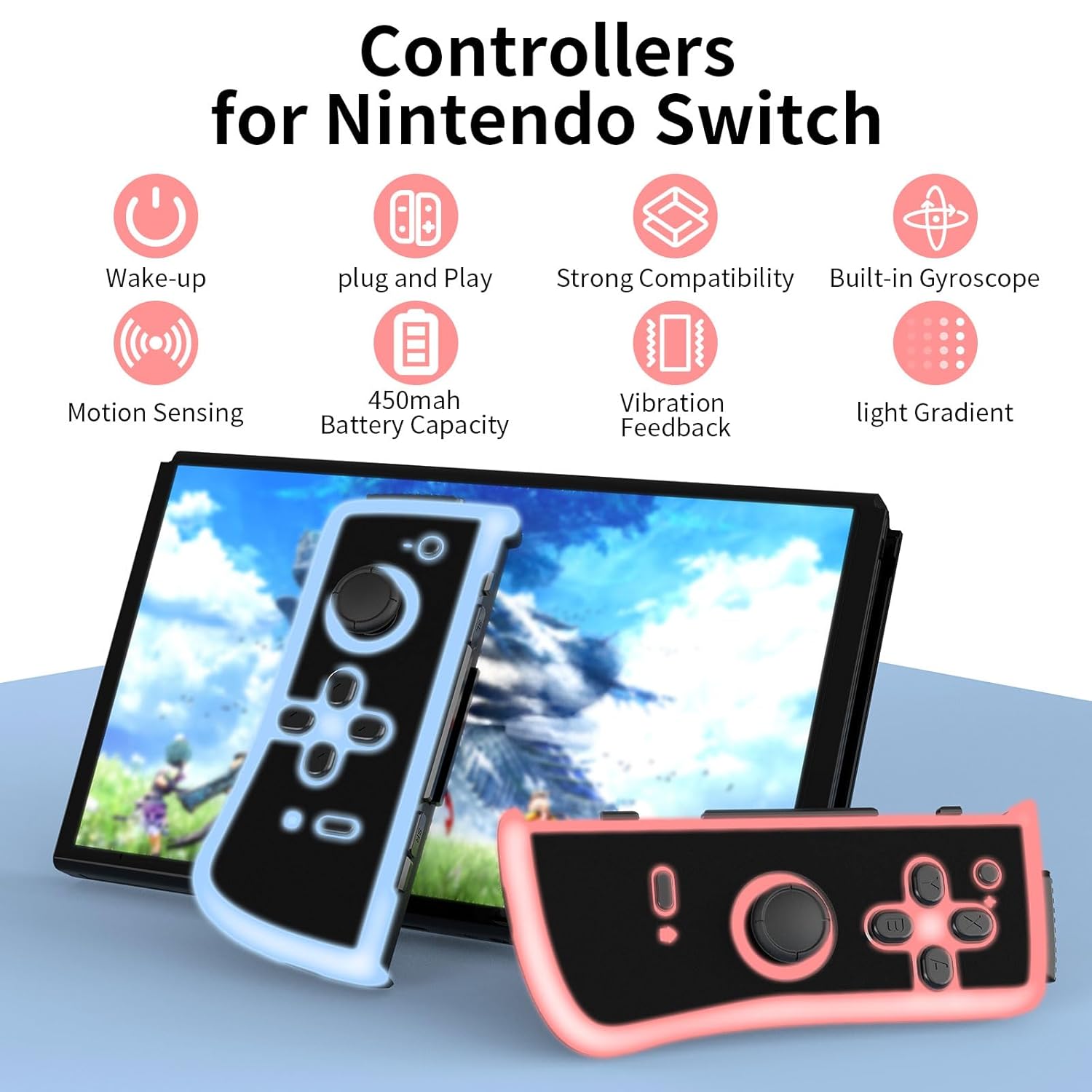
Image: An infographic illustrating the main features: Wake-up, Plug and Play, Strong Compatibility, Built-in Gyroscope, Motion Sensing, 450mAh Battery Capacity, Vibration Feedback, and Light Gradient.

Image: Visual representation of the dual shock and motion control capabilities, emphasizing accurate Nintendo motion sensor and dynamic game experience through HD vibration.
유지
- 청소: Use a soft, dry cloth to clean the surface of the controllers. Avoid using harsh chemicals or abrasive materials.
- 저장: 컨트롤러는 직사광선과 극한 온도 변화를 피해 서늘하고 건조한 곳에 보관하십시오.
- 배터리 관리 : To prolong battery life, avoid fully discharging the controllers frequently. Charge them regularly, even if not in constant use. If storing for an extended period, charge them to about 50% every few months.
문제 해결
| 문제 | 가능한 원인 | 해결책 |
|---|---|---|
| Controllers not connecting wirelessly. | Low battery, out of range, pairing issue. | Ensure controllers are charged. Move closer to the console. Re-attempt pairing via "Change Grip/Order" menu. |
| 컨트롤러가 충전되지 않습니다. | Faulty cable, power source issue, dirty port. | Try a different USB cable or power source. Clean the charging port gently. |
| 버튼이나 조이스틱이 반응하지 않습니다. | 소프트웨어 오류, 물리적 손상. | Restart the Nintendo Switch console. Disconnect and reconnect controllers. If issue persists, contact customer support. |
| Lights not working or flickering. | Low battery, internal issue. | Charge the controllers fully. If the problem continues, it may indicate a hardware issue. |
명세서
- 모델 번호: TL09
- 연결성: 무선(블루투스)
- 배터리 용량: 450mAh per controller
- 충전 시간: 1-2시간
- 배터리 수명: 4-6 hours (approximate, varies with usage)
- 치수: 4.72 x 4.72 x 1.37 inches (each controller, approximate)
- 무게: 5.61 ounces (total for pair, approximate)
- 제조업체: KDYGPDCT
보증 및 지원
For any product-related inquiries, technical support, or warranty claims, please contact KDYGPDCT customer service through the retailer's platform or the official brand web사이트. 보증 확인을 위해 구매 증빙 자료를 보관하세요.
자세한 내용은 다음을 방문하세요. KDYGPDCT Store on Amazon.


