1. 서론
The Yealink MeetingBar A10 is an all-in-one video collaboration bar designed for workspaces and huddle rooms. It integrates a computing unit, camera, microphones, speaker, Bluetooth, and Wi-Fi into a single device, minimizing cable clutter and simplifying deployment. Equipped with Android 11.0 OS, it supports native Microsoft Teams Rooms and Zoom Rooms meeting experiences without requiring a separate room PC.
Featuring a 4K camera with a 120° lens, the A10 delivers outstanding video quality, ensuring all participants are visible. Its AI technologies, including Auto Framing and Speaker Tracking, provide a smarter and safer video conference experience. The device also incorporates 8 MEMS microphone arrays and Yealink's AI-based noise-proof technology for excellent audio performance in full-duplex mode, ensuring clear communication.
2. 상자 안에 무엇이 들어있나요?
패키지에 모든 품목이 들어 있는지 확인하세요.
- 배터리
- HDMI 케이블
- 전원 케이블
- 장착 브래킷 및 액세서리
- VCR11 리모콘
- 3m 이더넷 케이블
- 1.8 m USB-C Cable (Optional)

Image: Connections and Package Contents. This image displays the various cables and accessories included with the Yealink MeetingBar A10, such as Ethernet, HDMI, USB-C, remote control, mounting bracket, and power adapter.
3. 설정
3.1 장치 연결
- 전원 연결: Connect the provided power cable to the A10 and plug it into a power outlet.
- 디스플레이 연결: Use the HDMI cable to connect the A10 to your conference room display or TV.
- 네트워크 연결 : Connect an Ethernet cable to the A10 for network access.
- USB-C Connection (Optional): For direct connection to a laptop or other devices, use the USB-C cable.
3.2 장착 옵션
The MeetingBar A10 can be mounted above or below your display using the included mounting bracket. Ensure the camera lens has a clear line of sight to all participants in the room.
3.3 초기 구성
Upon first power-up, the device will guide you through the initial setup process, including network configuration and platform selection (Microsoft Teams or Zoom). Follow the on-screen prompts to complete the setup.
4. 사용 설명서
4.1 비디오 기능
The A10 features an 8MP 4K camera with a 120° field of view, providing clear and wide-angle video. It includes advanced AI capabilities:
- 자동 프레이밍: Automatically adjusts the camera to frame all participants in the room, ensuring everyone is visible.
- 화자 추적: Intelligently zooms in on the active speaker, making conversations more engaging.
- 전동 렌즈 캡: Provides privacy by automatically covering the lens when not in use.
- AI 얼굴 보정: Optimizes image brightness and clarity, even in challenging lighting conditions.

Image: High-Quality Video Camera 4K/30FPS. This image highlights the camera's features including 120° DFoV, 105° HFoV, 4x e-PTZ, and an electric privacy shutter.
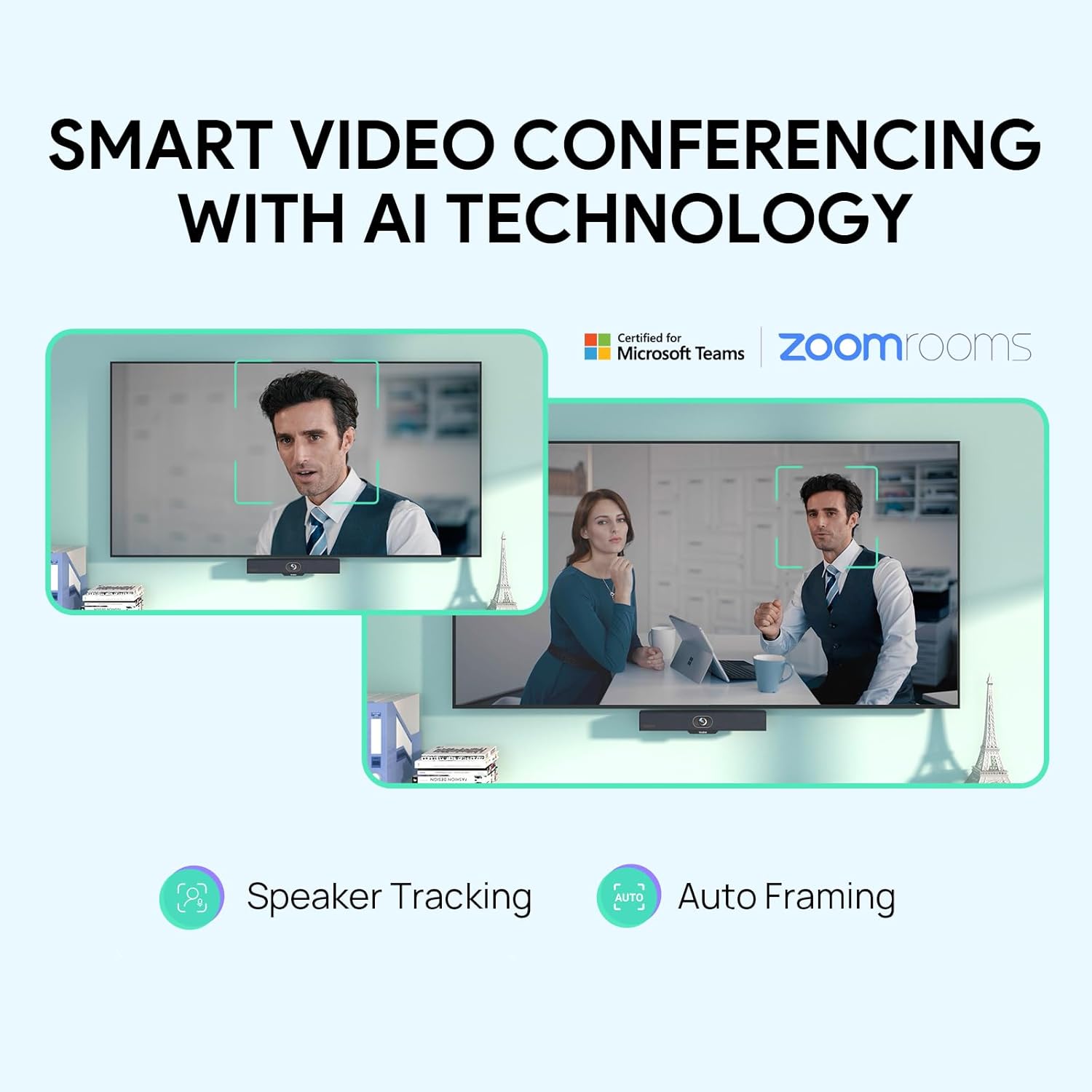
Image: Smart Video Conferencing with AI Technology. This image illustrates the Auto Framing and Speaker Tracking features in action, showing how the camera intelligently adjusts to participants.
Video: Yealink A10-010 AI-POWERED VIEW, ALWAYS ON TRACK. This video demonstrates the AI-powered view features of the A10-010, including automatic framing and speaker tracking to keep participants in focus.
4.2 오디오 기능
The A10 is equipped with 8 MEMS microphone arrays and Yealink's Noise Proof Technology to deliver clear audio. It supports full-duplex communication and acoustic echo cancellation for an optimal listening experience.

Image: Intelligent Vocal Enhancement. This image highlights the 8 MEMS microphone array, 5W high-fidelity speaker, AI noise cancellation algorithm, full-duplex, and acoustic echo cancellation features.
Video: A10-010 Precise Sound Localization, Full-duplex Experience. This video showcases the precise sound localization and full-duplex audio capabilities of the A10-010.
Video: Yealink A10-010 AI-ENHANCED VOICE, EVERYONE GETS HEARD. This video demonstrates the AI-enhanced voice features of the A10-010, ensuring clear audio for all participants.
4.3 리모컨 (VCR11)
Use the included VCR11 remote control to manage camera functions such as pan, tilt, zoom, and access settings. The remote allows for easy adjustment of the camera view during meetings.
4.4 Wireless Collaboration with WPP30 (Optional)
The A10 supports wireless presentation and device mode when paired with the optional Yealink WPP30 wireless presentation pod. This enables one-click content sharing and low-latency wireless connectivity.

Image: Wireless Collaboration with WPP30. This image shows the features of wireless collaboration with WPP30, including one-click start, wireless presentation sharing, whiteboard, intuitive remote control, integrated USB-C & A, and ultra-low latency.
Video: Yealink A10 works with WPP30 for Wireless [OPTIONAL]. This video demonstrates the optional wireless functionality of the Yealink A10 when used with the WPP30.
4.5 플랫폼 호환성
The Yealink MeetingBar A10 is compatible with most video conferencing platforms, including:
- 마이크로소프트 팀
- 줌 룸
- 비즈니스용 Skype
- 블루진스
- 구글 미트
- 시스코 Webex
- 텐센트 VooV 미팅
- 딩톡
- 예링크 미팅
- 고투미팅
- Huawei Cloud Welink
Video: Yealink MeetingBar A10 for Teams & Zoom Certified. This video highlights the certification and optimized experience of the Yealink MeetingBar A10 for Microsoft Teams and Zoom.
5. 유지관리
To ensure optimal performance and longevity of your Yealink MeetingBar A10, follow these maintenance guidelines:
- 청소: Gently wipe the device with a soft, dry cloth. Avoid using harsh chemicals or abrasive cleaners.
- 펌웨어 업데이트: Regularly check for and install firmware updates to ensure the device has the latest features and security enhancements. These can typically be found on the Yealink support web대지.
- 환경 조건: Operate the device within recommended temperature and humidity ranges to prevent damage. Avoid direct sunlight and excessive dust.
6. 문제 해결
If you encounter issues with your MeetingBar A10, try the following basic troubleshooting steps:
- 전원 없음: Ensure the power cable is securely connected to the device and the power outlet. Check if the power adapter is functioning correctly.
- 비디오 출력 없음: Verify that the HDMI cable is properly connected to both the A10 and the display. Check the input source on your display.
- 오디오 없음: Confirm that the audio settings in your conferencing software are configured to use the Yealink MeetingBar A10's speakerphone. Check the volume levels on the device and your computer.
- 카메라가 감지되지 않았습니다: Ensure the USB-C cable (if used for direct connection) is properly connected. Restart the device and your computer.
- AI 기능이 작동하지 않음: Check the device settings within the conferencing platform or the Yealink device management interface to ensure AI features like Auto Framing and Speaker Tracking are enabled.
For more detailed troubleshooting or persistent issues, refer to the official Yealink support resources or contact customer service.
7. 사양
| 특징 | 세부 사항 |
|---|---|
| 브랜드 이름 | Yealink |
| 품목 모델 번호 | A10-010 |
| 제품 치수 | 2.16 x 14.96 x 2.16 인치 |
| 품목 무게 | 4파운드 |
| 색상 이름 | A10-010 |
| 비디오 캡처 해상도 | 4K |
| 포토 센서 기술 | CMOS |
| 연결 기술 | HDMI |
| 특별 기능 | AI Technologies (Speaker Tracking, Auto Framing, AI Face Enhancement), Built-in 8 microphone array, Built-in 5W high fidelity speaker, Yealink Noise Proof Technology, Full-duplex, Echo cancellation, Built-in Android 11.0 OS, 120° FoV, 4x e-PTZ camera, Compatible with Microsoft Teams, Zoom Room, BlueJeans, Google Meet, Cisco Web예, 등 |
| 배터리 | AAA 배터리 2개 필요(리모컨용) |
8. 보증 및 지원
보증 정보, 기술 지원 및 추가 자료는 Yealink 공식 웹사이트를 방문하십시오. website or contact their customer service department. Keep your purchase receipt and product serial number handy for any support inquiries.


