소개
Thank you for choosing the Strex Universal AA/AAA Rechargeable Battery Charger. This device is designed to efficiently and safely charge your rechargeable batteries, ensuring they are always ready for use. This manual provides essential information for the proper setup, operation, and maintenance of your charger.
안전 정보
안전한 작동을 보장하고 충전기와 배터리의 수명을 연장하려면 다음 안전 지침을 준수하세요.
- Do not attempt to charge non-rechargeable batteries. This can lead to leakage, rupture, or explosion.
- Use only compatible battery types: NiMH, NiCD, and Lithium-Ion.
- 충전기를 물이나 과도한 습기에 노출시키지 마십시오.
- 충전기를 분해하거나 개조하지 마세요.
- Keep the charger away from direct sunlight and high temperatures.
- 충전하는 동안 적절한 환기를 유지하세요.
- The charger features a smart chip that prevents overheating, overcharging, short circuits, and overvoltage. However, always monitor the charging process.

Image: The Strex charger highlights its comprehensive safety features, including protection against overcharging, overcurrent, flame, voltage fluctuations, and short circuits.
제품 특징
The Strex SP282 charger offers a range of features designed for convenience and safety:
- 보편적 인 호환성 : Charges AA and AAA size rechargeable batteries.
- 다중 배터리 충전: Capable of charging up to four batteries simultaneously.
- LCD 디스플레이: A practical LCD screen provides real-time charging status for each battery, indicating 'CHG' for charging and an error symbol if charging is not possible.
- 다중 입력 포트: Connects via Micro USB or USB Type-C (cable included).
- 스마트 충전 프로세스: Automatically detects battery type and optimizes charging for speed and safety, including trickle charging once full.
- 고급 안전 보호 장치: Built-in smart chip prevents overheating, overcharging, overcurrent, short circuits, and overvoltage.
- 지원되는 배터리 유형: Compatible with NiMH, NiCD, and Lithium-Ion rechargeable batteries.

이미지: 오버view of the Strex charger, highlighting its key features such as the LCD display, multiple charging slots, and dual USB input options.
설정
Follow these steps to set up your Strex battery charger:
- 전원 연결: Use the provided USB Type-C cable or a Micro USB cable to connect the charger to a 5V-2A USB power adapter (not included) or a compatible USB port.
- 배터리 삽입: Open the battery slots and insert up to four AA or AAA rechargeable batteries. Ensure the positive (+) and negative (-) terminals of the batteries match the markings inside the charger slots. You can mix AA and AAA batteries.
- 연결 확인: Once batteries are inserted and power is connected, the LCD screen will activate.
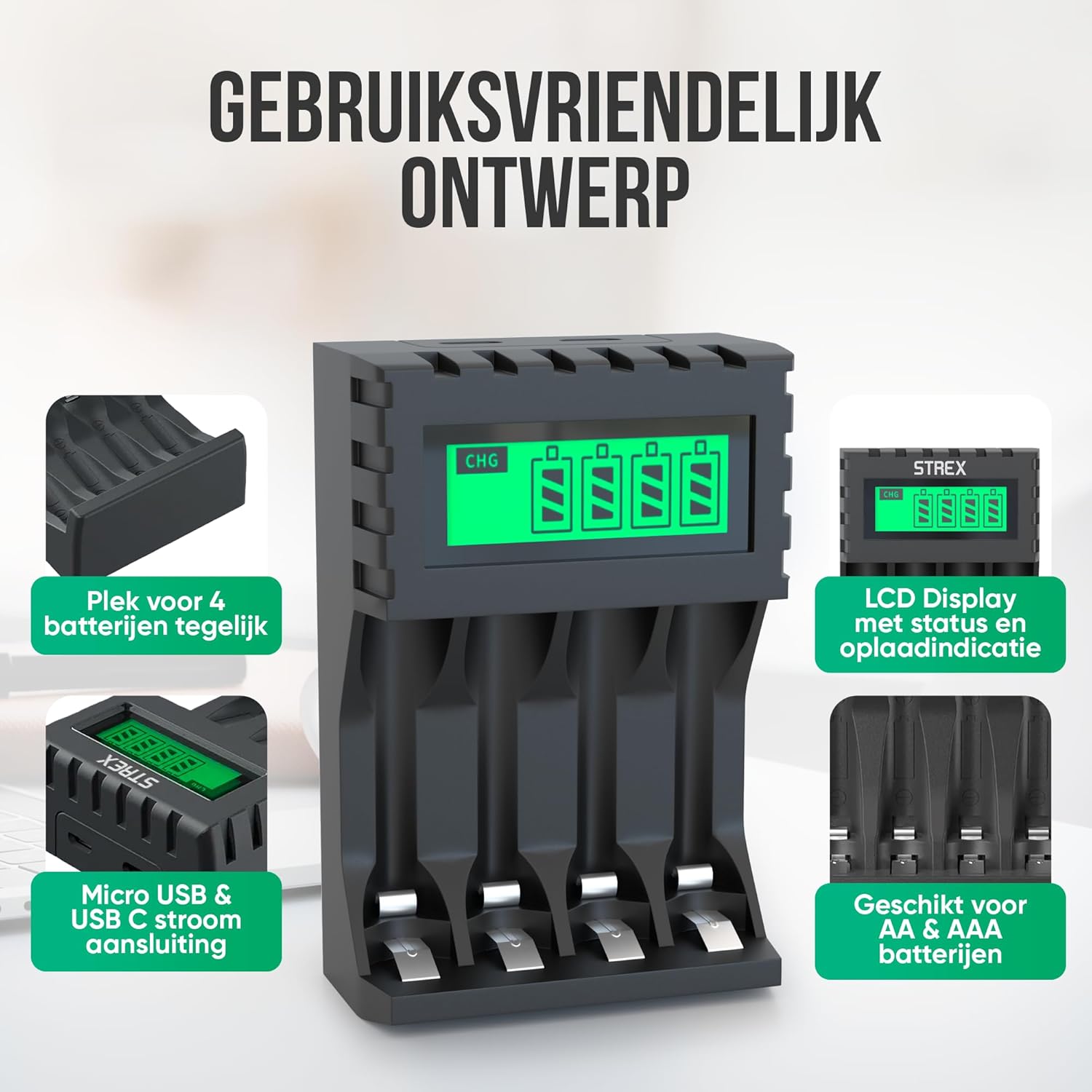
Image: The charger's user-friendly design, illustrating the four battery slots and the Micro USB and USB-C input ports for power connection.
작동 지침
The Strex battery charger is designed for simple and efficient operation:
- 자동 감지: Upon inserting batteries and connecting power, the charger automatically detects the battery type and begins the charging process.
- 충전 상태 모니터링: The LCD screen will display the charging status for each individual battery. A flashing 'CHG' symbol indicates that charging is in progress. The screen also shows the approximate charge level (e.g., 30%, 60%, 100%).
- 충전 완료: When a battery is fully charged, the 'CHG' symbol will stop flashing or indicate 100%. The charger will then switch to a trickle charging mode to maintain optimal battery health.
- 충전 시간:
- Approximately 4 hours for four AA batteries.
- Approximately 3 hours for four AAA batteries.
- 배터리 제거: Once charging is complete, disconnect the power and remove the batteries from the charger.

Image: The LCD display of the Strex charger, illustrating how it shows charging status ('CHG' flashing) and error indications (error symbol) for each battery.

Image: The smart charging process, showing how each charging port is independently managed and charged, with both Micro USB and USB-C input options visible.
유지
적절한 유지 관리는 충전기의 수명 연장과 최적의 성능을 보장합니다.
- 청소: 청소하기 전에 충전기의 전원을 차단하십시오. 부드럽고 마른 천으로 외부를 닦으십시오. 액체 세척제나 용제를 사용하지 마십시오.
- 저장: 사용하지 않을 때는 충전기를 직사광선과 극한의 온도를 피해 시원하고 건조한 곳에 보관하세요.
- 배터리 관리 : Always use high-quality rechargeable batteries. Avoid mixing old and new batteries or different types of batteries in the same charging cycle if possible, although the charger supports mixed types.
문제 해결
충전기에 문제가 발생하면 다음의 일반적인 문제와 해결 방법을 참조하세요.
- 충전기가 켜지지 않음: Ensure the USB cable is securely connected to both the charger and a working power source. Verify the power source is active (e.g., wall adapter is plugged in).
- Batteries not charging / Error symbol on LCD:
- 배터리가 올바른 극성(+/-)으로 올바르게 삽입되었는지 확인하세요.
- Ensure the batteries are rechargeable (NiMH, NiCD, or Li-ion). Non-rechargeable batteries will cause an error.
- The battery might be faulty or severely discharged. Try a different battery.
- Clean the battery contacts and charger terminals with a dry cloth.
- 느린 충전: Ensure your USB power adapter provides sufficient output (recommended 5V-2A). Lower current adapters may result in slower charging.
명세서
| 상표 | 스트렉스 |
| 모델 번호 | SP282 |
| 제품 치수 | 15.1 x 6.8 x 3cm |
| 품목 무게 | 85그램 |
| 색상 | 검은색 |
| 입력 Voltage | 5V |
| 입력 전류 | 2A |
| 출력 볼륨tage | 1.2V 직류 |
| 최대 출력 전류 | 1800mAh |
| 지원되는 배터리 크기 | AA, AAA |
| 지원되는 배터리 유형 | NiMH, NiCD, Lithium-Ion |
| 충전 포트 | 4개의 독립 슬롯 |
| 입력 인터페이스 | 마이크로 USB, USB 타입-C |
| 재료 | 내열성 ABS, 스테인리스 스틸 |
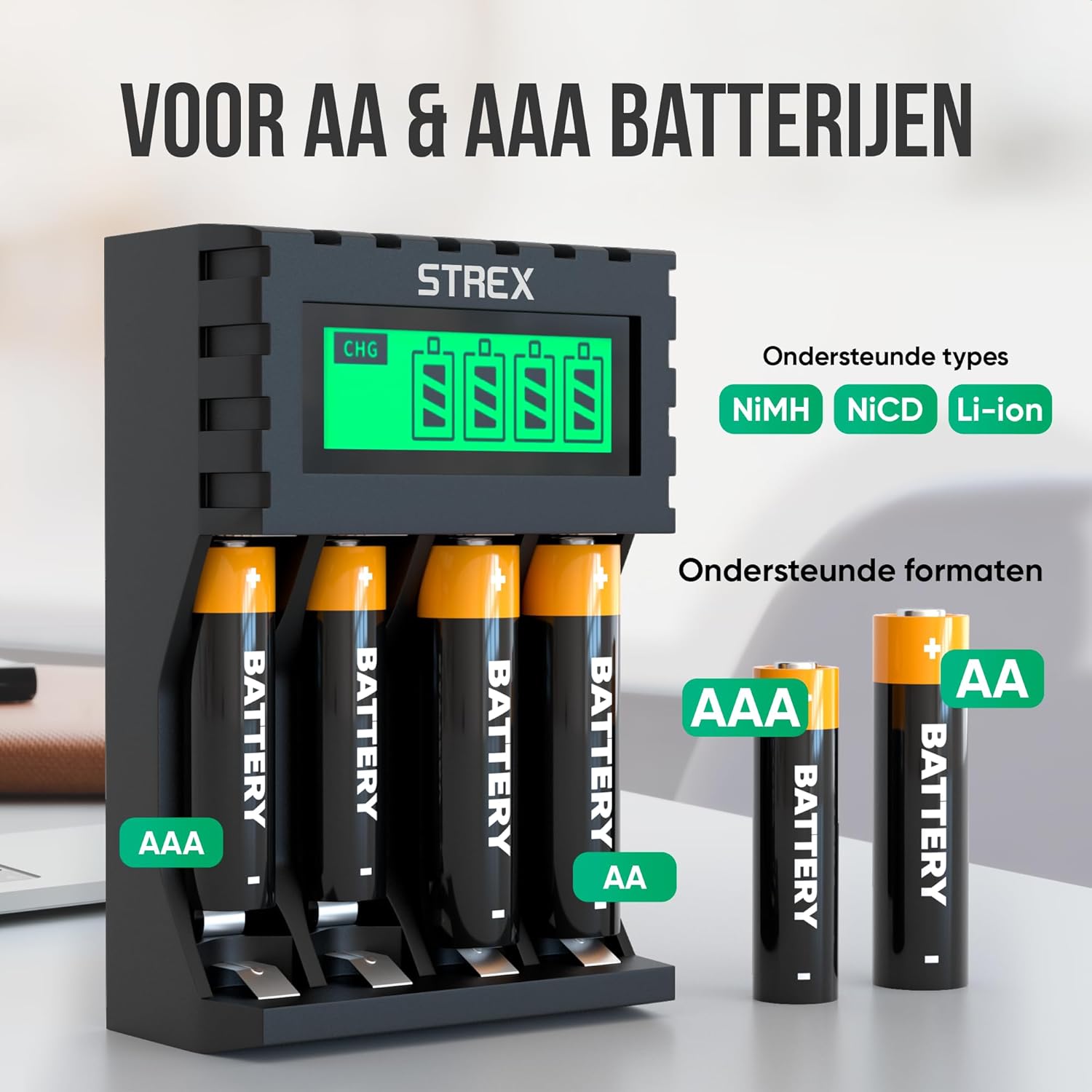
Image: The charger's compatibility with both AA and AAA battery sizes, and a list of supported battery types (NiMH, NiCD, Li-ion).
보증 및 지원
보증 정보 또는 기술 지원이 필요하시면 구매 시 제공된 연락처 정보를 참조하시거나 Strex 공식 웹사이트를 방문하십시오. web사이트. 보증 청구를 위해 구매 증빙 자료를 보관하세요.
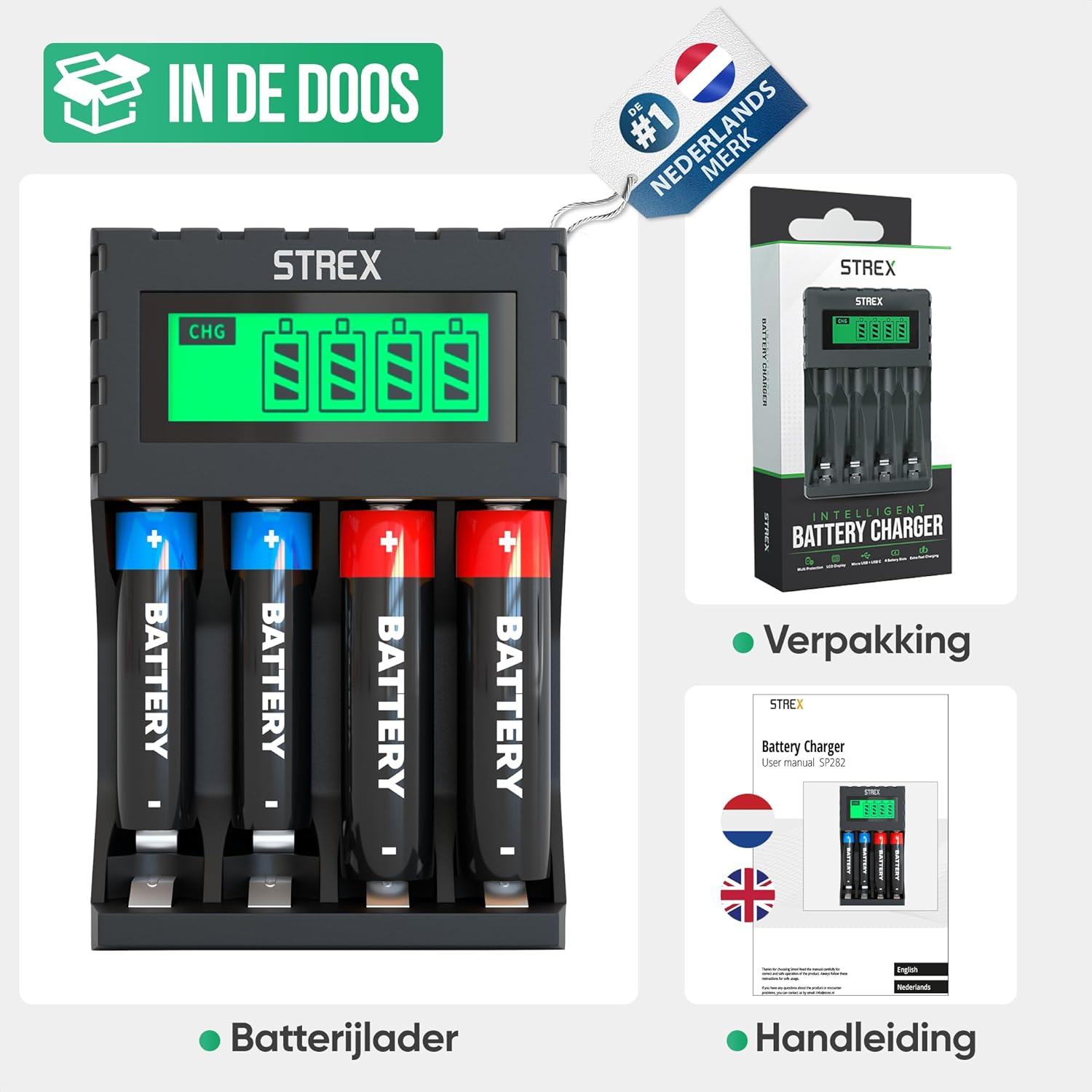
Image: What's included in the box: the battery charger, a user manual, and the product packaging.


