소개
This manual provides comprehensive instructions for the setup, operation, maintenance, and troubleshooting of your Timex Men's Command Encounter 45mm Watch. Please read this manual carefully to ensure proper use and longevity of your timepiece.
제품 끝view
The Timex Command Encounter is a robust digital watch designed for durability and functionality. It features a 45mm square case, a digital negative display, and is water-resistant up to 100 meters. The watch includes standard timekeeping functions, a chronograph, timer, and alarm.

그림 1: 전면 view of the Timex Command Encounter 45mm Watch. This image displays the watch face with its digital negative display, showing the time, date, and various mode indicators like CHRONO, TIMER, and ALARM. The watch features a green case and strap with a camouflage pattern on the display bezel.
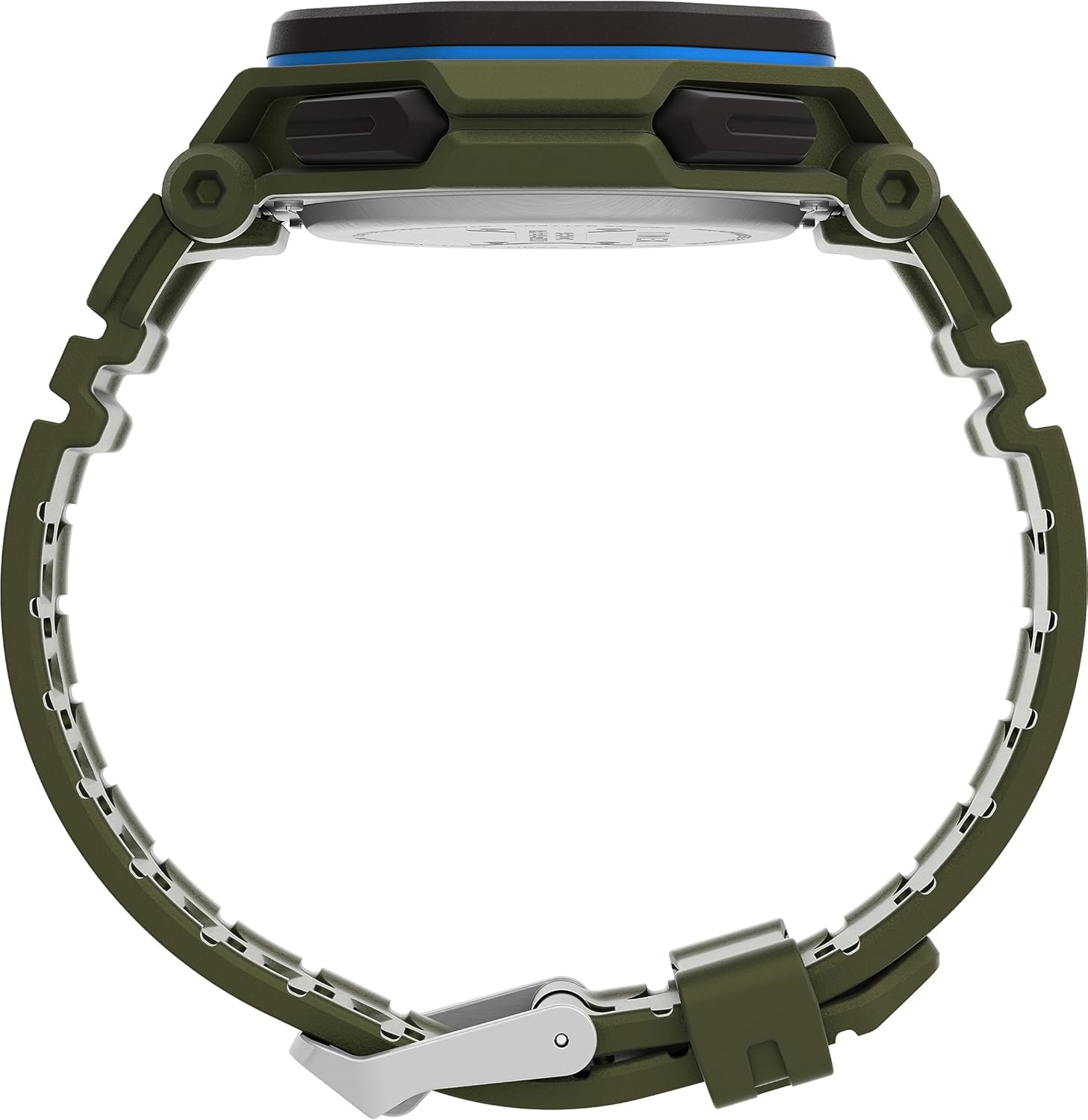
그림 2: 측면 view of the Timex Command Encounter 45mm Watch. This image highlights the profile 시계의, 쇼크asing the robust case design and the textured green strap. The buttons on the side of the watch are also visible.

그림 3: 후면 view of the Timex Command Encounter 45mm Watch. This image focuses on the stainless steel case back, which is engraved with "TIMEX", "SHOCK RESISTANT", "WATER RESISTANT 100M", and "STAINLESS STEEL BACK". The four screws securing the case back are also visible.
설정
1. 초기 전원 켜기 및 배터리
Your Timex Command Encounter watch comes with a pre-installed Lithium Metal battery (CR2025). The watch should be ready for use upon arrival. If the display is blank, press any button to activate it. If the watch does not power on, the battery may need replacement (refer to the Maintenance section).
2. 시간 및 날짜 설정
- 를 누르세요 방법 button (typically on the lower left) repeatedly until the time setting mode is displayed. The seconds digits will likely be flashing.
- 를 누르세요 다시 놓기 button (typically on the lower right) to cycle through the adjustable fields: seconds, hours, minutes, year, month, day.
- 사용하세요 시작 button (typically on the upper right) to increase the value of the flashing field. Hold the button to rapidly advance the digits.
- 모든 설정이 정확해지면 다음을 누릅니다. 방법 설정 모드를 종료하고 일반 시간 표시로 돌아가려면 버튼을 누르세요.
3. 12/24시간 형식
While in the time setting mode, when the hour digits are flashing, pressing the 시작 button may toggle between 12-hour (with AM/PM indicator) and 24-hour formats. Consult the specific button functions for your model if this does not work as described.
작동 지침
1. 기본 시간 측정
The watch displays the current time (hours, minutes, seconds) and date (month, day, day of week) in its primary mode. The negative display provides clear visibility in various lighting conditions.
2. 인디글로® 야간 조명
To activate the INDIGLO® night-light, press the 인디 글로 button (typically on the upper left). The entire display will illuminate for a few seconds, allowing for easy reading in low-light environments.
3. 크로노그래프(스톱워치)
- 를 누르세요 방법 화면에 "CHRONO" 또는 "STW"가 나타날 때까지 버튼을 누르십시오.
- 누르다 시작 타이밍을 시작합니다.
- 누르다 시작 again to pause timing. Press 시작 다시 시작합니다.
- To record a lap or split time, press SPL/SET while the chronograph is running. The display will momentarily show the lap time.
- To stop the chronograph, press 멈추다.
- 크로노그래프를 0으로 재설정하려면 누르세요. 다시 놓기 멈춘 후.
4. Timer (Countdown)
- 를 누르세요 방법 button until "TIMER" or "TMR" appears on the display.
- 카운트다운 시간을 설정하려면 누르세요. 다시 놓기 to select the flashing digit (hours, minutes, seconds). Use 시작 값을 조정합니다.
- 누르다 시작 카운트다운을 시작합니다.
- 누르다 시작 일시 정지하려면 다시 누르세요. 시작 다시 시작합니다.
- 타이머가 0에 도달하면 알람이 울립니다. 아무 버튼이나 누르면 알람이 멈춥니다.
5. 알람
- 를 누르세요 방법 디스플레이에 "ALARM" 또는 "ALM"이 나타날 때까지 버튼을 누르십시오.
- 알람 시간을 설정하려면 누르세요 다시 놓기 to select the flashing digit (hours, minutes). Use 시작 값을 조정합니다.
- 알람을 활성화 또는 비활성화하려면 누르세요. SPL/SET디스플레이에 알람 아이콘이 나타나거나 사라집니다.
- 알람이 울리면 아무 버튼이나 눌러서 알람을 끄세요.
유지
1. 시계 청소
부드러운 천으로 시계를 정기적으로 닦으세요.amp cloth. For stubborn dirt, a mild soap solution can be used, followed by rinsing with clean water and thorough drying. Avoid using harsh chemicals or abrasive materials, as these can damage the watch case or strap.
2. 방수성
Your Timex Command Encounter watch is water-resistant up to 100 meters (330 feet). This means it is suitable for showering, swimming, and snorkeling. 시계가 물에 잠겨 있는 동안에는 버튼을 누르지 마십시오., as this can compromise the water resistance seal. Avoid exposing the watch to extreme temperature changes, which can also affect the seals.
3. 배터리 교체
The watch uses a CR2025 Lithium Metal battery. Battery life varies depending on usage, especially the frequency of INDIGLO® night-light activation. When the display dims or functions become erratic, it's time to replace the battery. Battery replacement should ideally be performed by a qualified watch technician to ensure the water resistance seal is properly re-seated.
If replacing the battery yourself, carefully remove the four screws on the case back (refer to Figure 3). Gently pry open the case back. Note the battery's orientation before removal. Replace with a new CR2025 battery, ensuring proper polarity. Carefully re-seat the gasket and secure the case back with the screws. Self-replacement may void warranty or compromise water resistance if not done correctly.
문제 해결
| 문제 | 가능한 원인 | 해결책 |
|---|---|---|
| 디스플레이가 비어 있거나 어둡습니다. | 배터리가 부족하거나 방전되었습니다. | CR2025 배터리를 교체합니다. |
| 시간/날짜가 올바르지 않습니다. | Not set correctly or reset due to battery change. | Follow the "Setting Time and Date" instructions in the Setup section. |
| 버튼이 반응하지 않습니다. | 시계가 잠금 모드에 있거나 배터리가 매우 부족할 수 있습니다. | Try pressing all buttons to see if any respond. If not, replace battery. If still unresponsive, contact support. |
| 시계 내부에 물이 들어있습니다. | Compromised water resistance seal (e.g., buttons pressed underwater, extreme temperature changes, damaged gasket). | 즉시 시계를 자격을 갖춘 시계 수리 센터에 가져가십시오. 절대로 직접 말리려고 하지 마십시오. |
명세서
- 모델 번호: TW2V93700VQ
- 케이스 크기: 45mm
- 스트랩 소재: Green (8 inch)
- 디스플레이 유형: Digital Negative Display
- 렌즈 소재: 미네랄 유리
- 방수 기능: 100미터(330피트)
- 배터리 유형: 1 리튬 금속 배터리(CR2025)
- 특징: Chronograph, Timer, Alarm, INDIGLO® Night-Light
- 원산지: 중국
보증 및 지원
타이맥스 시계는 높은 품질 기준으로 제작되며 제한적 보증이 제공됩니다. 보증에 대한 자세한 내용은 구매 시 동봉된 보증 카드를 참조하거나 타이맥스 공식 웹사이트를 방문하십시오. web사이트. 보증 청구를 위해 구매 증빙 자료를 보관하세요.
기술 지원, 서비스 또는 부품 관련 문의는 Timex 고객 서비스 센터로 연락하십시오. 연락처 정보는 일반적으로 Timex 제품에서 확인할 수 있습니다. web웹사이트 또는 포장에 표시되어 있습니다.
공식 타이맥스 Web대지: www.timex.com


