소개
This manual provides comprehensive instructions for the installation, operation, and maintenance of your GeekTale K07 Keypad Door Knob. Please read these instructions carefully before installation and use to ensure proper function and security.
제품 끝view
The GeekTale K07 Keypad Door Knob is an electronic smart door lock designed for convenient and secure keyless access. It features a backlit keypad, auto-lock functionality, and anti-peep technology.
주요 특징:
- Keyless Access: Supports up to 20 unique access codes (4-8 digits).
- Backlit Keypad: Allows for easy code entry in low-light conditions.
- Auto-Lock: Automatically locks the door after a set period for enhanced security.
- Anti-Peep Technology: Allows entry of random digits before or after your actual code to prevent code exposure.
- Emergency Access: Includes two mechanical keys and a Type-C USB port for emergency power in case of battery depletion.
- Easy Installation: Designed for straightforward installation on most standard doors.

Image: The GeekTale Keypad Smart Lock, highlighting its soft touch buttons and capacity for up to 20 different PIN codes.
패키지 내용
포장을 개봉하신 후 모든 구성품이 있는지 확인해 주세요.
- GeekTale K07 Keypad Door Knob (Exterior and Interior Assemblies)
- 래치 메커니즘
- 스트라이크 플레이트
- 장착 나사
- 2 x 기계식 키
- 설치 템플릿
- 사용 설명서 (본 문서)
명세서
| 특징 | 세부 사항 |
|---|---|
| 상표 | 괴짜 이야기 |
| 모델명 | 케이07 |
| 잠금 유형 | 키패드 |
| 재료 | 알류미늄 |
| 색상 | 매트블랙 |
| 품목 치수(L x W x H) | 2.91 x 2.72 x 3.72 인치 |
| 전원 | AAA 알카라인 배터리 4개(포함되지 않음) |
| 비밀번호 용량 | Up to 20 codes (4-8 digits) |
| 특별 기능 | Keypad, 20 passcodes, anti-peep code, passage mode & security mode, two mechanical keys, easy installation |
설치
The GeekTale K07 Keypad Door Knob is designed for easy installation. Please follow these general steps. Refer to the included installation template for precise measurements and drilling instructions if needed.
필요한 도구:
- Phillips 헤드 스크루 드라이버
- 줄자
- 연필
설치 단계:
- 문 준비: Ensure your door has the correct bore holes and backset. The lock fits standard door thicknesses (35mm to 54mm).
- 래치를 설치하십시오: Insert the latch mechanism into the door edge and secure it with screws. Ensure the latch bolt faces the correct direction for your door swing.
- 외부 어셈블리 설치: Place the exterior keypad assembly through the door, aligning the spindle with the latch mechanism.
- 내부 조립 설치: Connect the interior assembly to the exterior assembly, ensuring the cable is properly routed and not pinched. Secure with mounting screws.
- 배터리 설치: Open the battery cover on the interior assembly and insert 4 new AAA alkaline batteries, observing polarity. Close the cover.
- 테스트 작업: After installation, test the mechanical keys and the default passcode (if any) to ensure the lock operates smoothly before closing the door.

Image: Diagram showing the easy installation process and dimensions for the GeekTale Keypad Door Knob, indicating the need for 4 AAA alkaline batteries.
작업
Unlocking with Passcode:
- 키패드를 터치하여 활성화하세요.
- 4~8자리 비밀번호를 입력하세요.
- '#' 키를 누르세요.
- If the code is correct, the lock will unlock. Turn the knob to open the door.
문 잠그기:
- 자동 잠금: The lock will automatically re-lock after a few seconds once the door is closed.
- 수동 잠금 : From the exterior, press the '#' key to manually lock the door. From the interior, simply turn the knob to the locked position.
엿보기 방지 기술:
To prevent others from guessing your passcode, you can enter random digits before or after your actual code. For examp예를 들어, 코드가 1234이면 567을 입력할 수 있습니다.1234890#.
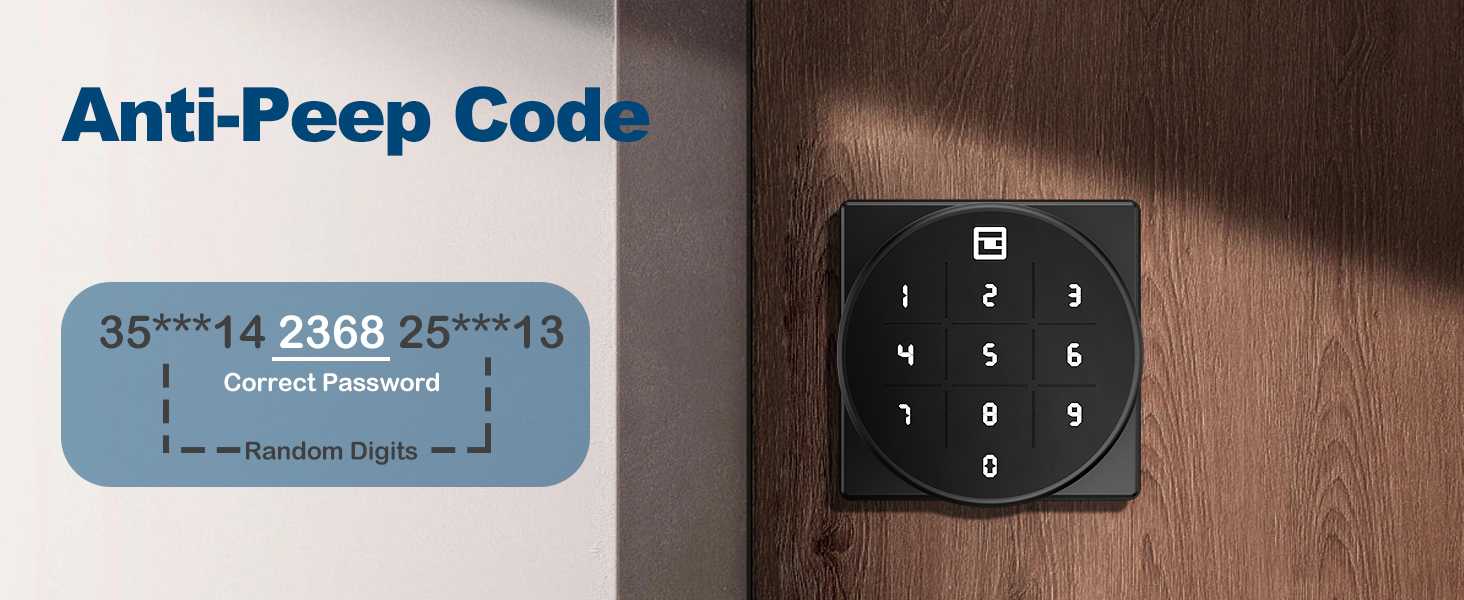
Image: Illustration of the Anti-Peep Code feature, showing how random digits can be added before and after the correct password.
Passage Mode & Security Mode:
The lock supports both passage mode (always unlocked) and security mode (requires passcode). Refer to the programming section for how to switch between these modes.

Image: Visual representation of the door knob in Privacy Mode (locked from inside) and Passage Mode (unlocked for free entry/exit).
Programming Passcodes
Detailed instructions for adding, deleting, and modifying user passcodes will be provided in a separate programming guide or within the full manual. Generally, you will need to enter a master code followed by specific commands to manage user codes.
유지
배터리 교체:
The lock is powered by 4 AAA alkaline batteries. When the batteries are low, the lock will provide a low battery alert (see Troubleshooting section). To replace batteries:
- 내부 어셈블리의 배터리 덮개를 제거합니다.
- 오래된 배터리를 제거하세요.
- 극성(+/-)을 확인하여 AAA 알칼리 건전지 4개를 새로 넣으십시오.
- 배터리 커버를 다시 장착하세요.
청소:
Wipe the keypad and lock body with a soft, dry cloth. Avoid using abrasive cleaners or solvents that could damage the finish or electronic components.
문제 해결
| 문제 | 가능한 원인 | 해결책 |
|---|---|---|
| 키패드 입력에 잠금 장치가 반응하지 않습니다. | 배터리가 방전되었습니다. | Replace batteries. Use the mechanical key or emergency USB power if locked out. |
| Low Battery Alert (buzzer beeps twice, indicator flashes green then red). | 배터리가 부족합니다. | Replace all 4 AAA alkaline batteries immediately. |
| Incorrect Password Error (red light flashes). | 잘못된 비밀번호를 입력하셨습니다. | Re-enter the correct passcode. Ensure no random digits are accidentally included if not using anti-peep. |
| 잠금 장치가 자동으로 잠기지 않습니다. | Auto-lock feature is disabled or in passage mode. | Refer to programming instructions to enable auto-lock or switch to security mode. |
Emergency Unlock Options:
- 기계식 키: Use one of the provided mechanical keys to manually unlock the door.
- USB 비상 전원: If batteries are completely dead, connect a Type-C USB power source (e.g., power bank) to the emergency port on the exterior assembly to temporarily power the lock and enter your passcode. This port is for power only, not for charging the internal batteries.
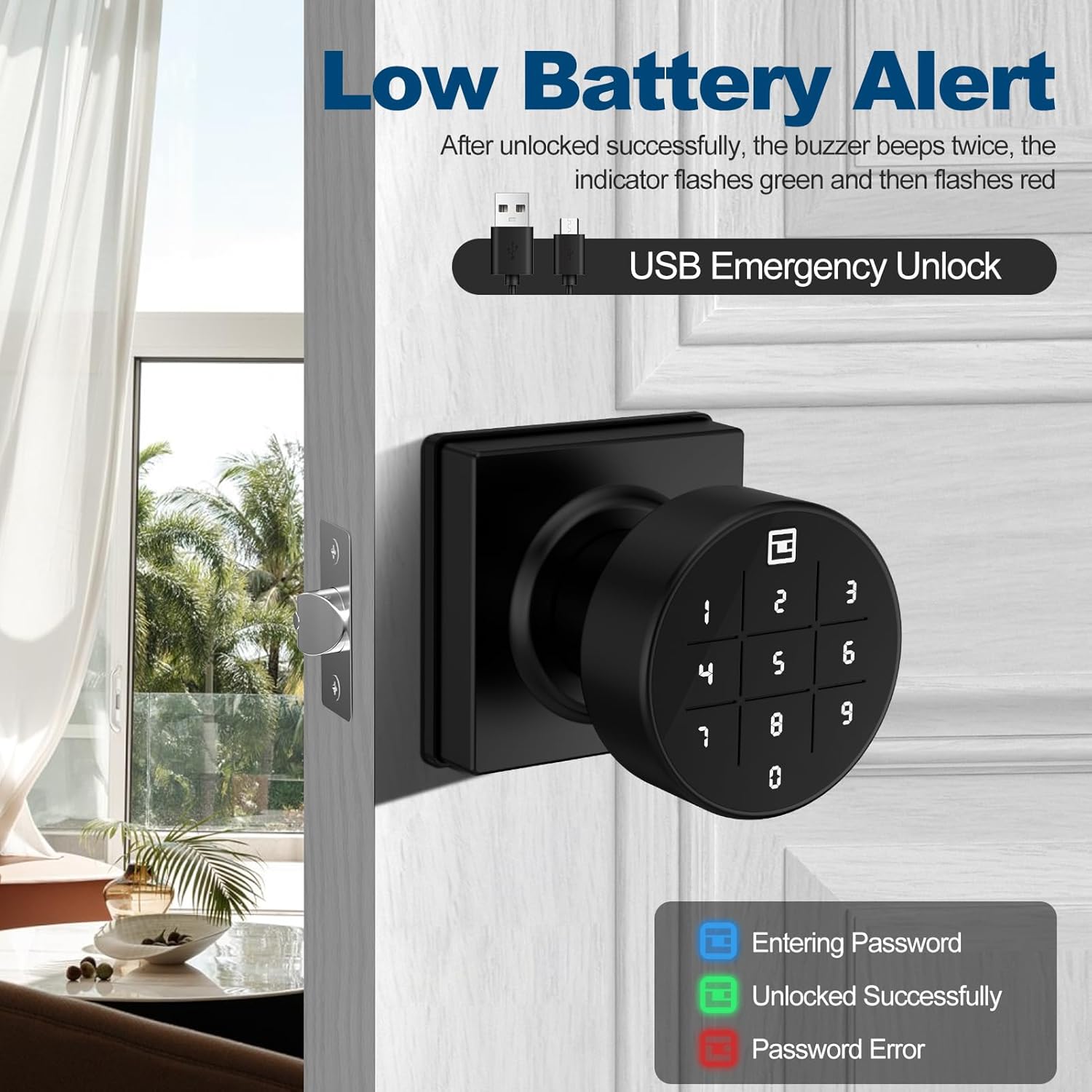
Image: The keypad displaying a low battery alert and indicating the USB emergency unlock port. The image also shows the color codes for entering password (blue), unlocked successfully (green), and password error (red).
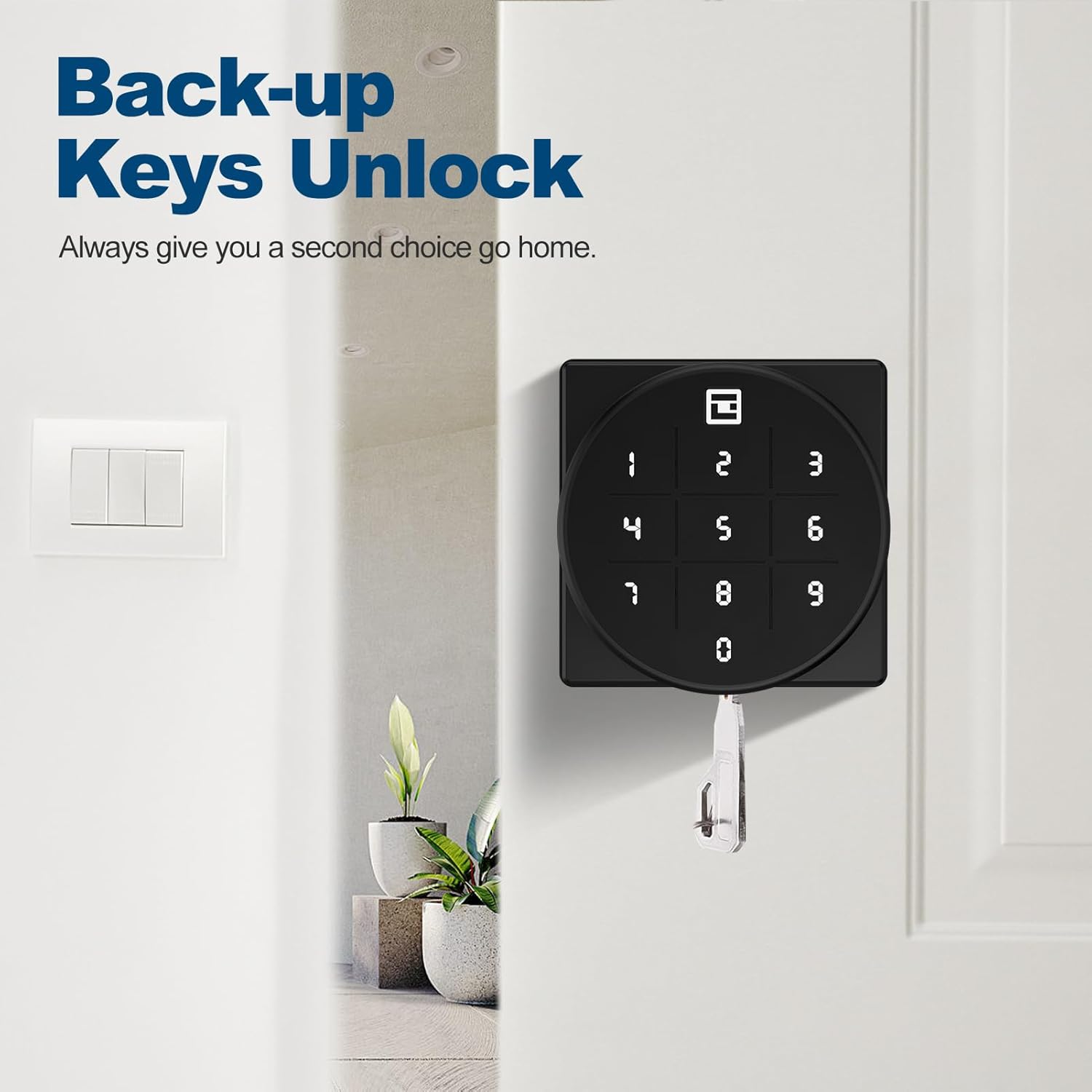
Image: The GeekTale door knob with a mechanical backup key inserted, illustrating the backup unlock option.
보증 및 지원
GeekTale offers a worry-free 30-day hassle-free return policy. For any technical assistance or inquiries, 24-hour technical support is available via email or phone. Please refer to your product packaging or the official GeekTale web연락처 정보 사이트.


