소개
Thank you for choosing Kinganda Bluetooth Headphones. This user manual provides detailed instructions on how to set up, operate, and maintain your new headphones. Please read this manual thoroughly before use to ensure optimal performance and longevity of your device.
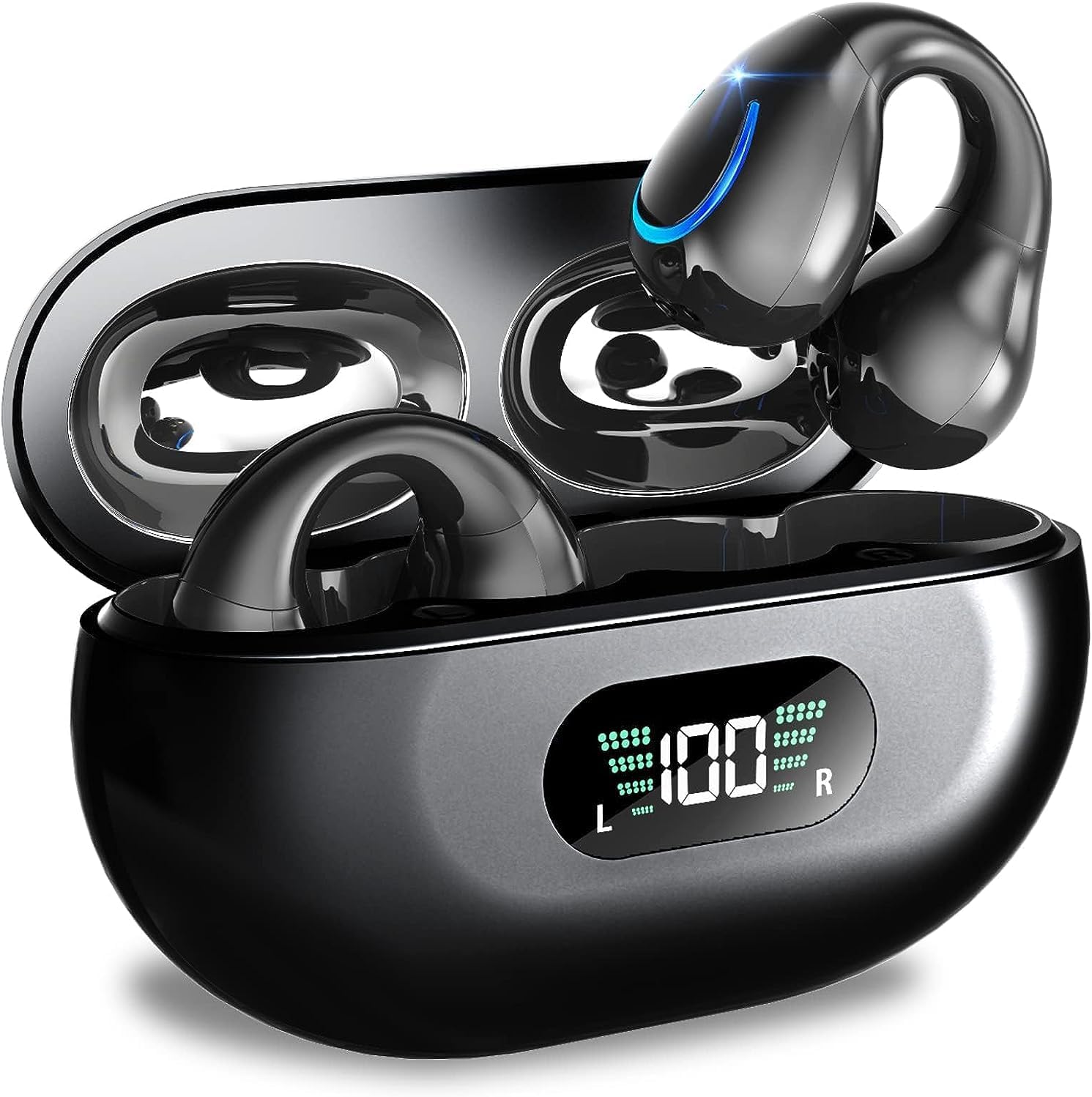
Image: Kinganda Bluetooth Headphones (Model Q71) in their charging case, showcasin세련된 디자인과 LED 디스플레이.
상자 안에 무엇이 들어있나요?
모든 품목이 들어 있는지 확인하려면 패키지 내용물을 확인하세요.
- Wireless Headphones (Left and Right)
- 무선 충전 케이스
- USB-C 충전 케이블
- 사용자 설명서

Image: An illustration showing the Kinganda headphones, charging case, USB-C cable, and user manual, representing the package contents.
안전 정보
To ensure safe operation and prevent damage to your headphones, please observe the following safety guidelines:
- Do not swim underwater or take hot baths with the headphones. Exposure to high temperatures or prolonged submersion can cause damage to the internal components.
- Keep the headphones and charging case away from extreme temperatures, direct sunlight, and high humidity.
- 장치를 떨어뜨리거나 강한 충격을 가하지 마십시오.
- Do not attempt to disassemble, repair, or modify the headphones yourself. Contact qualified service personnel for any repairs.
- 어린이와 애완동물의 손이 닿지 않는 곳에 보관하세요.
제품 끝view 및 기능
The Kinganda Q71 headphones are designed for comfort and high-quality audio, featuring advanced technology for an enhanced listening experience.
주요 특징:
- 고급 블루투스 5.3 기술: Ensures a stable, low-latency connection with lower power consumption and faster transmission.
- Comfortable Open Ear Clip Design: Ergonomically designed to fit the contours of the ear, providing a secure and comfortable fit without entering the ear canal. This design allows you to remain aware of your surroundings.
- 36시간 플레이 시간: Enjoy up to 6 hours of continuous playback on a single charge, with an additional 30 hours provided by the compact magnetic charging case.
- LED 디지털 디스플레이: The charging case features an LED screen that clearly shows the remaining power of both the headphones and the charging case.
- IPX7 방수 등급: Designed to withstand sweat and light rain, making them suitable for various activities.
- 10mm 드라이버: Deliver deep bass and stereo sound for a rich audio experience.
- Built-in ENC Mic: Enhanced Noise Cancellation microphone for clear calls.
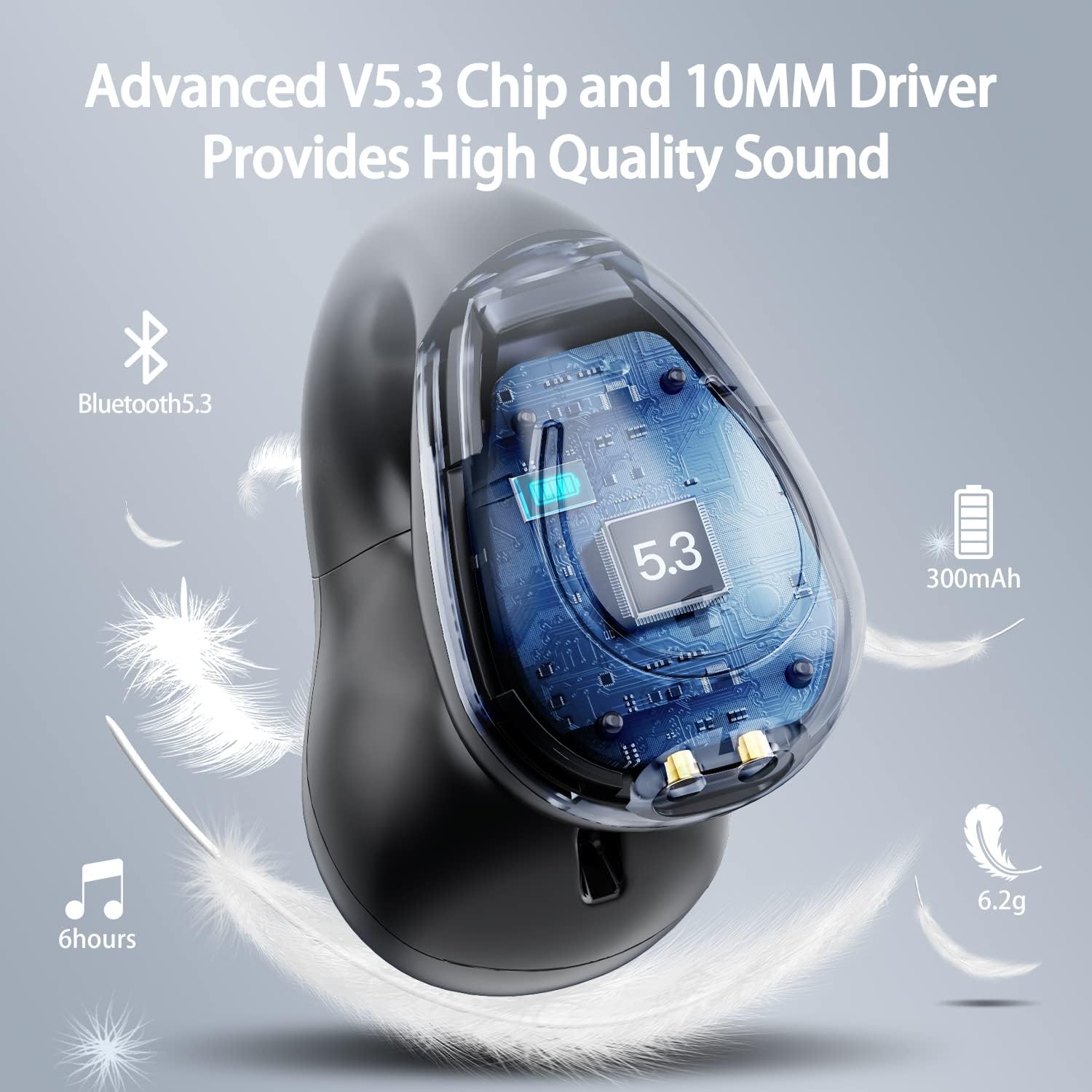
이미지: 컷어웨이 view of the Kinganda earbud, highlighting the advanced V5.3 chip and 10mm driver for high-quality sound.

Image: A person wearing the Kinganda Q71 headphones, demonstrating the comfortable and secure open-ear clip design.
설정
Pairing Your Headphones:
- 헤드폰 충전: Before first use, ensure both the headphones and the charging case are fully charged. Place the earbuds into the charging case and connect the USB-C cable to a power source. The LED display on the case will indicate charging status.
- 전원 켜기: 충전 케이스를 여세요. 헤드폰이 자동으로 켜지고 페어링 모드로 진입합니다.
- 블루투스 활성화: On your device (smartphone, tablet, laptop, etc.), go to the Bluetooth settings and turn on Bluetooth.
- 장치 선택: In the list of available Bluetooth devices, look for "YYK-Q71" and select it to connect.
- 확인: Once connected, you will hear an audio prompt from the headphones, and the device will show "YYK-Q71" as connected.
The headphones are widely compatible with iOS, Android, and Windows devices.

Image: An illustration demonstrating the simple one-step pairing process and wide compatibility of the Kinganda Q71 headphones with various devices.
작동 지침
헤드폰과 케이스 충전하기:
- 이어버드 충전: Place the earbuds back into the charging case. They will automatically begin charging. The LED display on the case will show the charging status of each earbud.
- 케이스 충전 : Connect the provided USB-C cable to the charging port on the case and the other end to a USB power adapter (not included). The LED display will show the battery percentag사건의 e.
- A full charge of the earbuds provides approximately 6 hours of playtime. The charging case provides an additional 30 hours of battery life, allowing for multiple recharges on the go.
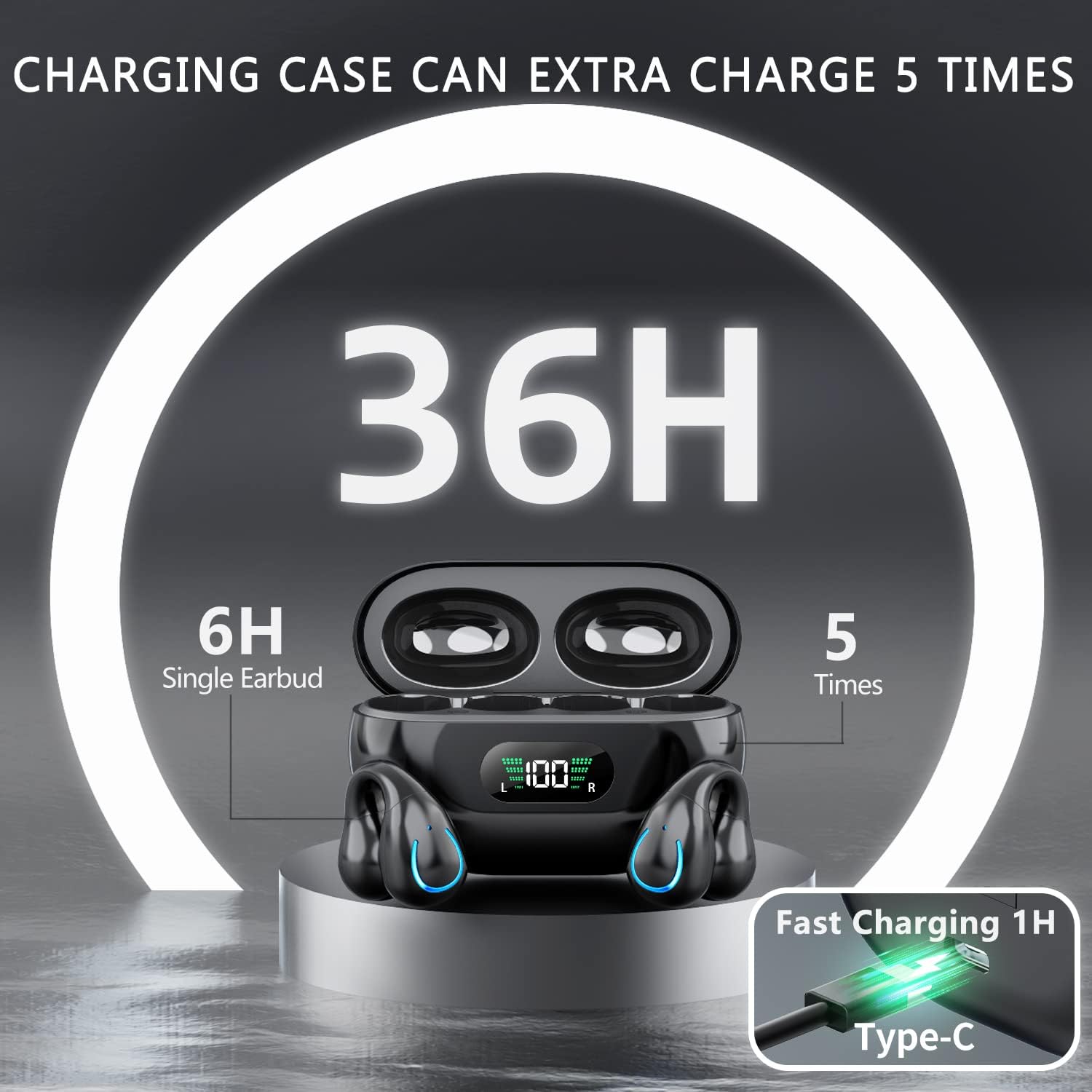
Image: The Kinganda charging case displaying "36H" total playtime, indicating 6 hours from a single earbud charge and 5 additional charges from the case.
터치 컨트롤:
The Kinganda Q71 headphones feature physical buttons for precise control, preventing accidental touches.
| 행동 | 제어 |
|---|---|
| 전원 켜기/끄기 | Automatically On/Off when taken out/put into case. |
| 전화 받기/종료하기 | Click 1 time (either earbud) |
| 전화 거부 | (어느 한쪽 이어버드)를 길게 누르세요 |
| 음악 재생/일시 정지 | Click 1 time (either earbud) |
| 다음 트랙 | Click Right earbud 2 times |
| 이전 트랙 | Click Left earbud 2 times |
| 음성 어시스턴트 활성화(Siri, Google 어시스턴트) | Click 3 times (either earbud) |

Image: Diagram illustrating the one-button physical controls for the Kinganda headphones, including call management, music playback, and voice assistant activation.
유지
Proper maintenance will extend the life of your Kinganda headphones:
- 청소: 이어버드와 충전 케이스는 부드럽고 마른 보풀 없는 천으로 닦아주세요. 독한 화학 약품, 세척 용제 또는 강한 세제를 사용하지 마세요.
- 저장: 사용하지 않을 때는 먼지와 손상으로부터 보호하기 위해 충전 케이스에 보관하세요. 서늘하고 건조한 곳에 보관하세요.
- 방수 기능: While the headphones are IPX7 waterproof (resistant to sweat and light rain), they are not designed for swimming or submersion in water. Avoid exposure to hot water or steam.
- 배터리 관리 : To preserve battery life, charge the headphones regularly, even if not used for extended periods. Avoid fully draining the battery frequently.
문제 해결
헤드폰에 문제가 발생하면 다음의 일반적인 문제와 해결 방법을 참조하세요.
헤드폰이 페어링되지 않음:
- 두 개의 이어버드가 모두 완전히 충전되었는지 확인하세요.
- 기기에서 Bluetooth가 활성화되어 있는지 확인하세요.
- 이어버드를 충전 케이스에 다시 넣고 뚜껑을 닫은 후 몇 초간 기다렸다가 뚜껑을 다시 열어 페어링 모드로 복귀하세요.
- Forget "YYK-Q71" from your device's Bluetooth list and try pairing again.
- Ensure the headphones are within the effective Bluetooth range (typically 10 meters/33 feet) of your device.
이어버드 하나만 작동합니다.
- Place both earbuds back into the charging case and ensure they are charging correctly.
- Take both earbuds out simultaneously. They should automatically connect to each other.
- If the issue persists, try resetting the headphones (refer to the manufacturer's website or contact support for specific reset instructions if not detailed here).
음질이 좋지 않거나 연결이 끊김:
- Ensure there are no obstructions between your device and the headphones.
- 간섭을 줄이려면 장치에 더 가까이 다가가세요.
- 이어폰이 깨끗하고 이물질이 없는지 확인하세요.
- 다른 소스나 애플리케이션에서 오디오를 재생해보세요.
헤드폰이 충전되지 않음:
- USB-C 충전 케이블이 케이스와 전원에 제대로 연결되어 있는지 확인하십시오.
- 다른 USB-C 케이블이나 전원 어댑터를 사용해 보세요.
- 마른 면봉으로 이어버드와 충전 케이스 내부의 충전 접점을 청소하세요.
명세서
| 특징 | 세부 사항 |
|---|---|
| 모델 번호 | Q71 (YYK-Q71) |
| 상표 | Kinganda |
| 연결 기술 | 무선(블루투스 5.3) |
| 귀 위치 | 오픈 이어 |
| 폼 팩터 | 클립 |
| 소음 제어 | Sound Isolation (via ENC Mic) |
| 제품 치수 | 3 x 3 x 3 cm; 6.2 g (per earbud) |
| 배터리 | 2 리튬 폴리머 배터리(포함) |
| 포함된 구성 요소 | Wireless Headphones, User Manual, USB-C Charging Cable, Wireless Charging Case |
| 색상 | 검은색 |
| 제조업체 | Kinganda |
보증 및 지원
Kinganda products are manufactured to the highest quality standards. For any warranty claims or technical support, please contact your original retailer or the manufacturer directly. Please retain your proof of purchase for warranty service.
For further assistance, please refer to the contact information provided with your purchase or visit the official Kinganda web대지.