1. 서론
Thank you for choosing the Spigen OneTap Pro 3 Cryomax MagSafe Phone Charging Mount Airvent Clip. This device is designed to provide secure mounting, fast wireless charging, and active cooling for your compatible smartphone in your vehicle. Please read this manual carefully to ensure proper installation and operation.
2. 제품 오버view
The Spigen OneTap Pro 3 Cryomax features a powerful magnetic mount with integrated wireless charging and a cooling fan, designed for attachment to your car's air vent.
패키지 내용:
- Spigen OneTap Pro 3 Cryomax Charging Mount
- Air Vent Clip Attachment
- USB-C to USB-C 케이블
- 사용자 설명서

Image: Spigen OneTap Pro 3 Cryomax MagSafe Phone Charging Mount with a phone actively charging.
3. 설정 지침
3.1. Attach Air Vent Clip
- Align the air vent clip with the mounting slot on the back of the charging mount.
- Push the clip firmly into the slot until it clicks into place.
3.2. Install on Vehicle Air Vent
- Identify a suitable air vent in your vehicle. The clip is compatible with horizontal, angled, and vertical air vent blades between 2.5mm and 6mm thick. Ensure there is at least 7.5mm distance between air vent blades for proper installation.
- Gently push the air vent clip onto an air vent blade.
- Rotate the locking mechanism on the clip clockwise to secure it firmly to the air vent. Do not overtighten.

이미지: 상세 view of the Spigen OneTap Pro 3 Cryomax air vent clip installation and locking mechanism, showing compatibility with various vent types.
3.3. 전원 연결
- Connect the provided USB-C cable to the charging port on the Spigen OneTap Pro 3 Cryomax mount.
- Connect the other end of the USB-C cable to a 20W 이상 USB-C 전원 어댑터 (sold separately) plugged into your vehicle's power outlet.
- Once powered, the mount's LED lighting will activate, indicating it is ready for use.
Video: Demonstration of installing the Spigen Cryomax MagSafe Car Mount Air Vent Clip and attaching a phone.
4. 사용 설명서
4.1. Mounting Your Phone
- 휴대전화가 MagSafe와 호환되는지 또는 MagSafe와 호환되는 케이스를 사용하고 있는지 확인하십시오.
- Bring your phone close to the magnetic surface of the mount. The strong built-in N52 magnets will automatically align and securely hold your phone in place.
- The auto-activating blue LED lights on the mount will illuminate when a phone is detected and charging begins.
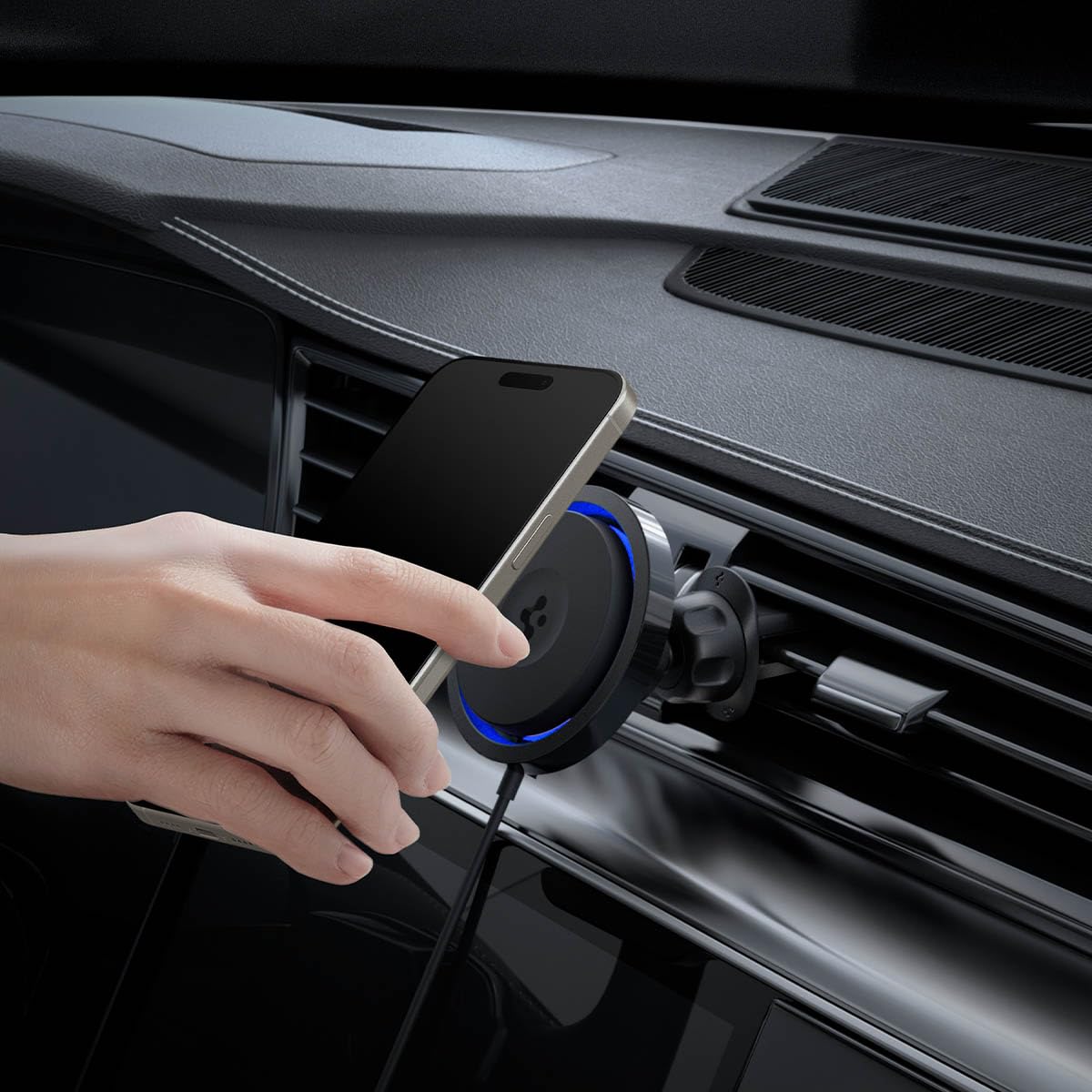
Image: A hand placing a phone onto the Spigen OneTap Pro 3 Cryomax charging mount, demonstrating the magnetic attachment.
4.2. Charging and Cooling
- Cryomax Technology: The integrated cooling airflow fan (5100 RPM) activates to prevent your phone from overheating during fast wireless charging, maintaining optimal performance.
- OneTap Technology: Provides up to 30% faster MagSafe charging compared to standard wireless charging, ensuring your device powers up efficiently.
- The cooling fan operates quietly, with an average noise level of 43.5dB.
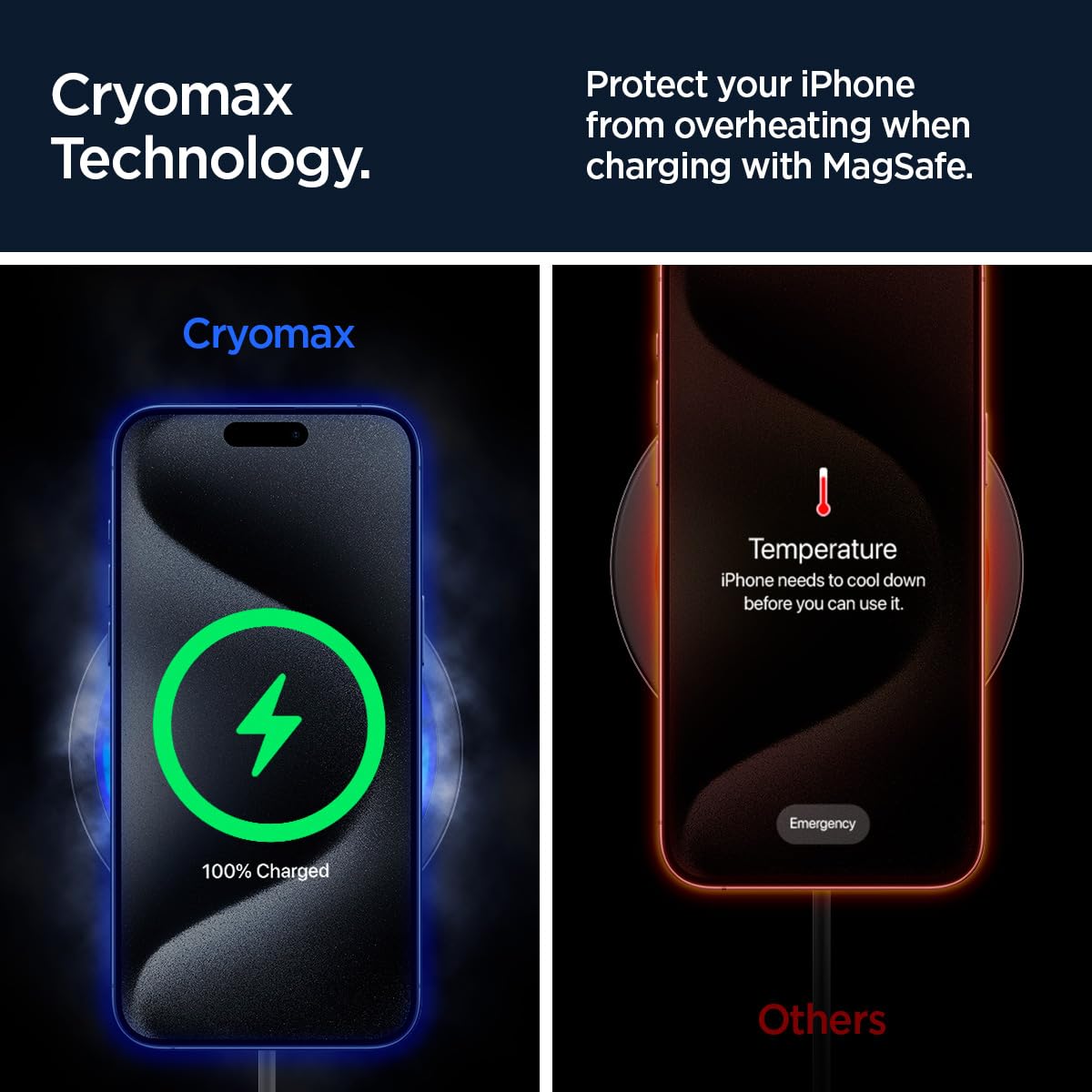
Image: A visual comparison illustrating how Cryomax technology keeps a phone cool during charging, preventing overheating.

Image: A graphic highlighting the 30% faster MagSafe charging capability provided by OneTap Technology.
4.3. 조정 View
The mount features a ball joint for easy adjustment, allowing you to position your phone for optimal viewing angles (portrait or landscape) while driving.
5. 호환성
5.1. 전화 호환성
- 아이폰: Compatible with iPhones featuring MagSafe (iPhone 12, 13, 14, 15, 16, 17 series) or iPhones using MagSafe-compatible cases.
- Galaxy Phones: Compatible with Galaxy phones (e.g., S23, S24, S25 series) when used with MagSafe-compatible cases.
- Pixel Phones: Compatible with Pixel phones (e.g., Pixel 7, 8, 9 series) when used with MagSafe-compatible cases.
- Pixel 10 Series: Compatible with Pixel 10, Pixel 10 Pro, Pixel 10 Pro XL, Pixel 10 Pro Fold with Pixelsnap.

Image: Various smartphones and MagSafe-compatible cases demonstrating the broad compatibility of the Spigen OneTap Pro 3 Cryomax mount.
5.2. Air Vent Compatibility
- Only compatible with horizontal, angled, and vertical air vent blades.
- Air vent blades must be between 2.5mm and 6mm thick.
- Requires at least 7.5mm distance between air vent blades.
5.3. Optimal Charging Requirements
- For optimal charging speed, pair with a 20W+ USB-C power adapter (별매).
- Use MagSafe cases with a thickness of less than 3mm for best charging performance.
6. 사양
| 특징 | 세부 사항 |
|---|---|
| 모델 번호 | ITS12WC |
| 제품 치수 | 3.78 x 3.27 x 2.99 인치 |
| 품목 무게 | 5.3 온스 |
| 연결성 | USB Type C, MagSafe Wireless |
| 특별 기능 | Charging Indicator, Fast Charging, MagSafe Compatible, Ultra-Quiet Cooling, Wireless Charging |
| 폼 팩터 | Airvent Clip |
| 색상 | 검은색 |
| 제조업체 | 슈피겐 |
| Amp에라 지 | 1.5 Amps |
| 왓tage | 7.5 와트 |
| Cooling Fan Noise Level | Average 43.5dB |
| 자기 강도 | 1200gf (N52 magnets) |
7. 유지관리
- 청소: Use a soft, dry cloth to wipe the surface of the mount. Avoid using abrasive cleaners or solvents.
- 에어벤트: Periodically check the air vent blades for dust or debris that might obstruct the clip or airflow.
- 케이블 관리: 손상을 방지하려면 USB-C 케이블을 날카롭게 구부리거나 꼬이지 않게 하세요.
8. 문제 해결
8.1. Phone Not Charging
- Ensure the USB-C cable is securely connected to both the mount and the power adapter.
- 차량의 전원 소켓이 제대로 작동하는지 확인하십시오.
- Confirm that your power adapter is 20W or higher.
- Check if your phone case is MagSafe-compatible and less than 3mm thick.
- Remove any foreign objects between the phone and the charging surface.
8.2. Mount Not Secure on Air Vent
- Ensure the air vent clip is fully engaged and the locking mechanism is tightened.
- Verify that your air vent blades meet the compatibility requirements (thickness and spacing).
8.3. Phone Overheating
- The Cryomax technology is designed to prevent overheating. Ensure the cooling fan is operating (a faint hum may be audible).
- Ensure the air vent is not blocked and allows for proper airflow around the mount.
- If the issue persists, disconnect the device and contact support.
9. 보증 및 지원
Spigen products are manufactured with quality and care. For warranty information, technical support, or any questions regarding your Spigen OneTap Pro 3 Cryomax mount, please visit the official Spigen web사이트를 방문하거나 고객 서비스에 직접 문의하세요. 보증 청구를 위해 구매 영수증을 보관하세요.


