1. 서론
This manual provides instructions for the proper setup, operation, and maintenance of the Flashpoint Wave Commander II Camera Release Cable. This accessory is designed to provide remote shutter control and intervalometer functions for compatible cameras equipped with a Canon Sub-Mini Connector.
안전하고 효율적인 제품 사용을 위해 사용 전에 본 설명서를 꼼꼼히 읽어 주십시오.
2. 제품 오버view
The Flashpoint Wave Commander II Camera Release Cable is a durable and reliable accessory that connects to your camera's remote port. It facilitates remote shutter release, reducing camera shake for sharper images, and offers advanced functions such as an intervalometer for time-lapse photography and a self-timer when used with a compatible remote unit.
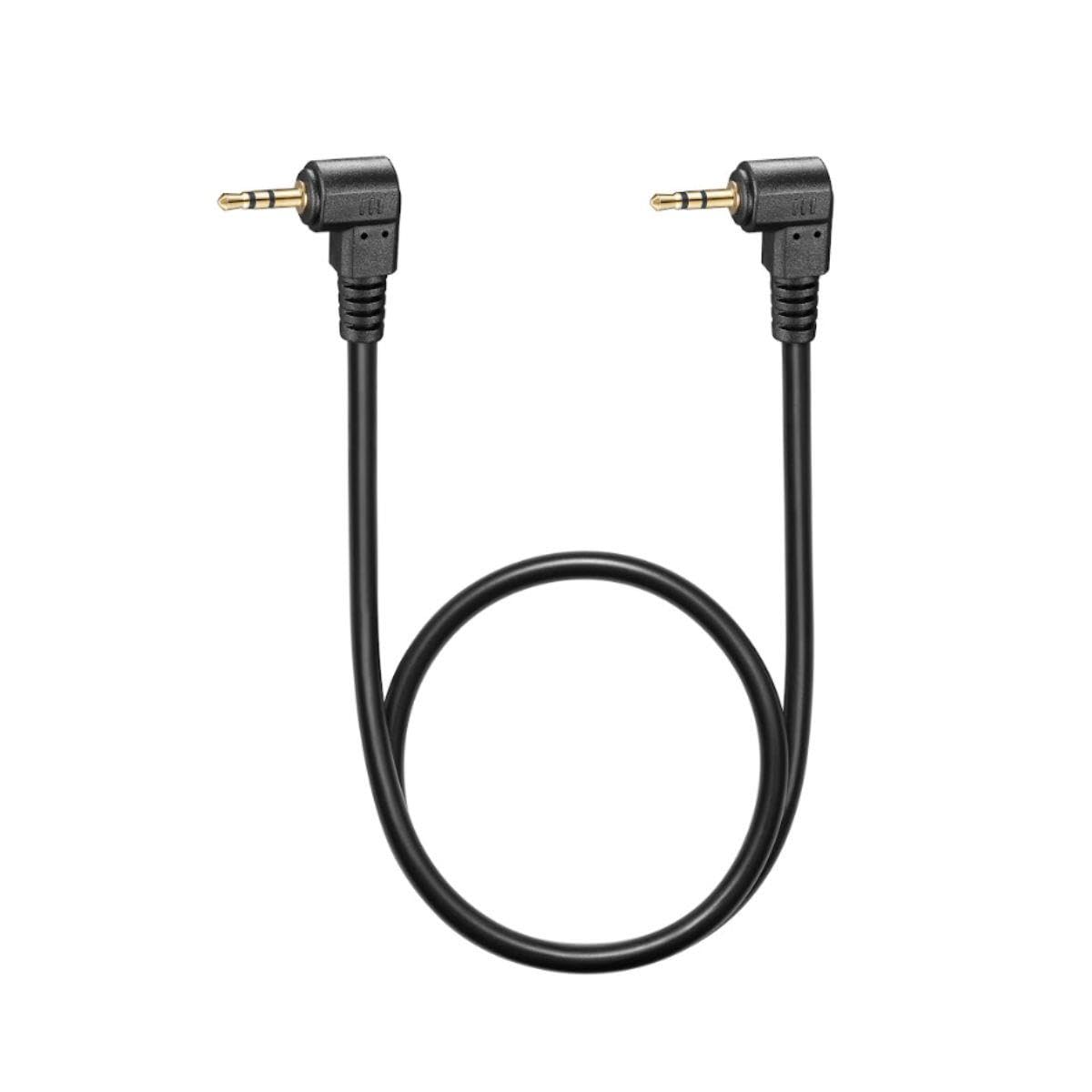
그림 1: Flashpoint Wave Commander II Camera Release Cable. This image shows the cable with its connectors, designed for remote camera control.
주요 특징은 다음과 같습니다.
- 확장된 도달 범위: A 3-foot cable length allows for remote operation, preventing camera shake.
- 향상된 안정성: Eliminates vibrations caused by direct shutter button presses.
- 내구성 있는 구조: Built for regular use and reliable performance.
- 다기능: Enables remote shutter release, intervalometer, or self-timer functions when paired with a compatible remote unit.
3. 호환성
This cable is compatible with cameras featuring a Canon Sub-Mini Connector. Verified compatible camera models include, but are not limited to:
- Canon R6 II, R7, T7, R6, R, SX70, 90D, T8i, R10, RP, SL3, RP, G1X Mark III, 80D
- Fujifilm X-T5, FUJIFILM X-T30 II, FUJIFILM X-T4, FUJIFILM GFX 100S
For other camera models, please verify the connector type before use.
4. 설정
Follow these steps to connect the Wave Commander II Camera Release Cable to your camera:
- 원격 포트를 찾으십시오: Identify the remote control terminal on your camera. This is typically a small port, often labeled with a remote control icon or "REMOTE". For Canon cameras, this is the Sub-Mini Connector port.
- 케이블 연결: Gently insert the connector end of the Wave Commander II cable into the camera's remote port. Ensure it is fully seated to establish a secure connection.
- Connect to Remote Unit (if applicable): If using with a separate remote trigger unit (e.g., Flashpoint Wave Commander II remote), connect the other end of the cable to the designated port on the remote unit.
- 전원 켜기: Turn on your camera and the remote unit (if applicable).
The cable is now ready for operation.
5. 사용 설명서
Once connected, the Wave Commander II cable enables various remote control functions:
5.1. Remote Shutter Release
- 반쯤 누르기: Press the shutter button on your remote unit (or the cable's integrated button, if present) halfway down to activate autofocus and metering, similar to pressing the camera's shutter button halfway.
- 풀프레스: Press the shutter button fully down to trigger the camera's shutter and capture a photograph.
- 전구 모드: For long exposures in Bulb mode, press and hold the shutter button on the remote unit. Release the button to end the exposure. Some remote units may have a lock function for extended Bulb exposures.
5.2. Intervalometer / Self-Timer Functions
When used with a compatible remote unit that features intervalometer or self-timer capabilities, the cable transmits these commands to the camera. Refer to your remote unit's specific manual for detailed instructions on setting up time-lapse sequences, delayed shots, or continuous shooting modes.
6. 유지관리
To ensure the longevity and optimal performance of your Wave Commander II Camera Release Cable, follow these maintenance guidelines:
- 저장: 케이블은 직사광선과 극한 온도 변화를 피해 서늘하고 건조한 곳에 보관하십시오. 케이블을 너무 세게 감거나 심하게 구부리지 마십시오. 내부 전선이 손상될 수 있습니다.
- 청소: Use a soft, dry cloth to wipe the cable and connectors. Do not use liquid cleaners, solvents, or abrasive materials.
- 손질: 케이블을 연결하거나 분리할 때는 항상 커넥터 하우징 부분을 잡으십시오. 케이블 자체를 직접 잡아당기지 마십시오.
- 점검: 케이블에 마모, 닳음 또는 커넥터 손상 흔적이 있는지 주기적으로 점검하십시오. 손상이 발견되면 사용을 중단하십시오.
7. 문제 해결
If you encounter issues with your Wave Commander II Camera Release Cable, consider the following:
- Cable Not Responding:
- Ensure the cable is securely connected to both the camera and the remote unit (if applicable).
- Verify that the camera and remote unit are powered on.
- Check camera settings to ensure remote control is enabled, if applicable.
- Test with another compatible camera or remote unit if available, to isolate the issue.
- 간헐적인 연결:
- Inspect connectors for dirt, dust, or damage. Clean gently with a dry, soft brush if necessary.
- Ensure the cable is not strained or bent at sharp angles during use.
- Camera Shake Still Occurs:
- While the cable reduces shake from pressing the shutter, other factors like tripod stability or wind can still cause movement. Ensure your camera setup is stable.
If problems persist, contact Flashpoint customer support for further assistance.
8. 사양
| 모델 번호: | Wave Commander II Cable |
| 상표: | 플래시포인트 |
| 커넥터 유형: | Canon Sub-Mini Connector |
| 케이블 길이: | 약 3피트(0.9미터) |
| 제품 크기: | 7 x 5 x 0.05 inches (approximate packaging/shipping dimensions) |
| ASIN: | B0CD2M2G1N |
| 첫 이용 가능 날짜: | 27년 2023월 XNUMX일 |
9. 보증 및 지원
Specific warranty information for the Flashpoint Wave Commander II Camera Release Cable is not provided in this document. For details regarding warranty coverage, technical support, or service inquiries, please contact Flashpoint customer service directly or refer to the official Flashpoint web대지.
구매 영수증을 보관하여 보증 청구에 대비하세요.


