소개
Thank you for choosing the ATUMTEK 55" Selfie Stick Tripod. This all-in-one device combines the functionality of a selfie stick and a stable tripod, designed for capturing photos and videos with ease and versatility. This manual provides detailed instructions on how to set up, operate, and maintain your device to ensure optimal performance.
상자 안에 무엇이 들어있나요?
- 1 x ATUMTEK Selfie Stick Tripod
- 블루투스 리모컨 1개
- 1 x Type-C 충전 케이블
- 1 x 사용자 설명서

Image: The ATUMTEK Selfie Stick Tripod in various configurations, including the main unit, extended tripod, and the detachable remote control.
설정
1. Unfolding the Tripod/Extending the Selfie Stick
- 휴대폰 뚜껑을 살살 당겨주세요amp upwards to release the tripod legs.
- Spread the tripod legs outwards until they form a stable double triangular structure.
- To extend the pole, pull the top section upwards. The pole consists of multiple sections that can be extended to your desired length, up to 55 inches (140cm).
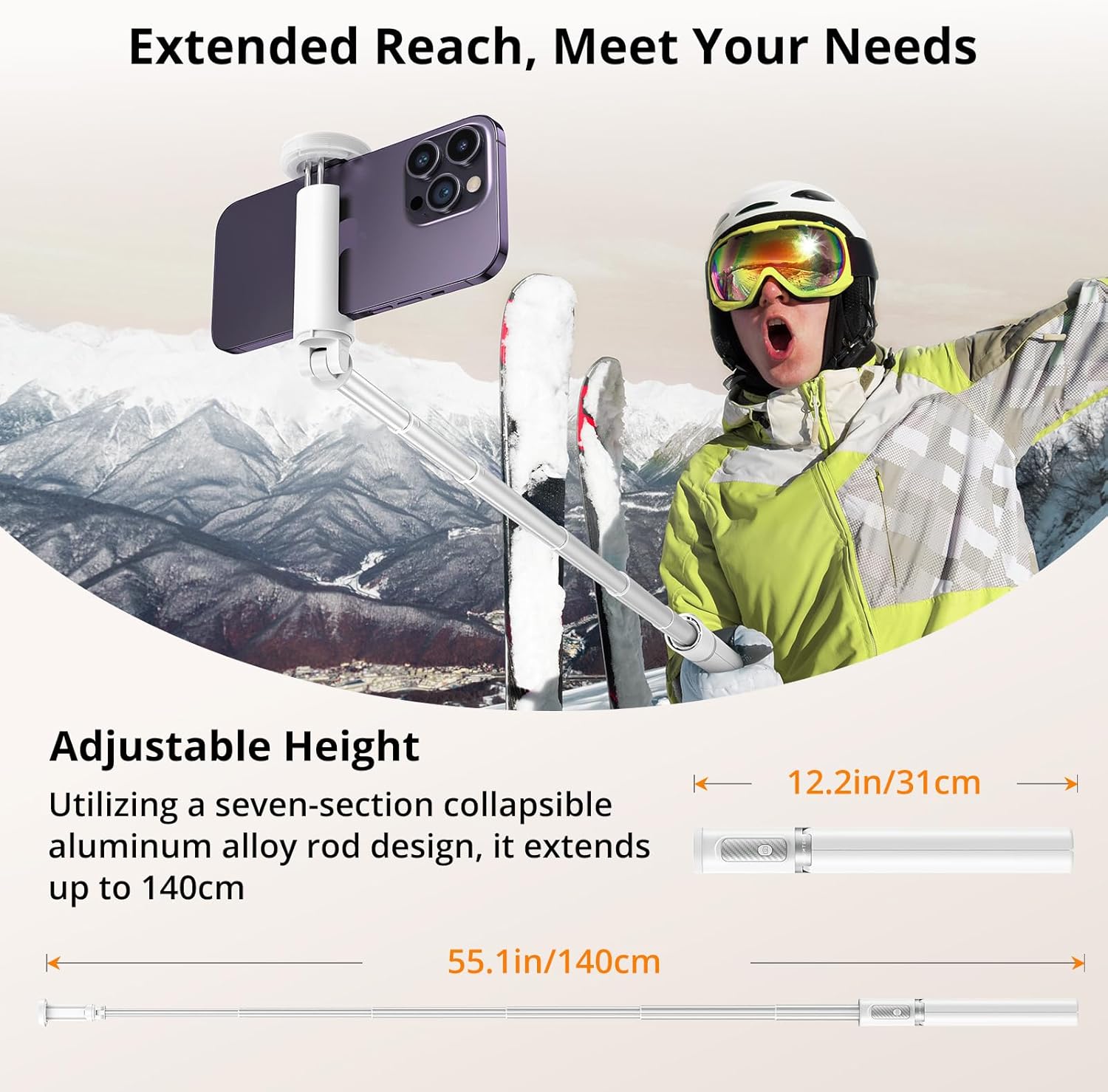
Image: Visual representation of the selfie stick's collapsed (12.2 inches) and fully extended (55.1 inches) states.
2. 스마트폰 연결
- 전화 열기 clamp. It is designed to securely hold smartphones with widths ranging from 2.12 inches (54mm) to 3.62 inches (92mm).
- 스마트폰을 조심스럽게 클립에 넣으세요amp, ensuring it is centered and held firmly by the non-slip silicone pads.

Image: The phone clamp demonstrating its adjustable range and compatibility with different phone sizes.
3. 블루투스 리모컨 페어링
- The Bluetooth remote is integrated into the handle. Gently slide it out to detach.
- 리모컨의 버튼을 표시등이 깜빡일 때까지 길게 누르세요. 표시등이 깜빡이면 페어링 모드에 진입한 것입니다.
- 스마트폰에서 Bluetooth 설정으로 가서 사용 가능한 기기를 검색하세요.
- Select "ATUMTEK" or a similar name from the list to connect. The indicator light on the remote will stop flashing once successfully paired.
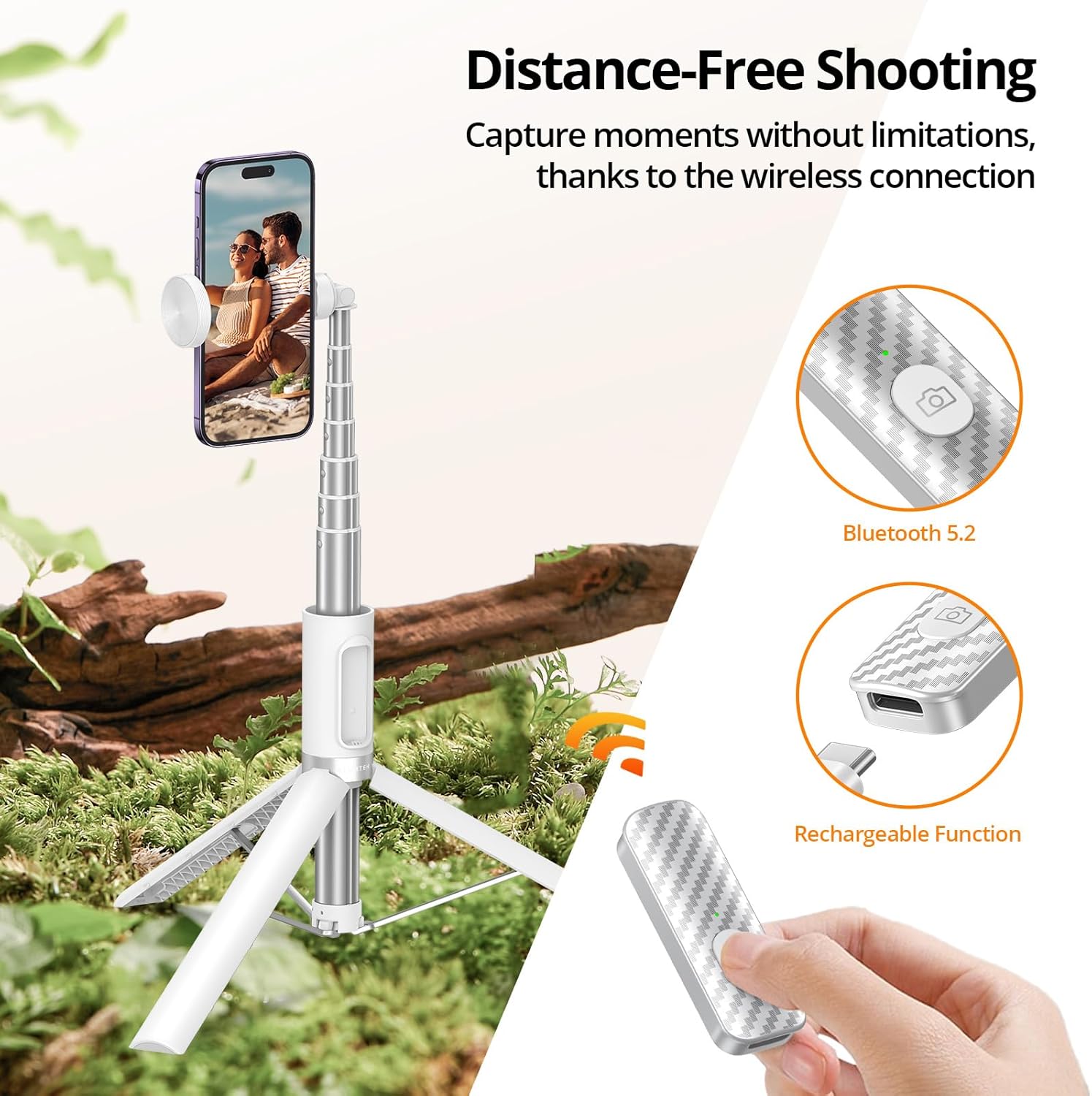
Image: The detachable Bluetooth remote, showing its design and charging capability.
작동 지침
셀카봉으로 사용하기
- 삼각대 다리가 접혀서 손잡이 안에 고정되어 있는지 확인하십시오.
- 알루미늄 막대를 원하는 길이로 늘립니다.
- Hold the handle firmly and use the Bluetooth remote to capture photos or start/stop video recording.

Image: The product demonstrating its use as a selfie stick for on-the-go capture.
삼각대로 사용하기
- Extend the tripod legs fully and place the tripod on a flat, stable surface.
- Adjust the height of the pole as needed.
- Use the Bluetooth remote to take stable photos or videos from a distance.
Image: The product demonstrating its use as a stable tripod for professional shots and group photos.
방향 조정
- 전화 clamp allows for 360-degree rotation, enabling you to switch between portrait and landscape modes effortlessly.
- 더 클amp also offers 180-degree tilt for finding the optimal filming angle.
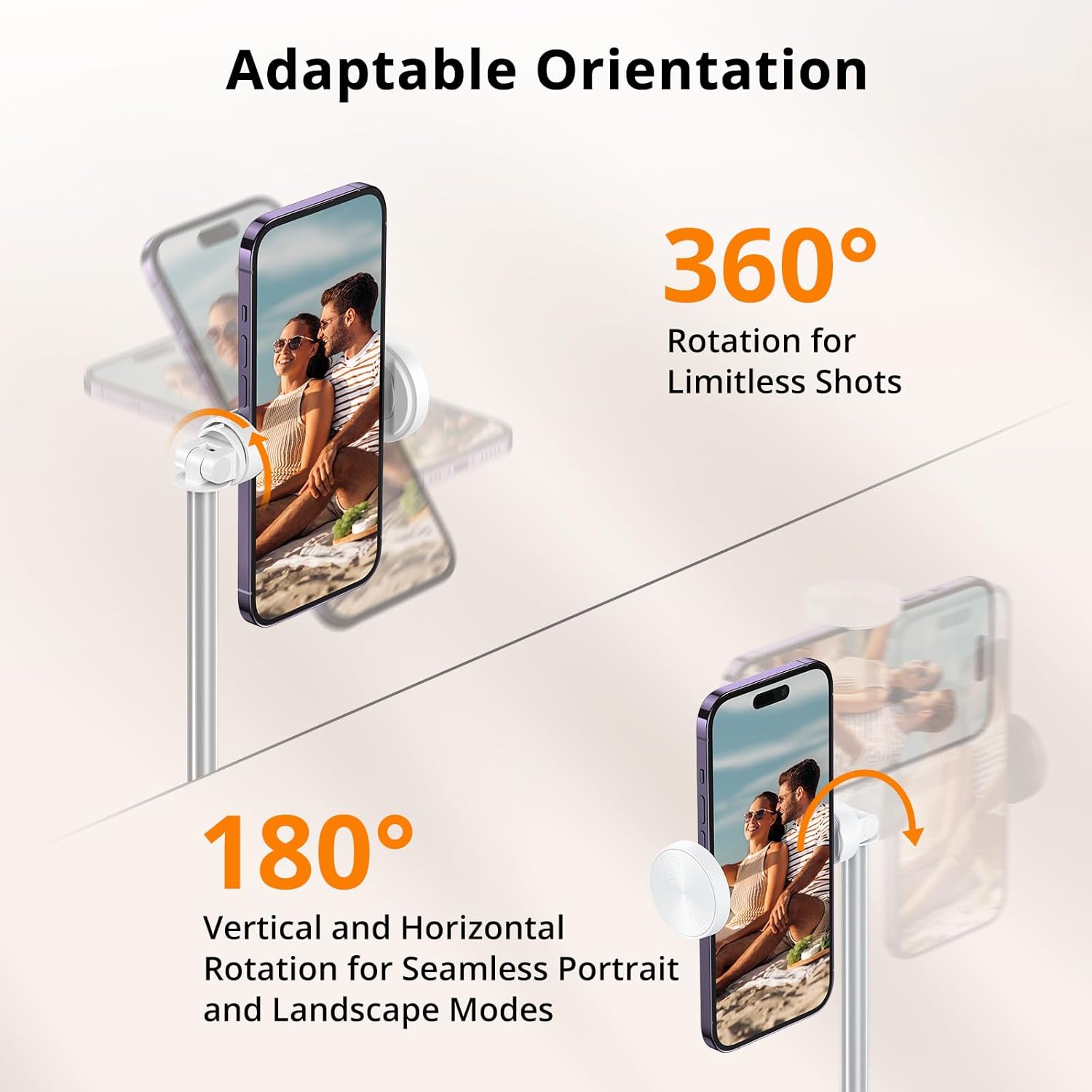
Image: Visual guide to rotating and tilting your smartphone on the tripod.
공식 제품 영상
Video: An unboxing and first impressions review of the ATUMTEK Selfie Stick Tripod, provided by the seller.
비디오: 홍보 영상 쇼asing the ATUMTEK ATSS158 55" Selfie Stick Tripod in white, provided by the seller.
유지
- 부드럽고 마른 천으로 닦아 기기를 깨끗하게 유지하세요. 연마성 세제나 용제는 사용하지 마세요.
- Ensure the extendable pole sections are free of dust and debris to allow for smooth extension and retraction.
- 사용하지 않을 때는 셀카봉 삼각대를 서늘하고 건조한 곳에 보관하십시오.
- Charge the Bluetooth remote regularly to maintain battery health, especially if not used for extended periods.

Image: Components of the product, emphasizing the quality of materials for durability.
문제 해결
원격 연결 안 됨
- Ensure the remote is charged. Connect it to a power source using the provided Type-C cable.
- 스마트폰에서 Bluetooth가 활성화되어 있는지 확인하세요.
- Unpair and re-pair the remote from your phone's Bluetooth settings.
- Ensure the remote is within the 33ft/10 meter operating range.
삼각대 불안정성
- 삼각대 다리가 완전히 펴지고 제자리에 고정되었는지 확인하세요.
- Place the tripod on a flat, level surface.
- 스마트폰이 안전하게 닫혀 있는지 확인하십시오.amp균형 잡히고 조화로운.

Image: The stable double-triangle structure of the tripod base.
명세서
| 특징 | 세부 사항 |
|---|---|
| 모델 번호 | ATSS158 |
| 재료 | High-quality Aluminum, ABS+PC |
| 접힌 길이 | 12.2인치(31cm) |
| 확장된 길이 | 55인치(140cm) |
| 품목 무게 | 12.3온스(350그램) |
| 전화번호amp 범위 | 2.12인치(54mm) ~ 3.62인치(92mm) |
| 블루투스 버전 | 5.2 |
| 원격 배터리 용량 | 50mAh (rechargeable Lithium Ion) |
| 원격 범위 | 최대 33미터(10피트) |
| 회전 각도 | 360 degrees (phone clamp) |
| 기울기 각도 | 180 degrees (phone clamp) |
보증 및 지원
ATUMTEK is committed to providing high-quality products and excellent customer service. Your ATUMTEK Selfie Stick Tripod comes with the following support:
- 30일 무료 반품 정책: 구매하신 상품에 만족하지 못하시는 경우 30일 이내에 반품하시면 전액 환불해 드립니다.
- 24-Month Hassle-Free Replacement Service: For any manufacturing defects or issues arising within 24 months of purchase, ATUMTEK offers a free replacement.
- Lifelong Friendly Customer Support: Our dedicated customer support team is available to assist you with any questions or concerns you may have throughout the lifetime of your product.
For support, please refer to the contact information provided on the product packaging or the official ATUMTEK web대지.


