소개
Thank you for choosing the Andeman Level 2 EV Charger. This portable 240V charger is designed to provide efficient and reliable charging for your electric and hybrid vehicles, featuring a SAE-J1772 connector and NEMA 14-50 plug. With adjustable current settings, smart app control, and robust safety features, this manual will guide you through its setup, operation, and maintenance to ensure optimal performance and longevity.

Image: The Andeman Level 2 EV Charger, showcasing the main control unit, the J1772 charging plug, and a compact carrying case. An accompanying smartphone screen displays the charger's smart app interface.
안전 정보
설치 및 사용 전에 모든 안전 경고 및 지침을 주의 깊게 읽으십시오. 지침을 따르지 않을 경우 감전, 화재 또는 심각한 부상이 발생할 수 있습니다.
- Ensure the electrical outlet and wiring are suitable for the charger's specifications (240V, 32A). Consult a qualified electrician if unsure.
- Do not use the charger if the cable, plug, or charging connector is damaged.
- Keep the charger and cables away from water, flammable materials, and extreme temperatures. The unit is IP66 waterproof, but proper care is still essential.
- Do not attempt to disassemble or repair the charger. Contact customer support for assistance.
- Always ensure the charging connector is fully inserted into the vehicle's charging port before initiating charging.
- The charger includes overheating protection. If the unit becomes excessively hot, it will automatically reduce power or stop charging.

Image: Visual representation of the charger's durability, highlighting its ability to withstand extreme temperatures (50°C and -30°C), IP66 waterproof rating, and integrated overheating protection.
제품 특징
- 빠른 충전: Delivers up to 7.68kW (32A) for rapid charging, significantly reducing charging times compared to Level 1 chargers.
- 조정 가능한 전류: Current can be adjusted between 8-32 Amps to match your electrical circuit capacity and prevent overloads.
- 보편적 인 호환성 : Equipped with a standard SAE J1772 plug, compatible with most electric and hybrid vehicles. (Note: Tesla vehicles require an additional adapter, not included).
- 스마트 APP 제어: Connect via WiFi for remote control, scheduled charging, current adjustment, charging time management, and real-time monitoring of charging status and statistics.
- 25 FT Cable: 제공합니다 ample reach for convenient charging in various locations, whether indoors or outdoors.
- 휴대성 있는 디자인: Easy to store and carry, making it suitable for both home charging stations and mobile use at campsites or during fieldwork.
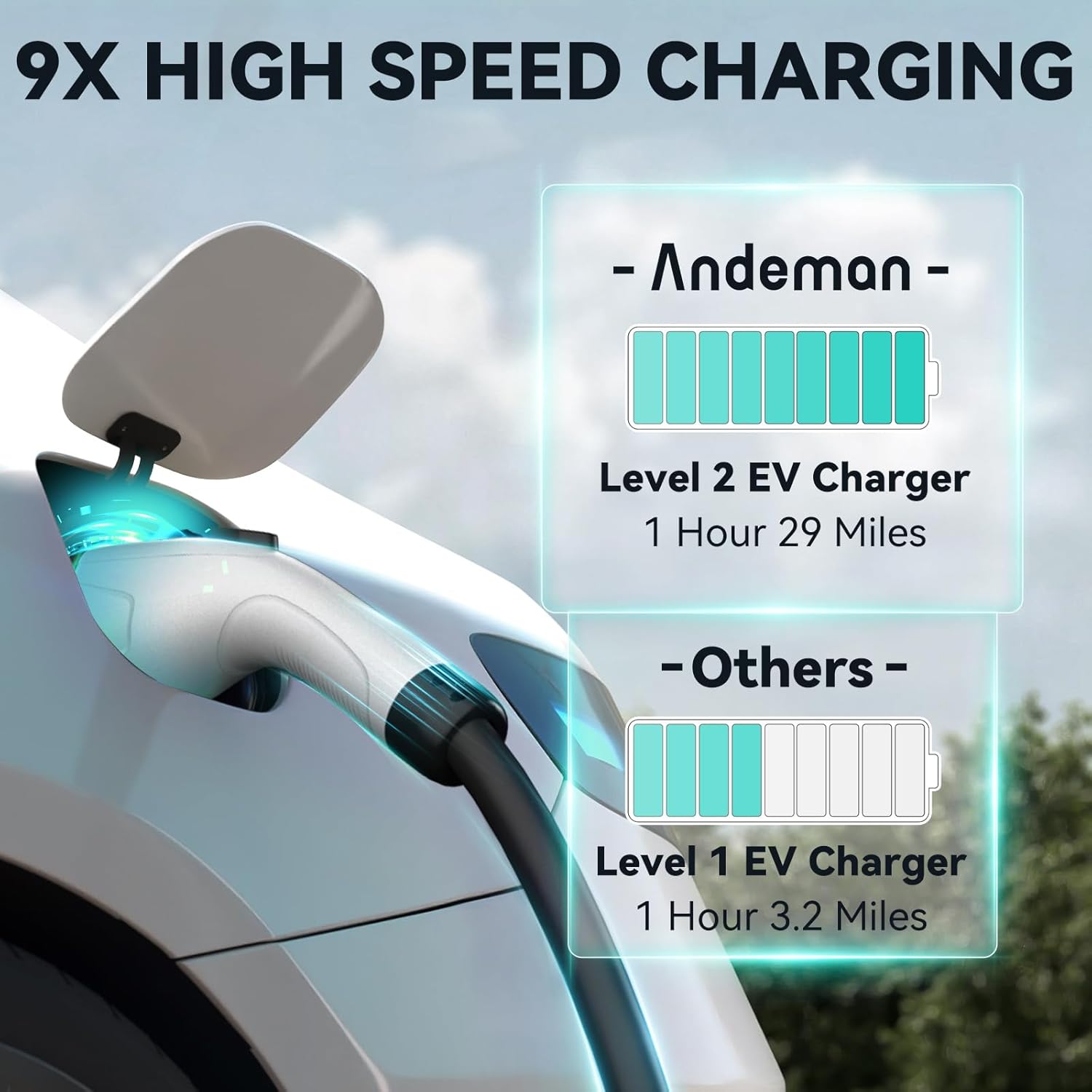
이미지: 속도 우위를 보여주는 그래픽tage of the Andeman Level 2 EV Charger, showing it charges up to 9 times faster than a typical Level 1 charger, adding approximately 29 miles of range per hour.

Image: A visual demonstrating the adjustable current feature of the charger, with options ranging from 8A to 32A, and corresponding miles per hour of charge.
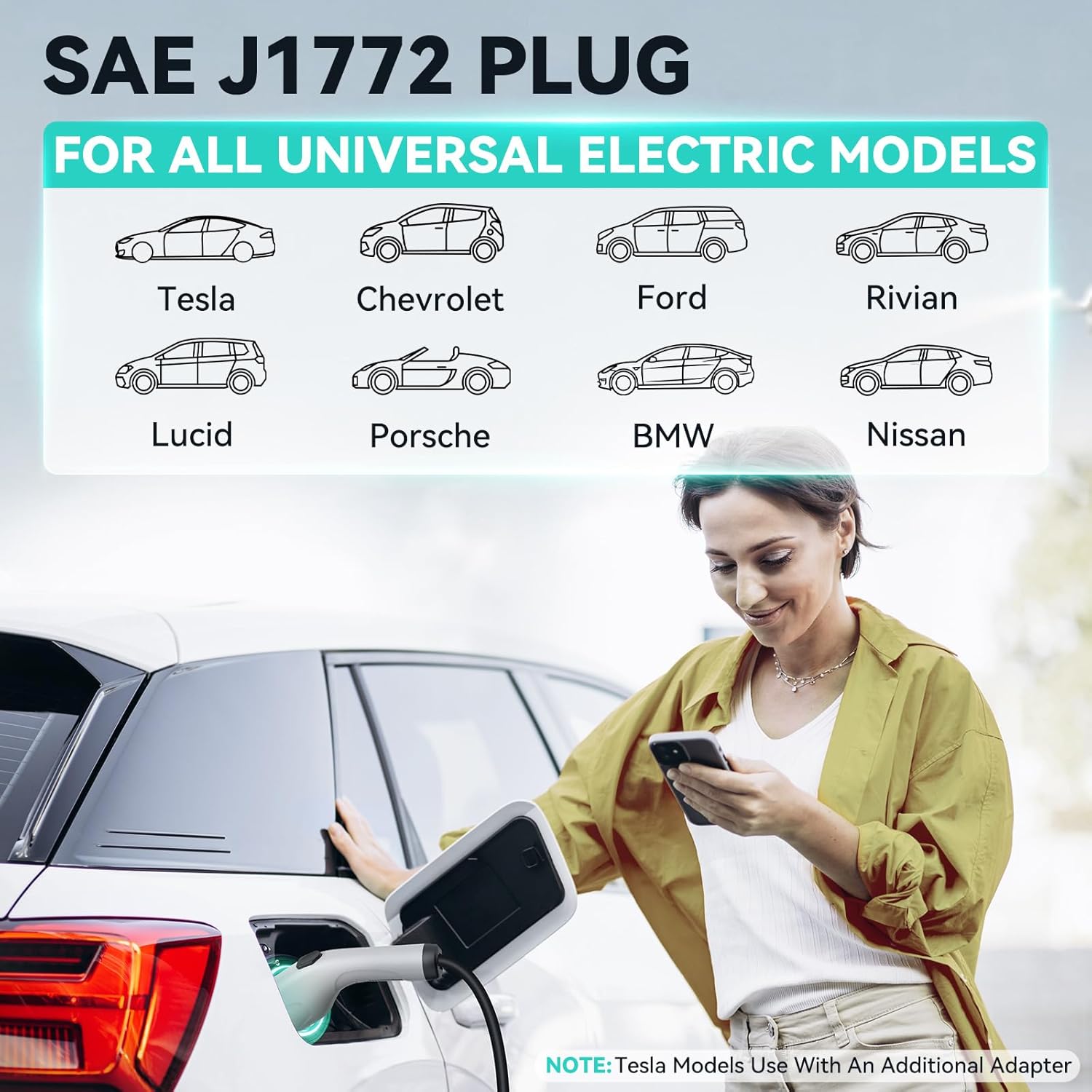
Image: An illustration showing the SAE J1772 plug and its compatibility with various electric vehicle brands such as Tesla (with adapter), Chevrolet, Ford, Rivian, Lucid, Porsche, BMW, and Nissan.
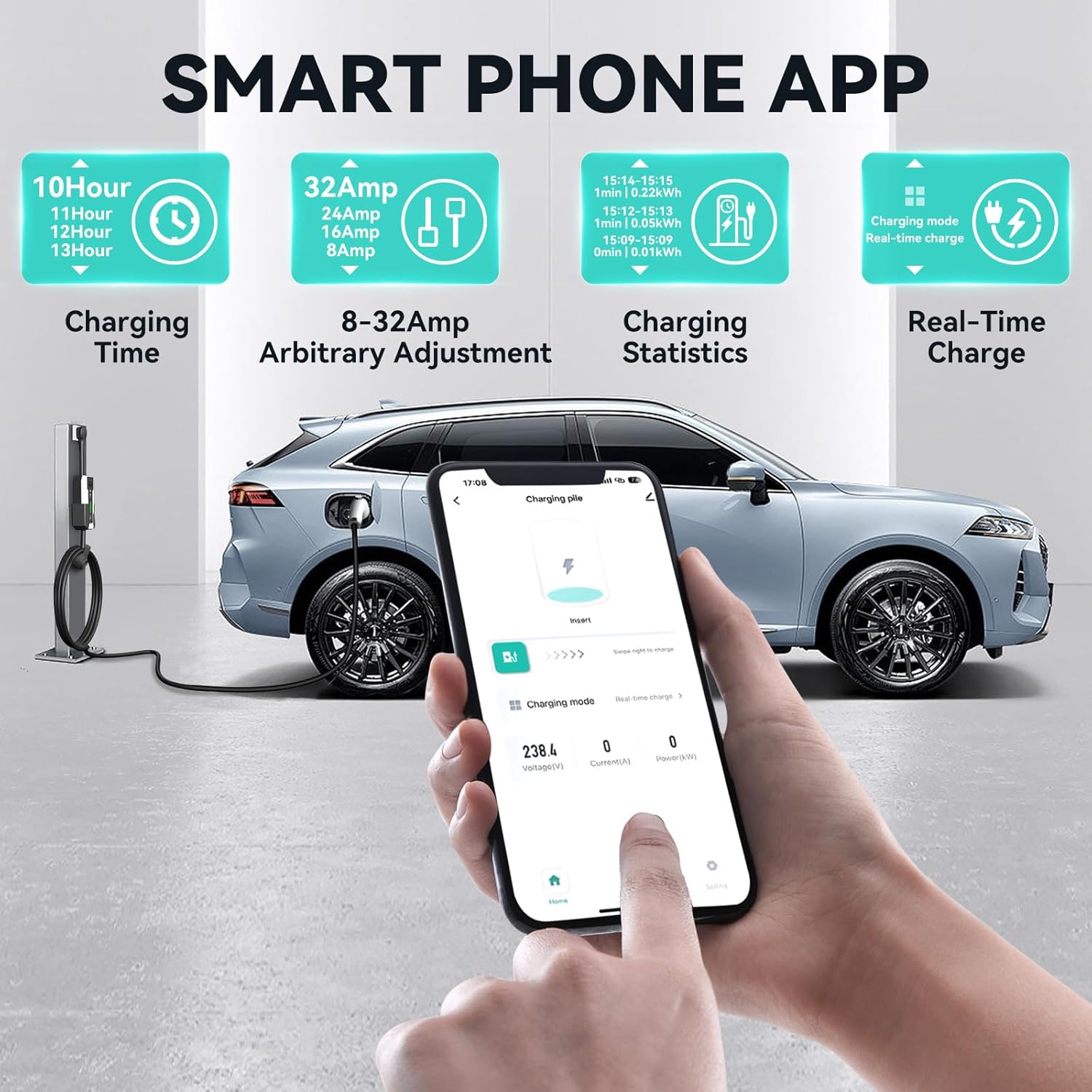
Image: A smartphone displaying the Andeman EV charger app interface, showing features like charging time, arbitrary amperage adjustment (8-32A), charging statistics, and real-time charge status.

이미지: 오버헤드 view illustrating the convenience of the 25-foot charging cable, allowing the EV charger to reach vehicles parked at a distance.

Image: Two scenarios demonstrating the charger's versatility: as a fixed EV charging station at home or a parking lot, and as a mobile EV charger for use at camp sites, picnics, or fieldwork.
설정
1. 물리적 설치
- 위치를 선택하십시오 : Select a dry, well-ventilated area near a NEMA 14-50 outlet. Ensure the 25 FT cable can comfortably reach your vehicle's charging port.
- 장착(선택 사항): The charger can be mounted to a wall using appropriate hardware (not included) for a permanent charging station setup. Ensure the mounting surface is sturdy enough to support the charger's weight.
- 전원에 연결: Plug the NEMA 14-50 plug into a dedicated 240V NEMA 14-50 outlet. The charger's display should illuminate.
2. Smart APP Installation & Connection
- 앱 다운로드 : Scan the QR code provided in the charger's packaging or search for "Andeman EV Charger" (or similar, check packaging for exact name) in your smartphone's app store (iOS/Android).
- 등록/로그인: 계정을 만들거나 이미 계정이 있으면 로그인하세요.
- 장치 추가: Follow the in-app instructions to add your EV charger. This typically involves putting the charger into pairing mode (refer to charger display or physical buttons for specific instructions) and connecting it to your home WiFi network.
- 연결 확인: Once connected, the app should display the charger's status, and you should be able to control it remotely.
Video: This video demonstrates the key features of the Andeman EV charger's smart app, including setting charging schedules, adjusting current, and tracking historical charging data. It highlights how the app enhances user control and monitoring of the charging process.
작동 지침
1. Starting a Charge (Plug-and-Charge Mode)
- Ensure the charger is powered on and connected to your NEMA 14-50 outlet.
- 차량의 충전 포트를 여세요.
- Firmly insert the SAE J1772 charging connector into your vehicle's charging port until it clicks into place.
- The charger will automatically detect the vehicle and begin charging. The display will show real-time charging data (voltage, current, power, time).
2. 전류 조정
- 앱을 통해: Open the Andeman EV Charger app. Navigate to the current adjustment section. Select your desired amperage (8A-32A) and confirm. (Note: Current adjustment is typically available in standby mode, before charging begins).
- Via Charger Button: The charger unit may have a physical button to cycle through preset amperage settings (e.g., 16A, 24A, 32A). Refer to the charger's display for the current setting.
3. Scheduled Charging (Via App)
- Connect the charger to your vehicle.
- In the Andeman EV Charger app, select the "Delayed Charging" or "Scheduled Charging" option.
- Set the desired start time or delay duration. This feature is useful for charging during off-peak electricity hours to save costs.
- Confirm your settings. The charger will wait until the scheduled time to begin charging.
4. 기소 중지
- 차량을 이용하는 경우: Most EVs allow you to stop charging from within the vehicle's infotainment system or companion app.
- Via Charger Button: Press the stop/power button on the charger unit.
- 앱을 통해: Use the "Click to turn off the power" or similar button in the app.
- Once charging has stopped, safely disconnect the charging connector from your vehicle.
유지
- 청소: Regularly wipe the charger unit and cables with a soft, dry cloth. Do not use abrasive cleaners or solvents. Ensure the unit is unplugged before cleaning.
- 케이블 관리: Avoid kinking, twisting, or driving over the charging cable. Store the cable neatly when not in use to prevent damage.
- 저장: When not in use for extended periods, store the charger in a cool, dry place, ideally in its original carrying case.
- 점검: Periodically inspect the plug, cable, and charging connector for any signs of wear, damage, or corrosion.
문제 해결
| 문제 | 가능한 원인 | 해결책 |
|---|---|---|
| Charger not starting/no power. | No power from outlet; circuit breaker tripped; charger fault. | Check NEMA 14-50 outlet and circuit breaker. Ensure plug is fully inserted. If problem persists, contact support. |
| 충전이 예기치 않게 중단됩니다. | Overheating protection activated; vehicle full; power interruption. | Check charger display for error codes. Allow charger to cool if overheated. Verify vehicle charge level. Check power supply. |
| App not connecting or showing incorrect data. | WiFi connectivity issues; app glitch; incorrect pairing. | Ensure charger is within WiFi range. Restart app and charger. Re-pair device if necessary. Check app for updates. |
| Current setting resets or changes. | App setting override; internal software issue. | Re-set desired current via app. Ensure no conflicting schedules or settings are active. If persistent, contact support. |
| Vehicle not recognized by charger. | Connector not fully inserted; vehicle charging port issue. | Ensure the J1772 connector is fully and firmly seated. Check vehicle's charging port for obstructions. |
명세서
| 특징 | 세부 사항 |
|---|---|
| 상표 | 안데만 |
| 모델 번호 | HS1 |
| 입력 Voltage | 240V |
| 맥스 Amp에라 지 | 32 Amps |
| 최대 전력 출력 | 7.68kw |
| 충전 커넥터 | SAE J1772 |
| 전원 단자 | NEMA 14-50 |
| 케이블 길이 | 25 FT |
| 방수 등급 | IP66 |
| 특별 기능 | Adjustable Current, Smart APP Control, Scheduled Charging, Overheating Protection |
| 품목 무게 | 11.31파운드 |
| 제품 치수 | 16.5 x 15.7 x 5.9 인치 |
보증 및 지원
For warranty information and technical support, please refer to the documentation included with your product or visit the official Andeman website. If you encounter any issues not covered in this manual, please contact Andeman customer service for assistance.
또한 방문할 수 있습니다 Andeman Store on Amazon 자세한 제품 정보와 지원 리소스를 확인하세요.


