1. 서론
Thank you for choosing the Mesqool CR1024 Projection Alarm Clock. This device combines a digital alarm clock with a time projector, displaying time on your wall or ceiling. It also features temperature and humidity monitoring, dual alarms, a night light, and USB charging ports. This manual will guide you through the setup, operation, and maintenance of your new alarm clock.
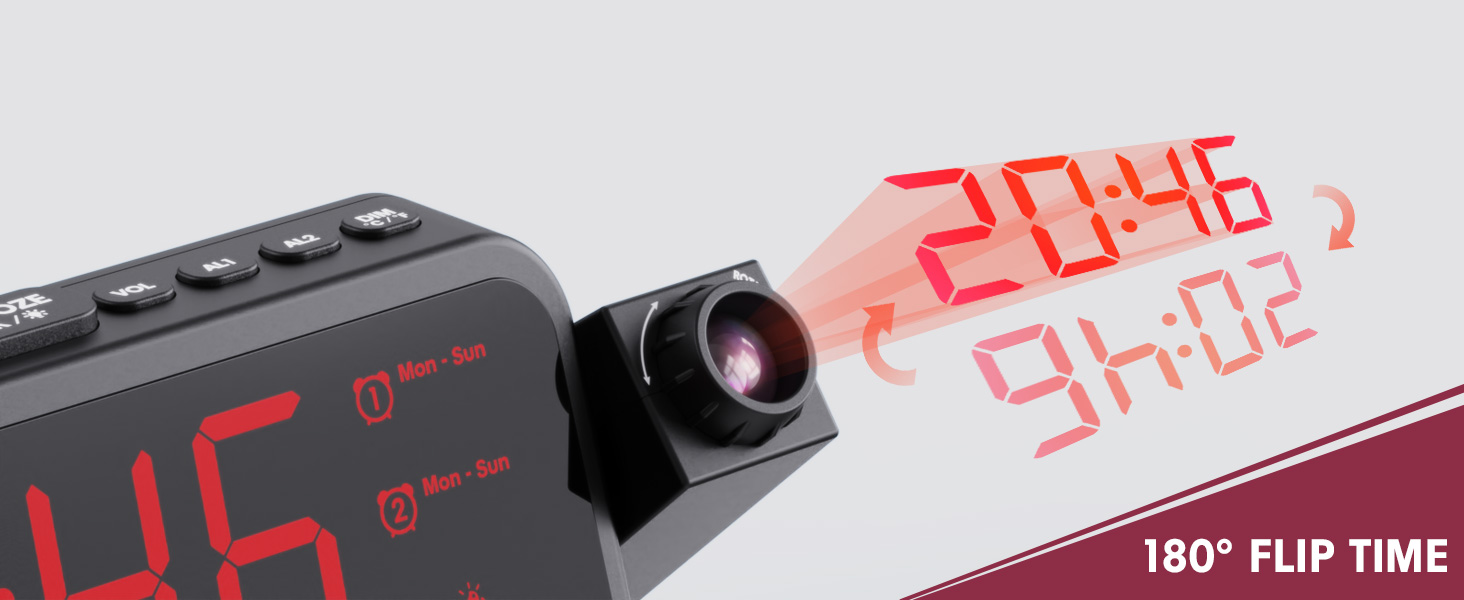
Image 1.1: Mesqool CR1024 Projection Alarm Clock with a smartphone connected for charging.
주요 특징:
- 180° Swivel Projection with Adjustable Focus
- Large LED Display with Time, Date, Day, Temperature, and Humidity
- Dual Alarms with Weekday/Weekend/7-Day/One-time Modes
- 9-Minute Snooze Function
- Integrated Soft LED Night Light with Adjustable Brightness
- 7-Level Adjustable Alarm Volume
- 5단계 디스플레이 디머
- Memory Function (requires 2x AAA batteries, not included)
- Dual USB Charging Ports (Type-C and USB-A)
2. 설정
2.1 전원 연결
- 제공된 전원 어댑터를 알람시계 뒷면의 DC IN 포트에 연결하십시오.
- 전원 어댑터를 일반 콘센트에 꽂으세요. 시계 화면에 불이 들어옵니다.
- 외출 중 백업 전원용tages, insert two AAA batteries (not included) into the battery compartment. This will preserve time and alarm settings.
2.2 초기 시간 및 날짜 설정
- 를 누르고 계세요 시간 설정 버튼을 눌러 시간 설정 모드로 들어갑니다.
- 사용하세요 + or - 시간을 조정하려면 버튼을 누르세요. 시간 설정 확인합니다.
- 분, 연도, 월, 일을 설정하려면 이 과정을 반복하십시오.
- 누르다 시간 설정 설정 모드를 종료하려면 다시 누르세요.
2.3 12/24 Hour Format and DST
- 12시간제와 24시간제 시간 형식을 전환하려면 버튼을 누르세요. 12/24시간 단추.
- To activate or deactivate Daylight Saving Time (DST), press the 일광 절약 시간제 button. An indicator will appear on the display when DST is active.

Image 2.1: The clock displaying time in both 12-hour and 24-hour formats.
3. 사용 설명서
3.1 알람 설정
The clock supports two independent alarms (AL1 and AL2).
- 를 누르고 계세요 AL1 or AL2 버튼을 누르면 알람 설정 모드로 들어갑니다.
- 사용하세요 + or - buttons to adjust the alarm hour. Press the respective alarm button (AL1 or AL2) 확인.
- 알람 시간을 설정하려면 이 과정을 반복하세요.
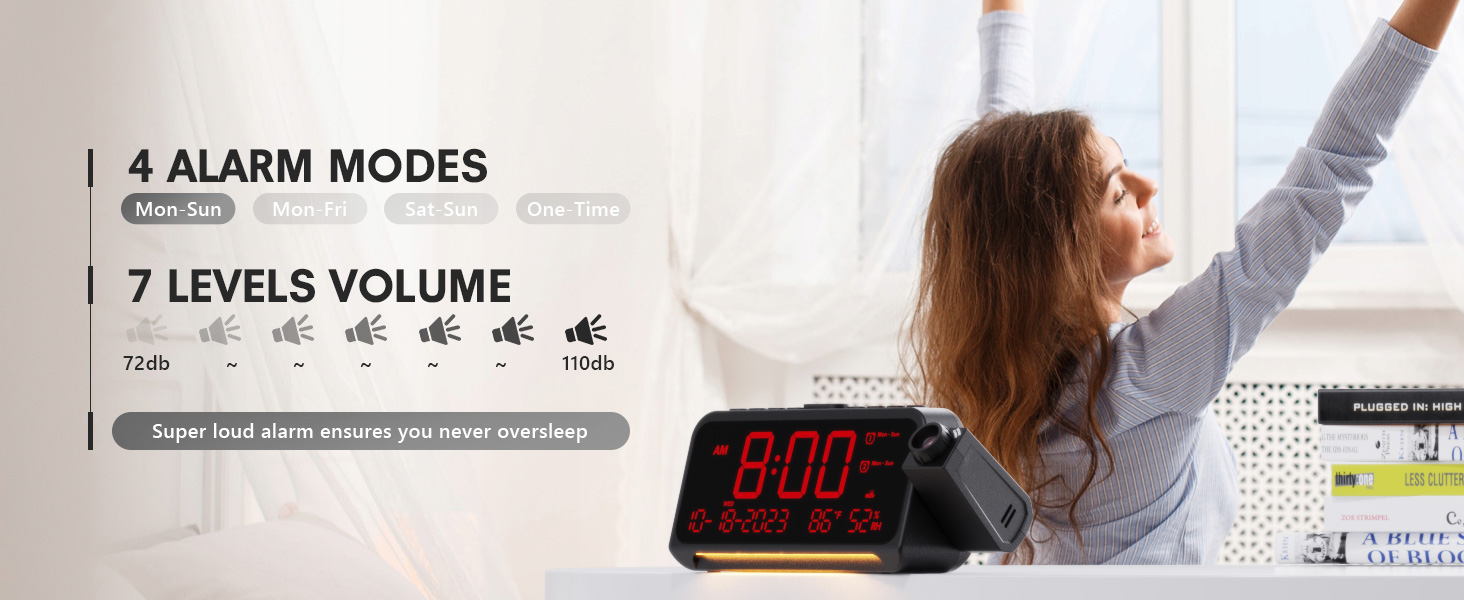
- After setting the minute, use + or - to select the alarm mode: Mon-Sun, Mon-Fri, Sat-Sun, or One-time.
- Press the alarm button again to confirm and exit.
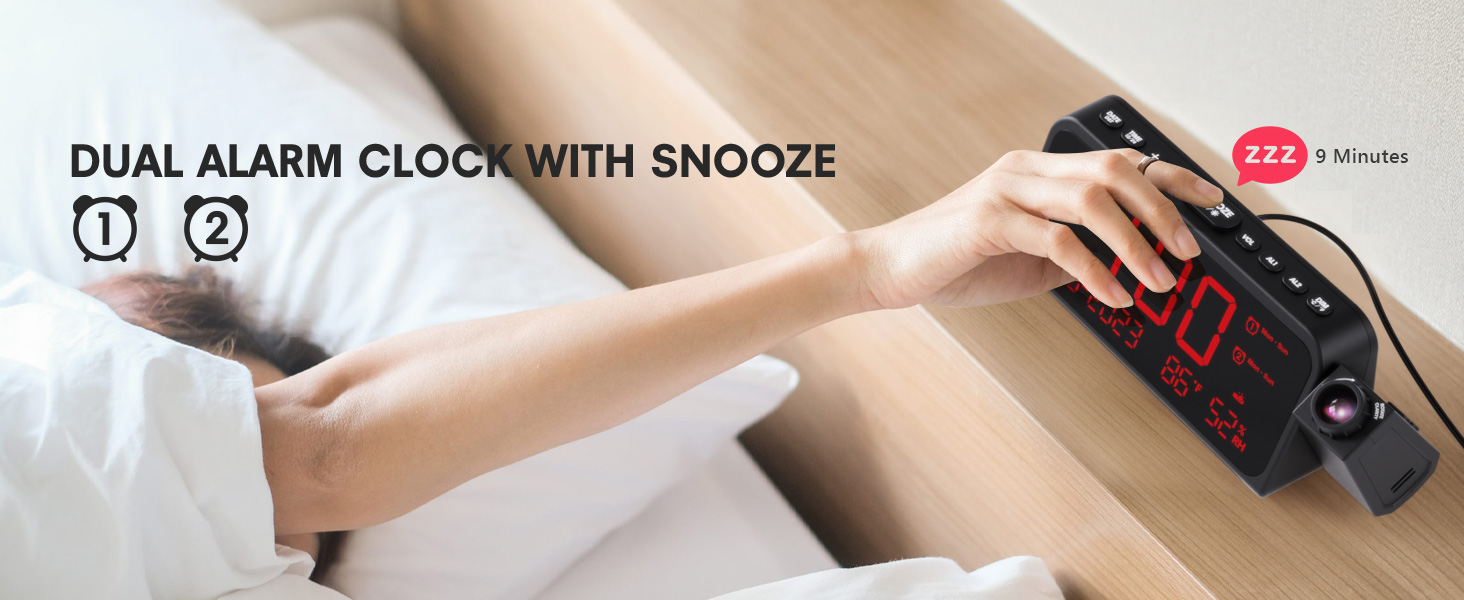
Image 3.1: The clock displaying dual alarm settings and snooze functionality.
3.2 스누즈 기능
알람이 울리면 큰 버튼을 누르세요. SNOOZE/OK/* 버튼을 눌러 스누즈 기능을 활성화하세요. 알람은 9분간 멈췄다가 다시 울립니다.
3.3 알람 볼륨 조절
를 누르세요 권 button to cycle through 7 levels of alarm volume. Adjust to your preferred loudness.

Image 3.2: Visual representation of the 4 alarm modes and 7 adjustable volume levels.
3.4 프로젝션 설정
- 프로젝션 켜기/끄기: 를 누르세요 투사 투사를 켜거나 끄는 버튼입니다.
- 투사 밝기: 반복해서 누르세요 투사 button to cycle through 5 brightness levels (Dim, Low, Medium, High, Full).
- 투영 방향: The projector arm can swivel 180 degrees. Rotate the arm to direct the time display to your desired surface (wall or ceiling).
- 초점 조정: Use the focus ring on the projector lens to sharpen the projected image.
이미지 3.3: 상세 view of the projection features, including distance, time flip, rotation, focus, and brightness levels.
3.5 디스플레이 디머
를 누르세요 주차 button to adjust the brightness of the main LED display. There are 5 levels of brightness to choose from, allowing you to customize it for comfort, especially at night.
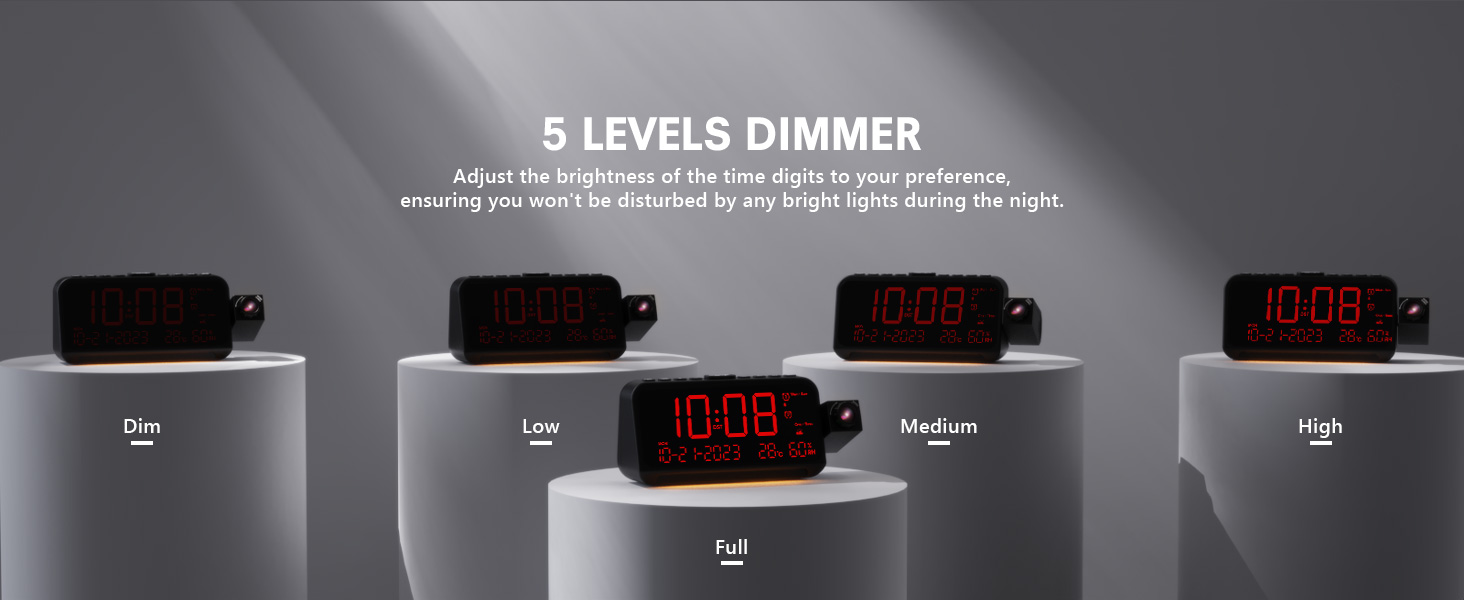
Image 3.4: The clock demonstrating its 5-level adjustable display dimmer.
3.6 야간 조명
The clock features a soft LED night light located at the bottom. Press the 빛 button to cycle through Off, Medium, and Full brightness settings for the night light.
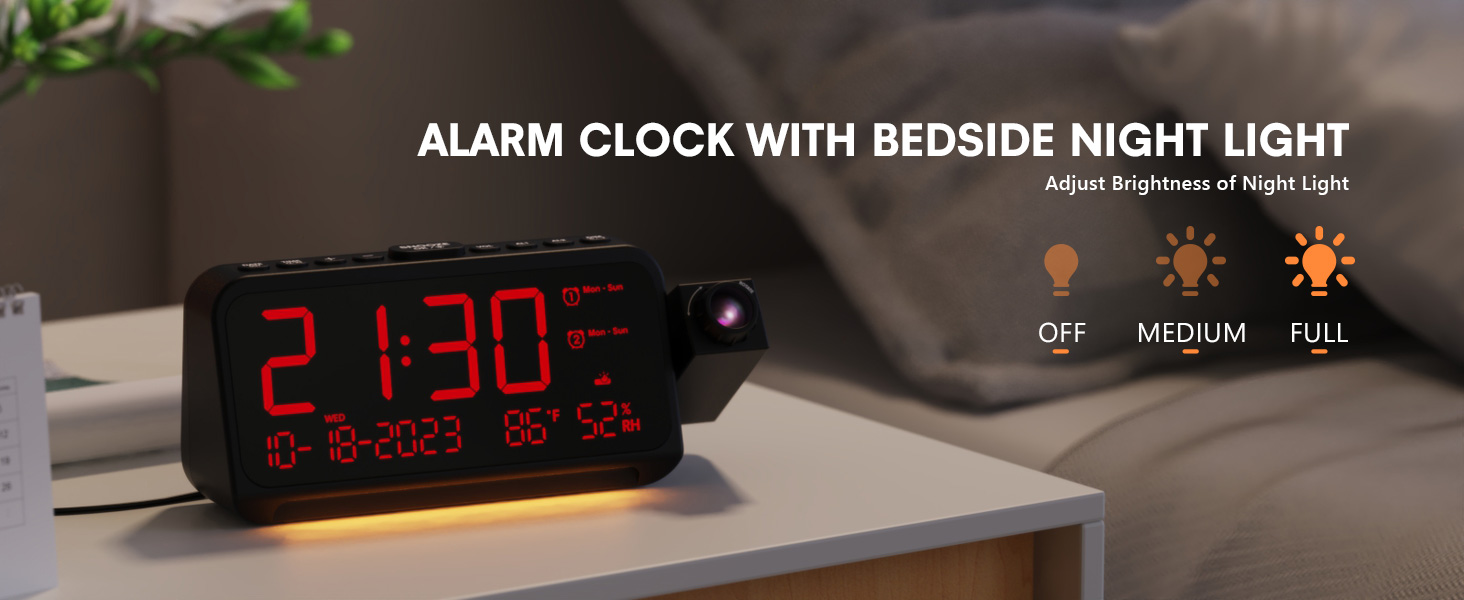
Image 3.5: The clock with its integrated night light, showing different brightness options.
USB 충전 포트 3.7개
The clock is equipped with a Type-C and a standard USB-A charging port on the back. You can use these ports to charge your mobile devices while the clock is powered.

Image 3.6: The back of the clock showing the Type-C and USB-A charging ports in use.
4. 유지관리
To ensure the longevity and optimal performance of your Mesqool CR1024 Projection Alarm Clock, follow these maintenance guidelines:
- 청소: Wipe the clock's surface with a soft, dry cloth. Avoid using abrasive cleaners, solvents, or chemical sprays, as these can damage the finish or electronic components.
- 환경: Place the clock in a dry environment, away from direct sunlight, extreme temperatures, and high humidity.
- 통풍: 과열을 방지하려면 통풍구가 막히지 않도록 주의하세요.
- 배터리 교체: If using AAA batteries for backup, replace them annually or when the low battery indicator appears to ensure settings are retained during power outag에스.
5. 문제 해결
If you encounter issues with your Mesqool CR1024 Projection Alarm Clock, please refer to the following common problems and solutions:
| 문제 | 가능한 원인 | 해결책 |
|---|---|---|
| 영상이 흐릿하거나 불분명합니다. | Incorrect focus or projection distance. | Adjust the focus ring on the projector lens. Ensure the clock is within the optimal projection distance (4.92-9.84 ft). |
| 알람이 울리지 않거나 너무 조용합니다. | Alarm not activated or volume set too low. | Ensure the alarm is enabled (AL1/AL2 indicator on display). Press the 권 button to increase the alarm volume. |
| 화면이 너무 밝거나 너무 어둡습니다. | Display dimmer setting is not optimal. | 를 누르세요 주차 button to cycle through the 5 brightness levels. |
| 전원 꺼짐 후 시간/설정 초기화tage. | 예비 배터리가 없으며, 배터리도 방전되지 않았습니다. | Install two fresh AAA batteries (not included) in the battery compartment for memory backup. |
| Cannot change time format from 24-hour to 12-hour. | Incorrect button press or temporary glitch. | 를 누르세요 12/24시간 button. If the issue persists, try unplugging the clock for a few minutes and then reconnecting power. |
6. 사양
| 특징 | 세부 사항 |
|---|---|
| 상표 | 메스쿨 |
| 모델 번호 | CR1024 |
| 디스플레이 유형 | 디지털 LED |
| 전원 | 코드식 전기 |
| 배터리 백업 | AAA 배터리 2개(포함되지 않음) |
| 제품 치수 | 7.87"W x 3.4"H (7.87x2.36x3.43 inch) |
| 품목 무게 | 12온스(0.34킬로그램) |
| 재료 | 아크릴로니트릴 부타디엔 스티렌(ABS) |
| 특별 기능 | Projection, Dual Alarms, Snooze, Night Light, Temperature, Humidity, Calendar, DST, USB Charging |

Image 6.1: Dimensions of the Mesqool CR1024 Projection Alarm Clock.
7. 보증 및 지원
7.1 보증 정보
This Mesqool CR1024 Projection Alarm Clock comes with a 24개월 보증 from the date of purchase. Mesqool also provides lifetime support for this product. Please retain your proof of purchase for warranty claims.
7.2 고객 지원
For any questions, technical assistance, or warranty inquiries, please contact Mesqool customer support through the retailer where you purchased the product or refer to the official Mesqool web연락처 정보 사이트.


