1. 서론
Thank you for choosing the SIMOLIO SM-829D2 Dual Wireless Headphones for TV. This system is designed to provide an enhanced audio experience for television viewing, offering clear dialogue, adjustable volume, and the convenience of wireless listening. The 2-in-1 transmitter and charging stand ensures your headphones are always ready for use. This manual will guide you through the setup, operation, and maintenance of your new headphones.
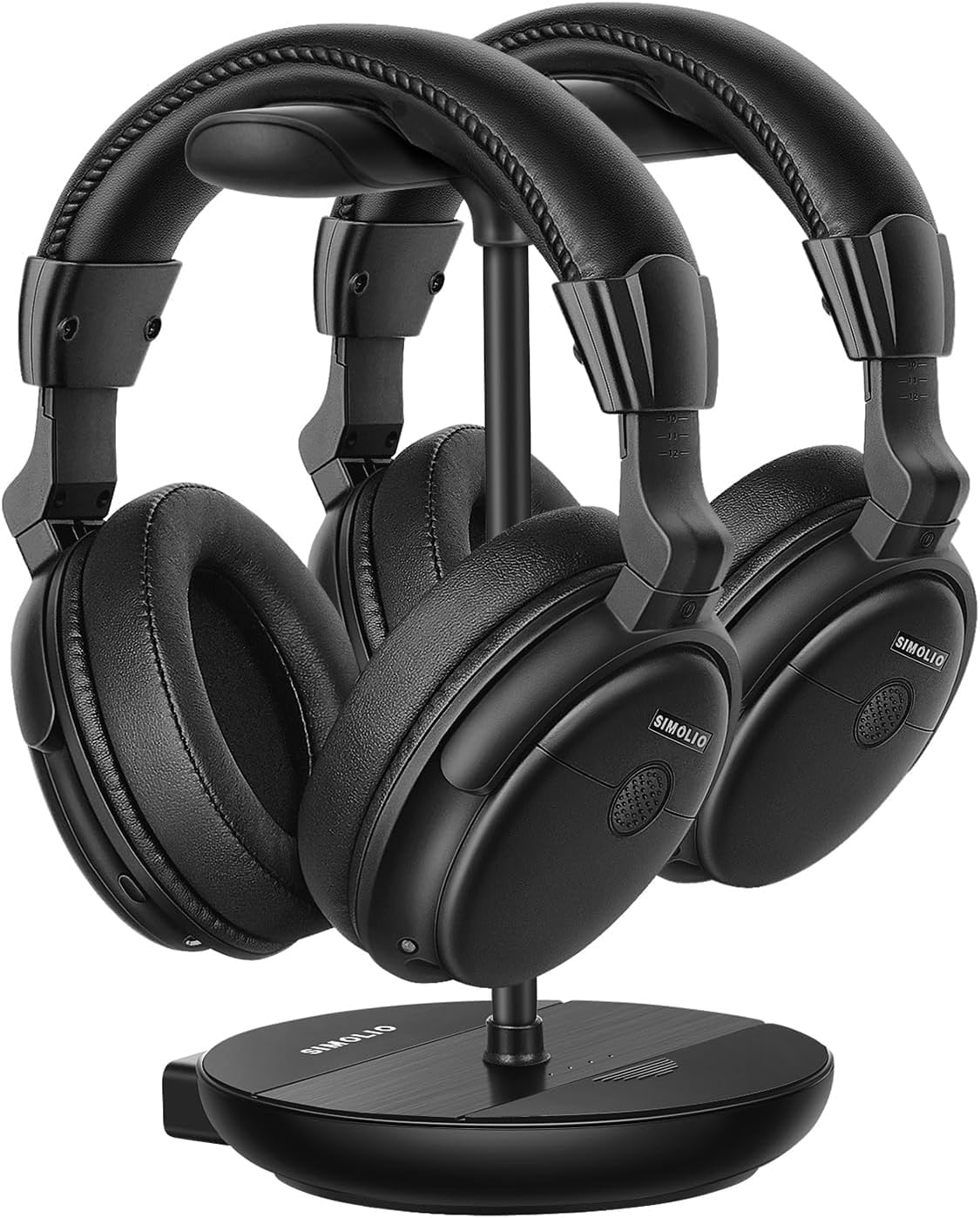
Image 1.1: The SIMOLIO SM-829D2 Dual Wireless Headphones with their charging stand.
2. 패키지 내용
패키지에 모든 품목이 들어 있는지 확인하세요.
- 2 x SIMOLIO SM-829D2 Wireless Headphones
- 1 x Transmitter / Charging Stand
- 광 오디오 케이블 1개
- 1 x RCA 오디오 케이블
- 1 x 3.5mm 오디오 케이블
- 2 x USB 충전 케이블
- 1 x 전원 어댑터
- 1 x Spare Rechargeable Battery
- 1 x 사용자 매뉴얼(이 문서)

Image 2.1: All components included in the SIMOLIO SM-829D2 package.
3. 초기 설정
3.1. 헤드폰 충전
Before first use, fully charge both headphones and the spare battery. Place the headphones on the charging posts of the transmitter stand. Insert the spare battery into the designated slot on the stand. The charging indicator lights will show charging status.

Image 3.1: Headphones and spare battery charging on the 2-in-1 stand.
3.2. 송신기를 TV에 연결하기
The SIMOLIO SM-829D2 transmitter supports Optical, RCA, and 3.5mm AUX audio inputs. Choose the connection method compatible with your TV.
- 광 연결(디지털 오디오에 권장):
- Connect one end of the Optical cable to the 옵티컬 아웃 TV의 포트.
- 다른 쪽 끝을 다음에 연결하세요. 광학 입력 port on the SIMOLIO transmitter.
- TV의 오디오 설정에서 디지털 오디오 출력 형식을 다음으로 설정하세요. 피씨엠. (Refer to your TV manual for specific instructions).
- RCA Connection (Analog Audio):
- Connect the red and white plugs of the RCA cable to the corresponding 오디오 출력(L/R) TV의 포트.
- 다른 쪽 끝을 다음에 연결하세요. RCA 인 ports on the SIMOLIO transmitter.
- 3.5mm AUX Connection (Analog Audio):
- 3.5mm 오디오 케이블의 한쪽 끝을 헤드폰 출력 or 오디오 출력 TV의 포트.
- 다른 쪽 끝을 다음에 연결하세요. AUX IN port on the SIMOLIO transmitter.

Image 3.2: Connection options for the SIMOLIO transmitter.
3.3. By-Pass Feature (Simultaneous Audio Output)
The transmitter includes a by-pass feature, allowing audio to be sent to both the headphones and an external sound system (soundbar or AV receiver) simultaneously. Connect your soundbar or AV receiver to the 스피커로 출력 ports on the transmitter using the appropriate cable (Optical, RCA, or AUX).

Image 3.3: Using the by-pass feature to output audio to both headphones and a soundbar.
3.4. Powering On and Automatic Connection
Once the transmitter is connected to your TV and powered on, turn on the headphones. The headphones and transmitter will automatically connect. No complex pairing process is required. The system operates on a 2.4GHz radio frequency, providing a working range of up to 30 meters (100 feet).

Image 3.4: Plug & Play functionality with a 30-meter working range.
4. 사용 설명서
4.1. 볼륨 및 톤 조정
Each headphone features independent volume controls. Use the volume buttons on the headphones to adjust the listening level to your preference. The transmitter also has a TONE adjustment switch with three presets (D+, D, S) to enhance dialogue clarity or provide a balanced sound experience.
- D+ (Dialogue+): Maximizes dialogue clarity, ideal for speech-heavy content.
- D (Dialogue): Enhances dialogue while maintaining a balanced sound.
- S(표준): 균형 잡힌 오디오 프로를 제공합니다file 일반적인 청취를 위해.

Image 4.1: Personalize your TV sound with tone presets and individual volume control.
4.2. 균형 제어
For users with different hearing levels in their left and right ears, the headphones offer a balance control feature. This allows you to adjust the audio output balance between the left and right earcups for a more comfortable and clear listening experience.
4.3. Ambient Sound Amplifier (MIC Button)
The MIC button on the headphones allows you to temporarily amplify ambient sounds, enabling you to hear your surroundings without removing the headphones. Press the MIC button to activate this feature and press it again to return to TV audio.
4.4. Dual Headset Usage
The SIMOLIO SM-829D2 system includes two headphones that can be used simultaneously with a single transmitter. This allows two individuals to enjoy TV audio at their preferred volume levels without disturbing others. The system ensures no lip-sync delay, providing synchronized audio with on-screen video.

Image 4.2: Enjoying TV with dual headphones and no lip-sync delay.
5. 관리 및 유지 보수
- 청소: Wipe the headphones and transmitter with a soft, dry cloth. Do not use abrasive cleaners or solvents.
- 저장: 사용하지 않을 때는 충전 스탠드에 헤드폰을 보관하여 충전 상태를 유지하고 정리하십시오. 직사광선을 피해 서늘하고 건조한 곳에 보관하십시오.
- 배터리 관리 : The built-in rechargeable batteries provide up to 12 hours of use. For optimal battery life, avoid fully discharging the batteries frequently. Always keep the spare battery charged in the stand.
- 방수 기능: The headphones are not water-resistant. Avoid exposure to liquids.
6. 문제 해결
If you encounter issues with your SIMOLIO SM-829D2 headphones, please refer to the following table for common problems and solutions:
| 문제 | 가능한 원인 | 해결책 |
|---|---|---|
| 헤드폰에서 소리가 나지 않음 |
|
|
| 소리가 왜곡되거나 끊깁니다. |
|
|
| 헤드폰이 충전되지 않음 |
|
|
| Lip-sync delay |
|
|
7. 제품 사양
| 특징 | 사양 |
|---|---|
| 모델명 | SM-829D2 TV용 무선 헤드폰 |
| 연결 기술 | 무선(RF 2.4GHz) |
| 헤드폰 잭 | 3.5 mm Jack (for wired option, if applicable) |
| 호환 장치 | TVs, Soundbars |
| 제어 유형 | Volume Control, Tone Control, Balance Control, Ambient Sound Amp리퍼 |
| 충전 시간 | 완전 충전 시 약 12시간 사용 가능 |
| 배터리 평균 수명 | 최대 12시간 |
| 배터리 유형 | 리튬 폴리머(충전식) |
| 재료 | 플라스틱 |
| 귀 위치 | 귀 위 |
| 소음 제어 | 수동 소음 차단 |
| 특별 기능 | Adjustable Headband, Multipoint Pairing (multiple headphones to one transmitter) |
| 마이크 형식 | Built-In (for ambient sound amp화) |
| 작업 범위 | 최대 30미터(100피트) |
8. 보증 및 고객 지원
8.1. 보증 정보
SIMOLIO products are manufactured with high-quality materials and undergo rigorous quality control. This product is covered by a manufacturer's warranty against defects in materials and workmanship. Please refer to the warranty card included in your package or visit the official SIMOLIO web자세한 보증 약관은 해당 사이트에서 확인하세요.
8.2. 고객 지원
If you have any questions, require technical assistance, or experience issues not covered in this manual, please contact SIMOLIO customer support. Contact information can typically be found on the SIMOLIO website or on the product packaging. Please have your model number (SM-829D2) and purchase details ready when contacting support.


