1. 서론
This user manual provides comprehensive instructions for the installation, operation, and maintenance of your SJCODE Smart Video Doorbell Security Camera. Designed for both indoor and outdoor surveillance, this wireless and battery-powered device offers advanced features such as 2-way audio, human detection, night vision, and cloud storage to enhance your home security.
2. 상자 안에 무엇이 들어있나요?
패키지를 열 때 모든 구성품이 들어 있고 상태가 양호한지 확인하세요.
- 스마트 비디오 초인종 카메라
- 무선 벨소리
- 배터리 (사전 설치 또는 별도 구매)
- 장착 나사 및 앵커
- 부착용 접착 테이프
- USB 충전 케이블
- 사용 설명서 (본 문서)

Image: The SJCODE Smart Video Doorbell, its accompanying wireless chime, and product packaging.
3. 주요 특징
The SJCODE Smart Video Doorbell is equipped with several features designed to provide comprehensive security and convenience:
- AI 인간 감지: Advanced algorithms distinguish between humans, animals, and swaying objects, reducing false alerts.
- HD 비디오 : Captures clear, high-definition video footage.
- 양방향 오디오 : Allows for real-time communication with visitors or deterrence of unwanted individuals.
- 즉시 알림: Receive immediate notifications on your mobile device upon detection of activity.
- 야간 투시경: Infrared (IR) night vision ensures clear visibility even in low-light or dark conditions.
- 클라우드 스토리지: 안전하게 view, save, and play back recorded videos from the cloud.
- IP65 내후성: Designed to withstand various weather conditions, including rain, snow, and dust, with an operating temperature range of 14°F to 140°F (-10°C to 60°C).
- Wireless & Battery Powered: Offers flexible placement without the need for complex wiring.
- Complimentary Chime: Includes a wireless chime for audible alerts inside your home.

Image: Visual representation of the doorbell's core features.

Image: Illustration of AI Human Detection, distinguishing humans from animals.
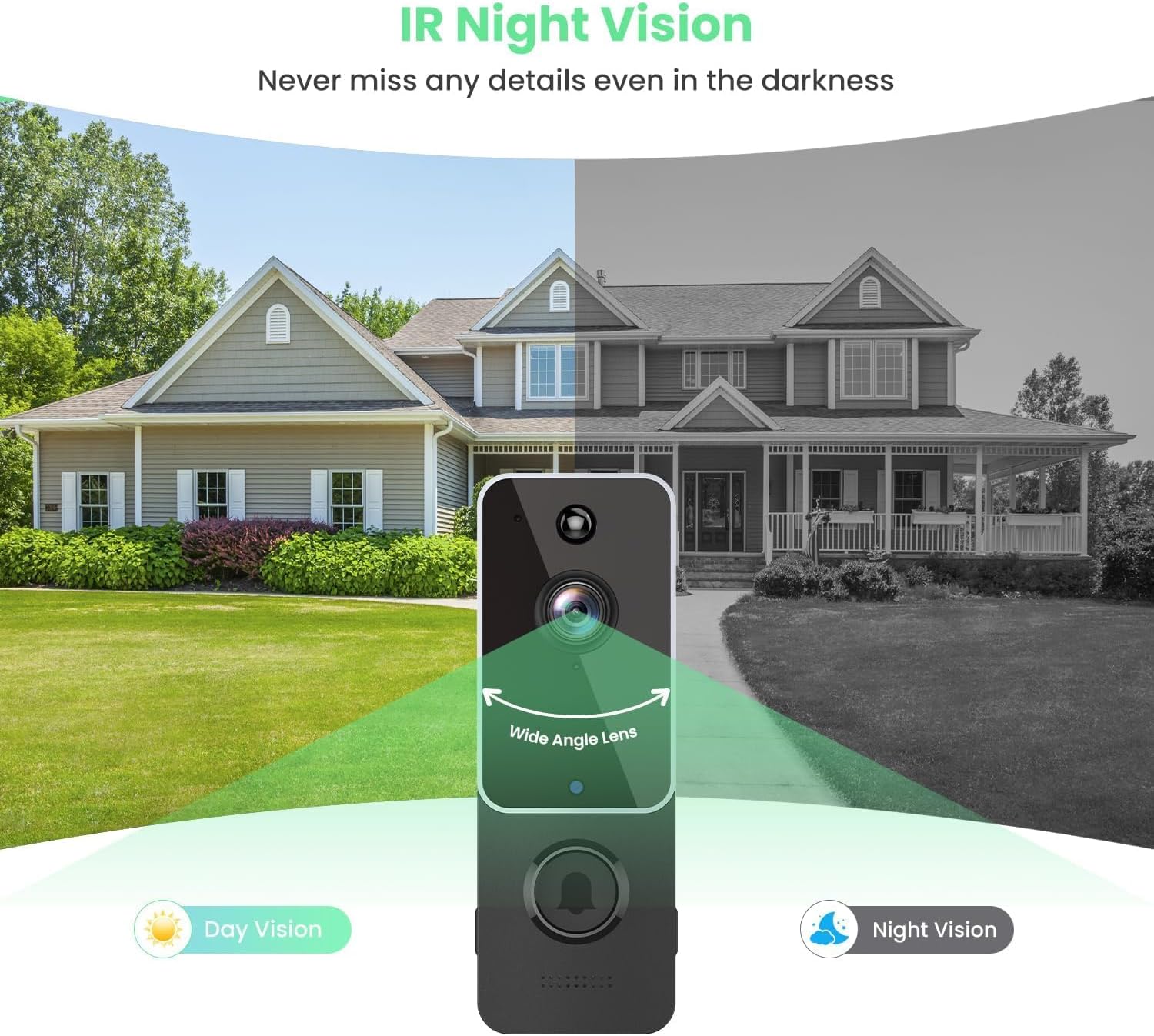
Image: Demonstrates the doorbell's night vision capability compared to day vision.

이미지: 전ample of two-way audio in use, allowing communication with visitors.

Image: Visual representation of cloud storage for recorded videos.

Image: Depicts the doorbell's IP65 weather resistance in different environmental conditions.
4. 설정 및 설치
The SJCODE Smart Video Doorbell is designed for easy setup and installation. Please follow these steps:
4.1 앱 다운로드 및 설정
- Download the AiwiT App: 검색 "AiwiT" in your smartphone's app store (Google Play Store for Android or Apple App Store for iOS) and download the application.
- 등록/로그인: Open the AiwiT app and follow the on-screen instructions to create a new account or log in if you already have one.
- 장치 추가: In the app, select the option to add a new device. Follow the prompts to connect your doorbell to your home's 2.4GHz Wi-Fi network. This typically involves scanning a QR code on the doorbell or following guided pairing steps.
- 설정 구성: Once connected, customize settings such as motion detection sensitivity, notification preferences, and recording options within the app.
4.2 초인종 설치
There are two primary methods for mounting your video doorbell:
Method 1: Mounting by Adhesive Tape
- 장착 표면이 깨끗하고, 건조하고, 매끄러운지 확인하세요.
- Peel off the protective film from the adhesive tape on the back of the doorbell's mounting bracket.
- Press the doorbell firmly onto the desired location on your wall or door frame for at least 30 seconds.
Method 2: Mounting by Screws
- Hold the mounting bracket against the wall at your desired installation height and mark the screw holes with a pencil.
- Drill pilot holes at the marked locations. If installing on masonry or stucco, insert the provided wall anchors.
- Align the mounting bracket with the holes and secure it to the wall using the provided screws.
- Attach the doorbell unit to the secured mounting bracket.

Image: Step-by-step guide for app setup and physical installation using adhesive or screws.
5. 사용 설명서
Once installed, your SJCODE Smart Video Doorbell is ready for operation.
5.1 라이브 View and Two-Way Communication
- Open the AiwiT app on your smartphone.
- Select your doorbell from the device list to access the live video feed.
- To speak, tap the microphone icon in the app. Your voice will be projected through the doorbell's speaker.
- To hear, ensure the speaker icon in the app is enabled.

Image: Demonstrates using two-way audio to communicate with a delivery person.
5.2 동작 감지 및 알림
- When motion is detected, especially human motion, you will receive an instant push notification on your smartphone.
- 알림을 탭하여 view 실시간 영상 또는 녹화된 이벤트.
- Adjust motion detection sensitivity and zones within the AiwiT app settings to optimize alerts.
5.3 Video Playback and Cloud Storage
- Access recorded videos through the "Cloud Storage" or "Playback" section in the AiwiT app.
- Videos are stored securely in the cloud, allowing you to review past events at any time.
5.4 Group Sharing
- The AiwiT app allows you to share access to your doorbell's feed with family members or trusted individuals.
- Navigate to the sharing settings within the app to invite others to view or manage the device.

Image: Illustration of the group sharing feature, enabling multiple users to access the doorbell feed.
6. 유지관리
Proper maintenance ensures the longevity and optimal performance of your video doorbell.
- 배터리 충전: The doorbell is battery-powered. Monitor the battery level in the AiwiT app and recharge the doorbell using the provided USB cable when the battery is low. Charging frequency depends on usage and motion detection events.
- 청소: 카메라 렌즈와 초인종 외부를 주기적으로 부드러운 천으로 닦아주세요.amp 먼지, 때 또는 얼룩을 제거할 때는 천을 사용하십시오. 강한 화학 약품이나 연마재는 사용하지 마십시오.
- 펌웨어 업데이트: Check the AiwiT app regularly for firmware updates. Keeping the firmware updated ensures you have the latest features and security enhancements.
7. 문제 해결
If you encounter issues with your SJCODE Smart Video Doorbell, refer to the following common solutions:
| 문제 | 가능한 원인 | 해결책 |
|---|---|---|
| 도어벨이 Wi-Fi에 연결되지 않습니다 | Incorrect Wi-Fi password; 5GHz Wi-Fi network (doorbell supports 2.4GHz only); weak Wi-Fi signal; too far from router. | Verify Wi-Fi password; ensure you are connecting to a 2.4GHz network; move doorbell closer to router or use a Wi-Fi extender; restart doorbell and router. |
| 모션 감지 알림 없음 | Motion detection disabled; sensitivity too low; incorrect detection zone settings; app notifications blocked. | Enable motion detection in app; increase sensitivity; adjust detection zones; check phone's notification settings for the AiwiT app. |
| 비디오 품질이 좋지 않음 | Dirty lens; weak Wi-Fi signal; low battery. | Clean the camera lens; improve Wi-Fi signal strength; recharge the doorbell battery. |
| 배터리가 빨리 소모됩니다 | Frequent motion detection events; high live view usage; extreme temperatures. | Reduce motion detection sensitivity or frequency; limit live view sessions; ensure doorbell is within optimal operating temperature range. |
| 차임벨이 울리지 않습니다 | Chime not paired; chime unplugged; volume too low. | Ensure chime is plugged in and paired with the doorbell (refer to chime's specific pairing instructions); increase chime volume. |
8. 사양
Detailed technical specifications for the SJCODE Smart Video Doorbell Security Camera:
| 기인하다 | 값 |
|---|---|
| 상표 | SJ코드 |
| 모델 번호 | B0CBPM91N5 |
| 연결 기술 | 무선(Wi-Fi) |
| 무선 통신 기술 | 와이파이(2.4GHz) |
| 전원 | 배터리 구동 |
| 실내/실외 사용 | 실내, 실외 |
| 국제 보호 등급 | IP65 |
| 품목 치수(L x W x H) | 5.3 x 3.7 x 2.5인치(13.5 x 9.4 x 6.35cm) |
| 품목 무게 | 10.2 온스(289.2그램) |
| 포함된 구성 요소 | Battery, Wireless Chime |
| 장착 유형 | Wall Mount (Adhesive or Screws) |
| 컨트롤러 유형 | Android (and iOS via AiwiT App) |
| 저조도 기술 | 야간 색상(적외선 야간 투시) |
| 경고 유형 | Motion Only (with Human Detection) |
| 비디오 캡처 형식 | MPEG-4 |
| 작동 온도 | 화씨 14도 ~ 화씨 140도(섭씨 -10도 ~ 60도) |

Image: Detailed dimensions of the doorbell and chime units.

Image: FCC compliance and product identification details for the doorbell and receiver.
9. 보증 및 지원
For information regarding product warranty, technical support, or service inquiries, please refer to the documentation included with your purchase or visit the official SJCODE website. This manual does not contain specific warranty terms or direct support contact information.