소개
This manual provides detailed instructions for the setup, operation, maintenance, and troubleshooting of your Divoom Songbird Karaoke Bluetooth Speaker. Please read this manual thoroughly before using the product to ensure proper function and longevity.

Figure 1: The Divoom Songbird Karaoke Bluetooth Speaker system, including the main speaker unit, two wireless microphones, and their charging base.
패키지 내용
설치를 진행하기 전에 패키지에 모든 구성품이 포함되어 있는지 확인하십시오.
- 1 x SongBird-HQ Speaker Unit
- 2 x 무선 마이크
- 1 x Microphone Charging Base
- 1 x 사용자 매뉴얼(이 문서)
- 1 x USB-C 충전 케이블
- 1 x 보조 케이블
- 1 x Giftbag (packaging)

Figure 2: All items included in the Divoom Songbird Karaoke Bluetooth Speaker package, showing the speaker, microphones, cables, and manual.
설정
1. 장치 충전
The Divoom Songbird speaker and microphones are powered by internal Lithium Ion batteries. For optimal performance, fully charge all components before first use.
- Connect the provided USB-C cable to the charging port on the speaker unit and to a compatible USB power adapter (not included).
- Place the two microphones onto their charging base. Ensure they are seated correctly for charging.
- Charging indicators (LEDs) on the speaker and microphones will illuminate during charging and turn off or change color when fully charged.
2. 초기 전원 켜기
- To power on the speaker, locate the power button (refer to Figure 3 for control layout) and press and hold it until you hear an audible prompt or see an indicator light.
- To power on the microphones, slide the power switch on each microphone to the 'ON' position.

Figure 3: Top panel of the Divoom Songbird speaker, illustrating the various control knobs and buttons for operation.
작동 지침
1. 블루투스 연결
The Divoom Songbird speaker uses Bluetooth for wireless audio streaming.
- Ensure the speaker is powered on and in Bluetooth pairing mode (usually indicated by a blinking LED).
- On your mobile device or computer, navigate to the Bluetooth settings.
- 검색 available devices and select "Divoom Songbird" from the list.
- 연결이 완료되면 스피커에서 소리로 확인 메시지가 표시되고 LED 표시등이 계속 켜집니다.
2. 보조(AUX) 연결
For wired audio playback, use the provided 3.5mm Aux cable.
- Connect one end of the Aux cable to the 3.5mm Aux-in port on the speaker.
- Connect the other end to the headphone jack or audio output of your audio source (e.g., smartphone, MP3 player).
- The speaker will automatically switch to AUX mode or may require manual selection via a mode button.
3. Using the Microphones for Karaoke
The two wireless microphones are designed for karaoke functionality.
- Ensure both the speaker and microphones are powered on.
- The microphones should automatically pair with the speaker. If not, refer to the troubleshooting section.
- Adjust microphone volume and echo effects using the dedicated knobs on the speaker's top panel (refer to Figure 3).
- Sing into the microphone while playing music through the speaker via Bluetooth or AUX.

Figure 4: The two wireless microphones for the Divoom Songbird speaker, shown resting in their charging base.
유지
1. 청소
스피커의 외관과 기능을 유지하려면:
- 외부 표면은 부드럽고 마른 보풀 없는 천으로 닦아주세요.
- 연마성 세척제, 알코올, 벤젠 또는 기타 화학 용제를 사용하지 마십시오. 이러한 물질은 마감재를 손상시킬 수 있습니다.
- 어떠한 구멍에도 습기가 들어가지 않도록 주의하세요.
2. 보관
장시간 사용하지 않을 경우:
- Store the speaker and microphones in a cool, dry place, away from direct sunlight and extreme temperatures.
- Ensure the batteries are partially charged (around 50%) before long-term storage to preserve battery health.
3. 배터리 관리
The device contains a built-in rechargeable Lithium Ion battery. To maximize battery lifespan:
- 배터리를 자주 완전히 방전시키지 마세요.
- Avoid leaving the device plugged in constantly after it's fully charged.
- 기기를 자주 사용하지 않을 경우 최소 3개월에 한 번씩 충전하십시오.
문제 해결
If you encounter issues with your Divoom Songbird speaker, refer to the following common problems and solutions:
| 문제 | 가능한 원인 | 해결책 |
|---|---|---|
| 전원이 들어오지 않습니다/기기가 켜지지 않습니다 | 배터리가 소진되었습니다. | Charge the speaker and microphones fully using the provided USB-C cable. |
| 블루투스로 연결할 수 없습니다 | 스피커가 페어링 모드에 있지 않습니다. 기기의 Bluetooth가 꺼져 있습니다. 스피커와의 거리가 너무 멀습니다. | Ensure speaker is in pairing mode. Turn Bluetooth off and on again on your device. Move closer to the speaker (within 10 meters). Forget the device on your phone and re-pair. |
| 스피커에서 소리가 나지 않음 | Volume is too low; incorrect input mode; audio source issue. | Increase volume on both the speaker and your audio source. Ensure the correct input mode (Bluetooth/AUX) is selected. Check if the audio source is playing correctly. |
| 마이크가 작동하지 않습니다 | Microphones are off; not charged; not paired with speaker. | Ensure microphones are powered on and charged. Power cycle both the speaker and microphones. They should automatically pair. |
명세서
Detailed technical specifications for the Divoom Songbird Karaoke Bluetooth Speaker:
- 모델 번호: 90100058218
- 상표: 디붐
- 제품 크기: 28 x 10 x 25cm
- 품목 무게: 1.3kg
- 전원: 배터리 구동(리튬 이온 배터리 1개 포함)
- 음력 : 50와트
- 마이크: Dual Microphone 24bit
- 배터리 수명: 약 8시간
- 연결 기술 : 보조, 블루투스
- 커넥터 유형: 3.5 mm 잭
- 특별 기능: 블루투스, 휴대용
- 색상: 녹색
- 추천 용도: For music players, Karaoke
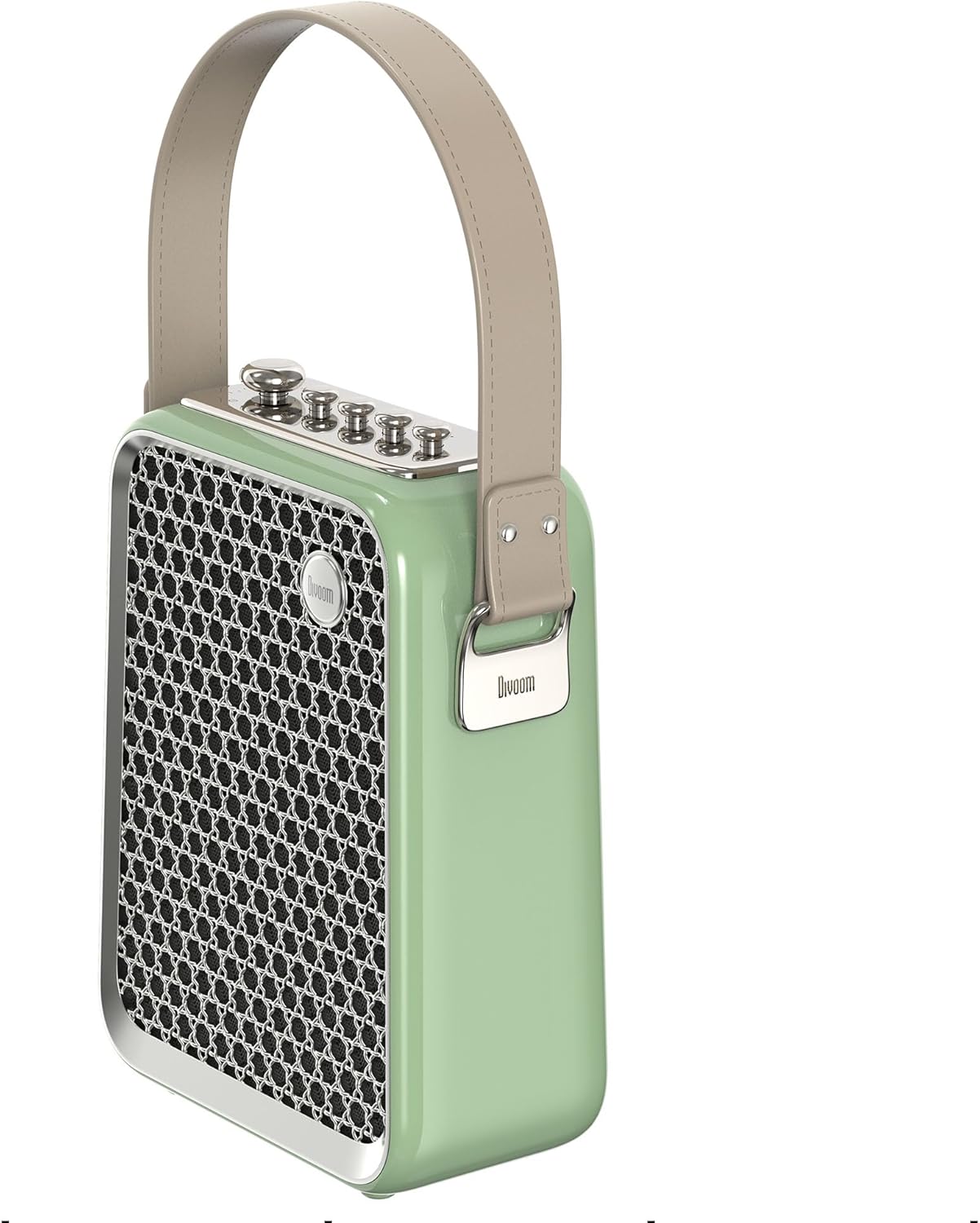
그림 5: 사이드 프로file of the Divoom Songbird speaker, highlighting its compact dimensions and integrated carrying handle.
보증 및 지원
보증 정보
This product may be eligible for extended warranty plans and accidental damage protection plans. Please refer to your purchase documentation or contact your retailer for specific warranty terms and conditions applicable to your region.
- 1년 연장 보증 플랜: 구매 가능합니다.
- 1년 차량 사고 손상 보증 플랜: 구매 가능합니다.
- 2년 연장 보증 플랜: 구매 가능합니다.
고객 지원
For technical assistance, troubleshooting beyond this manual, or warranty claims, please contact Divoom customer support. Visit the official Divoom website for contact information or refer to the support details provided with your product packaging.
또한 방문할 수 있습니다 Divoom brand page on Amazon 자세한 내용은.


