1. 서론
The GALAYOU G7 Indoor Home Security Camera provides comprehensive surveillance for your indoor spaces, offering advanced features to ensure the safety and peace of mind for your family, pets, and property. This manual will guide you through the setup, operation, and maintenance of your camera.
주요 특징:
- Ultra 2K Resolution: Provides clear and vivid image quality with 6X digital zoom.
- 고급 야간 투시경: Enhanced night vision with effective distance up to 33 ft using 6pcs 940nm Infrared Lights.
- 24/7 Real-Time Motion Alert & Smart Siren: Instant detection and push alerts to your phone, with an optional smart siren.
- 양방향 오디오 : 원격 통신을 위한 내장 마이크 및 스피커.
- 안전한 로컬 및 클라우드 저장소: Supports up to 128GB micro SD card and encrypted AWS Cloud storage.
- 스마트 홈 통합: Compatible with Amazon Alexa and Google Home for voice control and live-feed view주고받음.
- 24시간 연중무휴 연속 녹화: Available to all Galayou customers without extra fees.

Image: Visual representation of the Galayou G7 camera's key features including 2K resolution, night vision, two-way audio, 24/7 recording, smart siren, optional storage, push notifications, and compatibility with Alexa.
2. 상자 안에 무엇이 들어있나요?
패키지 내용물을 확인하여 모든 품목이 들어 있는지 확인하세요.
- Camera body (Galayou G7 Indoor Camera)
- C 형 케이블
- 전원 어댑터
- 마운팅 액세서리
- 빠른 설치 가이드

Image: Two Galayou G7 indoor security cameras, white with black camera faces, standing on their bases. This image represents the product as it appears out of the box.
3. 안전 정보
안전한 작동을 보장하고 손상을 방지하려면 다음 안전 예방 조치를 준수하세요.
- This device is designed for indoor use only. Do not expose it to water or moisture.
- 제공된 전원 어댑터만 사용하세요.
- 카메라를 직사광선, 열원 및 강한 자기장으로부터 멀리하십시오.
- 카메라를 직접 분해하거나 수리하려고 하지 마십시오. 도움이 필요하시면 고객 지원 센터에 문의하십시오.
- 카메라가 떨어지지 않도록 단단히 설치했는지 확인하세요.
- 어린이와 애완동물의 손이 닿지 않는 곳에 보관하세요.
4. 제품 오버view
Familiarize yourself with the components of your Galayou G7 camera:
Image: A single Galayou G7 indoor camera, showing its compact design with a black camera lens and a white body and base.
카메라 구성 요소:
- 카메라 렌즈: 동영상 foo를 캡처합니다.tage.
- 적외선 LED: 야간 투시를 위한 조명을 제공하십시오.
- 마이크로폰: 양방향 통신 및 소리 감지를 위해 오디오를 캡처합니다.
- 스피커: 양방향 통신 및 사이렌용 오디오를 출력합니다.
- 마이크로 SD 카드 슬롯: 동영상 녹화 파일을 로컬에 저장할 수 있습니다(최대 128GB 지원).
- 전원 포트(Type-C): 카메라를 전원 어댑터에 연결합니다.
- 상태 표시등: Indicates the camera's current status (e.g., connected, recording).
5. 설정 가이드
Follow these steps for initial setup of your Galayou G7 camera:

Image: A three-step visual guide for quick installation. Step 1 shows downloading the Wansview Cloud App, Step 2 shows plugging in the camera, and Step 3 shows connecting to 2.4GHz WiFi via app instructions.
- Wans를 다운로드하세요view 클라우드 앱:
검색 완스view Cloud" in the App Store (iOS) or Google Play Store (Android) and download the application. Create an account or log in if you already have one.
- 카메라 전원 켜기:
Connect the Type-C cable to the camera's power port and plug the power adapter into a wall outlet. The camera's status indicator light will turn on.
- 앱에 카메라 추가:
완즈를 열다view Cloud App. Tap the "+" icon to add a new device. Follow the on-screen instructions to connect the camera to your 2.4GHz Wi-Fi 네트워크. (Note: 5GHz Wi-Fi is not supported).
- 장착(선택 사항):
The camera can be placed on a flat surface or mounted on a wall or ceiling using the included mounting accessories. Ensure the camera is positioned to cover your desired view지역입니다.
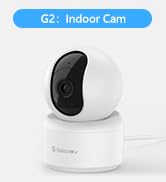
Image: A Galayou G7 camera mounted on a wall, demonstrating a possible installation method.
6. 사용 설명서
6.1 라이브 View
Once connected, you can access the live video feed from your camera through the Wansview Cloud App. Simply select your camera from the device list to view 실시간 푸tage.

Image: A side-by-side comparison demonstrating the clarity difference between 1080P Full HD and 2K 3MP (2304x1296) resolution, highlighting the superior detail of 2K.
6.2 양방향 오디오
The camera features a built-in microphone and speaker, allowing you to communicate remotely. Tap the microphone icon in the app to speak, and the speaker icon to listen.

Image: A split image showing a woman on her phone and a crying baby in a crib, illustrating the two-way audio feature for remote communication.
6.3 동작 감지 및 알림
The camera can detect motion and send real-time alerts to your smartphone. You can customize motion detection sensitivity and set up alert schedules within the app.

Image: A smartphone displaying a "Motion alarm" notification from the Wansview Cloud app, with a live view of a person in a room, demonstrating the instant detection alert feature.
The smart siren feature can be activated to deter intruders when motion is detected.

Image: A dog in a living room with a blue overlay indicating motion detection, showing how the camera identifies movement.
6.4 야간 투시경
카메라는 저조도 환경에서 자동으로 야간 투시 모드로 전환되어 최대 4.5미터(33피트) 거리까지 선명한 흑백 영상을 제공합니다.

Image: A woman in bed viewing her phone, which displays a black-and-white night vision feed of a baby sleeping, illustrating the camera's low-light capabilities.
6.5 기록 및 저장
The Galayou G7 supports 24/7 continuous recording. You have two options for video storage:
- 마이크로 SD 카드 저장: Insert a micro SD card (up to 128GB, not included) into the camera's slot for local storage.
- 클라우드 스토리지: Subscribe to the Wansview Cloud service for secure, encrypted cloud storage of your video clips. A 30-day free trial may be available.

Image: A visual representation of local storage (SD card) and cloud storage options, showing video clips flowing into a cloud icon and a camera with an SD card slot.

Image: A smartphone screen displaying a timeline of continuous video recording, with multiple video frames shown above, illustrating the 24/7 continuous recording feature.
6.6 스마트 홈 통합
The Galayou G7 camera is compatible with Amazon Alexa and Google Home. You can use voice commands to view 호환되는 스마트 디스플레이에서 라이브 피드를 볼 수 있습니다.
- 알렉사의 경우: Enable the "Wansview Cloud" skill in the Alexa app and link your account. Then, say "Alexa, show me the [Camera Name]".
- 구글 홈의 경우: Link your Wansview Cloud account in the Google Home app. Then, say "Hey Google, show me the [Camera Name]".

Image: A woman in a kitchen speaking to an Amazon Echo Show device, which displays the live feed from the Galayou camera, demonstrating Alexa integration.
6.7 장치 공유
You can share access to your camera with family members or trusted individuals through the Wansview Cloud App. They will need to download the app and create an account.

Image: A collage of people using their smartphones to view camera feeds, with an overlay showing the device sharing invitation process within the app.
7. 유지관리
- 청소: 부드럽고 마른 천을 사용하여 카메라 렌즈와 본체를 닦으세요. 액체 세척제나 에어로졸은 사용하지 마세요.
- 펌웨어 업데이트: Wans를 정기적으로 확인하세요view Cloud App for available firmware updates. Keeping your camera's firmware up-to-date ensures optimal performance and security.
- 스토리지 관리: SD 카드를 사용하는 경우 주기적으로 다시 설정하세요.view and delete old recordings to free up space. For cloud storage, manage your subscription and recorded events through the app.
8. 문제 해결
| 문제 | 가능한 원인 / 해결책 |
|---|---|
| 카메라 오프라인 / Wi-Fi에 연결할 수 없습니다 |
|
| 비디오 품질이 좋지 않음 |
|
| 움직임 알림 없음 |
|
| 양방향 오디오가 작동하지 않음 |
|
9. 사양
| 특징 | 세부 사항 |
|---|---|
| 모델명 | G7 |
| 실내/실외 사용 | 실내 |
| 비디오 캡처 해상도 | 1296p(2K) |
| 연결 기술 | Wi-Fi(2.4GHz만 해당) |
| 나이트 비전 범위 | 33 피트 |
| 저장 옵션 | 마이크로 SD 카드(최대 128GB), 클라우드 스토리지 |
| 양방향 오디오 | 예 |
| 컨트롤러 유형 | 아마존 알렉사, 구글 어시스턴트, 앱 |
| 전원 | 코드식 전기 |
| 장착 유형 | Ceiling Mount, Wall-Mounted, Stand |
| 제품 크기(L x W x H) | 18.19 x 14.69 x 12.8 인치 |
| 품목 무게 | 12.3 온스 |
10. 보증 및 지원
For information regarding product warranty, please refer to the warranty card included in your product packaging or the terms and conditions of your purchase. GALAYOU is committed to providing reliable products and excellent customer service.
If you encounter any issues or have questions about your Galayou G7 camera, please contact GALAYOU customer support through the Wansview Cloud App or visit the official GALAYOU web지원 리소스 사이트.
온라인 리소스:
- GALAYOU Amazon Store
- Refer to the "Quick installation guide" included in the package for more detailed steps.


