1. 소개 및 이상view
Welcome to the user manual for your HiFuture Flybuds 3 Wireless Bluetooth Headphones. These advanced earbuds are designed to provide a superior audio experience with seamless connectivity and comfort. Featuring Bluetooth 5.3 technology, they ensure a stable and high-quality connection with your devices.
The Flybuds 3 are equipped with 4 built-in microphones for crystal-clear calls and Active Noise Cancellation (ENC) to immerse you in your music. Their IPX5 water and sweat resistance makes them ideal for workouts and active lifestyles. Enjoy up to 32 hours of playtime with the charging case, ensuring your music accompanies you throughout the day.

The HiFuture Flybuds 3 in their charging case, ready for use.

HiFuture Flybuds 3 available in multiple colors, highlighting the new music era.
2. 상자 안에 무엇이 들어있나요?
모든 품목이 들어 있는지 확인하려면 패키지 내용물을 확인하세요.
- HiFuture Flybuds 3 Earbuds (Left and Right)
- 충전 케이스
- USB 충전 케이블
- 사용자 설명서
3. 설정
3.1 Charging Your Flybuds 3
Before first use, it is recommended to fully charge your Flybuds 3. This ensures optimal battery performance.
- 양쪽 이어버드를 충전 케이스의 각 슬롯에 넣으세요.
- Connect the USB charging cable to the charging port on the case and plug the other end into a compatible USB power source (e.g., wall adapter, computer USB port).
- 충전 케이스의 표시등이 켜지면서 충전 상태를 확인할 수 있습니다. 완전히 충전하는 데는 일반적으로 약 2시간이 걸립니다.
- 완전히 충전되면 충전 케이블을 분리하세요.
3.2 블루투스 페어링
Follow these steps to pair your Flybuds 3 with your device:
- 이어버드가 충전되어 있고 충전 케이스에 넣어져 있는지 확인하세요.
- 충전 케이스 뚜껑을 여세요. 이어버드가 자동으로 켜지고 블루투스 페어링 모드로 전환됩니다.
- On your smartphone, tablet, laptop, or other Bluetooth-enabled device, go to the Bluetooth settings.
- 블루투스를 활성화하고 새 장치를 검색하세요.
- Select 'HiFuture Flybuds 3' from the list of available devices.
- Once connected, a voice prompt will confirm successful pairing. The earbuds are now ready for use.
4. 사용 설명서
4.1 터치 컨트롤
The Flybuds 3 feature intuitive touch controls on each earbud. Familiarize yourself with the following functions:
| 기능 | 행동 |
|---|---|
| 음악 재생/일시 정지 | 양쪽 이어버드를 한 번 탭하세요. |
| 다음 트랙 | 오른쪽 이어폰을 두 번 탭하세요. |
| 이전 트랙 | 왼쪽 이어버드를 두 번 탭하세요. |
| 전화 받기/종료하기 | 양쪽 이어버드를 한 번 탭하세요. |
| 전화 거부 | 한쪽 이어폰을 2초 동안 길게 누르세요. |
| 음성 지원 활성화 | 양쪽 이어버드를 세 번 탭하세요 |
| ANC/투명 모드 전환 | Press and hold the Right earbud for 2 seconds |
4.2 호출
The 4 built-in microphones ensure clear voice pickup during calls. Use the touch controls as described above to manage your phone calls.
4.3 음악 재생
Enjoy your favorite music with rich audio quality. Control playback directly from the earbuds using the touch functions.

Enjoy up to 30 hours of playtime with the charging case.

Experience bold bass and rich audio with Flybuds 3.
4.4 Active Noise Cancellation (ENC)
The Flybuds 3 feature Environmental Noise Cancellation (ENC) to reduce ambient sounds, allowing you to focus on your audio. Use the touch control to toggle between ANC and Transparency modes.

Active Noise Cancellation (ENC) for an immersive listening experience.
5. 유지관리
5.1 청소
To maintain the performance and appearance of your Flybuds 3:
- 부드럽고 마른 보푸라기 없는 천으로 이어버드와 충전 케이스를 조심스럽게 닦으세요.
- 연마성 세척제, 용제 또는 강한 화학 물질을 사용하지 마십시오.
- 모든 구멍에 습기가 들어가지 않도록 주의하세요.
5.2 보관
Always store the earbuds in their charging case when not in use. This protects them from damage and keeps them charged for your next use.
5.3 방수 등급(IPX5)
The HiFuture Flybuds 3 are IPX5 water resistant, meaning they are protected against low-pressure water jets from any direction. This makes them suitable for use during workouts and in light rain.
- 이어버드나 충전 케이스를 물에 담그지 마십시오.
- 바닷물이나 기타 액체에 노출시키지 마십시오.
- If they get wet, wipe them dry before placing them back in the charging case or charging.
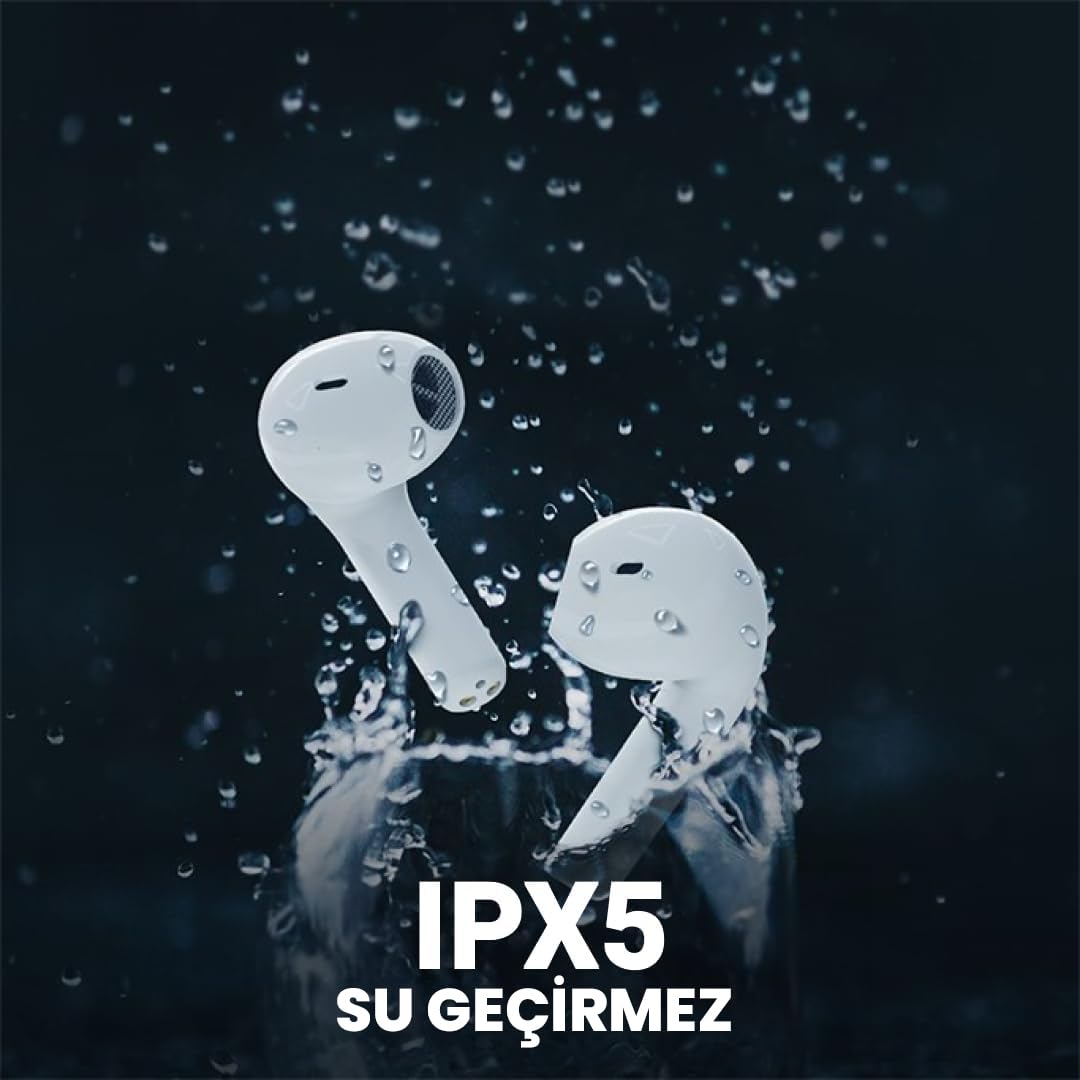
The Flybuds 3 are IPX5 water resistant, suitable for active use.
6. 문제 해결
If you encounter any issues with your Flybuds 3, please refer to the following common solutions:
- 이어버드가 페어링되지 않음: Ensure both earbuds are charged and within range of your device. Turn Bluetooth off and on again on your device. Try placing the earbuds back in the case, closing the lid, and then reopening it to re-enter pairing mode.
- 한쪽 또는 양쪽 이어버드에서 소리가 나지 않습니다. Check the volume levels on both your connected device and the earbuds. Ensure the earbuds are properly connected to your device. Try re-pairing the earbuds.
- 통화 품질이 좋지 않음: Ensure the microphones on the earbuds are not obstructed. Move to an area with less background noise.
- 짧은 배터리 수명: Ensure the earbuds and charging case are fully charged. Battery life can vary based on usage patterns, volume levels, and ANC usage.
- 이어폰이 충전되지 않음: 충전 케이블이 케이스와 전원에 제대로 연결되어 있는지 확인하십시오. 충전 포트가 깨끗하고 이물질이 없는지 확인하십시오.
문제가 지속되면 추가 지원을 받으려면 보증 및 지원 섹션을 참조하세요.
7. 사양
Detailed specifications for your HiFuture Flybuds 3:
| 특징 | 세부 사항 |
|---|---|
| 모델 | FLYBUDS3-BK |
| 블루투스 버전 | 5.3 |
| 배터리 수명(이어버드 + 케이스) | 최대 32시간 |
| 충전 시간 | 약 2시간 |
| 마이크 | 4 내장 |
| 방수성 | IPX5 |
| 소음 제어 | 능동형 소음 제거(ENC) |
| 제어 방법 | 만지다 |
| 무게 | 80 Grams (total product) |
| 호환 장치 | 스마트폰, 태블릿, 노트북, 데스크탑 |

Key features highlighted on the product packaging.

Ergonomic design ensures a comfortable and secure fit.
8. 보증 및 지원
8.1 보증 정보
Your HiFuture Flybuds 3 come with a 1-year manufacturer's warranty from the date of purchase. This warranty covers manufacturing defects and ensures your product performs as expected under normal use.
- Please retain your proof of purchase (receipt or invoice) as it is required for any warranty claims.
- 보증은 잘못된 사용, 사고, 무단 개조 또는 정상적인 마모로 인한 손상에는 적용되지 않습니다.
8.2 고객 지원
For further assistance, troubleshooting, or to inquire about warranty claims, please contact HiFuture customer support. You can typically find contact information on the official HiFuture web대지.
Thank you for choosing HiFuture Flybuds 3. We hope you enjoy your listening experience!


