소개
Thank you for choosing OhO Camera Glasses. These 4K Pro 24M Resolution H.265 Smart Glasses are designed for outdoor sports and daily use, featuring a built-in 256GB memory and UV400 polarized lenses. This manual provides detailed instructions to help you get the most out of your device.
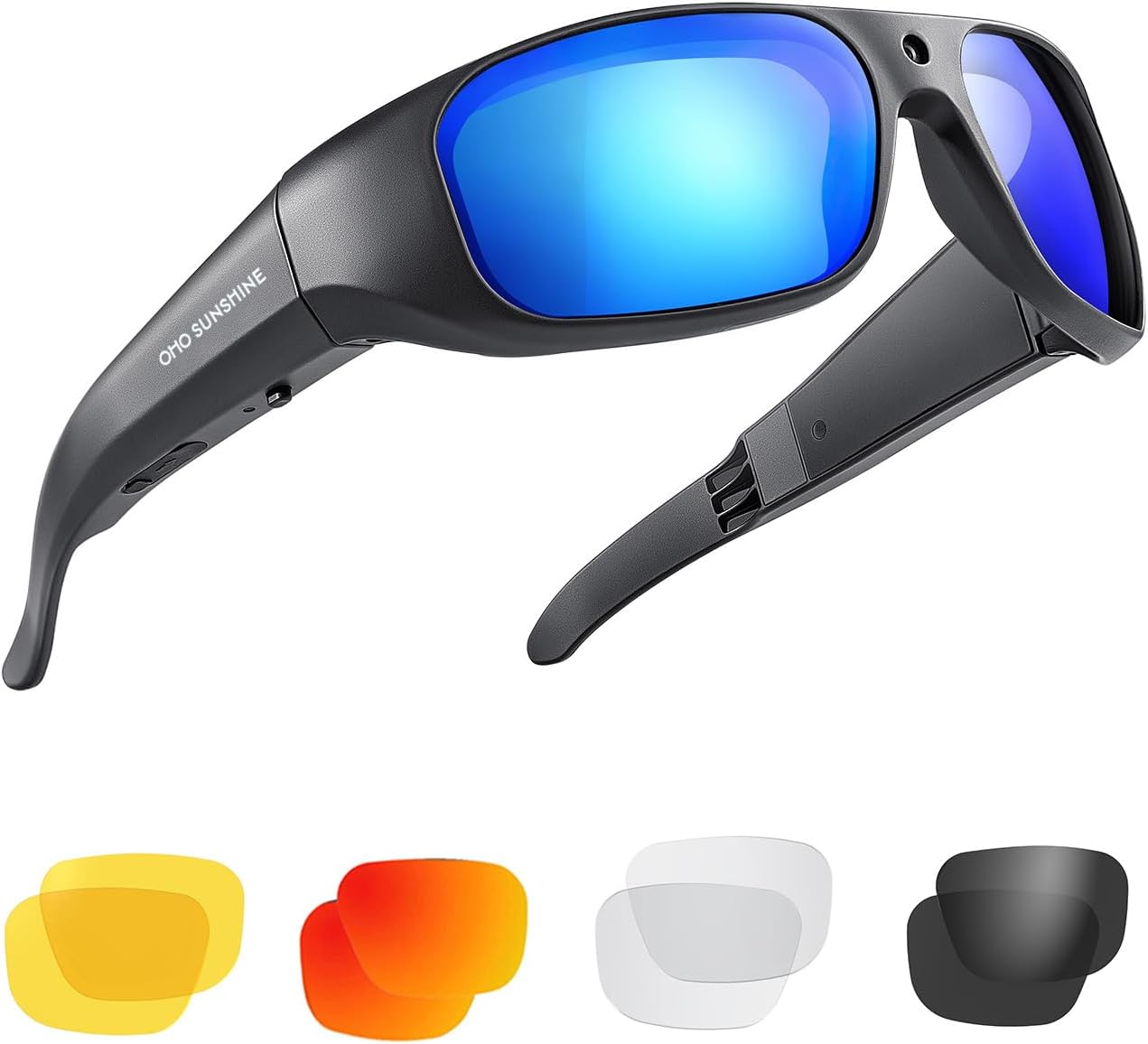
Image: OhO Camera Glasses with various interchangeable lenses, including blue, yellow, red, clear, and dark polarized options.
설정
장치 충전하기
Before first use, fully charge your OhO Camera Glasses. Connect the included USB cable to the charging port on the glasses and to a power source. The battery has a working life of approximately 30 minutes on a single charge. The camera can operate while being recharged using a power bank.

Image: A woman wearing the OhO Camera Glasses, connecting them to a white power bank via a cable, demonstrating the 'Charge on the Go' feature.
Memory and Data Transfer
The glasses come with a built-in 256GB memory, capable of storing approximately 14.5 hours of camera data. To access your recorded content, connect the glasses to a computer or TV using the included USB cable. Please note that the memory is built-in and cannot be replaced due to the water-resistant design.
작동 지침
One-Button Touch Operation
The OhO Camera Glasses feature a simple one-button touch operation for ease of use. A single touch allows you to turn the device on, turn it off, or take a picture. When the camera starts, takes pictures, or stops, the sunglasses provide a vibration alert and an LED light indicator for feedback.

Image: A man wearing the OhO Camera Glasses while playing tennis, highlighting the handfree operation feature.
비디오 녹화 및 사진
Capture your moments in stunning detail with 4K resolution video and 24-megapixel photos. The camera is strategically placed to provide the same angle of view as your eyes, ensuring you record exactly what you see. The field of view 65도입니다.

Image: A close-up of the OhO Camera Glasses, emphasizing the built-in HD camera capable of real 4K video and 24MP photos.

Image: A graphic illustrating the 4K Ultra HD video, 65-degree field of view, and 24MP Full HD photo capabilities of the camera glasses.
공식 제품 영상
Video: An official product video titled "Full 4K Camera Sunglasses" by OhOsunshine, demonstrating the glasses' features and usage in various outdoor activities like fishing.
유지
렌즈 관리
The lenses are 100% UV400 protected and polarized, featuring a Drop-bell lens for various outdoor sports and US Safety Lens Standard ANSI/ISEA Z87.1-2015 impact resistance. To maintain clarity and protection, clean lenses with a soft, lint-free cloth. Avoid abrasive materials or harsh chemicals. While the memory is sealed for water resistance, the glasses are not designed for submersion; avoid prolonged exposure to water.

Image: The frame of the OhO Camera Glasses bending to show the flexibility of the TR90 Technical Material, designed for light and comfortable wear.
프레임 관리
The TR90 flexible material ensures comfort and durability. Clean the frame with a damp cloth. Store the glasses in their protective case when not in use to prevent scratches and damage.
문제 해결
- Device not charging or recognized by USB: Ensure the USB cable is securely connected to both the glasses and the power source/computer. Try a different USB port or charging adapter. If the issue persists, contact customer support.
- Poor audio quality in recordings: While the video quality is high, some users have reported audio feedback. Ensure the microphone area is clear of obstructions. If audio issues persist, consider using external audio recording if high-fidelity audio is critical for your application.
- Loose lenses: If a lens becomes loose or falls out, carefully reinsert it. If the lens does not secure properly or continues to fall out, this may indicate a manufacturing defect. Contact customer service for assistance.
- 짧은 배터리 수명: The battery life is approximately 30 minutes of continuous recording. For extended use, utilize a power bank as described in the 'Charging' section.
명세서
| 특징 | 세부 사항 |
|---|---|
| 모델 번호 | 628 4K |
| 비디오 해상도 | 4K Ultra HD (H.265) |
| 사진 해상도 | 24메가픽셀 |
| 내장 메모리 | 256GB (approx. 14.5 hours recording) |
| 렌즈 유형 | 100% UV400 Polarized, Impact-Resistant (ANSI/ISEA Z87.1-2015) |
| 프레임 소재 | TR90 Flexible Material |
| 배터리 수명 | Approx. 30 minutes (recording) |
| 품목 무게 | 10.2 온스 |
| 패키지 크기 | 8.23 x 4.21 x 3.23 인치 |
| 첫 번째 이용 가능 날짜 | 13년 2023월 XNUMX일 |
| 제조업체 | OHO sunshine |
보증 및 지원
OhO sunshine is committed to customer satisfaction. The product comes with a warranty. For any issues, questions, or warranty claims, please contact OhO sunshine customer service. Many customers have reported excellent customer service and warranty support, including prompt replacements for damaged products.
For support, please visit the official OhO sunshine store or contact their customer service directly through the platform where you purchased the product.
Visit the OhO sunshine Store on Amazon


