1. 서론
This manual provides essential instructions for the setup, operation, and maintenance of your Richmat Wireless Remote Control, Model HJH55. Please read this manual thoroughly before use to ensure proper functionality and to avoid potential issues. This remote is designed as a replacement for compatible adjustable bed bases.
2. 제품 오버view
The Richmat Model HJH55 is a wireless remote control designed for use with adjustable bed bases. It serves as a direct replacement for existing HJH55 remotes, including both black and white versions. Ensure your current remote or bed control box specifies 'HJH55' for compatibility before attempting to pair.
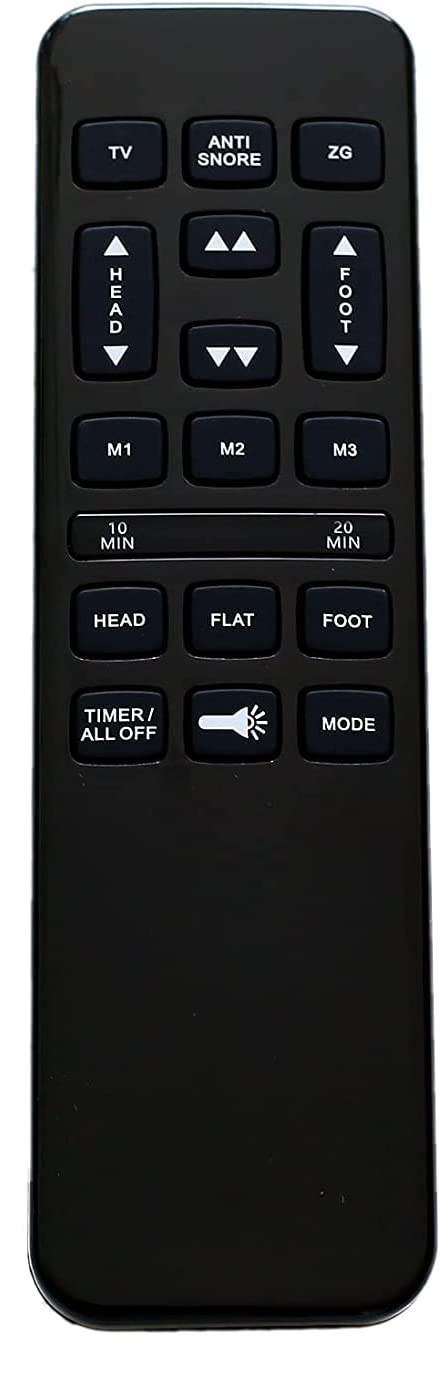
이미지 2.1: 앞면 view of the Richmat HJH55 wireless remote control. This image displays the general appearance of the remote, which is black with various control buttons for adjustable bed functions.
3. 설정 및 페어링 지침
3.1 배터리 설치
The remote requires two (2) AAA batteries (not included). To install batteries:
- 리모컨 뒷면의 배터리실 덮개를 엽니다.
- AAA 배터리 2개를 넣고, 배터리 칸 내부에 표시된 대로 올바른 극성(+/-)을 맞춰 넣습니다.
- 배터리 덮개를 단단히 닫으세요.
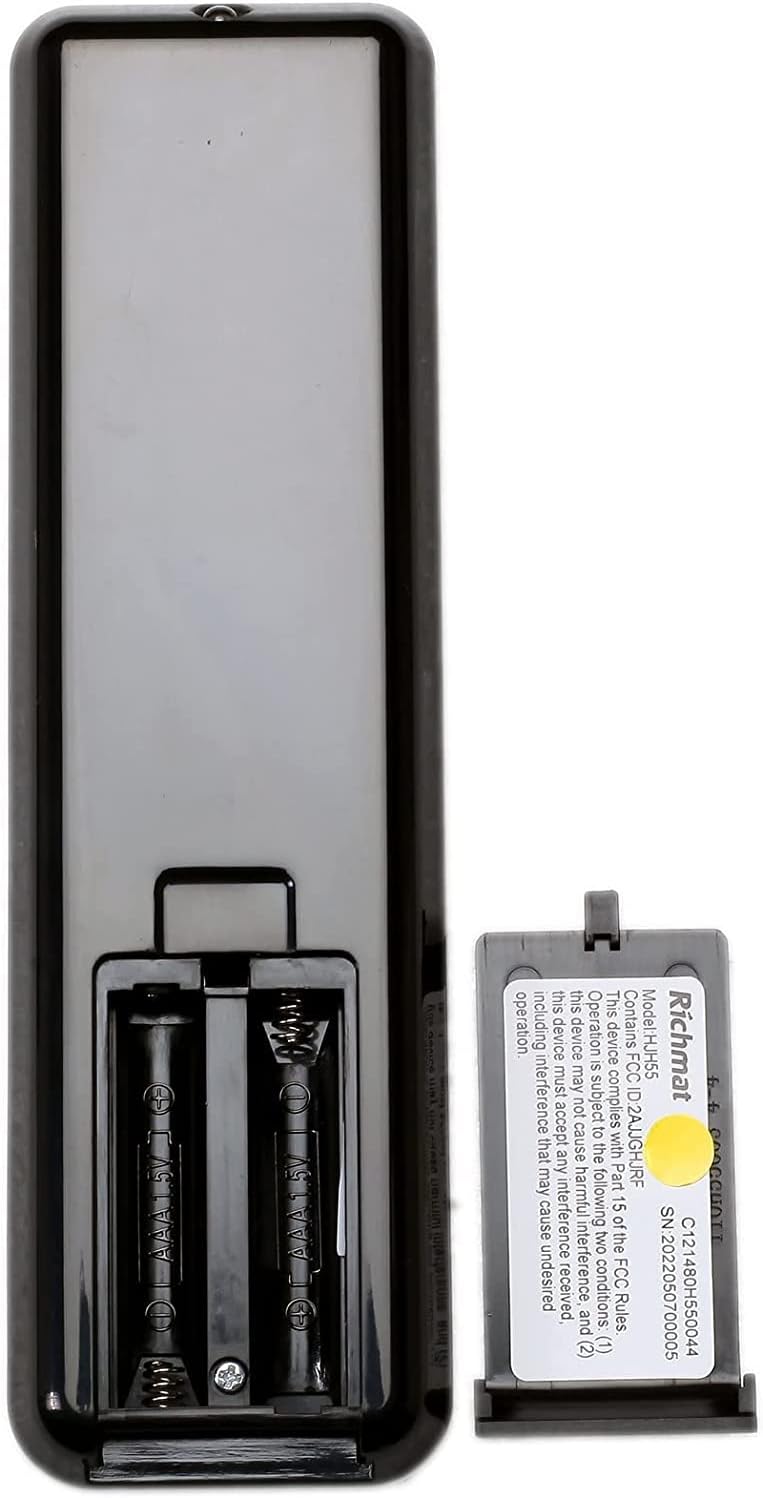
이미지 3.1: 뒤 view of the Richmat HJH55 remote control with the battery compartment open. This image shows the two slots for AAA batteries and the polarity markings.
3.2 Pairing the Remote with Your Adjustable Bed
The remote does not come pre-paired and must be synced with your adjustable bed base. Follow these steps carefully:
- 리모컨에서: Press and hold the "Head Up" button and the "Foot Up" button simultaneously for approximately 10 seconds.
- On the Control Box: Locate the control box underneath your bed. Press the button on the side of the control box that is typically labeled "Learn" or "Reset Coding." Do not press and hold this button; a single, brief press is sufficient.
- 확인: Listen for an audible beep from the control box. This beep indicates that the remote has successfully synced with the bed base.
If the remote does not pair, ensure batteries are correctly installed and repeat the steps. If issues persist, refer to the Troubleshooting section.
4. 사용 설명서
Once paired, your Richmat HJH55 remote control allows you to adjust your bed to various positions. The specific functions of each button will correspond to the features of your adjustable bed base. Common functions include:
- 머리 위/아래: 침대 머리 부분을 조절합니다.
- 발 올리기/내리기: 침대 발쪽 부분을 조절합니다.
- 플랫: 침대를 평평한 자세로 되돌립니다.
- 메모리 사전 설정: Some remotes may have buttons to save and recall preferred positions.
Refer to your adjustable bed base's original manual for detailed descriptions of all available functions and button layouts.
5. 유지관리
5.1 배터리 교체
If the remote's performance degrades or it stops responding, replace the two AAA batteries. Follow the battery installation steps in Section 3.1.
5.2 청소
To clean the remote, use a soft, dry cloth. Do not use liquid cleaners or abrasive materials, as these can damage the remote's surface or internal components.
6. 문제 해결
- 리모컨이 응답하지 않음:
- 배터리가 올바르게 설치되었고 충전량이 충분한지 확인하세요. 필요하면 교체하세요.
- Ensure the remote is within range of the bed's control box.
- 섹션 3.2에 설명된 대로 페어링 프로세스를 다시 시도하십시오.
- Remote paired but functions incorrectly:
- Verify that the remote model (HJH55) matches your original remote or bed control box specifications. Incompatible remotes may pair but not function correctly.
- Try re-pairing the remote.
- 간섭:
- This device complies with Part 15 of the FCC Rules. Operation is subject to the following two conditions: (1) this device may not cause harmful interference, and (2) this device must accept any interference received, including interference that may cause undesired operation. If interference occurs, try moving the bed or remote to a different location.
If you continue to experience issues, contact the seller or manufacturer for further assistance.
7. 사양
| 모델 번호 | HJH55 |
| 제조업체 | 리치마트 |
| 전원 | AAA 배터리 2개(포함되지 않음) |
| FCC ID | 2AJJGHJRF |
| 일련번호 | 2022050700005 |
| 호환 장치 | 조절식 침대 |
8. 보증 및 지원
Specific warranty information for this Richmat HJH55 remote control is not provided in this manual. For details regarding warranty coverage, returns, or technical support, please contact the original seller or the manufacturer directly. Ensure you have your purchase details and the product model number (HJH55) available when contacting support.


