1. 서론
구매해주셔서 감사합니다asing the Coby CPA915 Light-Up Bluetooth Speaker. This manual provides essential information for setting up, operating, and maintaining your speaker. Please read it thoroughly to ensure proper use and to maximize your enjoyment of the product.
The Coby CPA915 is a versatile portable speaker featuring Bluetooth 5.3 connectivity, a full-color LED light body, built-in microphone input for karaoke, FM radio, and multiple playback options including USB and TF card. Its rechargeable battery offers extended playtime, making it ideal for various environments.
2. 안전 정보
- 스피커를 물이나 과도한 습기에 노출시키지 마십시오. 본 제품은 방수가 되지 않습니다.
- Avoid placing the speaker near heat sources or in direct sunlight for prolonged periods.
- 스피커를 직접 분해, 수리 또는 개조하지 마십시오. 자격을 갖춘 서비스 담당자에게 문의하십시오.
- 스피커를 어린이와 애완동물의 손이 닿지 않는 곳에 보관하세요.
- 화재나 손상을 방지하기 위해 지정된 충전 케이블과 전원 어댑터만 사용하십시오.
- Do not use the speaker at excessively high volumes for extended periods to prevent hearing damage.
3. 패키지 내용
- Coby CPA915 Light-Up Bluetooth Speaker
- 충전 케이블(마이크로 USB)
- 사용자 설명서
4. 제품 오버view
Familiarize yourself with the various parts and controls of your Coby CPA915 speaker.

그림 1: 전면 view of the Coby CPA915 Light-Up Bluetooth Speaker, showcasing its full-color LED lights and speaker grille.

그림 2: 후면 view of the Coby CPA915 speaker, highlighting the control panel with labeled ports and buttons.
4.1 컨트롤 및 포트
- ON/VOLUME/OFF Knob: 돌려서 전원을 켜고 끄고 볼륨을 조절합니다.
- LED 디스플레이: 현재 모드, 트랙 정보 및 FM 주파수를 표시합니다.
- PLAY/PAUSE/SKIP Buttons: Controls media playback and track navigation.
- FM 라디오 버튼: FM 라디오 모드로 전환합니다.
- MIC 포트: 6.35mm input for a microphone (not included).
- AUX 잭: 외부 오디오 장치 연결을 위한 3.5mm 입력 단자.
- USB 입력 : USB 플래시 드라이브에서 오디오를 재생합니다.
- TF/SD 카드 슬롯: For playing audio from a TF/SD memory card.
- 충전 포트(Micro USB): 내부 배터리를 충전합니다.
- 핸들: Integrated handles on both sides for portability.
5. 설정
5.1 스피커 충전
- 충전 케이블의 마이크로 USB 단자를 스피커의 충전 포트에 연결하세요.
- 충전 케이블의 USB-A 쪽을 호환되는 USB 전원 어댑터(별매)나 컴퓨터의 USB 포트에 연결합니다.
- The LED indicator will show charging status. Allow approximately 3-4 hours for a full charge.
- 완전히 충전되면 충전 케이블을 분리하세요.
5.2 전원 켜기/끄기
Rotate the ON/VOLUME/OFF knob clockwise to power on the speaker. Rotate it counter-clockwise until it clicks to power off.
6. 사용 설명서
6.1 블루투스 페어링
- 스피커 전원을 켜세요. 그러면 LED가 깜빡이면서 자동으로 블루투스 페어링 모드로 진입합니다.
- 모바일 기기(스마트폰, 태블릿 등)에서 Bluetooth를 활성화하고 사용 가능한 기기를 검색하세요.
- Select "Coby CPA915" from the list of devices.
- Once paired, the speaker will emit a confirmation tone, and the LED will stop flashing. You can now play audio from your device.
Video 1: Demonstration of the Coby Bluetooth Speaker with LED Lights, showcasing its visual appeal during operation.
Video 2: A closer look at the Coby Bluetooth Speaker's see-through semi-clear shell, highlighting its unique design.
6.2 True Wireless Stereo(TWS) 페어링
To achieve a stereo sound experience, you can pair two Coby CPA915 speakers together (second speaker sold separately).
- 두 스피커 모두 전원이 켜져 있고 Bluetooth 페어링 모드(어떤 장치에도 연결되지 않음)에 있는지 확인하세요.
- On one of the speakers, press and hold the TWS button (refer to Figure 2 for location). The speaker will indicate it's searching for another TWS device.
- The two speakers will automatically connect to each other. A confirmation tone will sound.
- Now, connect your mobile device to one of the paired speakers via Bluetooth as described in Section 6.1. Audio will play through both speakers in stereo.

Figure 3: Visual guide for True Wireless Stereo (TWS) pairing, illustrating how two speakers connect for a stereo sound experience.
6.3 FM 라디오 작동
- Press the FM Radio button to switch to FM mode.
- 재생/일시정지 버튼을 길게 누르면 사용 가능한 FM 방송국을 자동으로 검색하고 저장합니다.
- Use the SKIP buttons to navigate between saved stations.
6.4 USB/TF 카드 재생
- Insert a USB flash drive or TF/SD card (with audio files)를 해당 포트/슬롯에 넣습니다.
- The speaker will automatically detect the storage device and begin playing audio.
- Use the PLAY/PAUSE/SKIP buttons to control playback.
6.5 AUX 입력
- Connect one end of a 3.5mm audio cable (not included) to the AUX jack on the speaker.
- 다른 쪽 끝을 외부 장치의 오디오 출력에 연결합니다.
- The speaker will automatically switch to AUX mode. Adjust volume on both the speaker and your external device.
6.6 노래방 기능
- Connect a compatible microphone (not included) to the MIC port on the speaker.
- Adjust the microphone volume using the dedicated control (if available) or the main volume knob.
- Play music through any of the available input modes (Bluetooth, USB, TF, AUX) and sing along.
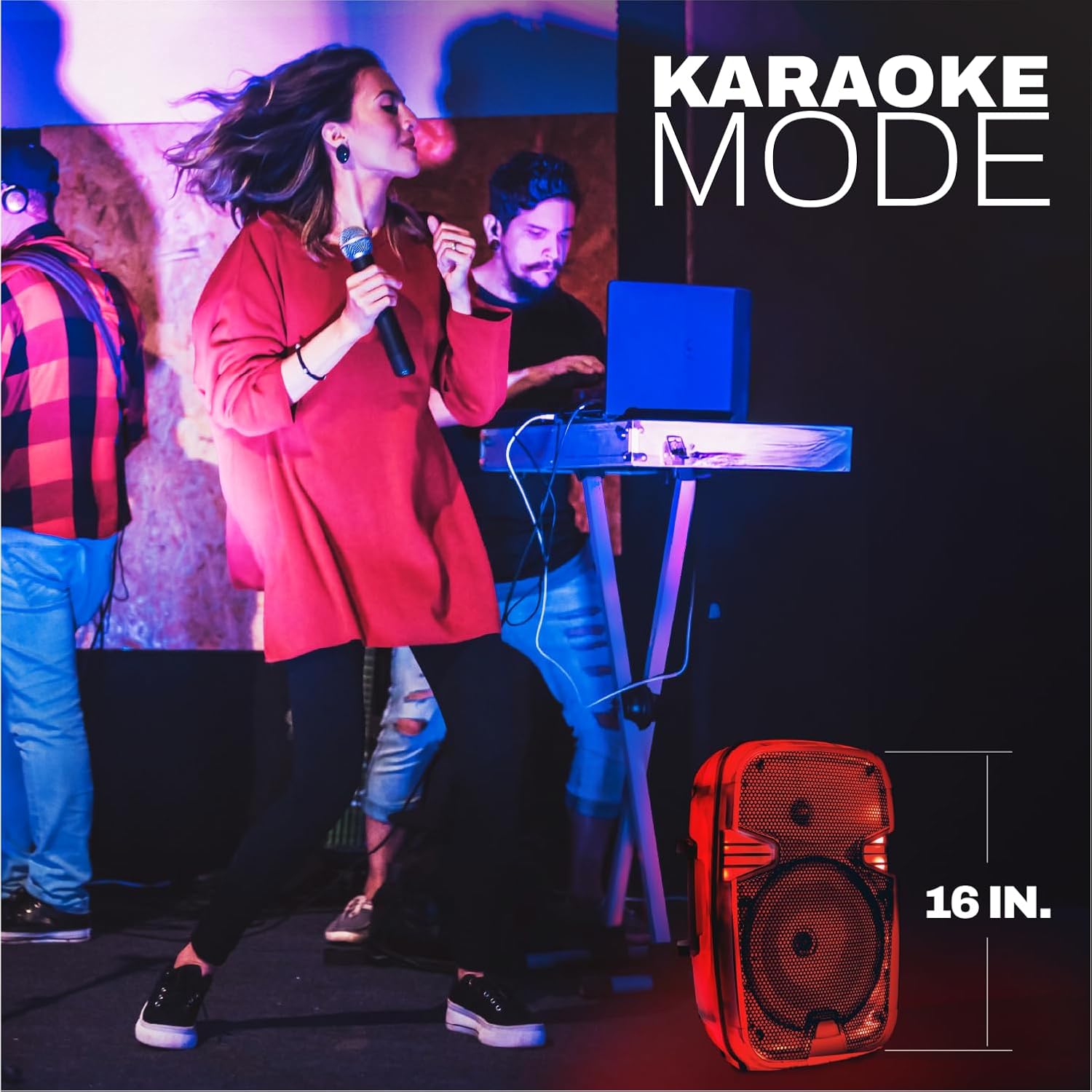
Figure 4: The Coby CPA915 speaker in use during Karaoke Mode, demonstrating its microphone input capability.
6.7 LED 조명 제어
The speaker features a full-color LED light body that cycles through various RGB colors. The lights are synchronized with the music playback. There is no specific button to control the light patterns; they operate automatically when the speaker is on.
비디오 3: 짧은 클립asing the dynamic RGB LED lights of the Coby speaker.
영상 4: 간략한 사전 설명view demonstrating the see-through semi-clear shell of the Coby speaker.
비디오 5: 사전view highlighting the Coby speaker's big sound and bright colors.
7. 유지관리
- 청소: 부드럽고 마른 천을 사용하여 스피커 외부를 닦으세요. 액체 세척제나 에어로졸은 사용하지 마세요.
- 저장: 스피커는 직사광선과 극한의 온도를 피해 시원하고 건조한 곳에 보관하세요.
- 배터리 관리 : To prolong battery life, charge the speaker fully before long periods of storage and recharge it at least once every three months.
8. 문제 해결
| 문제 | 가능한 원인 | 해결책 |
|---|---|---|
| 스피커의 전원이 켜지지 않습니다. | 배터리가 소진되었습니다. | 스피커를 완전히 충전하세요. |
| 블루투스로 페어링할 수 없습니다. | 스피커가 페어링 모드에 있지 않거나 기기에서 너무 멀리 떨어져 있습니다. | Ensure speaker is in pairing mode. Move device closer to speaker. Restart both devices. |
| 소리가 나지 않습니다. | 볼륨이 너무 낮거나 음소거 상태입니다. 입력 모드가 잘못되었습니다. | Increase volume on speaker and connected device. Check selected input mode. |
| FM 라디오 수신이 좋지 않습니다. | 신호가 약합니다. | 스피커를 수신 상태가 좋은 곳으로 옮기세요. |
| Microphone has echo or poor audio. | Microphone issues or environmental factors. | Ensure microphone is fully plugged in. Adjust microphone volume. Reduce distance to microphone. |
9. 사양
| 특징 | 세부 사항 |
|---|---|
| 모델명 | 블루투스 스피커 |
| 스피커 유형 | 휴대용 스피커 |
| 특징 | LED 조명 |
| 연결 기술 | 블루투스 5.3 |
| 스피커 크기 | 8인치(우퍼 직경) |
| 스피커 최대 출력 전력 | 30 와트 |
| 전원 | 배터리 구동(리튬 이온 배터리 1개 포함) |
| 노는 시간 | 최대 11시간 |
| 제품 치수 | 8.27인치 깊이 x 15.2인치 너비 x 9.84인치 높이 |
| 품목 무게 | 3.86 파운드 |
| 입력 옵션 | Bluetooth, USB, AUX, TF Card, Mic Input |
| 추가 기능 | FM Radio, True Wireless Pairing, Metal Mesh Grille, Dual Carry Handles |
10. 보증 및 지원
This Coby product is covered by a 90 Days Manufacturer Warranty. For warranty claims or technical support, please contact Coby customer service. Keep your purchase receipt as proof of purchase.
For more information and support, visit the official Coby web자세한 내용은 해당 사이트를 참조하거나 제품 포장과 함께 제공된 연락처 정보를 참조하세요.


