1. 중요한 안전 정보
이 제품을 사용하기 전에 모든 지침을 주의 깊게 읽으십시오. 나중에 참조할 수 있도록 이 설명서를 보관하십시오.
- 사운드바를 비, 습기 또는 극한 온도에 노출시키지 마십시오.
- 장치 주변의 환기가 잘 되도록 하세요. 환기구를 막지 마세요.
- Use only the power adapter supplied with this device.
- 사운드바를 분해하거나 개조하지 마십시오. 모든 서비스는 자격을 갖춘 전문가에게 맡기십시오.
- 사운드바를 강한 자기장으로부터 멀리 두십시오.
2. 패키지 내용
패키지에 모든 품목이 들어 있는지 확인하세요.
- Supersonic SC-1420SB Soundbar
- 원격 제어
- 전원 어댑터
- 사용자 설명서
3. 제품 오버view
The Supersonic SC-1420SB is a 30-inch 2.0 channel soundbar designed to enhance your audio experience. It features Bluetooth 5.0 connectivity, HDMI ARC, Optical input, and dual 3.5mm Aux inputs for versatile connection options. Five pre-set EQ modes allow for customized sound profiles.
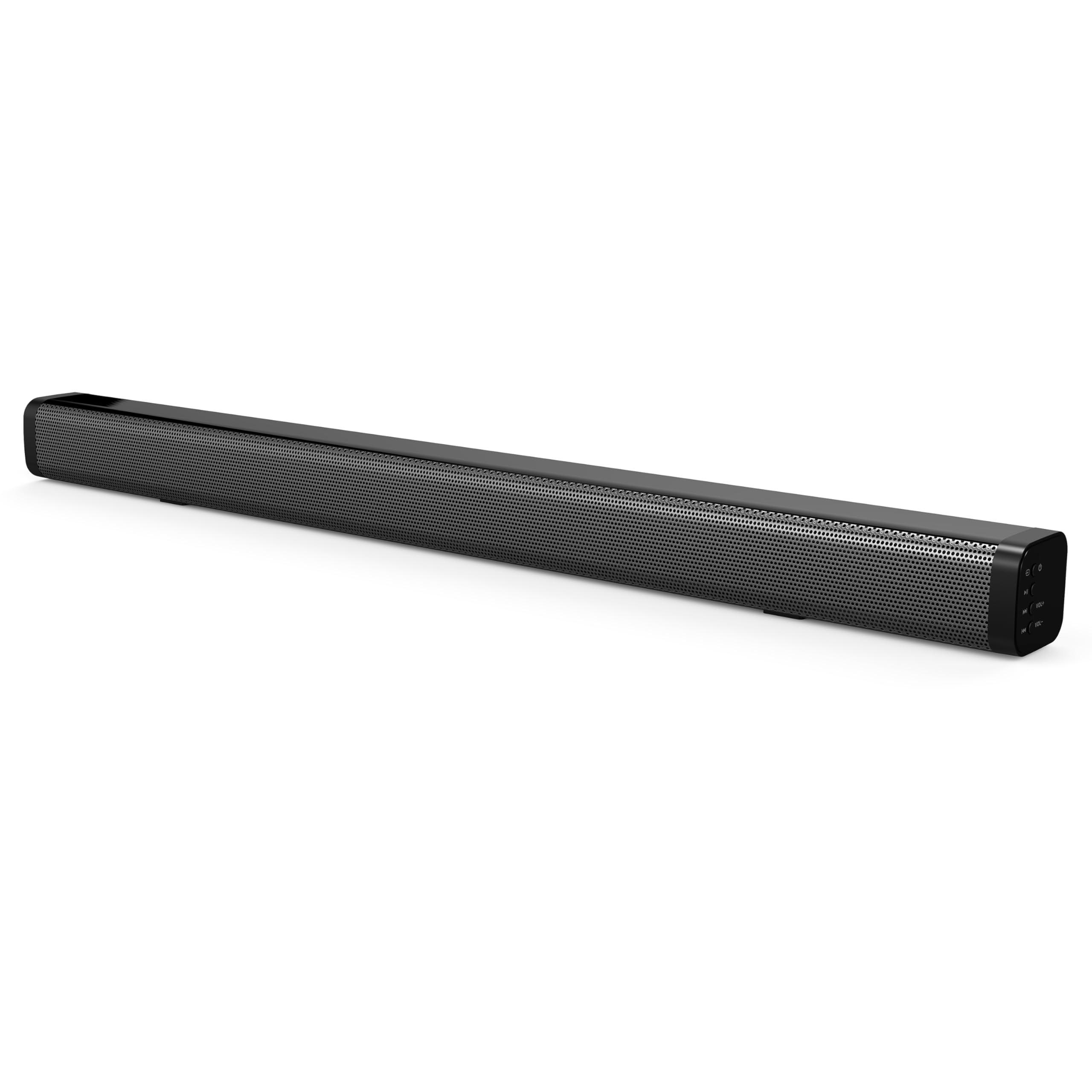
The soundbar's low-profile design (2.5" height) allows it to fit comfortably in front of most televisions without obstructing the screen.
4. 설정
4.1 배치
Place the soundbar on a flat, stable surface directly in front of your television. Ensure there is adequate space for cable connections at the rear of the unit.

4.2 전원 연결
- 전원 어댑터를 사운드바 뒷면의 DC IN 포트에 연결하십시오.
- 전원 어댑터의 다른 쪽 끝을 벽면 콘센트에 꽂습니다.
4.3 오디오 연결
Choose one of the following methods to connect the soundbar to your audio source:
- HDMI ARC : Connect an HDMI cable (not included) from the HDMI ARC port on the soundbar to the HDMI ARC port on your television. This allows audio to be sent from the TV to the soundbar and enables control of the soundbar's power and volume using your TV remote (if supported by your TV).
- 광학 입력: Connect an optical cable (not included) from the OPTICAL IN port on the soundbar to the optical audio output on your television or other audio device.
- Dual 3.5mm Aux Inputs: Use a 3.5mm audio cable (not included) to connect external devices such as smartphones, tablets, or MP3 players to either of the AUX IN ports on the soundbar.
5. 운영
5.1 전원 켜기/끄기
를 누르세요 힘 사운드바 또는 리모컨의 버튼을 눌러 장치를 켜거나 끕니다.

5.2 입력 소스 선택
를 누르세요 입력 button on the remote control or the soundbar to cycle through the available input sources: HDMI ARC, Optical, Bluetooth, and Aux.
5.3 블루투스 페어링
- Turn on the soundbar and select the Bluetooth input mode. The indicator light will flash, indicating it is in pairing mode.
- 블루투스 기능이 있는 기기(예: 스마트폰)에서 사용 가능한 블루투스 기기를 검색하세요.
- Select "SC-1420SB" from the list.
- Once paired, the indicator light on the soundbar will stop flashing and remain solid.
- To unpair a device, press the 페어링 해제 리모컨의 버튼을 누르세요.
5.4 볼륨 조절
사용하세요 볼륨+ 그리고 권 리모컨이나 사운드바의 버튼을 눌러 볼륨을 조절하세요. 무음 오디오를 일시적으로 음소거하는 버튼입니다.
5.5개의 EQ 모드
를 누르세요 EQ button on the remote control to cycle through the 5 pre-set equalizer modes. These modes optimize the sound profile for different content types (e.g., Music, Movie, News).
6. 유지관리
사운드바의 수명과 최적의 성능을 보장하려면 다음 유지 관리 지침을 따르세요.
- 청소: 부드럽고 마른 천으로 사운드바 표면을 닦으십시오. 액체 세척제나 연마성 재질은 사용하지 마십시오.
- 저장: 사운드바를 장기간 보관할 경우 전원을 분리하고 서늘하고 건조한 곳에 보관하세요.
- 장애물을 피하십시오: Ensure that the speaker grilles are not obstructed by dust or debris.
7. 문제 해결
If you encounter issues with your soundbar, refer to the following troubleshooting steps:
| 문제 | 가능한 원인 | 해결책 |
|---|---|---|
| 전원이 없습니다 | 전원 케이블이 연결되지 않았습니다. 콘센트가 작동하지 않습니다. | Ensure power cable is securely connected; test outlet with another device. |
| 소리가 나지 않습니다 | Incorrect input selected; volume too low; cables loose | Select correct input source; increase volume; check all audio cable connections. |
| 블루투스가 페어링되지 않습니다 | Soundbar not in pairing mode; device too far; previously paired device connected | Ensure soundbar is in Bluetooth mode and flashing; move device closer (within 10m); unpair from other devices. |
| 리모컨이 작동하지 않습니다 | Batteries low/dead; obstruction; too far from soundbar | Replace batteries; remove obstructions; ensure remote is pointed at the soundbar within effective range. |
8. 사양
| 모델명 | SC-1420SB |
| 스피커 유형 | 사운드바 |
| 서라운드 사운드 채널 구성 | 2.0 |
| 연결 기술 | Bluetooth, HDMI ARC, Optical, Dual Aux (3.5mm) |
| 블루투스 버전 | 5.0 |
| 블루투스 범위 | 최대 10미터(33피트) |
| 스피커 크기 | 30 인치 |
| 제품 크기(D x W x H) | 2.6인치 x 2.36인치 x 35.42인치 |
| 품목 무게 | 6.04 파운드 |
| 전원 | 코드식 전기 |
| 재료 | 플라스틱 |
| 제어 방법 | 터치, 원격 제어 |
9. 보증 및 지원
This Supersonic product comes with a limited warranty. For specific warranty terms and conditions, please refer to the warranty card included in your package or contact Supersonic customer support.
기술 지원 또는 고객 서비스 문의는 Supersonic 공식 웹사이트를 방문하십시오. web사이트를 방문하거나 지원팀에 직접 문의하세요.


