1. 서론
This manual provides essential information for setting up, operating, maintaining, and troubleshooting your VAIO Pro PF (Model: VJPF11C11N) notebook PC. Please read this manual thoroughly before using your device to ensure proper and safe operation.
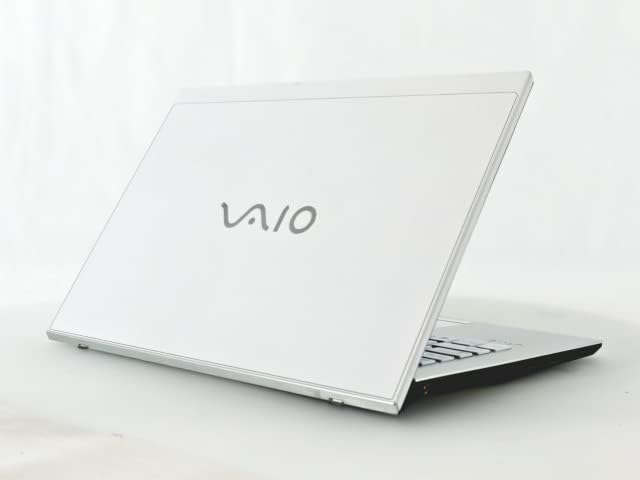
Figure 1: VAIO Pro PF Notebook PC
The VAIO Pro PF is a lightweight and compact mobile notebook designed for productivity. It features an 11.6-inch Full HD display, an Intel 8th Generation Core i5-8250U processor, 8GB of RAM, and a 256GB SSD, running on Windows 11 Pro. The device also includes a backlit keyboard for comfortable typing in various lighting conditions.
2. 설정
2.1 풀기
모든 구성품을 포장에서 조심스럽게 꺼내세요. 다음 품목이 모두 있는지 확인하세요.
- VAIO Pro PF Notebook PC
- AC 어댑터 및 전원 코드
- 문서(이 매뉴얼, 보증 정보)
2.2 전원 연결
Before initial use, connect the AC adapter to the laptop's power input port and then plug the power cord into a wall outlet. Allow the battery to charge fully.
2.3 초기 전원 켜기 및 Windows 설치
Press the power button to turn on the laptop. Follow the on-screen instructions to complete the initial Windows 11 Pro setup, including language selection, network connection, and user account creation.
3. Operating Your VAIO Pro PF
3.1 키보드 및 터치패드
The VAIO Pro PF features a full-sized keyboard with a backlight for improved visibility. The touchpad located below the keyboard supports multi-touch gestures for navigation.

그림 2: 키보드 및 터치패드 배치
3.2 외부 장치 연결
노트북에는 외부 장치를 연결하기 위한 다양한 포트가 장착되어 있습니다.
- USB 3.0 포트(x3): 외장 하드 드라이브, 마우스, 키보드 등의 USB 장치를 연결하는 데 사용합니다.
- HDMI 포트 : For connecting to external displays or projectors with HDMI input.
- D-SUB15 (VGA) Port: For connecting to older external displays or projectors with VGA input.
- 유선 LAN 포트: 이더넷 케이블을 사용하여 유선 네트워크에 연결하는 데 사용합니다.
- 헤드폰 잭: 헤드폰이나 외부 스피커를 연결하는 데 사용합니다.
3.3 무선 연결
The VAIO Pro PF supports both Wi-Fi and Bluetooth connectivity:
- Wi-Fi (802.11n): To connect to a wireless network, go to Windows Settings > Network & Internet > Wi-Fi, turn Wi-Fi on, and select your desired network.
- 블루투스: To connect Bluetooth devices, go to Windows Settings > Bluetooth & devices, turn Bluetooth on, and pair your device.
3.4 사용 Web 카메라
통합된 web camera can be used for video calls and conferences. Access it through applications like Camera, Microsoft Teams, or Zoom.
4. 유지관리
4.1 노트북 청소
To clean the exterior of your laptop, use a soft, lint-free cloth slightly dampened with water or a mild, non-abrasive cleaning solution. Avoid spraying liquids directly onto the device. For the screen, use a specialized screen cleaner.
4.2 소프트웨어 업데이트
시스템에 최신 보안 패치와 성능 향상 기능이 적용되어 있는지 확인하려면 Windows 업데이트를 정기적으로 확인하고 설치하세요. Windows 설정 > Windows 업데이트로 이동하세요.
4.3 배터리 관리
배터리 수명을 연장하려면 극한 온도와 배터리의 빈번한 완전 방전을 피하십시오. 장기간 보관 시에는 배터리를 약 50~70%까지 충전하십시오.
5. 문제 해결
This section addresses common issues you might encounter with your VAIO Pro PF.
| 문제 | 해결책 |
|---|---|
| 노트북의 전원이 켜지지 않습니다. | AC 어댑터가 제대로 연결되어 있고 전원 콘센트가 작동하는지 확인하세요. 전원 버튼을 10~15초 동안 눌러보세요. |
| Wi-Fi 연결 문제. | Check if Wi-Fi is enabled in Windows Settings. Restart your router and the laptop. Ensure you are within range of the Wi-Fi network. |
| 키보드 백라이트가 작동하지 않습니다. | Check if the backlight function key (often Fn + F key) is enabled. Adjust brightness settings if available. |
| 외부 디스플레이가 감지되지 않았습니다. | Ensure the cable is securely connected to both the laptop and the display. Use Windows display settings to detect or extend displays. Try a different cable or port if available. |
6. 사양
| 특징 | 세부 사항 |
|---|---|
| 모델명 | VAIO Pro PF (VJPF11C11N) |
| 상표 | VAIO (Manufacturer: SONY) |
| 디스플레이 크기 | 11.6인치 |
| 해결 | 1920x1080 pixels (Full HD) |
| CPU | Intel Core i5-8250U (8th Gen, 4 Cores, 8 Threads, 1.6 GHz base, up to 3.4 GHz) |
| 숫양 | 8GB DDR4 SDRAM |
| 저장 | 256GB SSD(솔리드 스테이트 드라이브) |
| 운영 체제 | 윈도우 11 프로(64비트) |
| 제도법 | 통합 인텔 그래픽 |
| 무선 연결 | Wi-Fi (802.11n), 블루투스 |
| 포트 | 3x USB 3.0, 1x HDMI, 1x D-SUB15 (VGA), 1x Wired LAN, 1x Headphone Jack |
| Web 카메라 | 통합 |
| 건반 | 백라이트 키보드 |
| 무게 | Approx. 0.87 kg (870 g) |
| 첫 번째 가능한 날짜 | 10년 2023월 XNUMX일 |
7. 보증 및 지원
For information regarding your product's warranty, please refer to the warranty card included with your purchase or visit the official VAIO support website. For technical assistance, driver downloads, or further inquiries, please contact VAIO customer support through their official channels.


