1. 제품 오버view
The GMBACK Wireless Switch 2 Pro Controller is a versatile gaming controller designed for a wide range of platforms, including Nintendo Switch 2/Switch/Lite/OLED, Apple devices (iPhone, iPad, Mac, TV, Apple Arcade MFi Games), Android devices (phone, tablet, Android TV, TV boxes), PC/Laptop (Windows 7/8/9/10/11), and Steam. It features advanced functionalities such as programmable buttons, 6-axis gyro motion control, adjustable vibration, turbo modes, and customizable RGB lighting to enhance your gaming experience.

이미지: 앞면 view of the GMBACK Wireless Switch 2 Pro Controller, showcasing its ergonomic design and illuminated joysticks.
2. 패키지 내용
모든 품목이 들어 있는지 확인하기 위해 상자를 푼 후 패키지 내용물을 확인하세요.
- GMBACK Wireless Switch 2 Pro Controller
- USB 충전 케이블
- 사용 설명서(본 문서)
3. 설정 및 연결
3.1 폭넓은 호환성
The controller supports a broad range of devices. Ensure your device's Bluetooth is enabled before attempting to pair.
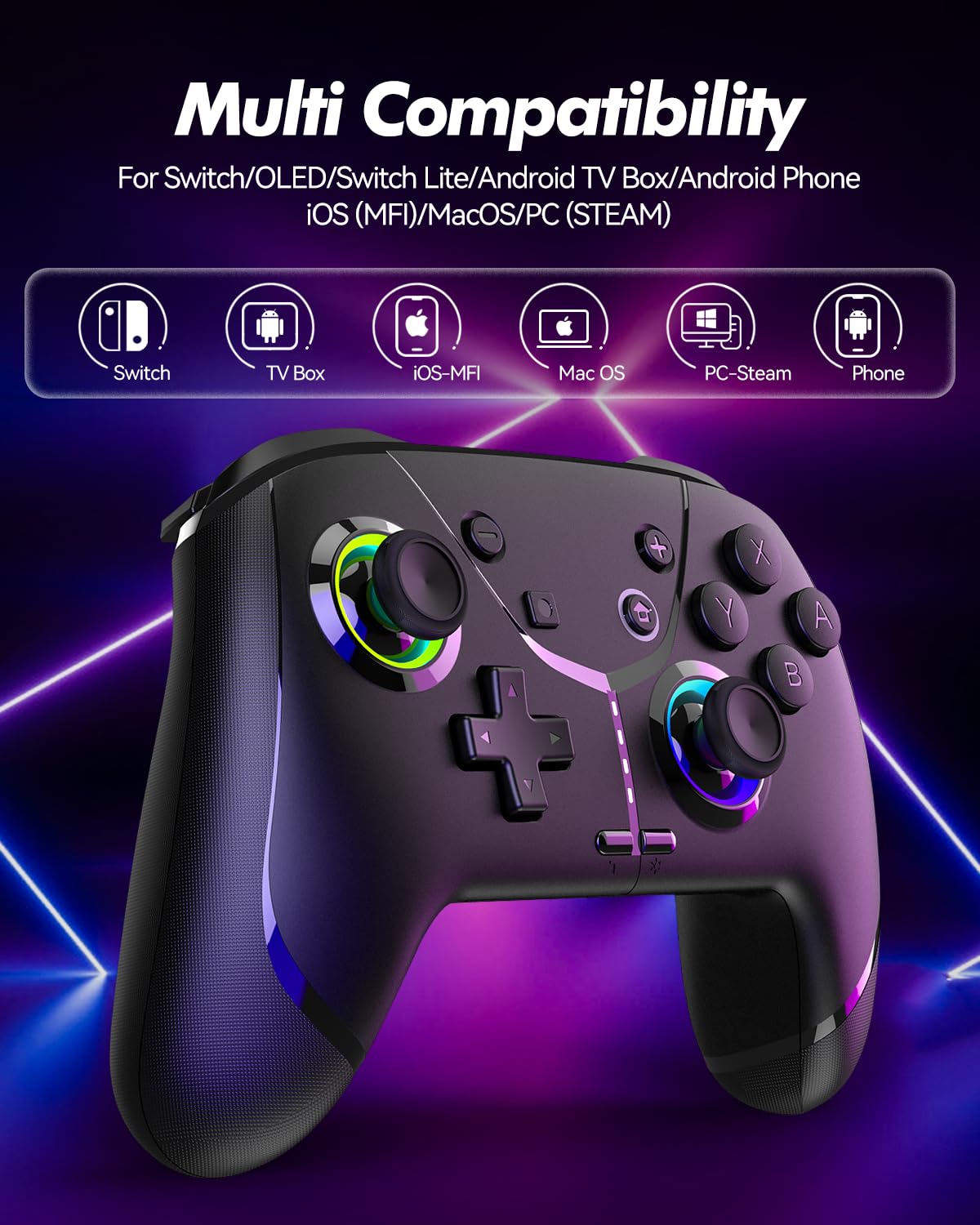
Image: Diagram illustrating the controller's compatibility with Nintendo Switch, TV Box, iOS-MFi, Mac OS, PC-Steam, and Phone devices.
3.2 블루투스 연결
To pair the controller via Bluetooth:
- 컨트롤러가 충분히 충전되었는지 확인하세요.
- 홈 버튼을 눌러 컨트롤러를 켭니다.
- Activate Bluetooth pairing mode on the controller (refer to specific device pairing instructions below).
- On your device (Switch, phone, PC), go to Bluetooth settings and search for new devices.
- Select "Pro Controller" or similar from the list to connect.
- 연결되면 컨트롤러의 표시등이 안정화됩니다.
3.3 유선 연결
For PC or other compatible devices, you can connect the controller directly using the provided USB cable. This will typically allow for plug-and-play functionality without requiring Bluetooth pairing.
4. 사용 설명서
4.1 Programmable Buttons (AR/AL)
The controller features two programmable buttons (AR and AL) on the back. These can be mapped to single buttons or record a sequence of up to 30 seconds of gaming operations.
- Mapping Single Buttons: Press the Program button, then the button you wish to map (e.g., A, B, X, Y, L, R, ZL, ZR, Left Joystick, Right Joystick, D-pad, +,-), then press AR or AL.
- 매크로 녹화: Press the Program button, then perform the sequence of actions you wish to record. Press AR or AL again to save the macro.

이미지: 클로즈업 view of the controller's underside, highlighting the AR and AL programmable buttons and their mapping capabilities.
4.2 Motion Controls (6-Axis Gyro Sensor)
The built-in 6-axis gyro sensor allows for precise motion control in compatible games on Switch, mobile phones, PC, and TV. This feature enables intuitive aiming and movement based on the controller's orientation.

Image: Illustration of the 6-axis gyro sensor functionality, showing a user holding the controller with motion lines indicating active control in a racing game.
4.3 조절 가능한 진동
The asymmetric dual motors provide four adjustable vibration intensities (100%, 70%, 50%, 0%) for an immersive gaming experience. Adjust the vibration level to your preference through the controller's settings or specific button combinations (refer to the quick start guide for details).

Image: Visual representation of the dual vibration feature with intensity levels (None, Weak, Medium, Strong) and the auto/manual turbo function.
4.4 Turbo Modes
The controller offers both auto and manual turbo modes with three adjustable speeds (5, 10, or 15 shots per second). This feature allows for rapid, continuous input of a button press, useful in fast-paced games.
- 수동 터보: Press the Turbo button and the desired action button simultaneously.
- 자동 터보: Press the Turbo button and the action button twice.
- 속도 조정: While in Turbo mode, press the Turbo button and move the right joystick up or down to cycle through speeds.
4.5 ABXY Function Switching
Easily switch between Nintendo Switch (A/B/X/Y) and Xbox (Y/X/B/A) button layouts without physically removing buttons. This ensures compatibility and comfort across different gaming platforms.

Image: Depiction of the ABXY button layout switching feature, showing the buttons rotating to indicate the change between Nintendo and Xbox configurations.
4.6 Wake-Up Function and RGB Light
The controller supports a wake-up function for connected devices (e.g., Nintendo Switch). It also features cool RGB lighting around the joysticks, which can be customized or turned off to suit your preference.

Image: The controller with illuminated RGB lights around the joysticks, indicating the "Wake Up & Cool LED Light" feature.
4.7 스크린샷 기능
A dedicated screenshot button allows you to capture in-game moments instantly on compatible platforms.
5. 충전 및 배터리 수명
The controller is equipped with a built-in 800 mAh rechargeable battery, providing approximately 15-20 hours of gameplay on a full charge. Charging time is typically around 3 hours.
- Connect the controller to a USB power source (e.g., console, PC, USB wall adapter) using the provided USB charging cable.
- 충전 표시등은 충전 상태를 나타내며, 완전히 충전되면 꺼지거나 색상이 변경됩니다.

Image: Illustration highlighting the controller's ergonomic design and battery specifications: 800mAh Lithium Battery, 3H Charging Time, and 15-20H Playing Time.
6. 유지관리
To ensure the longevity and optimal performance of your GMBACK Wireless Switch 2 Pro Controller:
- 부드럽고 마른 천으로 닦아 컨트롤러를 깨끗하게 유지하세요. 강한 화학 물질이나 연마재는 사용하지 마세요.
- 컨트롤러는 직사광선과 극한의 온도를 피해 서늘하고 건조한 곳에 보관하세요.
- 컨트롤러를 떨어뜨리거나 강한 충격을 주지 마십시오.
- 컨트롤러를 분해하거나 개조하려고 하지 마십시오. 그럴 경우 보증이 무효화됩니다.
- 컨트롤러의 배터리 수명을 유지하려면 자주 사용하지 않더라도 정기적으로 충전하십시오.
7. 문제 해결
| 문제 | 가능한 원인 | 해결책 |
|---|---|---|
| 컨트롤러가 켜지지 않습니다. | 배터리가 부족합니다. | 컨트롤러를 최소 3시간 동안 충전하세요. |
| 블루투스로 페어링할 수 없습니다. | 컨트롤러가 페어링 모드가 아닙니다. 블루투스 간섭이 발생했습니다. 기기의 블루투스가 꺼져 있습니다. | Ensure controller is in pairing mode. Turn off and on device Bluetooth. Move closer to the device. Try wired connection. |
| 입력 지연 또는 연결 끊김. | 배터리가 부족합니다. 기기와의 거리가 너무 멉니다. 무선 간섭이 있습니다. | Charge controller. Move closer to device. Reduce other wireless device interference. |
| 버튼/조이스틱이 작동하지 않습니다. | 소프트웨어 오류, 물리적 손상. | 컨트롤러와 연결된 장치를 재시작하십시오. 문제가 지속되면 고객 지원팀에 문의하십시오. |
| 진동이 작동하지 않습니다. | Vibration intensity set to 0%; game does not support vibration. | Adjust vibration intensity. Check game settings. |
8. 사양
- 모델: 6축 자이로 센서
- 연결성: 블루투스
- 호환성: Nintendo Switch 2/Switch/Lite/OLED, Apple (iPhone, iPad, Mac, TV, MFi Games), Android (phone, tablet, TV), PC (Windows 7/8/9/10/11), Steam
- 배터리: 800mAh 리튬 배터리
- 충전 시간: 약 3시간
- 플레이 시간: 15-20시간
- 특징: Programmable Buttons, 6-Axis Gyro, Adjustable Vibration, Turbo Modes, ABXY Function Switching, Wake-up, RGB Light, Screenshot
- 품목 무게: 11.3 온스
- 패키지 크기: 6.61 x 5.2 x 2.76 인치
- 제조업체: GMBACK
9. 보증 및 지원
GMBACK is committed to providing high-quality products and excellent customer service. For any issues or inquiries regarding your controller, please refer to the following:
- 보증 정보: Please retain your proof of purchase for warranty claims. Specific warranty terms may vary; refer to the product packaging or contact GMBACK customer support for details.
- 고객 지원: For technical assistance, troubleshooting, or warranty service, please contact GMBACK customer support through the retailer where you purchased the product or visit the official GMBACK store on Amazon: GMBACK Store.
- 온라인 사용자 매뉴얼: A PDF version of the user manual may be available for download at https://manuals.plus/m/56f01544f3b9d5425429644adc4053f7681b5d3717aa40f944cdb0f9bfccf36b.


