1. 서론
This manual provides essential instructions for setting up, operating, and maintaining your Tibuta Android 13 Tablet. Please read this guide thoroughly to ensure proper use and to maximize your device's performance.
The Tibuta 10-inch tablet features the Android 13 operating system, an Octa-Core processor, 8GB RAM, 64GB internal storage (expandable up to 1TB), a 7000mAh battery, and a 1280x800 IPS display. It supports Wi-Fi 6, Bluetooth 5.2, and Widevine L1 for enhanced streaming.

Image 1.1: Tibuta Android 13 Tablet overview, highlighting its 8GB+64GB configuration, Android 13 OS, Wi-Fi 6, 7000mAh battery, and Widevine L1 support.
2. 장치 레이아웃
Familiarize yourself with the physical components and ports of your tablet.

이미지 2.1: 앞면과 측면 view of the tablet with numbered components and dimensions.
구성 요소 식별:
- 전원 버튼: 기기를 켜거나 끄거나 화면을 켜거나 끄는 데 사용됩니다.
- C 형 포트 : 태블릿 충전 및 데이터 전송용입니다.
- 볼륨 버튼: 오디오 볼륨을 조절합니다.
- 마이크로 SD 카드 슬롯: 저장 용량 확장을 위해 마이크로 SD 카드를 삽입하세요.
- 카메라: 후면 카메라.
- 재설정 버튼: A small pinhole button to force restart the device if unresponsive.
- 헤드폰 단자: 헤드폰용 3.5mm 오디오 잭.
- 스피커: 오디오 출력.

이미지 2.2: 상세 view of the tablet's ports and buttons, including front and rear cameras, speakers, and the 3.5mm headphone jack.
3. 시작하기
3.1. 배터리 충전
Before first use, fully charge the tablet's 7000mAh lithium polymer battery. Connect the provided Type-C cable to the tablet's Type-C port and the other end to the power adapter, then plug the adapter into a wall outlet. The charging indicator will show the charging status.

Image 3.1: Visual representation of the tablet's 7000mAh battery capacity and Type-C charging port.
3.2. 전원 켜기 / 끄기
- 전원을 켜려면: Press and hold the Power Button until the Tibuta logo appears on the screen.
- 전원을 끄려면: Press and hold the Power Button until the power options menu appears, then select 'Power off'.
- 잠들기/깨어나기: 전원 버튼을 짧게 누르면 태블릿이 절전 모드로 전환되거나 다시 켜집니다.
3.3. 초기 설정
태블릿을 처음 켜면 초기 설정 과정을 안내합니다. 여기에는 언어 선택, Wi-Fi 네트워크 연결, Google 계정 설정 등이 포함됩니다. 화면의 안내에 따라 설정을 완료하세요.
4. 기본 작업
4.1. 터치스크린 제스처
The tablet's 10.1-inch IPS touchscreen responds to various gestures:
- 수도꼭지: 항목을 선택하거나 버튼을 활성화합니다.
- 길게 터치: 상황별 메뉴에 접근하거나 항목을 드래그하세요.
- 강타: Navigate through screens or scroll lists.
- 핀치 투 줌: 이미지 확대/축소 및 web 페이지.
4.2. Wi-Fi 연결
Wi-Fi 네트워크에 연결하려면:
- 이동하다 설정 > 네트워크 및 인터넷 > 인터넷.
- Wi-Fi를 켜세요.
- 목록에서 원하는 네트워크를 선택하고 메시지가 표시되면 비밀번호를 입력하세요.
The tablet supports 2.4G/5G dual-band Wi-Fi 6 for stable and fast connections.
4.3. 블루투스 페어링
Bluetooth 장치와 페어링하려면 :
- 이동하다 설정 > 연결된 장치 > 연결 환경 설정 > 블루투스.
- 블루투스를 켜세요.
- Bluetooth 장치가 페어링 모드인지 확인하세요.
- Select the device from the 'Available devices' list and follow any on-screen prompts.
4.4. 카메라 사용
The tablet is equipped with an 8MP rear camera and a 5MP front camera. Open the Camera application to capture photos and videos.

이미지 4.1: Examples of camera usage and the split-screen function for multitasking.
4.5. 스토리지 관리
The tablet comes with 64GB of internal storage. You can expand this by inserting a Micro SD card (up to 1TB) into the dedicated slot.
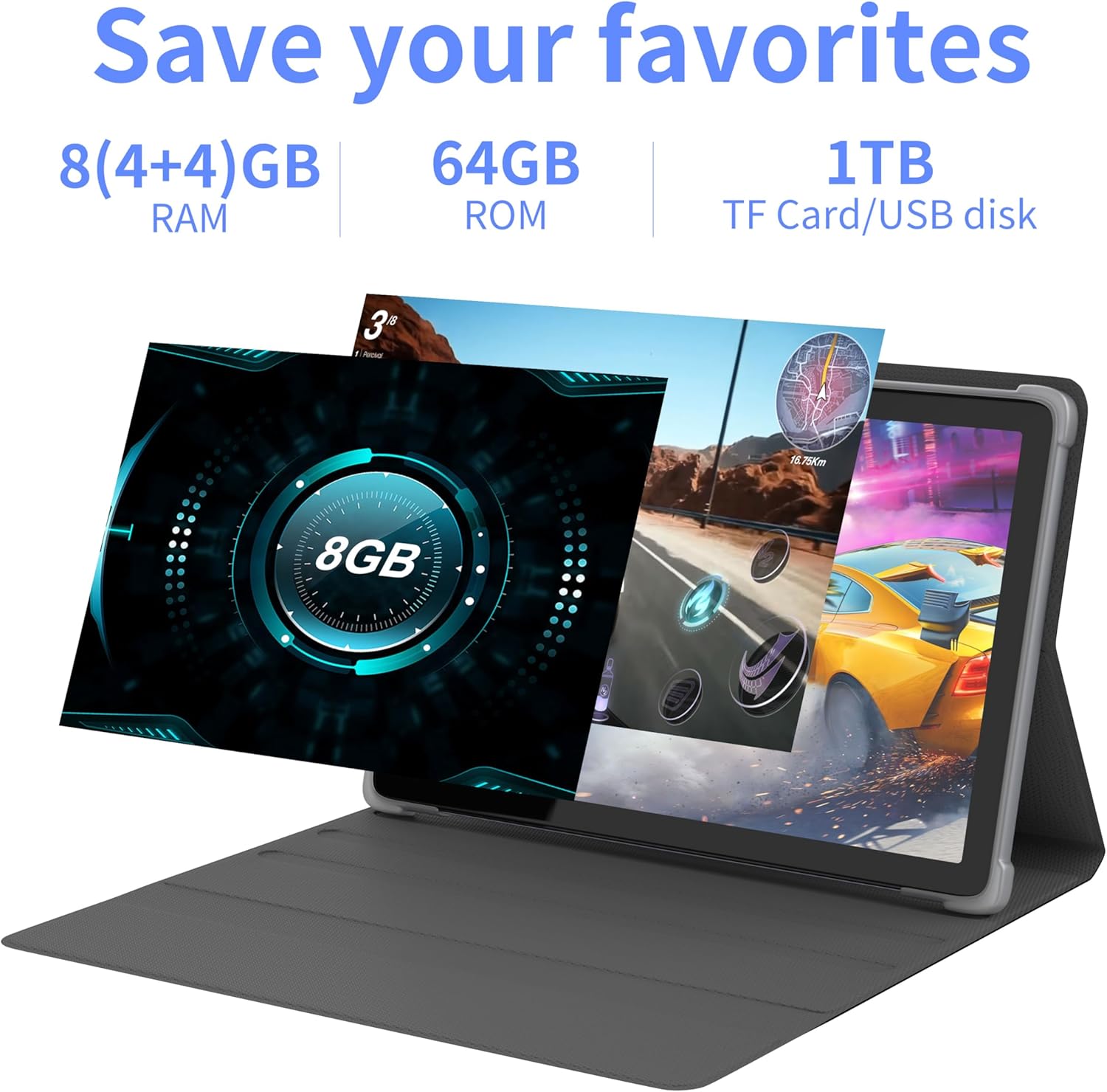
이미지 4.2: 이상view of the tablet's memory and storage capabilities, including RAM, ROM, and expansion options.
4.6. 화면 분할 기능
Android 13 allows for split-screen multitasking. To activate, open an app, then swipe up from the bottom of the screen to view recent apps. Touch and hold the app icon at the top of the app's card, then select 'Split screen'. Choose a second app to use simultaneously.
5. 디스플레이 기능
The tablet features a 10.1-inch IPS display with a resolution of 1280 x 800 pixels, providing clear visuals and wide view각도를 나타냅니다.

Image 5.1: The tablet's 10.1-inch HD IPS display, showcasing its resolution and wide-angle view능력을 갖추고 있습니다.
5.1. Widevine L1 지원
The tablet supports Widevine L1, enabling high-definition streaming content from compatible services.
6. 유지관리
6.1. 장치 청소
부드럽고 보풀이 없는 천을 사용하여 태블릿 화면과 본체를 닦으세요. 강한 화학 물질이나 연마재는 사용하지 마세요.
6.2. 소프트웨어 업데이트
최적의 성능과 보안을 위해 시스템 업데이트를 정기적으로 확인하고 설치하세요. 설정 > 체계 > 시스템 업데이트.
6.3. 저장 공간 최적화
성능을 유지하려면 불필요한 부분을 주기적으로 정리하세요. files and applications. Go to 설정 > 저장 기기의 저장 공간을 관리하려면.
7. 문제 해결
이 섹션에서는 일반적으로 발생할 수 있는 문제에 대해 설명합니다.
| 문제 | 해결책 |
|---|---|
| 태블릿의 전원이 켜지지 않습니다. | Ensure the battery is charged. Connect the tablet to the charger for at least 30 minutes before attempting to power on again. |
| Tablet is unresponsive. | Use a thin pin or paperclip to press the Reset Button (refer to Device Layout section) to force a restart. |
| Wi-Fi에 연결할 수 없습니다. | Check if Wi-Fi is enabled in Settings. Ensure the Wi-Fi password is correct. Restart your router and the tablet. |
| 성능이 느립니다. | 사용하지 않는 애플리케이션을 닫으세요. 캐시와 임시 파일을 삭제하세요. files. Consider performing a factory reset if the issue persists (backup data first). |
8. 사양
Detailed technical specifications for the Tibuta Android 13 Tablet (Model: 8GB+64GB).
| 특징 | 세부 사항 |
|---|---|
| 상표 | 티부타 |
| 모델 번호 | 8GB+64GB |
| 운영 체제 | 안드로이드 13 |
| 프로세서 | Octa-Core (Allwinner A523) |
| 숫양 | 8GB (4GB + 4GB 가상 메모리) |
| 내부 저장소 | 64GB (XNUMX기가바이트) |
| 확장 가능한 스토리지 | Up to 1TB (Micro SD card) |
| 화면 크기 | 10.1 인치 |
| 화면 해상도 | 1280 x 800 Pixels (IPS) |
| 후방 카메라 | 8 MP |
| 전면 카메라 | 5 MP |
| 배터리 용량 | 7000mAh 리튬 폴리머 |
| 평균 배터리 수명 | 최대 8시간(사용량에 따라 다름) |
| 연결성 | Wi-Fi 6 (802.11ac, b, g, n), Bluetooth 5.2 |
| 치수 | 24.8 x 16.7 x 1.2cm |
| 무게 | 539g |
| 색상 | 회색 |
| 특별 기능 | Widevine L1, GMS 인증 |
9. 지원
For technical assistance or if you encounter any issues with your Tibuta tablet, please contact our customer service team. Refer to your purchase documentation or the retailer's web구체적인 연락처 정보는 해당 사이트를 참조하세요.


