소개
Thank you for choosing the SOAR NCAA Sport True Wireless Earbuds V.5. This manual provides detailed instructions for the proper setup, operation, and maintenance of your earbuds. Please read this manual thoroughly before use to ensure optimal performance and longevity of your device.
패키지 내용
- SOAR NCAA Sport True Wireless Earbuds V.5 (Left and Right)
- 휴대용 충전 케이스
- USB Type-C 충전 케이블
- 추가 이어젤 (다양한 크기)
- 사용 설명서 (본 문서)
제품 끝view
Familiarize yourself with the components of your SOAR True Wireless Earbuds.

Image: The SOAR NCAA Sport True Wireless Earbuds V.5, featuring the TCU Horned Frogs logo, are shown both inside their open charging case and as a single earbud outside the case. The closed charging case lid is also displayed, highlighting the team logo.

Image: A diagram highlighting the functional aspects of the earbuds, including sweat resistance, secure fit ear hooks, the portable charging case, clear call quality, and intuitive one-touch controls.
- 이어 버드 : Left and Right earbuds with integrated controls and ear hooks for a secure fit.
- 충전 케이스: Stores and recharges the earbuds.
- LED 표시등: Provide status updates for charging and pairing.
- Multi-function Button/Touch Control: 재생, 통화, 음성 지원을 관리합니다.
- 마이크로폰: 핸즈프리 통화 기능이 내장되어 있습니다.
설정
1. 이어버드와 케이스 충전
- 처음 사용하기 전에 이어버드와 충전 케이스를 완전히 충전하세요.
- 이어버드를 충전 케이스에 넣으세요. 이어버드가 제대로 장착되었는지 확인하세요.
- USB Type-C 케이블을 케이스의 충전 포트에 연결하고 다른 쪽 끝을 USB 전원(예: 컴퓨터, 벽면 어댑터)에 연결합니다.
- The LED indicators on the case and/or earbuds will show charging status. Refer to the LED indicator section for details.
- Once fully charged, disconnect the charging cable. A full charge provides over 10 hours of music and talk time.
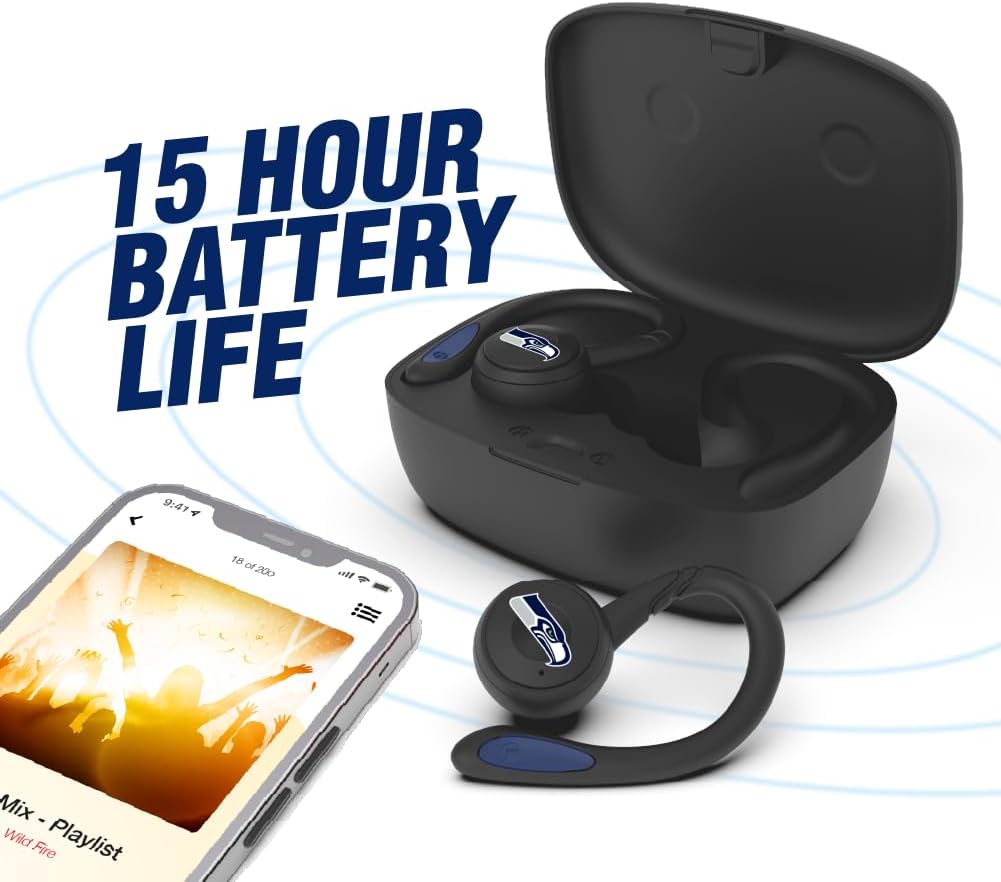
Image: The earbuds are shown within their charging case, positioned beside a smartphone playing music, emphasizing the extended battery life for continuous audio enjoyment.
2. 블루투스 기기와 페어링하기
- 이어버드가 충전되어 있는지 확인하세요.
- Open the charging case. The earbuds will automatically enter pairing mode, and their LED indicators will flash (e.g., blue and red alternately).
- 기기(스마트폰, 태블릿 등)에서 Bluetooth를 활성화하세요.
- 검색 available Bluetooth devices. You should see "SOAR Earbuds V.5" or a similar name appear in the list.
- Select the earbuds from the list to connect. Once connected, the LED indicators on the earbuds will stop flashing or show a solid blue light, and you will hear an audible confirmation.
- 페어링에 실패하면 이어버드를 끄고, 기기의 블루투스를 비활성화한 후 단계를 반복하세요.
작동 지침
전원 켜기/끄기
- 전원 켜기: Open the charging case, or press and hold the multi-function button on each earbud for approximately 3 seconds.
- 전원 끄기 : Place the earbuds back into the charging case and close the lid, or press and hold the multi-function button on each earbud for approximately 5 seconds.
음악 재생
- 재생/일시 중지: 이어버드 양쪽의 다기능 버튼을 한 번 누르세요.
- 다음 트랙: 오른쪽 이어버드의 다기능 버튼을 두 번 누르세요.
- 이전 트랙 : 왼쪽 이어버드의 다기능 버튼을 두 번 누르세요.
- 볼륨 업: 오른쪽 이어버드의 다기능 버튼을 세 번 누르세요.
- 볼륨 작게 : 왼쪽 이어버드의 다기능 버튼을 세 번 누르세요.
통화 관리
- 전화 받기/종료: 이어버드 양쪽의 다기능 버튼을 한 번 누르세요.
- 전화 거부: 양쪽 이어버드의 다기능 버튼을 2초간 길게 누르세요.
음성 지원
- Voice Assistant 활성화 : 통화 중이 아닐 때 한쪽 이어버드의 다기능 버튼을 2초간 길게 누릅니다.
유지
- 청소: 부드럽고 마른 보풀 없는 천을 사용하여 이어버드와 충전 케이스를 닦으세요. 강한 화학 물질이나 연마재를 사용하지 마세요.
- 이어젤: Regularly remove and clean the ear gels with a damp 천으로 닦아주세요. 다시 부착하기 전에 완전히 말랐는지 확인하세요.
- 저장: 사용하지 않을 때는 이어버드를 충전 케이스에 보관하여 보호하고 충전 상태를 유지하세요. 직사광선과 극한의 온도를 피해 서늘하고 건조한 곳에 보관하세요.
- 방수 기능: The earbuds are sweat resistant, but not waterproof. Avoid submerging them in water or exposing them to heavy rain.
문제 해결
| 문제 | 해결책 |
|---|---|
| 이어폰 전원이 켜지지 않습니다. | 이어버드가 충전되어 있는지 확인하세요. 이어버드를 충전 케이스에 넣고 케이스를 전원에 연결하세요. |
| 이어폰이 기기와 페어링되지 않습니다. |
|
| 한쪽 이어버드만 작동합니다. |
|
| 음질이 좋지 않거나 연결이 끊깁니다. |
|
명세서
| 특징 | 세부 사항 |
|---|---|
| 모델 번호 | NCAA-TWS5-TXC |
| 연결성 | 블루투스 5.0 |
| 무선 범위 | 최대 30피트(9미터) |
| 배터리 수명 | Over 10 hours (music & talk time per charge) |
| 충전 포트 | USB 타입-C |
| 제어 유형 | Touch Control / Multi-function Button |
| 마이크로폰 | 내장형 |
| 재료 | 플라스틱 |
| 무게 | Approximately 140 g (total item weight) |
보증 및 지원
For warranty information and customer support, please refer to the official SOAR product web사이트를 방문하거나 판매점에 문의하세요. 보증 청구를 위해 구매 증빙 자료를 보관하세요.
추가 지원을 받으려면 다음을 방문하세요. www.soar.com (Note: This is a placeholder link. Please refer to the actual product packaging or manufacturer's web정확한 지원 정보는 사이트를 참조하세요.)


