1. 서론
Thank you for choosing the Soul OPENEAR PLUS Bone Conduction Headphones. These open-ear earbuds are designed to provide a unique audio experience while maintaining awareness of your surroundings, making them ideal for sports and outdoor activities. Featuring a 14mm driver and Bluetooth 5.2 technology, they offer powerful sound and a stable, comfortable fit. This manual will guide you through the setup, operation, and maintenance of your new headphones.

The Soul OPENEAR PLUS headphones, showcasing their sleek, ergonomic design.
제품 끝view 동영상
공식적인view video demonstrating the key features and design of the Soul OPENEAR PLUS Earbuds.
2. 상자 안에 무엇이 들어있나요?
Upon opening your Soul OPENEAR PLUS package, you should find the following items:
- Soul OPENEAR PLUS Bone Conduction Headphones
- USB-C 충전 케이블
3. 설정
3.1 헤드폰 충전
Before first use, fully charge your Soul OPENEAR PLUS headphones. A full charge provides up to 7 hours of playtime.
- 헤드폰에서 USB-C 충전 포트를 찾으세요.
- 제공된 USB-C 케이블을 헤드폰의 충전 포트에 연결하십시오.
- USB-C 케이블의 다른 쪽 끝을 호환되는 USB 전원(예: 벽면 어댑터, 컴퓨터 USB 포트)에 연결합니다.
- 헤드폰의 LED 표시등은 충전 상태를 보여줍니다. 일반적으로 충전이 완료되면 표시등이 꺼지거나 색상이 변경됩니다.

The Soul OPENEAR PLUS headphones connected to a USB-C charging cable, highlighting the 7-hour battery life per single charge.
3.2 블루투스 페어링
헤드폰을 장치에 연결하려면:
- 헤드폰이 충전되어 있고 전원이 꺼져 있는지 확인하세요.
- 헤드폰의 전원 버튼을 LED 표시등이 깜빡일 때까지 길게 누르세요. LED 표시등이 깜빡이면 페어링 모드에 진입한 것입니다.
- 기기(스마트폰, 태블릿, 컴퓨터)에서 Bluetooth를 활성화하고 사용 가능한 기기를 검색하세요.
- Select "Soul OPENEAR PLUS" from the list of found devices.
- Once connected, the LED indicator will change, and you may hear an audible confirmation.
4. 사용 설명서
4.1 전원 켜기/끄기
- 전원 켜기: LED 표시등이 켜질 때까지 약 3초 동안 전원 버튼을 길게 누릅니다.
- 전원 끄기 : LED 표시등이 꺼질 때까지 약 5초 동안 전원 버튼을 길게 누릅니다.
4.2 컨트롤
The Soul OPENEAR PLUS headphones can be controlled via an associated app for advanced settings and functions. Basic controls for playback and calls are typically located on the headphone unit itself.
4.3 Open-Ear Design for Safety
The open-ear design of these headphones allows you to hear your surroundings while enjoying audio. This feature is crucial for safety during outdoor activities like running, cycling, or hiking, as it keeps you aware of traffic and other environmental sounds.

The open-ear design of the headphones ensures situational awareness, ideal for active users.
4.4 Stable and Comfortable Fit
The OPENEAR PLUS is designed for an ultra-stable fit that accommodates all ear sizes, ensuring they remain secure during vigorous exercise or outdoor adventures.

The headphones are engineered for a stable fit, suitable for various activities and ear sizes.
4.5 Powerful Air Conduction Sound
Equipped with 14mm drivers, the Soul OPENEAR PLUS delivers powerful air conduction spatial sound, providing a rich audio experience without blocking your ear canals.
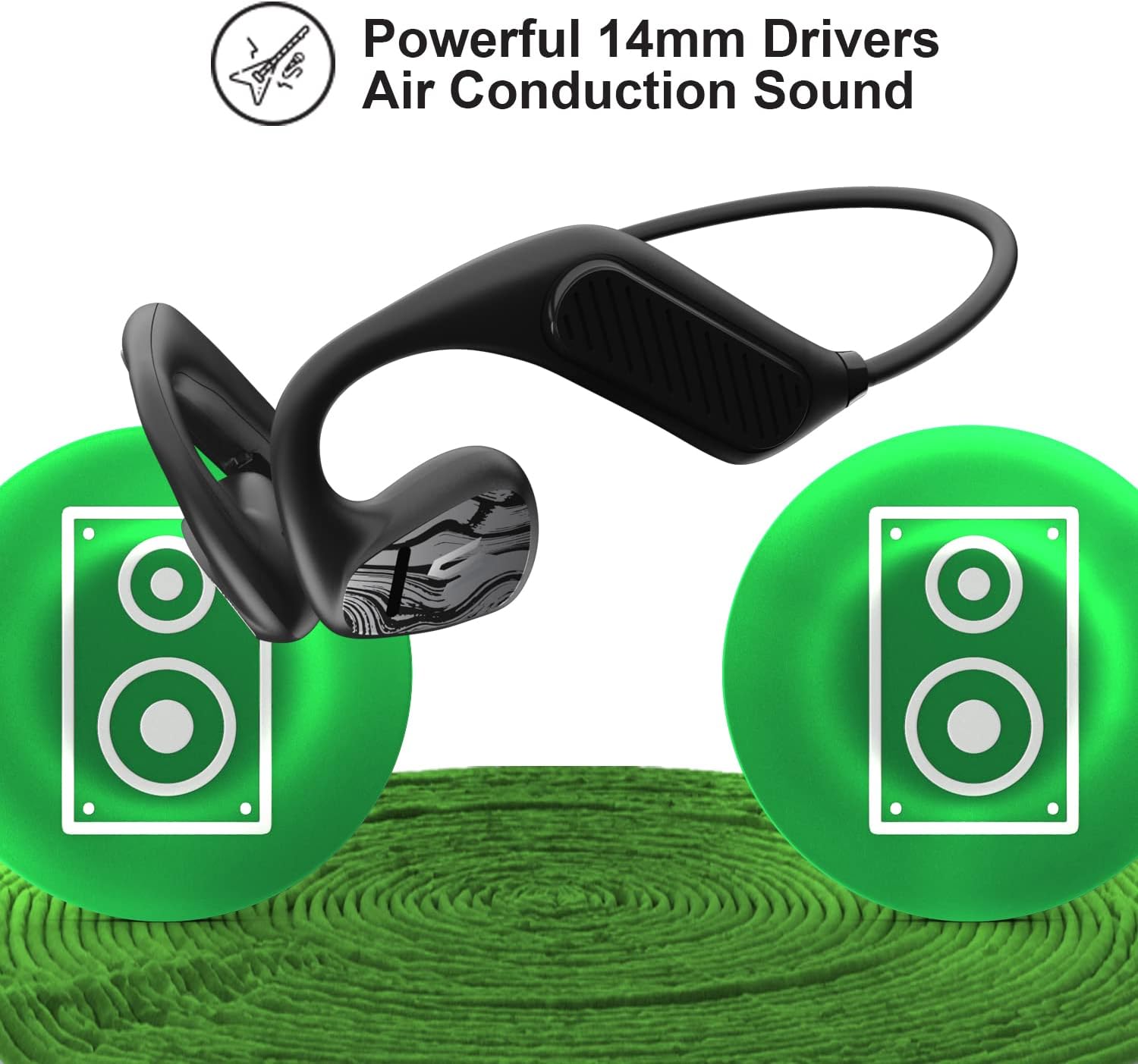
Illustration of the powerful 14mm drivers and air conduction sound technology.
4.6 Ultra Lightweight Design
The headphones feature an ultra-lightweight construction, providing a comfortable, barely-there feel even during extended use.

The lightweight design of the Soul OPENEAR PLUS, depicted with floating feathers to emphasize its minimal weight.
5. 유지관리
5.1 청소 및 관리
To ensure the longevity of your headphones, regularly wipe them with a soft, dry cloth. Avoid using harsh chemicals or abrasive materials.
5.2 방수 등급(IPX5)
The Soul OPENEAR PLUS headphones are IPX5 water-resistant, meaning they can withstand sweat and light rain. They are not designed for submersion in water. After exposure to moisture, ensure the charging port is dry before charging.

The headphones are shown with water splashes, illustrating their IPX5 water resistance against sweat and rain.
6. 문제 해결
If you encounter issues with your Soul OPENEAR PLUS headphones, try the following solutions:
- 전원 없음: 헤드폰이 완전히 충전되었는지 확인하세요.
- 페어링할 수 없습니다: 기기에서 블루투스가 켜져 있고 헤드폰이 페어링 모드인지 확인하세요. 두 기기를 모두 재시작해 보세요.
- 소리 없음: 헤드폰과 연결된 기기의 볼륨 레벨을 확인하세요. 헤드폰이 제대로 페어링되었는지 확인하세요.
- 간헐적인 연결: Move closer to your connected device to reduce interference. Ensure no physical obstructions are between the headphones and the device.
7. 사양
| 특징 | 세부 사항 |
|---|---|
| 모델명 | OPENEAR PLUS |
| 연결 기술 | 무선 전화 |
| 무선 통신 기술 | 블루투스 |
| 블루투스 버전 | 5.2 |
| 블루투스 범위 | 10 미터 |
| 배터리 수명 | 7시간 |
| 충전 시간 | Not specified (implies 7 hours playtime from single charge) |
| 방수 레벨 | IPX5 |
| 오디오 드라이버 유형 | 동적 드라이버 |
| 귀 위치 | 오픈 이어 |
| 폼 팩터 | 귀에 |
| 재료 | 플라스틱 |
| 품목 무게 | 4.2 온스 |
| 제품 치수 | 1.85 x 5.24 x 5.91 인치 |
| 제어 방법 | 앱 |
| 주파수 범위 | 20Hz - 20,000Hz |
| 임피던스 | 16옴 |
8. 보증 및 지원
For warranty information or technical support, please refer to the official Soul Electronics web사이트를 방문하거나 고객 서비스에 직접 문의하세요. 보증 청구를 위해 구매 증빙 자료를 보관하세요.


