1. 서론
구매해주셔서 감사합니다asing the COBY CPA905BK Bluetooth Party Speaker. This manual provides essential information for the safe and efficient operation of your device. Please read it thoroughly before use and retain it for future reference.

Image 1.1: The COBY CPA905BK Bluetooth Party Speaker, showcasing its vibrant multi-color LED lighting.
2. 중요한 안전 정보
- 스피커를 물, 습기 또는 극한 온도에 노출시키지 마세요.
- 스피커를 떨어뜨리거나 강한 충격을 주지 마십시오.
- 직접 분해하거나 수리하지 마십시오. 모든 정비는 자격을 갖춘 기술자에게 맡기십시오.
- 스피커를 라디에이터, 난방기, 스토브 또는 기타 열을 발생시키는 기기와 같은 열원에서 멀리 두십시오.
- 제공된 충전 케이블만 사용하세요.
- 마른 천으로만 닦으십시오.
- 장시간 높은 볼륨으로 청취하면 청력 손상이 발생할 수 있습니다. 볼륨을 적당한 수준으로 조절하세요.
3. 패키지 내용
다음 품목이 패키지에 포함되어 있는지 확인하세요.
- COBY CPA905BK Bluetooth Party Speaker
- 마이크로 USB 충전 케이블
- 사용 설명서 (본 문서)
4. 제품 오버view
Familiarize yourself with the various parts and controls of your COBY CPA905BK speaker.

Image 4.1: Top panel of the COBY CPA905BK speaker, illustrating the control buttons and ports.
제어판 기능:
- ON / OFF 스위치: 스피커의 전원을 켜거나 끕니다.
- 충전 포트: 스피커 충전용 마이크로 USB 입력 단자입니다.
- 충전 LED 표시기: 충전 상태를 보여줍니다.
- TF 카드 슬롯 : TF(microSD) 카드를 삽입하면 음악을 바로 재생할 수 있습니다.
- USB 포트: USB 플래시 드라이브를 삽입하면 음악을 직접 재생할 수 있습니다.
- LED 버튼: 다양한 조명 모드를 순환합니다.
- EQ 버튼: Activates or changes equalizer presets.
- 볼륨 조절 (VOL+ / VOL-): 스피커의 볼륨을 조절합니다.
- Previous / Next Song Buttons: 이전 또는 다음 트랙으로 건너뜁니다.
- Speaker Mode Button: Changes input mode (Bluetooth, USB, TF Card).
- Play / Pause / Scan Button: Plays or pauses music; initiates FM radio scan (if applicable).
- 핸들: Integrated carrying handle for portability.
5. 설정 및 첫 사용
5.1 스피커 충전
Before first use, fully charge the speaker. Connect the Micro USB charging cable to the speaker's charging port (2) and the other end to a USB power adapter (not included) or a computer's USB port. The Charging LED Indicator (3) will illuminate during charging and turn off when fully charged. A full charge provides up to 7 hours of playtime.
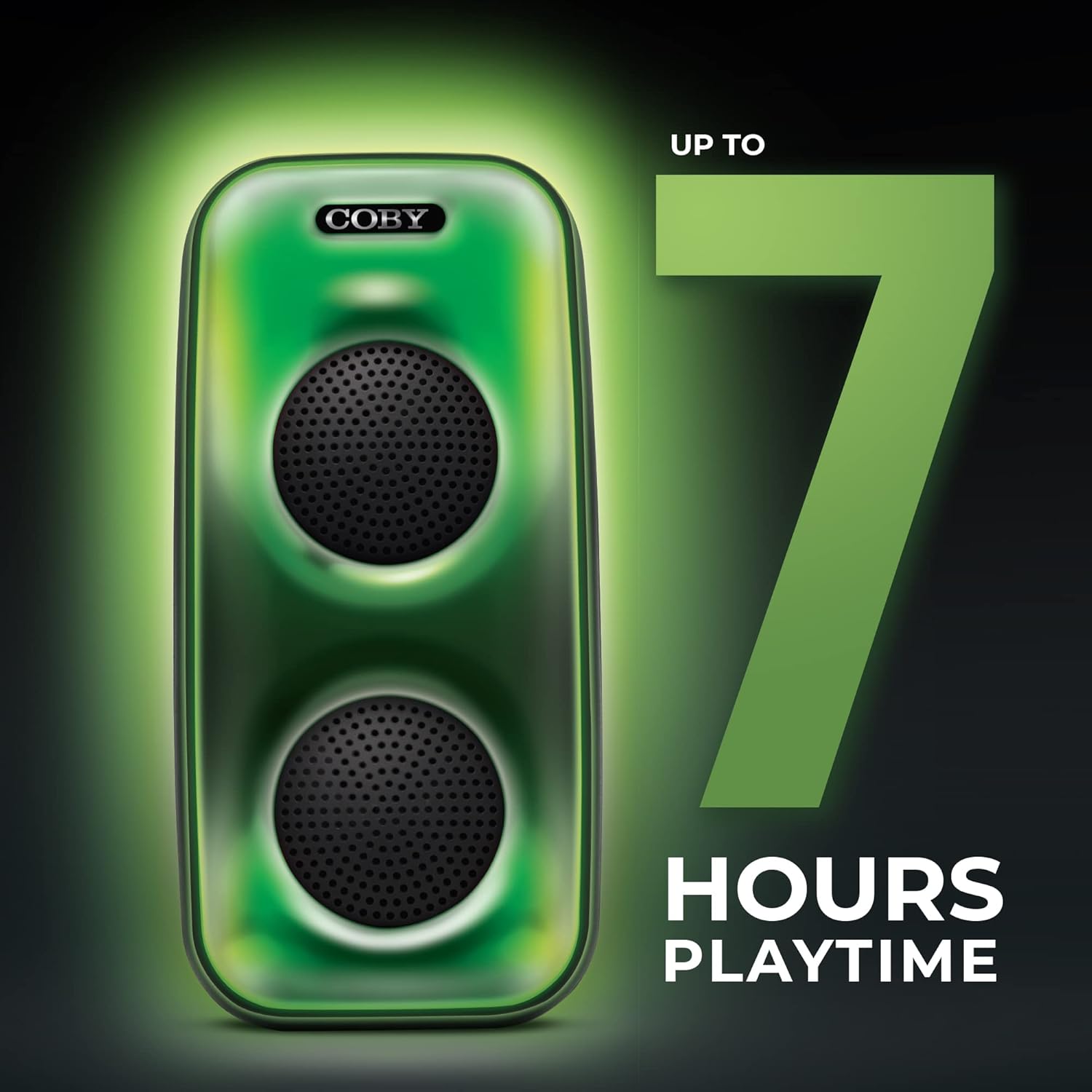
Image 5.1: The COBY CPA905BK speaker highlighting its battery life of up to 7 hours.
5.2 전원 켜기/끄기
슬라이드 온 / 오프 스위치 (1) to the "ON" position to power on the speaker. Slide it to "OFF" to power off.
6. 사용 설명서
6.1 블루투스 연결
- 스피커 전원이 켜져 있고 블루투스 모드인지 확인하십시오. 그렇지 않은 경우, 버튼을 누르십시오. Speaker Mode Button (10) until you hear a prompt indicating Bluetooth mode.
- 스마트폰이나 기타 호환 장치에서 Bluetooth를 활성화합니다.
- 검색 "COBY CPA905BK" in your device's Bluetooth settings.
- Select "COBY CPA905BK" to pair. A confirmation sound will indicate successful pairing.
- 이제 스피커를 통해 기기의 오디오를 재생할 수 있습니다.

Image 6.1: Illustration of the COBY CPA905BK speaker establishing a quick and easy Bluetooth connection with a smartphone.
6.2 True Wireless Stereo(TWS) 페어링
To achieve a stereo sound experience, you can pair two COBY CPA905BK speakers together:
- 두 스피커 모두 전원이 켜져 있고 Bluetooth 모드에 있지만 어떤 장치에도 연결되어 있지 않은지 확인하세요.
- 스피커 중 하나(기본 스피커)에서 버튼을 길게 누르세요. Speaker Mode Button (10) for a few seconds until you hear a pairing tone.
- The two speakers will automatically search and pair with each other. A confirmation tone will sound once paired.
- Now, connect your smartphone or device to the primary speaker via Bluetooth as described in section 6.1. Audio will play through both speakers in stereo.

Image 6.2: Two COBY CPA905BK speakers demonstrating True Wireless Stereo (TWS) functionality for enhanced sound.
6.3 USB 및 TF 카드 재생
The speaker supports direct playback from USB flash drives and TF (microSD) cards.
- USB 플래시 드라이브를 삽입하세요 USB 포트 (5) 또는 TF 카드를 TF 카드 슬롯 (4).
- 스피커는 자동으로 해당 모드로 전환되어 오디오 재생을 시작합니다. files. 그렇지 않은 경우 다음을 누릅니다. Speaker Mode Button (10) to select the correct input.
- 사용하세요 Previous / Next Song Buttons (9) to navigate tracks and the 재생/일시정지 버튼 (11) to control playback.
6.4가지 조명 모드
The speaker features three distinct light modes:
- Polychromatic: Displays a dynamic range of colors.
- 진행형: 색상이 부드럽게 전환됩니다.
- 맥박: Lights react to the rhythm of the music.
를 누르세요 LED 버튼 (6) repeatedly to cycle through these light modes or to turn the lights off.

Image 6.3: The COBY CPA905BK speaker demonstrating its three distinct light modes.
6.5 이퀄라이저(EQ)
를 누르세요 EQ 버튼 (7) to cycle through available equalizer presets, optimizing the sound for different music genres or personal preferences.
7. 유지관리
- 청소: 부드럽고 마른 천을 사용하여 스피커 외부를 닦으세요. 액체 세척제나 에어로졸은 사용하지 마세요.
- 저장: 장기간 사용하지 않을 경우 스피커를 직사광선을 피해 서늘하고 건조한 곳에 보관하십시오.
- 배터리 관리 : 배터리 수명을 연장하려면 스피커를 자주 완전히 방전시키지 마세요. 사용하지 않을 때에도 정기적으로 충전하세요.
8. 문제 해결
| 문제 | 가능한 원인 | 해결책 |
|---|---|---|
| 스피커의 전원이 켜지지 않습니다. | 배터리가 소진되었습니다. | 제공된 Micro USB 케이블을 사용하여 스피커를 충전하세요. |
| 스피커에서 소리가 나지 않습니다. | 볼륨이 너무 작습니다. 입력 모드가 잘못되었습니다. 기기가 페어링되지 않았습니다. | Increase volume; press Speaker Mode Button (10) to select correct input; re-pair Bluetooth device. |
| 블루투스 기기가 스피커를 찾을 수 없습니다. | Speaker is not in Bluetooth pairing mode; speaker is already connected to another device. | Ensure speaker is in Bluetooth mode; disconnect from other devices; restart speaker and device. |
| TWS 페어링이 실패합니다. | 스피커 간의 거리가 너무 멀리 떨어져 있습니다. 스피커 하나는 이미 장치에 페어링되어 있습니다. | Ensure speakers are close to each other; disconnect both speakers from any Bluetooth devices before initiating TWS pairing. |
| USB/TF card playback not working. | 잘못된 file format; card/drive not inserted correctly; speaker not in correct mode. | 오디오 확인 files are in a compatible format (e.g., MP3); reinsert card/drive; press Speaker Mode Button (10) to select USB or TF mode. |
9. 사양
| 특징 | 세부 사항 |
|---|---|
| 모델 번호 | CPA905BK |
| 상표 | 코비 |
| 연결 기술 | 블루투스 5.3, USB, TF 카드 |
| 전원 | 배터리 구동식 (리튬 이온 배터리 1개 포함) |
| 노는 시간 | 최대 7시간 |
| 오디오 입력 | 블루투스, USB, TF 카드 |
| 제품 크기(L x W x H) | 5.52 x 5.52 x 11.43 인치 |
| 품목 무게 | 2.3파운드 |
| 재료 | 금속, 플라스틱 |
| 한국어: | 810071491368 |
10. 보증 및 지원
For warranty information and technical support, please refer to the documentation provided with your purchase or visit the official Coby web사이트. 보증 청구를 위해 구매 증빙 자료를 보관하세요.
제조업체: 서밋 일렉트로닉스, LLC
Web대지: 아마존에서 코비 스토어를 방문하세요.


