1. 서론
The Walimex pro Stager 400 HSS Studio Flash is a powerful HSS-compatible studio flash designed for professional photographers. It offers 400 Ws flash power, continuously adjustable from 1/1 to 1/128. This manual provides essential information for the safe and efficient operation of your studio flash.
Key features include an integrated 2.4 GHz receiver with 16 channels and 5 groups for optional radio trigger control, HSS (High Speed Sync) mode up to 1/8000s, a user-friendly control panel, and a modern 25W LED modeling light. The high-quality aluminum finish and practical Bowens/walimex Pro bayonet mount enhance its design and versatility.

Figure 1.1: Walimex pro Stager 400 HSS Studio Flash with standard reflector. This image shows the Walimex pro Stager 400 HSS Studio Flash unit with its standard reflector mounted, ready for use.
2. 안전 지침
- 사용하기 전에 모든 지침을 읽으세요.
- 플래시 장치를 젖은 곳이나 습기가 있는 곳에서 작동하지 마십시오.amp 정황.
- 전원 공급 장치가 장치 요구 사항과 일치하는지 확인하세요.
- Avoid direct eye exposure to the flash light, especially at full power.
- 직접 분해하거나 수리하지 마십시오. 자격을 갖춘 서비스 담당자에게 문의하십시오.
- 어린이의 손이 닿지 않는 곳에 보관하세요.
- 청소하거나 사용하지 않을 때는 항상 전원 케이블을 분리하십시오.
- 작동 중에는 과열을 방지하기 위해 기기 주변에 적절한 환기가 이루어지도록 하십시오.
3. 패키지 내용
아래 나열된 모든 품목이 패키지에 포함되어 있는지 확인하세요.
- 1x Walimex Pro Stager 400 HSS Studio Flash with LED modeling light
- 1x Standard Reflector
- 1x Power Cable (4 m)
- 1x Sync Cable (4 m)
- 1x Flash Tube
- 보호 캡 1개
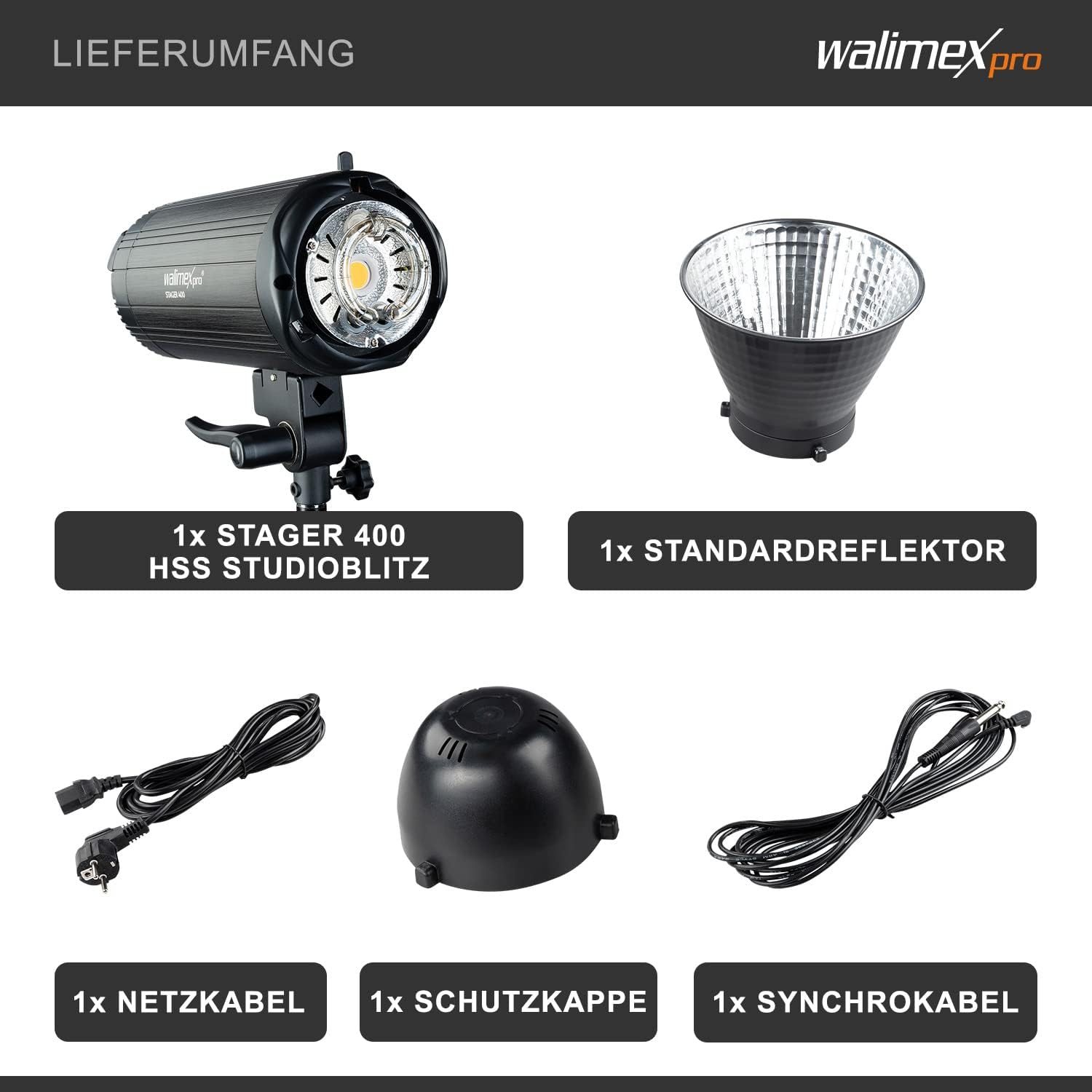
Figure 3.1: Package Contents. This image shows the complete package contents: the Stager 400 HSS studio flash, standard reflector, power cable, protective cap, and sync cable.
4. 설정
4.1 Attaching the Flash Tube
- 플래시 장치의 전원이 꺼져 있고 플러그가 뽑혀 있는지 확인하십시오.
- Carefully insert the flash tube into its socket on the front of the unit. Ensure it is seated firmly.
4.2 Mounting the Reflector/Light Shaper
- Align the standard reflector (or any compatible Bowens/Walimex Pro bayonet mount light shaper) with the bayonet mount on the front of the flash unit.
- 반사경을 시계 방향으로 돌려서 제자리에 단단히 고정되도록 합니다.
4.3 플래시 장치 장착
- Attach the flash unit to a sturdy light stand using the integrated mounting bracket.
- Tighten the locking knob on the bracket to secure the flash in position.
4.4 Connecting Power and Sync Cables
- Connect the power cable to the power input on the flash unit and then to a suitable power outlet.
- For wired synchronization, connect the sync cable to the sync port on the flash unit and to your camera or trigger.
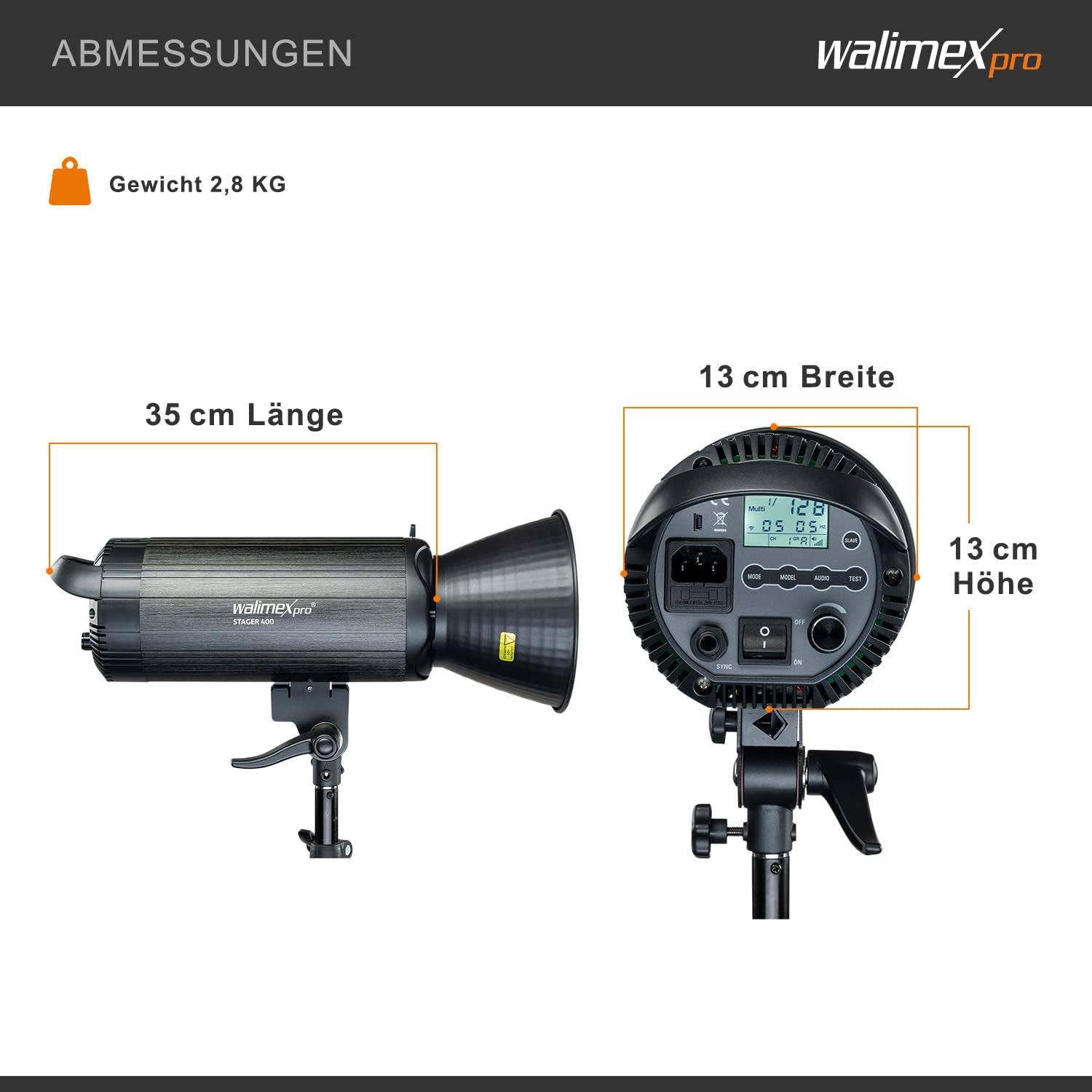
Figure 4.1: Product Dimensions. This diagram illustrates the length (35 cm), width (13 cm), and height (13 cm) of the Walimex pro Stager 400 HSS Studio Flash, along with its weight of 2.8 kg.
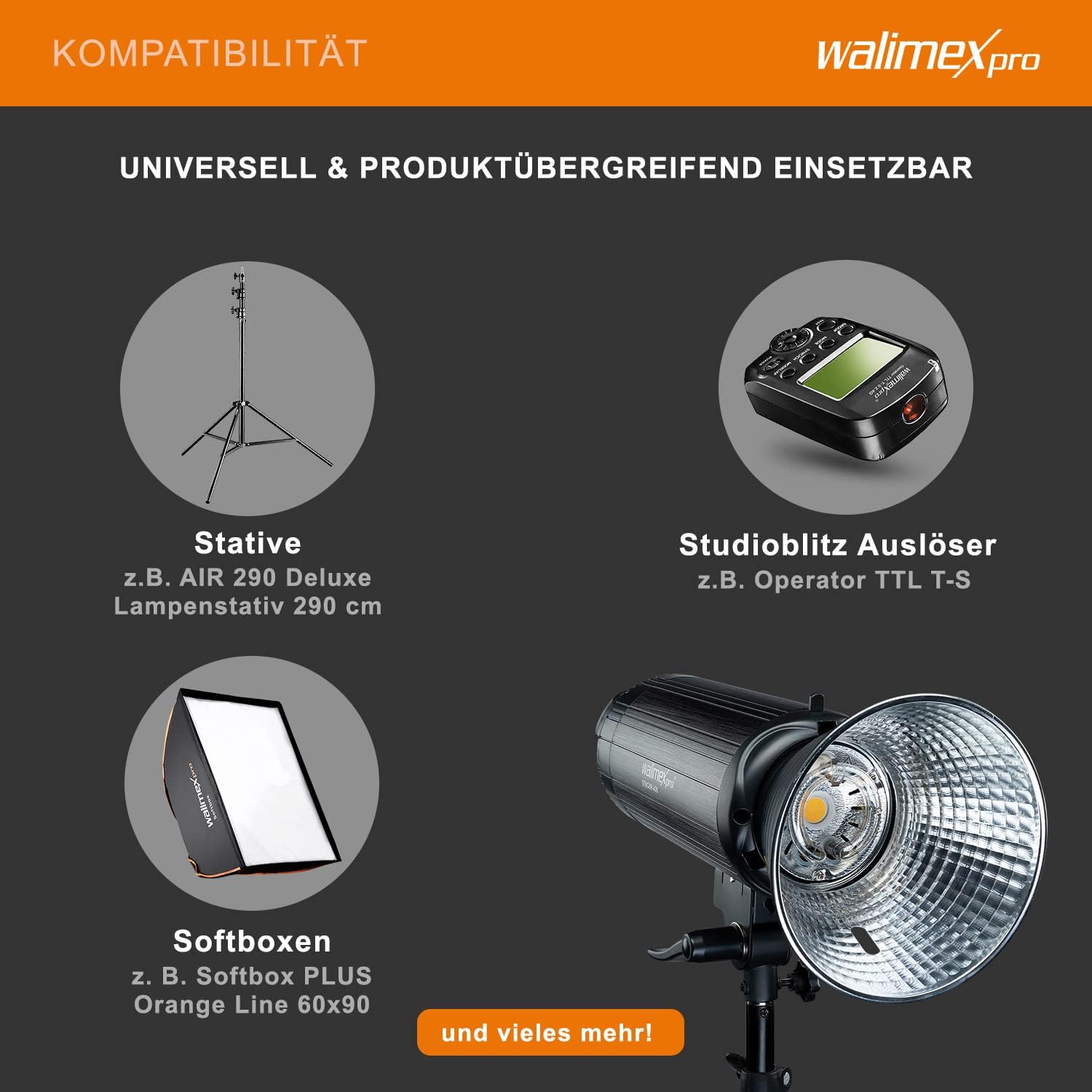
Figure 4.2: Compatibility. This image demonstrates the compatibility of the Walimex pro Stager 400 HSS Studio Flash with various accessories such as light stands (e.g., AIR 290 Deluxe), studio flash triggers (e.g., Operator TTL-S), and softboxes (e.g., Softbox PLUS Orange Line 60x90).
5. 사용 설명서
5.1 전원 켜기/끄기
Locate the power switch on the rear panel of the flash unit. Flip the switch to the 'ON' position to power on the unit. Flip it to 'OFF' to power down.
5.2 플래시 출력 조절
Use the control dial or buttons on the control panel to adjust the flash power. The Walimex pro Stager 400 HSS offers continuous adjustment from 1/1 (full power) down to 1/128 power.
5.3 Using the LED Modeling Light
The unit features a 25W LED modeling light. This light can be turned on or off via a dedicated button on the control panel to help visualize lighting effects before firing the flash.
5.4 High Speed Sync (HSS) Mode
The HSS mode allows for flash synchronization at shutter speeds up to 1/8000s, enabling you to freeze fast motion or use wide apertures in bright conditions. Activate HSS mode via the control panel or a compatible radio trigger.

Figure 5.1: HSS Mode Comparison. This image illustrates the effect of High Speed Sync (HSS) mode, showing how it effectively freezes fast motion (left, 'MIT HSS-MODUS') compared to standard flash synchronization (right, 'OHNE HSS-MODUS').
5.5 무선 제어
The integrated 2.4 GHz receiver supports 16 channels and 5 groups. To use radio control, you will need an optional Walimex Pro radio trigger. Set the flash unit and the trigger to the same channel and group for wireless operation.
5.6 First and Second Curtain Sync
The flash supports both first and second curtain sync modes, offering creative control over motion blur effects. Select the desired mode through the flash unit's menu or your camera's settings if supported.

Figure 5.2: Control Panel and LED Modeling Light. This image highlights the user-friendly control panel with display and buttons, along with the powerful 25W LED modeling light of the Walimex pro Stager 400 HSS Studio Flash.
6. 유지관리
6.1 청소
- 청소하기 전에는 항상 장치의 플러그를 뽑으세요.
- 부드럽고 마른 천을 사용하여 플래시 장치 외부를 닦으세요.
- 완고한 먼지의 경우 약간 damp 천을 사용한 후 마른 천으로 닦아낼 수 있습니다.
- 강한 화학 물질, 용제 또는 연마성 세척제를 사용하지 마십시오.
- Keep the flash tube and modeling light free from dust and fingerprints. Use a lens cleaning cloth if necessary.
6.2 보관
- Store the flash unit in a cool, dry place, away from direct sunlight and excessive humidity.
- Use the protective cap to cover the flash tube when not in use to prevent damage.
- If storing for extended periods, ensure the unit is unplugged.
7. 문제 해결
| 문제 | 가능한 원인 | 해결책 |
|---|---|---|
| 플래시 장치가 켜지지 않습니다. | Power cable not connected or faulty; power outlet not working. | 전원 케이블 연결을 확인하세요. 다른 콘센트에 꽂아 보세요. |
| 플래시가 터지지 않습니다. | Sync cable not connected; radio trigger not paired; flash in standby mode; flash tube faulty. | Check sync cable. Ensure radio trigger is paired and on correct channel/group. Wake flash from standby. Contact support if flash tube is suspected faulty. |
| 플래시 출력이 일관되지 않습니다. | Low power setting; overheating; faulty flash tube. | Increase power setting. Allow unit to cool down. Contact support if issue persists. |
| HSS mode not working. | Camera or trigger not compatible/set to HSS; flash unit not in HSS mode. | Ensure camera and trigger support HSS and are correctly configured. Activate HSS on the flash unit. |
8. 사양
| 특징 | 사양 |
|---|---|
| 상표 | Walimex Pro |
| 모델 | 23358(에스tager 400 HSS) |
| 플래시 파워 | 400W |
| 힘 조정 | 1/1 to 1/128 (continuous) |
| 모델링 라이트 | 25W LED |
| 재활용 시간 | 0.3초 이내 |
| 동기화 속도 | 최대 1/8000초(HSS) |
| 라디오 조종 | Integrated 2.4 GHz receiver, 16 channels, 5 groups |
| 장착 유형 | 핫슈 마운트 |
| 호환 가능한 마운트 | Bowens/Walimex Pro bayonet connector |
| 제품 크기(L x W x H) | 56 x 29 x 22cm |
| 제품 무게 | 4.22kg |
| 색상 | 회색 |
| 제조업체 | 발저 GmbH |
9. 보증 및 지원
For warranty information, please refer to the documentation provided with your purchase or contact your retailer. For technical support or service inquiries, please contact Walimex Pro customer service or visit their official web추가 지원은 사이트를 참조하세요.


