소개
Welcome to the user manual for your Spigen ArcPack 30W 10000mAh Super-Compact USB C Power Bank. This manual provides essential information for setting up, operating, and maintaining your device to ensure optimal performance and longevity. Please read this manual carefully before using the product.
무엇이 포함됩니까?
Your Spigen ArcPack Power Bank package includes the following items:
- Spigen ArcPack USB C Power Bank
- 3.3피트 USB-C-USB-C 케이블
- 보관 파우치
- 사용 설명서 (본 문서)

Image: The Spigen ArcPack Power Bank shown alongside its included USB-C to USB-C cable, highlighting the complete package contents.
주요 특징
The Spigen ArcPack Power Bank is designed with advanced features for efficient and reliable charging:
- Compact Powerhouse: Boasts a generous 10000mAh capacity in a super-compact form factor, making it easy to carry.
- 번개처럼 빠른 충전: Experience PD PPS 30W high-speed charging and recharging capabilities. The Type C port supports 30W Power Delivery 3.0 and 25W PPS.
- 세련되고 스타일리시한 디자인: Its sleek edges and premium materials enhance durability and portability, perfect for travel and daily use.
- 보편적 인 호환성 : Compatible with a wide range of devices including iPhone, Galaxy, Apple Vision Pro, Steam Deck, Nintendo Switch, and more.

Image: A hand placing the compact Spigen ArcPack Power Bank into a handbag, illustrating its excellent portability for on-the-go use.

Image: The Spigen ArcPack Power Bank positioned centrally with a smartphone, tablet, and wireless earbuds around it, showcasing its broad compatibility with different electronic devices.
설정
Before first use, it is recommended to fully charge your Spigen ArcPack Power Bank.
파워뱅크 충전하기
- 포함된 USB-C to USB-C 케이블을 파워뱅크의 USB-C 포트에 연결합니다.
- Connect the other end of the cable to a compatible USB Power Delivery (PD) wall charger. For the fastest charging, a 30W or higher PD charger is recommended.
- The LED indicators on the power bank will illuminate to show the charging progress. All four LEDs will be solid when the power bank is fully charged.
A full charge takes approximately 1.8 hours when using a 30W PD charger.

Image: The Spigen ArcPack Power Bank connected to a wall adapter on a nightstand, with its indicator lights showing a full 100% charge, ready for use.
작동 지침
Using your Spigen ArcPack Power Bank to charge your devices is simple and efficient.
장치 충전하기
- 호환되는 USB-C 케이블을 사용하여 기기를 보조 배터리의 USB-C 포트에 연결하세요.
- 모바일 기기가 자동으로 충전을 시작합니다.
- 보조 배터리의 LED 표시등은 남은 배터리 잔량을 보여줍니다.
The power bank supports Power Delivery (PD 3.0) up to 30W and Programmable Power Supply (PPS) up to 25W, delivering rapid power replenishment for compatible devices.
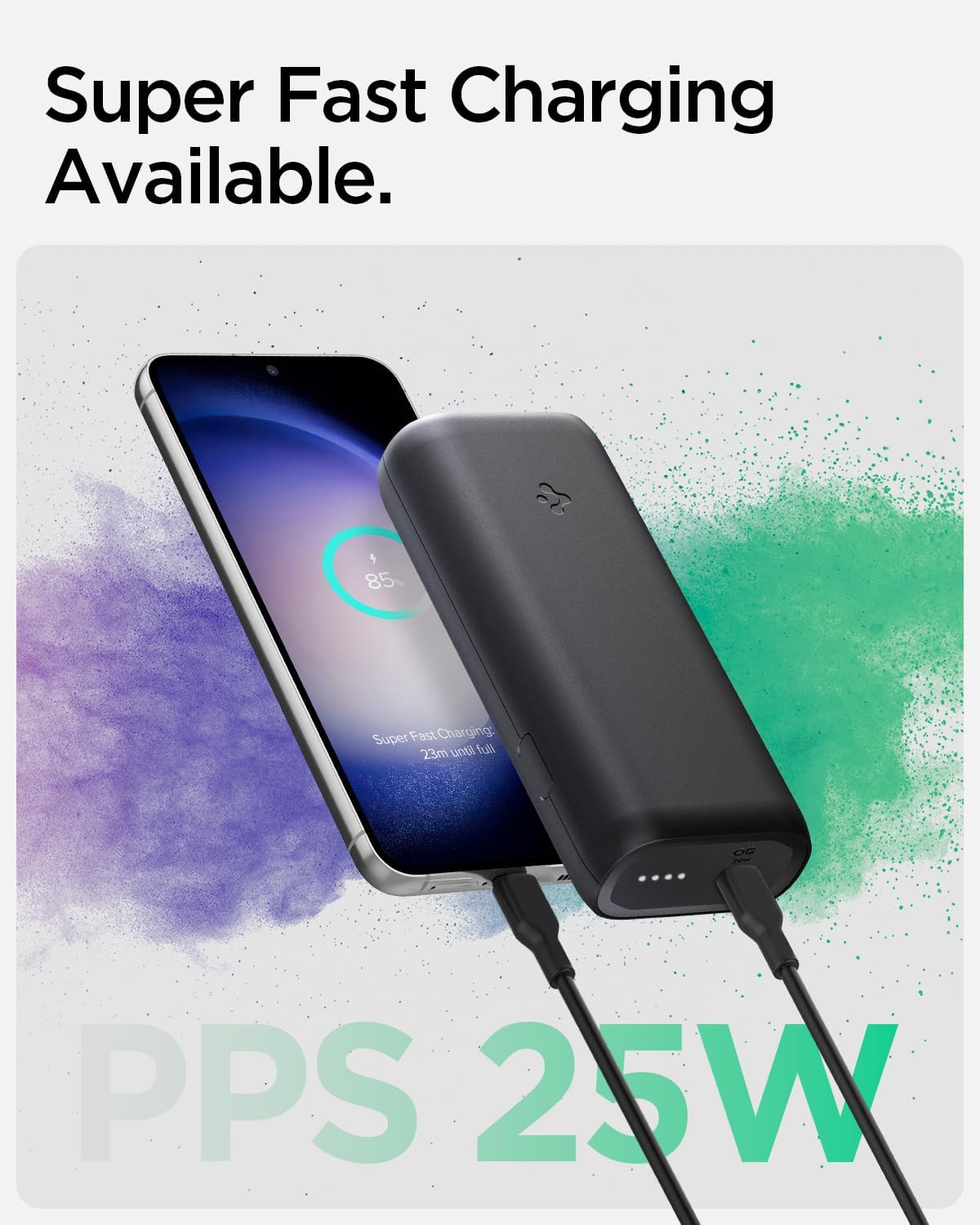
Image: The Spigen ArcPack Power Bank actively charging a smartphone, with the phone's display indicating 'Super Fast Charging' and 'PPS 25W', demonstrating its fast charging capability.

Image: The Spigen ArcPack Power Bank displayed with a variety of popular electronic devices including an iPhone, Samsung Galaxy phone, iPad, and AirPods, emphasizing its broad universal compatibility.
명세서
| 특징 | 세부 사항 |
|---|---|
| 제품 치수 | 4.1 x 1.9 x 0.9 인치 |
| 품목 무게 | 7.4 온스 |
| 품목 모델 번호 | PA2100 |
| 배터리 | 1개의 리튬 이온 배터리 필요(포함) |
| 커넥터 유형 | USB 타입 C |
| 상표 | 슈피겐 |
| 배터리 용량 | 10000밀리amp 시간 |
| 특징 | 휴대용 충전기 |
| 권tage | 20 볼트 |
| 제조업체 | Spigen Korea Co., Ltd |
| 첫 번째 이용 가능 날짜 | 24년 2023월 XNUMX일 |
유지
To ensure the longevity and optimal performance of your Spigen ArcPack Power Bank, follow these maintenance guidelines:
- 모바일 배터리는 직사광선과 극한의 온도를 피해 서늘하고 건조한 곳에 보관하세요.
- 모바일 충전기를 떨어뜨리거나 강한 충격을 주지 마십시오.
- 부드럽고 마른 천으로 외부를 닦으세요. 강한 화학 물질이나 연마재를 사용하지 마세요.
- If not in regular use, charge the power bank at least once every three months to maintain battery health.
문제 해결
If you encounter any issues with your Spigen ArcPack Power Bank, please refer to the following common problems and solutions:
보조 배터리가 충전되지 않음
- 충전 케이블이 전원 은행과 벽면 어댑터에 모두 단단히 연결되어 있는지 확인하세요.
- Verify that the wall adapter is functioning correctly and provides sufficient power (30W PD recommended for optimal charging).
- 케이블이나 어댑터 문제인지 확인하기 위해 다른 USB-C 케이블이나 벽면 어댑터를 사용해 보세요.
전원 은행에서 장치가 충전되지 않음
- Ensure the power bank has sufficient charge. Check the LED indicators for remaining battery level.
- Verify the charging cable connecting your device to the power bank is not damaged and is securely connected at both ends.
- Some devices may require specific charging protocols. The Spigen ArcPack supports PD 3.0 and PPS. Ensure your device is compatible.
- If your device is a high-power consumption device (e.g., certain gaming handhelds like ROG Ally), it might draw more power than the power bank can supply during active use, leading to slow charging or even draining. Ensure the device is in a low-power state or off for effective charging.
느린 충전
- Ensure both the power bank and the device support fast charging protocols (PD/PPS).
- 낮은 와트 사용tage wall adapter to charge the power bank will result in slower recharge times.
- Charging speed can be affected by various factors such as network conditions, background applications, device usage during charging, and device-specific software optimizations (e.g., Apple's iOS optimizations).
Power Bank Getting Warm During Use
- It is normal for the power bank to become warm during high-speed charging or discharging, especially when delivering maximum power.
- If the power bank becomes excessively hot to the touch, disconnect it immediately from all devices and power sources and allow it to cool down. If the issue persists, contact customer support.
안전 정보
제품 손상이나 부상의 위험을 예방하기 위해 다음 안전 예방 조치를 준수하세요.
- Do not expose the power bank to water, fire, or extreme temperatures (above 45°C / 113°F or below 0°C / 32°F).
- Do not disassemble, puncture, or modify the power bank. This may cause damage, fire, or explosion.
- 어린이의 손이 닿지 않는 곳에 보관하세요.
- Dispose of the power bank responsibly according to local regulations for electronic waste. Do not dispose of it in household trash.
- Avoid using damaged cables or adapters, as this can lead to overheating or malfunction.
보증 및 지원
For detailed warranty information and customer support, please refer to the official Spigen web사이트를 방문하거나 고객 서비스에 직접 문의하세요. 보증 청구를 위해 구매 영수증을 보관하세요.
이 사용자 설명서의 디지털 버전을 다운로드할 수 있습니다.
Spigen ArcPack User Manual (PDF)
You can also visit the official Spigen Store on Amazon for more products and information:


