1. 서론
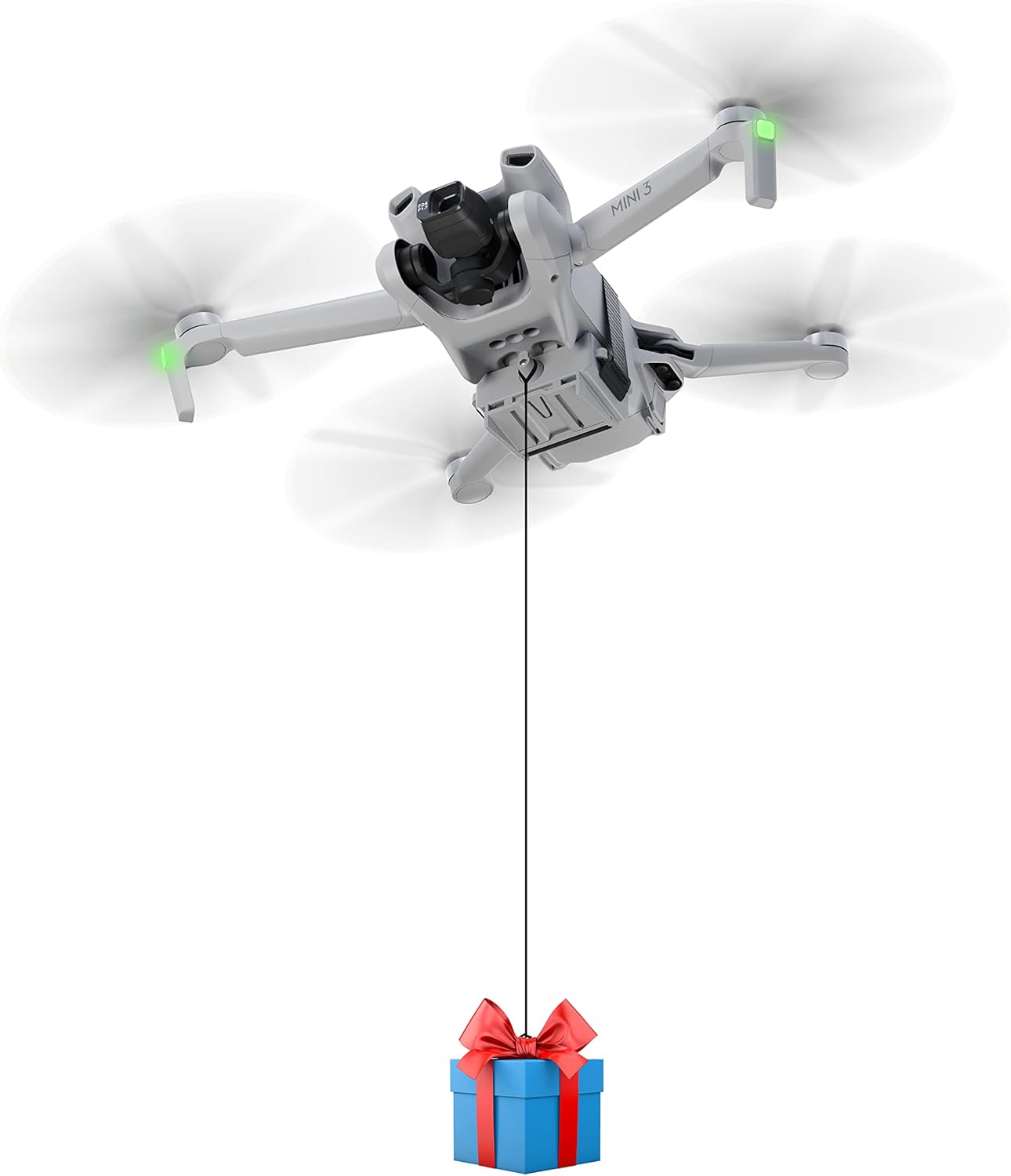
The STARTRC Drone Airdrop System is a lightweight and efficient accessory designed to enable your DJI Mini series drone to carry and release small payloads. This device is ideal for various applications such as delivering small gifts, casting fishing bait, or dropping lightweight items during recreational flights.
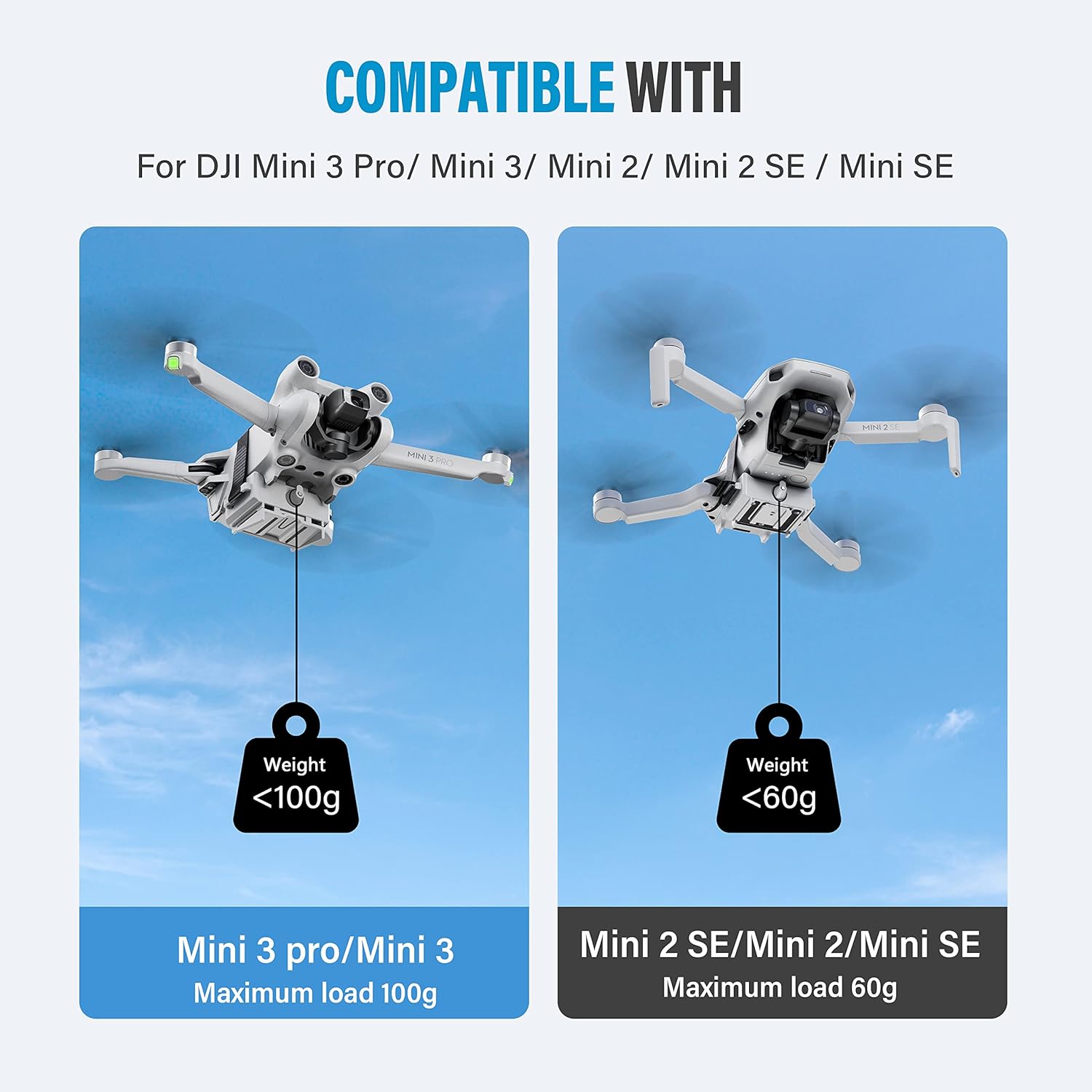
호환성: This system is specifically designed for the DJI Mini Drone series, including DJI Mini 3 Pro, Mini 3, Mini SE, Mini 2, and Mini 2 SE.
2. 패키지 내용
Before proceeding with installation, please ensure all components are present in your package:
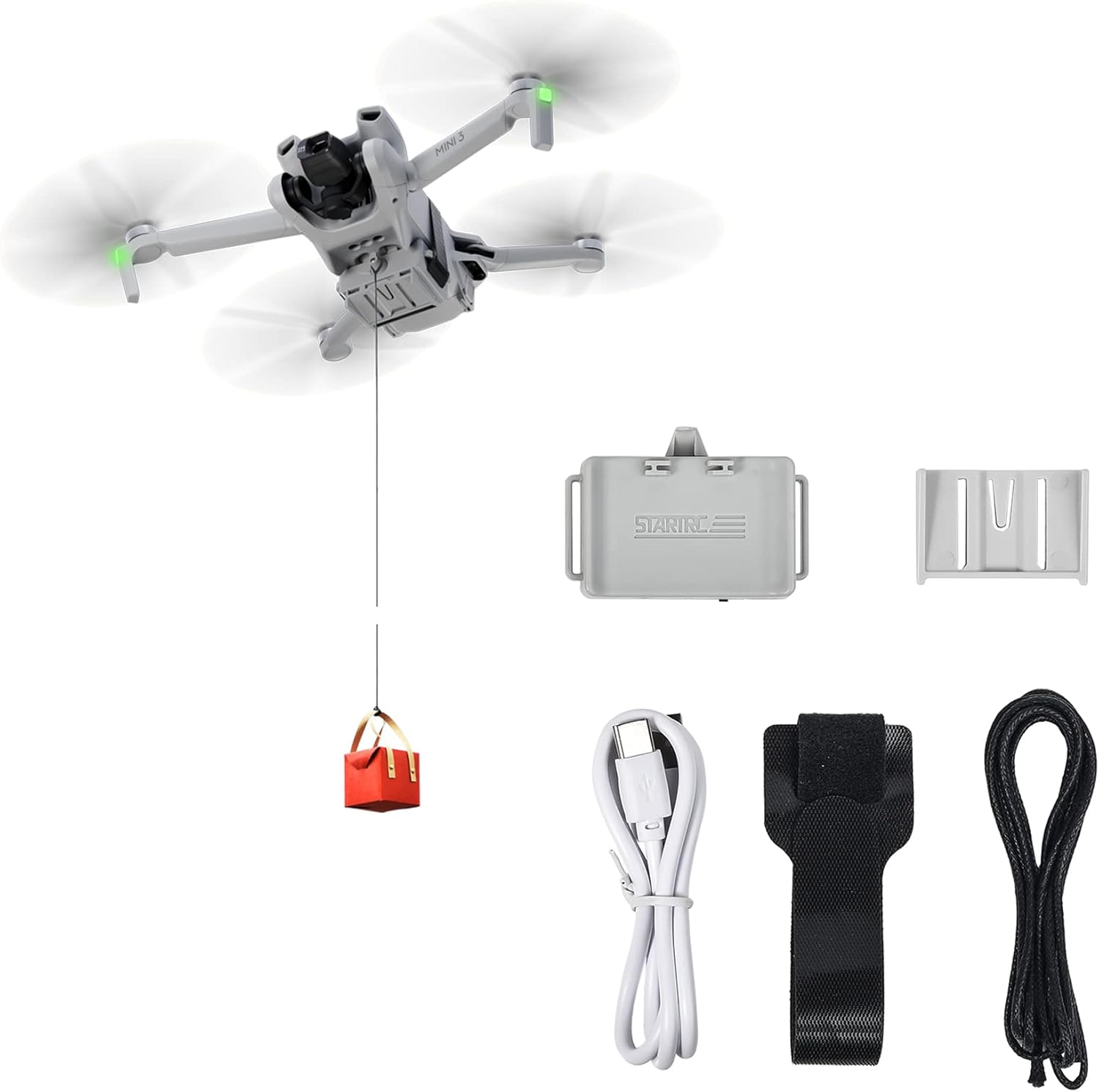
- Air-dropping system unit
- 베이스
- Magic tie (Velcro strap)
- 릴리스 라인
- 충전 케이블
3. 설정 및 설치
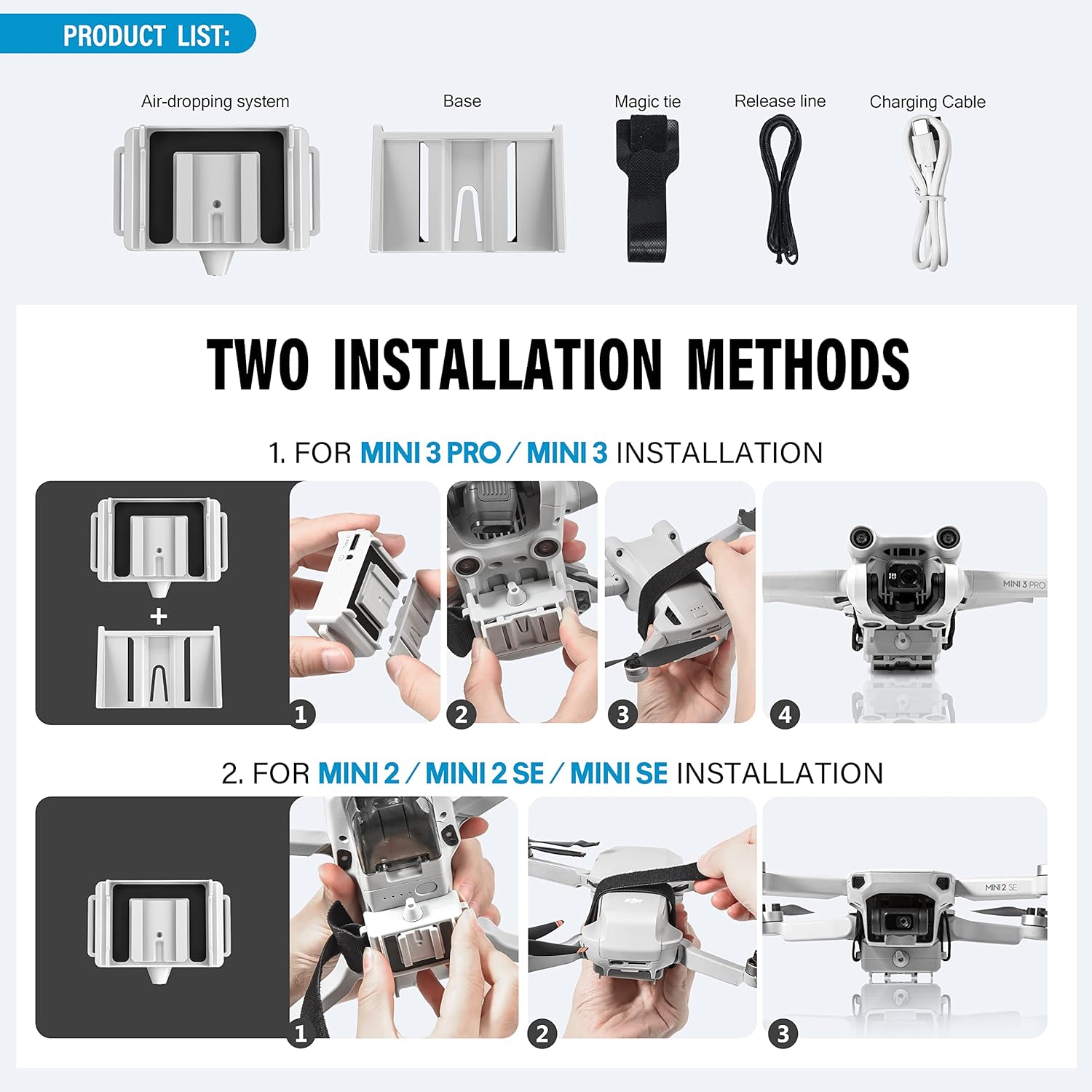
The STARTRC Airdrop System offers two primary installation methods depending on your DJI Mini drone model. Please follow the instructions carefully for your specific drone.
3.1. For DJI Mini 3 Pro / Mini 3 Installation
- Attach the base unit to the bottom of your drone, ensuring it clicks securely into place.
- Align the air-dropping system unit with the installed base and gently push it down until it locks.
- Ensure the unit is firmly attached and does not obstruct any sensors or propellers.
3.2. For DJI Mini 2 / Mini 2 SE / Mini SE Installation
- Position the air-dropping system unit on the belly of your drone.
- Use the provided magic tie (Velcro strap) to securely fasten the unit to the drone's body. Ensure it is tight enough to prevent movement during flight but does not compress the drone's components.
- Verify that the unit is stable and does not interfere with the drone's sensors or propeller rotation.
After installation, attach the release line to the payload you wish to drop and then connect it to the airdrop system's hook.
4. 사용 설명서
The STARTRC Drone Airdrop System operates without an additional remote control, utilizing the drone's existing flight capabilities for payload release.
4.1. Payload Attachment and Weight Limits
- Attach your desired payload to the release line.
- Connect the release line to the hook on the airdrop system.
- 최대 부하 용량 :
- For DJI Mini 3 Pro / Mini 3: Less than 100g (up to 80g with Intelligent Flight Battery, up to 100g with Intelligent Flight Battery Plus).
- For DJI Mini 2 SE / Mini 2 / Mini SE: Less than 60g.
- Exceeding these limits can compromise flight stability and drone performance.
4.2. 렐레asing the Payload
The release mechanism is activated by a specific drone maneuver:
- Fly your drone to the desired drop location.
- To activate the release, rotate the drone on its axis (yaw) for approximately 7 to 10 seconds. The system's built-in high-sensitivity sensor chip detects this rotation.
- After the rotation, the hook will open, and the payload will be released by gravity.

4.3. Flight Considerations During Operation
- It is recommended to fly at a 저속 when carrying a payload.
- When deploying the payload, descend slowly and use the drone's "N" (Normal) gear/mode for optimal control and stability.
- Avoid operating in strong winds, as this can affect drone stability and the reliability of the release mechanism.

5. 유지관리
To ensure the longevity and optimal performance of your STARTRC Drone Airdrop System, follow these simple maintenance guidelines:
- 청소: Wipe the unit with a soft, dry cloth after each use to remove dust or debris. Avoid using harsh chemicals or abrasive materials.
- 저장: 사용하지 않을 때는 직사광선과 극한의 온도를 피해 서늘하고 건조한 곳에 보관하세요.
- 점검: Periodically inspect the release mechanism and attachment points for any signs of wear or damage. Ensure the magic tie (Velcro) maintains its grip.
- 충전 중: Recharge the unit as needed using the provided charging cable. Do not overcharge.
6. 문제 해결
If you encounter issues while using the STARTRC Drone Airdrop System, refer to the following common problems and their solutions:
| 문제 | 가능한 원인 | 해결책 |
|---|---|---|
| Payload not releasing after rotation. | Insufficient rotation duration or speed; mechanism obstruction; low battery. | Ensure drone rotates consistently for 7-10 seconds. Check for any debris obstructing the hook. Recharge the airdrop system. |
| Drone becomes unstable during flight with payload. | Payload exceeds maximum weight limit; improper attachment; strong winds. | Verify payload weight is within specified limits. Ensure the system is securely attached. Avoid flying in windy conditions. Fly at low speed and use "N" gear. |
| Payload string interferes with drone's height sensor. | String length or thickness. | Use a thinner string if possible. Adjust the length of the string to prevent it from swinging into the sensor's path. |
| Airdrop system detaches during flight. | Improper installation; loose magic tie (Velcro). | Re-install the system, ensuring all connections are secure. For Mini 2 series, tighten the magic tie firmly. |

7. 사양
- 모델: GDF-1116632-01
- 상표: STARTRC
- 호환성: DJI Mini 3 Pro, Mini 3, Mini SE, Mini 2, Mini 2 SE
- 제품 크기(길이 x 너비 x 높이): 5.5 x 4 x 3cm (대략)
- 품목 무게: 30그램
- Max Payload (Mini 3 Pro/Mini 3): < 100g (80g with Intelligent Flight Battery, 100g with Intelligent Flight Battery Plus)
- Max Payload (Mini 2 SE/Mini 2/Mini SE): 60g 미만
- 릴리스 메커니즘: Drone rotation (7-10 seconds)
- 특징: Payload drop system
8. 보증 및 지원
Information regarding product warranty and customer support is not provided in this manual. Please refer to the product packaging or the manufacturer's official web보증 범위 및 추가 지원을 위한 고객 지원 연락처에 대한 자세한 내용은 해당 사이트를 참조하십시오.


