1. 서론
The SOAR ShockBox XL Wireless Bluetooth Speaker is designed to provide a high-quality audio experience for various occasions, including sports events and gatherings. This manual provides detailed instructions for the setup, operation, and maintenance of your speaker.

Figure 1: SOAR NFL XL ShockBox Wireless Bluetooth Speaker (Tennessee Titans edition).
2. 패키지 내용
패키지에 모든 품목이 들어 있는지 확인하세요.
- SOAR NFL XL ShockBox Wireless Bluetooth Speaker
- 마이크로 USB 충전 케이블
- 사용 설명서 (본 문서)
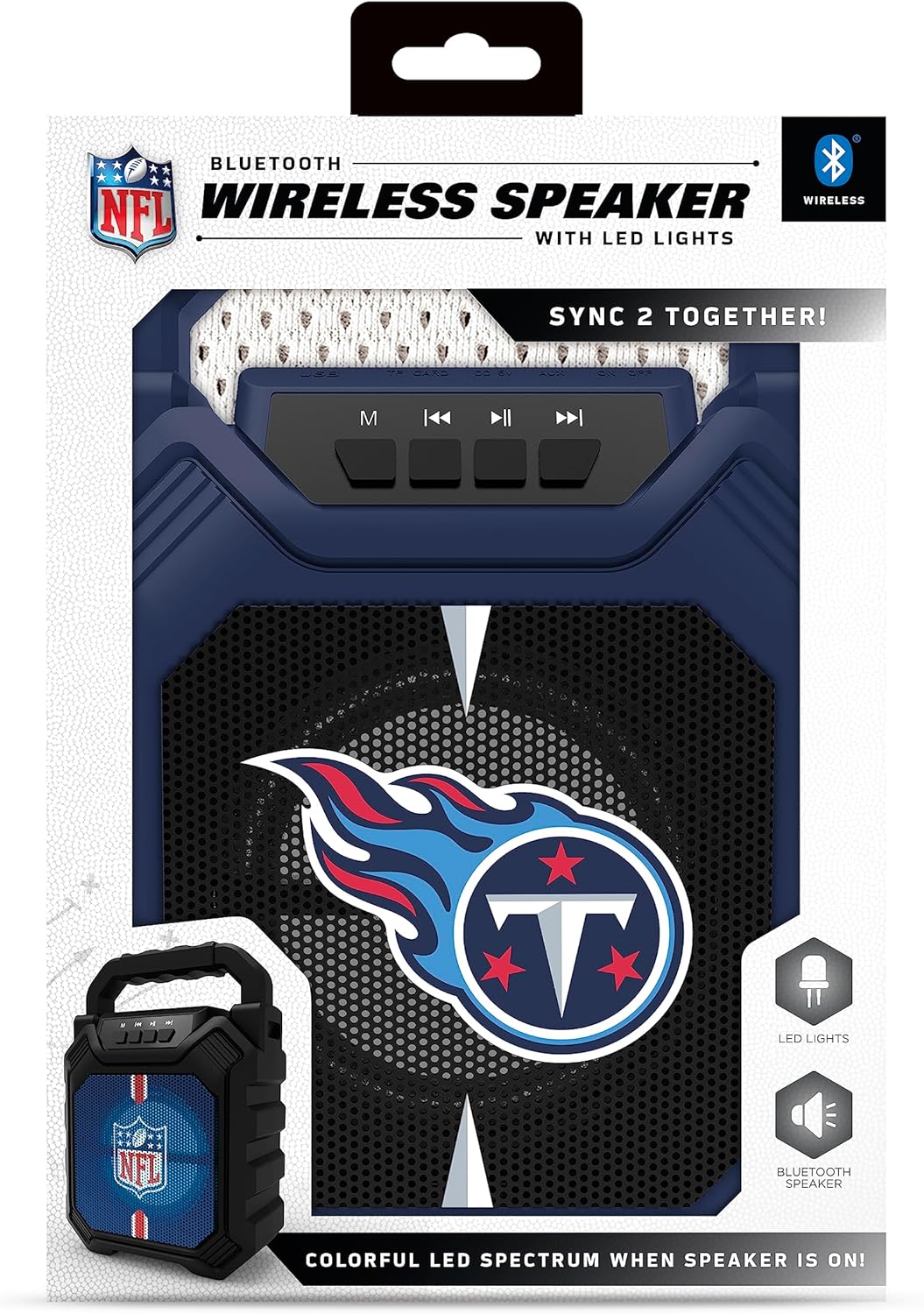
Figure 2: Speaker in its retail packaging, showing the product and its key features.
3. 제품 특징
- 블루투스 5.0 연결: 호환되는 기기에서 무선 오디오 스트리밍을 지원합니다.
- 다중 오디오 입력: Includes AM/FM radio, USB port, and Aux input for versatile playback options.
- 휴대성 있는 디자인: Features a convenient top handle for easy transport and a shockproof construction for durability.
- 연장된 플레이 시간: Provides over 5 hours of continuous audio playback on a single charge.
- 다이내믹 LED 조명: Multicolor LED lights synchronize with the music, enhancing the visual experience.
- Stereo Sound Pairing: Supports "Sync 2 Together" functionality, allowing two speakers to be paired for enhanced stereo audio.
- 오디오 품질 : Delivers deep bass and crystal clear sound.
- 음성 프롬프트: Features voice-over speaker prompts for operational guidance.
- 스피커 드라이버: Equipped with a 25W speaker driver for powerful sound output.
4. 제어 및 포트
Familiarize yourself with the control panel and input ports located on the speaker:
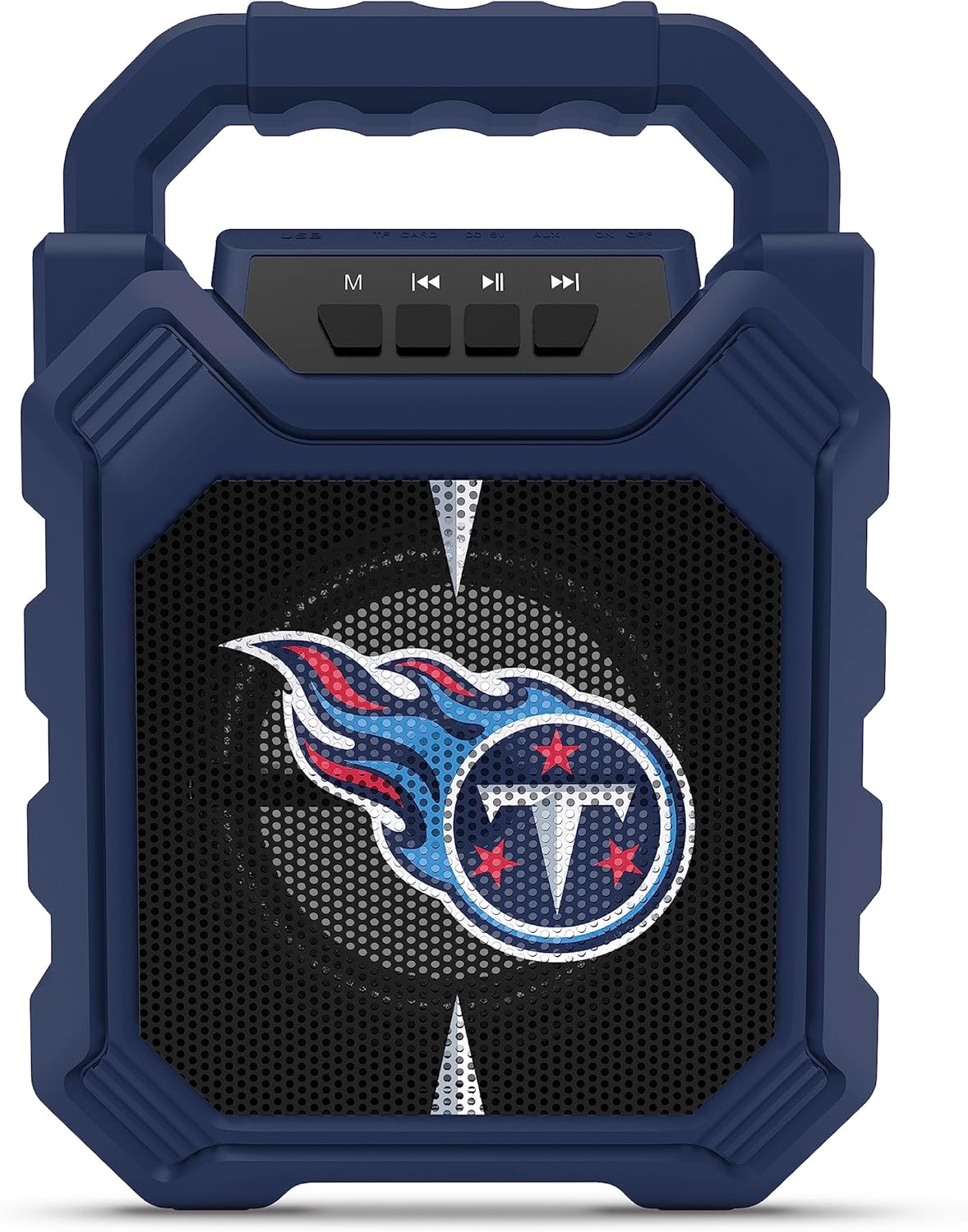
Figure 3: Top panel of the speaker with control buttons and input ports.
| 버튼/포트 | 기능 |
|---|---|
| M(모드) 버튼 | Switches between Bluetooth, FM Radio, USB, and Aux input modes. |
| 이전 트랙 / 볼륨 낮추기 | Short press for previous track (Bluetooth/USB), long press to decrease volume. |
| 재생/일시정지 버튼 | 오디오 재생을 재생하거나 일시 정지합니다. |
| 다음 트랙 / 볼륨 업 | Short press for next track (Bluetooth/USB), long press to increase volume. |
| USB 포트 | USB 플래시 드라이브에서 오디오를 재생하는 데 사용합니다. |
| TF 카드 슬롯 | TF(MicroSD) 카드에서 오디오를 재생하기 위한 용도입니다. |
| AUX 입력 | 3.5mm jack for connecting external audio devices via an auxiliary cable. |
| Micro-USB 충전 포트 | 스피커의 내장 배터리를 충전합니다. |
5. 설정
5.1 스피커 충전
- Connect the supplied micro-USB cable to the speaker's micro-USB charging port.
- 케이블의 다른 쪽 끝을 USB 전원 어댑터(포함되지 않음)나 컴퓨터의 USB 포트에 연결합니다.
- 충전 중에는 LED 표시등이 켜지고, 완전히 충전되면 꺼집니다.
- A full charge provides over 5 hours of playtime.
5.2 전원 켜기/끄기
- To power on, locate the power switch (usually on the back or side) and slide it to the "ON" position.
- 전원을 끄려면 전원 스위치를 "OFF" 위치로 밀어주세요.
6. 사용 설명서
6.1 블루투스 페어링
- Ensure the speaker is powered on and in Bluetooth mode (press the 'M' button until you hear a Bluetooth prompt).
- 모바일 기기에서 블루투스를 활성화하고 사용 가능한 기기를 검색하세요.
- Select "SOAR ShockBox XL" from the list of devices.
- Once paired, the speaker will indicate a successful connection, and you can begin streaming audio.
6.2 FM 라디오 작동
- Press the 'M' button to switch to FM Radio mode.
- 재생/일시정지 버튼을 길게 누르면 사용 가능한 FM 방송국을 자동으로 검색하고 저장합니다.
- Use the Previous/Next Track buttons to navigate between saved stations.
6.3 USB and AUX Input Usage
- USB 입력 : 오디오가 포함된 USB 플래시 드라이브를 삽입합니다. fileUSB 포트에 꽂으세요. 스피커가 자동으로 USB 모드로 전환되어 재생을 시작합니다.
- 보조 입력: Connect one end of a 3.5mm audio cable (not included) to the speaker's AUX input and the other end to your external audio device. Press the 'M' button to switch to AUX mode.
6.4 다이내믹 LED 조명
The speaker features multicolor LED lights that pulse to the rhythm of the music. These lights are automatically activated when the speaker is in use. There is no separate control for the LED lights mentioned in the product features.

그림 4: 예ample of SOAR ShockBox XL speakers with dynamic LED lighting.
6.5 Sync 2 Together (True Wireless Stereo)
To pair two SOAR ShockBox XL speakers for true wireless stereo sound:
- Ensure both speakers are powered on and in Bluetooth mode, but not yet connected to any device.
- 스피커 한 대(기본 스피커)에서 페어링음이 들릴 때까지 'M' 버튼을 길게 누르세요.
- 두 스피커가 자동으로 연결됩니다. 연결되면 확인음이 들립니다.
- 이제 6.1절에 설명된 대로 Bluetooth를 통해 모바일 기기를 기본 스피커에 연결하세요. 오디오는 두 스피커에서 스테레오로 재생됩니다.
7. 유지관리
- 청소: 부드럽고 마른 천을 사용하여 스피커 외부를 닦으세요. 연마성 세제나 용제를 사용하지 마세요.
- 저장: 스피커는 직사광선과 극한의 온도를 피해 시원하고 건조한 곳에 보관하세요.
- 배터리 관리 : 배터리 수명을 연장하려면 장기간 사용하지 않을 때는 스피커를 완전히 충전하십시오. 배터리를 자주 완전히 방전시키지 마십시오.
- 방수 기능: While the speaker has a shockproof design, specific water resistance ratings are not provided. Avoid exposing the speaker to water or excessive moisture.
8. 문제 해결
| 문제 | 가능한 해결책 |
|---|---|
| 스피커의 전원이 켜지지 않습니다. | Ensure the battery is charged. Connect the speaker to a power source using the micro-USB cable. |
| 블루투스로 페어링할 수 없습니다. |
|
| 소리가 나지 않거나 볼륨이 작습니다. |
|
| FM 라디오 수신 상태가 좋지 않습니다. | Adjust the speaker's position. Ensure no strong interference sources are nearby. |
| "Sync 2 Together" pairing fails. |
|
9. 사양
| 특징 | 세부 사항 |
|---|---|
| 모델 번호 | NFL-BTH6-DLPH |
| 블루투스 버전 | 5.0 |
| 오디오 입력 | Bluetooth, FM Radio, USB, Aux |
| 노는 시간 | Over 5 hours per charge |
| 충전 포트 | 마이크로 USB |
| 스피커 드라이버 | 25와트 |
| 제조업체 | 프라임 브랜드 그룹 주식회사 |
| 첫 번째 가능한 날짜 | 6년 2023월 XNUMX일 |
10. 보증 및 지원
For information regarding warranty coverage and customer support, please refer to the contact details provided by Prime Brands Group Inc., the manufacturer. Protection plans are available for purchase separately through the retailer.
For further assistance, please visit the official SOAR web사이트를 방문하거나 고객 서비스에 문의하세요.


