1. 제품 오버view
The Baseus Writing2 Active Stylus Pen is designed to enhance your iPad experience, offering precise control, tilt sensitivity, and palm-rejection for natural writing and drawing. Its advanced features and long battery life make it an ideal tool for students, professionals, and creatives.
주요 특징은 다음과 같습니다.
- 틸트 제어: Adjust line thickness dynamically based on the pen's angle.
- Full-Screen Palm-Rejection: Rest your hand comfortably on the screen without interference.
- 빠른 충전 및 긴 대기 시간: Quick charge for extended use and impressive standby time.
- Precise Control & Stable Connection: Gold-plated copper core ensures ultra-fast response and low latency.
- 실시간 배터리 잔량 표시: LED indicators show current battery status.

Image 1.1: The Baseus Writing2 Active Stylus Pen, showcasing its sleek design and a replaceable tip.
2. 설정 가이드
2.1 초기 충전
Before first use, fully charge the stylus pen. The pen is charged via a Type-C port.
- Connect the provided Type-C charging cable to the stylus charging port.
- 케이블의 다른 쪽 끝을 호환되는 USB 전원 어댑터(포함되지 않음)에 연결합니다.
- Charging typically takes 15-20 minutes for a full charge, providing up to 10 hours of continuous use.
- Observe the LED indicators for charging status: three blue lights indicate 70-100% battery, two blue lights 30-70%, one blue light 5-30%, and a flashing red light indicates less than 5% battery.

Image 2.1: Battery life and charging indicators for the stylus pen.
2.2 Powering On/Off and Connection
The stylus pen features a simple power button for easy operation.
- 전원을 켜려면: Press the power button located on the side of the stylus. The LED indicators will light up.
- 전원을 끄려면: Press and hold the power button for a few seconds until the LED indicators turn off.
- The stylus automatically connects to compatible iPads without requiring Bluetooth pairing. Ensure your iPad is updated to a compatible iOS version.

Image 2.2: Detail of the stylus power button and LED indicators.
3. 사용 설명서
3.1 글쓰기와 그림 그리기
The stylus offers a smooth and precise writing experience, similar to using a traditional pen on paper.
- Simply touch the pen tip to your iPad screen to begin writing or drawing.
- The upgraded gold-plated copper core ensures a stable connection and ultra-fast response with low latency.

이미지 3.1: 내부 view of the stylus pen's gold-plated copper core for enhanced precision.
3.2 Tilt Control
Utilize the tilt control feature for varied line thickness and shading effects.
- Tilt the pen at different angles to achieve thicker or thinner lines, mimicking the effect of a pencil.
- This feature is ideal for artistic applications, note-taking, and sketching.

Image 3.2: Demonstrating tilt control for varied line thickness.

Image 3.3: Visual representation of tilt control functionality.
3.3 Palm-Rejection
Write and draw naturally without worrying about accidental touches from your palm.
- The full-screen palm-rejection technology allows you to rest your hand on the iPad screen while using the stylus, just as you would with paper and pen.
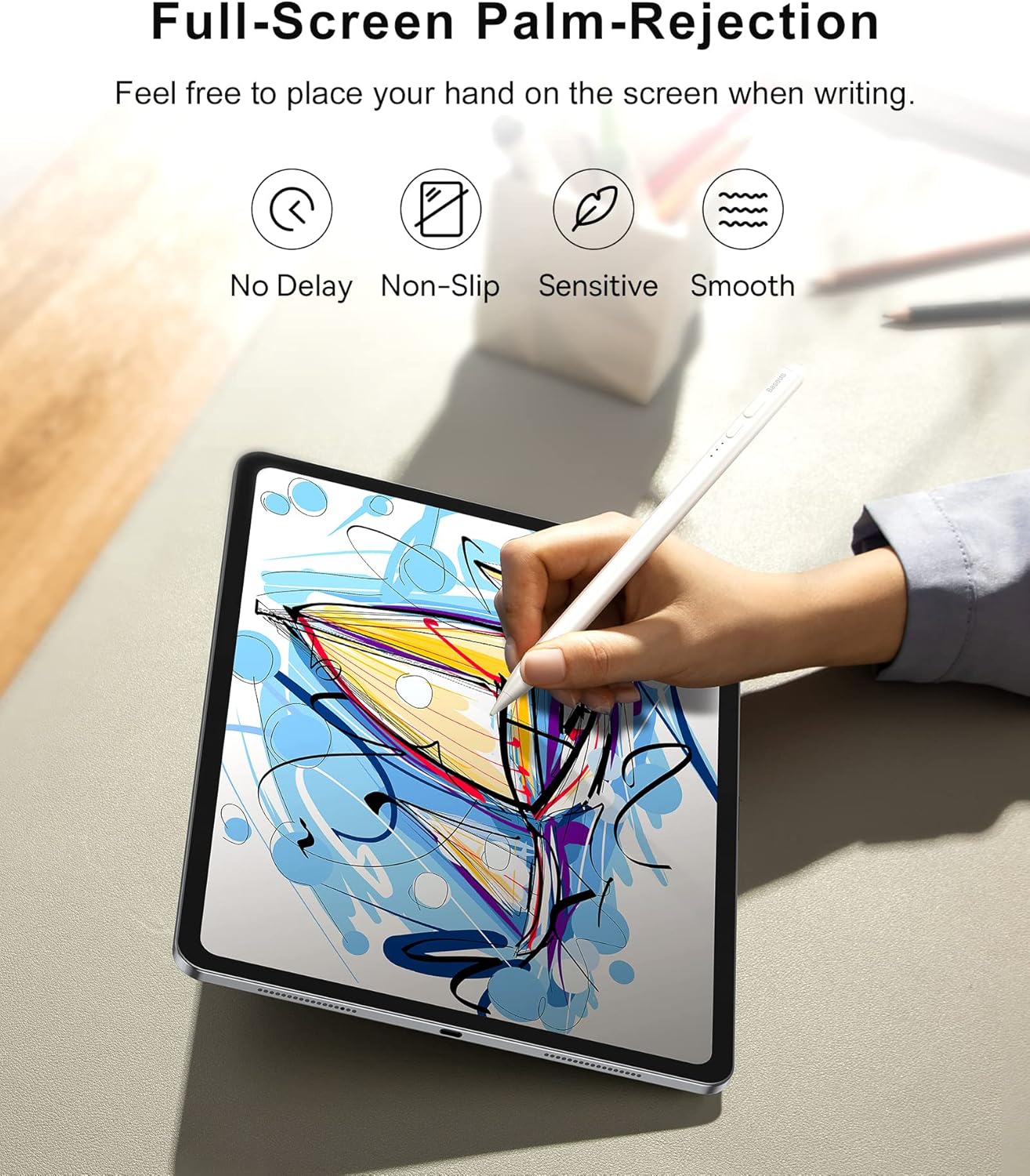
Image 3.4: Palm-rejection in action, allowing comfortable use.

Image 3.5: Visualizing the palm-rejection feature.
3.4 자석 부착
For convenient storage, the stylus can magnetically attach to your iPad.
- Simply place the stylus on the side of your compatible iPad, and it will snap into place magnetically.

Image 3.6: Magnetic attachment feature for convenient storage.
3.5 다중 시나리오 적용
The Baseus Writing2 Stylus Pen is versatile for various tasks:
- 노트테이킹
- 그림
- 스케치
- 제도

Image 3.7: The stylus is suitable for multiple scenarios including note-taking, drawing, sketching, and drafting.
3.6 공식 제품 영상
Video 3.1: Official product video from Baseus US Flagship demonstrating the stylus pen's features, including tilt control, real-time battery display, and smooth writing experience.
4. 유지관리
4.1 펜촉 교체
The stylus pen comes with replaceable pen tips to ensure long-term usability.
- 기존 펜촉을 시계 반대 방향으로 살살 돌려 빼내세요.
- Align the new pen tip with the stylus and twist clockwise until it is securely in place.
- Ensure the tip is firmly attached before use to maintain optimal performance.

Image 4.1: The replaceable pen tip mechanism.
4.2 청소
스타일러스의 성능과 외관을 유지하려면:
- 스타일러스 본체를 부드럽고 마른 보풀 없는 천으로 닦으십시오.
- 연마성 세척제나 용제를 사용하지 마십시오.
5. 문제 해결
If you encounter issues with your Baseus Writing2 Active Stylus Pen, refer to the following common solutions:
| 문제 | 가능한 원인 | 해결책 |
|---|---|---|
| 스타일러스가 응답하지 않습니다 | Low battery; Not powered on; Incompatible iPad model; Loose pen tip. | Charge the stylus; Press the power button; Verify iPad compatibility; Re-attach or replace pen tip. |
| 부정확하거나 지연된 응답 | Pen tip wear; Screen protector interference; Software glitch. | Replace the pen tip; Ensure screen protector is stylus-compatible; Restart iPad and stylus. |
| Palm-rejection not working | Incompatible app; iPad settings. | Ensure the app supports palm-rejection; Check iPad settings for stylus compatibility. |
| LED 표시등이 켜지지 않음 | 배터리가 완전히 방전되었습니다. 오작동입니다. | Charge the stylus for at least 30 minutes; If issue persists, contact customer support. |
6. 사양
| 특징 | 세부 사항 |
|---|---|
| 모델 번호 | BS-PS010 |
| 제품 치수 | 6.5 x 0.35 x 0.35인치(16.5 x 0.89 x 0.89cm) |
| 품목 무게 | 0.529 온스(15그램) |
| 색상 | 하얀색 |
| 재료 | 알류미늄 |
| 배터리 유형 | 1개의 리튬 이온 배터리(포함) |
| 충전 시간 | 15 ~ 20 분 (약) |
| 연속 사용 시간 | 최대 10시간 |
| 대기 시간 | 최대 12개월(365일) |
| 충전 포트 | C타입 |
7. 호환성
The Baseus Writing2 Active Stylus Pen is compatible with Apple iPad models from 2018 and later, including:
- iPad 10th/9th/8th/7th/6th Generation
- iPad Pro 11-inch (1st, 2nd, 3rd, 4th Gen)
- iPad Pro 12.9-inch (3rd, 4th, 5th, 6th Gen)
- iPad Air (3rd, 4th, 5th Gen)
- 아이패드 미니(5세대, 6세대)
For detailed model number compatibility, please refer to the table below:

Image 7.1: Comprehensive compatibility chart for various iPad models.

Image 7.2: Detailed compatibility table for iPad models and their specific model numbers.
8. 보증 및 지원
Baseus products are manufactured to high-quality standards. For any warranty claims or technical support, please contact Baseus customer service through the retailer where you purchased the product or visit the official Baseus web지원 정보를 제공하는 사이트입니다.
보증을 위해 구매 증빙서류를 보관하세요.


